🚨Prerequisites
- You must have an active Airwallex account (business accounts only).
- You must be an admin on your Airwallex account (or have sufficient permissions) to access the API keys section.
🔑 Where to find your credentials
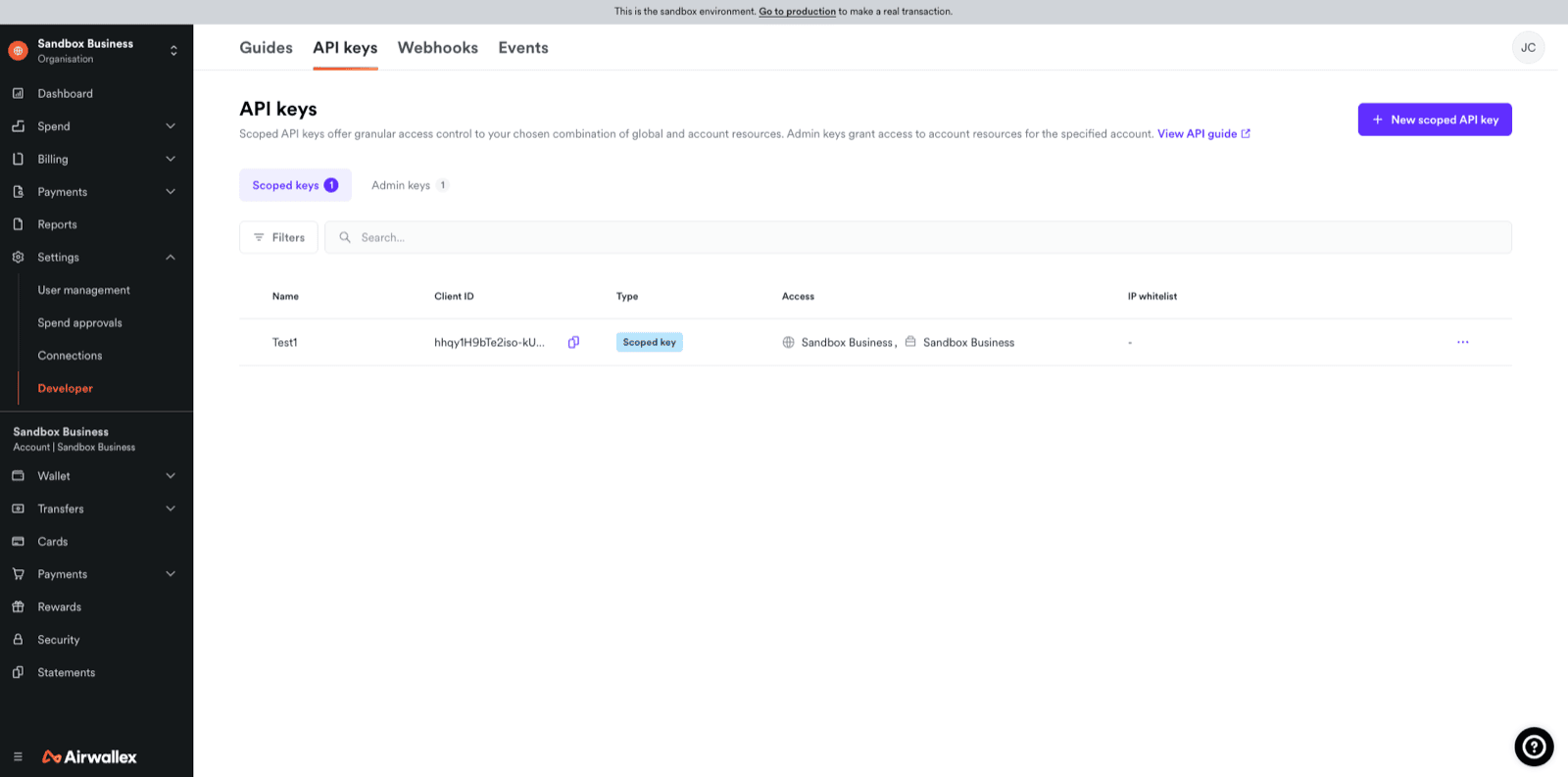
You will need two credentials to connect Airwallex to Chift: your Client ID and your API Key. Both are available in the Airwallex web app:- Log in to your Airwallex account at app.airwallex.com
- Go to Settings → Developer → API keys
Client ID
Your Client ID is displayed on the API keys page. It is a fixed identifier for your account and does not change.API Key
⚠ Your API Key is shown only once at the time of creation. If you have already generated a key but did not save it, you will need to regenerate one. To generate a new API Key:- On the API keys page, click Generate next to your organization or account.
- Enter your login password when prompted.
- Copy the generated key immediately and store it securely (e.g. in a password manager). You will not be able to view it again in the web app.
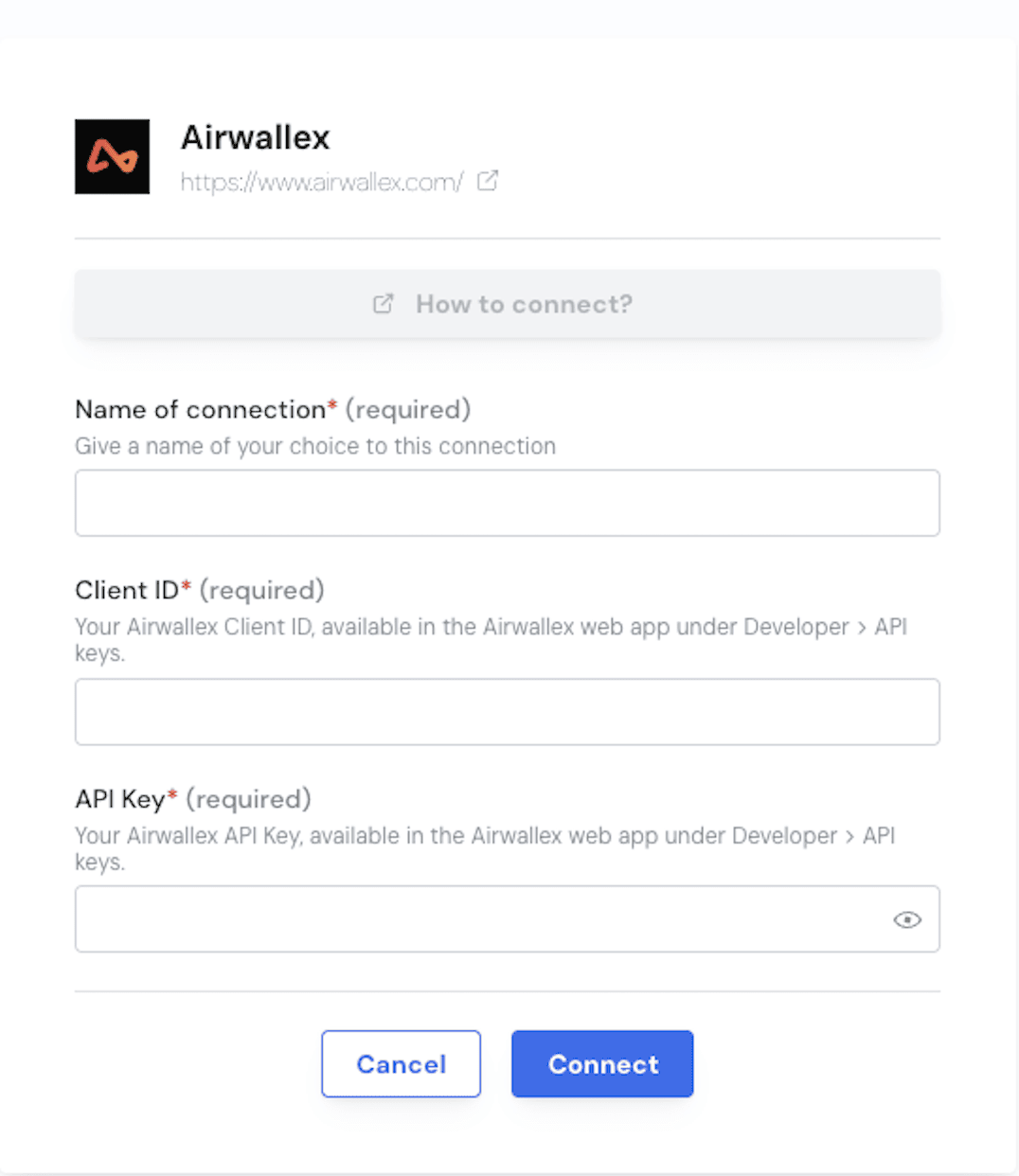
⚡ Connection
Step 1: Choose a name for your connection. Step 2: Enter your Airwallex Client ID and API Key in the fields provided.