🚨 PREREQUISITES
- You must have Contasol installed with its API access available.
- Activating the API requires a developer account (“cuenta de fabricante”) with Software DELSOL. This account provides a CodigoFabricante and is tied to an email address (EmailFabricante) that receives the API credentials.
- You can either create your own developer account (fully autonomous — steps below), or use the developer account your integration partner provides (they share their CodigoFabricante and EmailFabricante with you). If your partner manages the developer account, skip Step 1 and go straight to Step 2 with the identifiers they gave you.
🔑 How the connection works
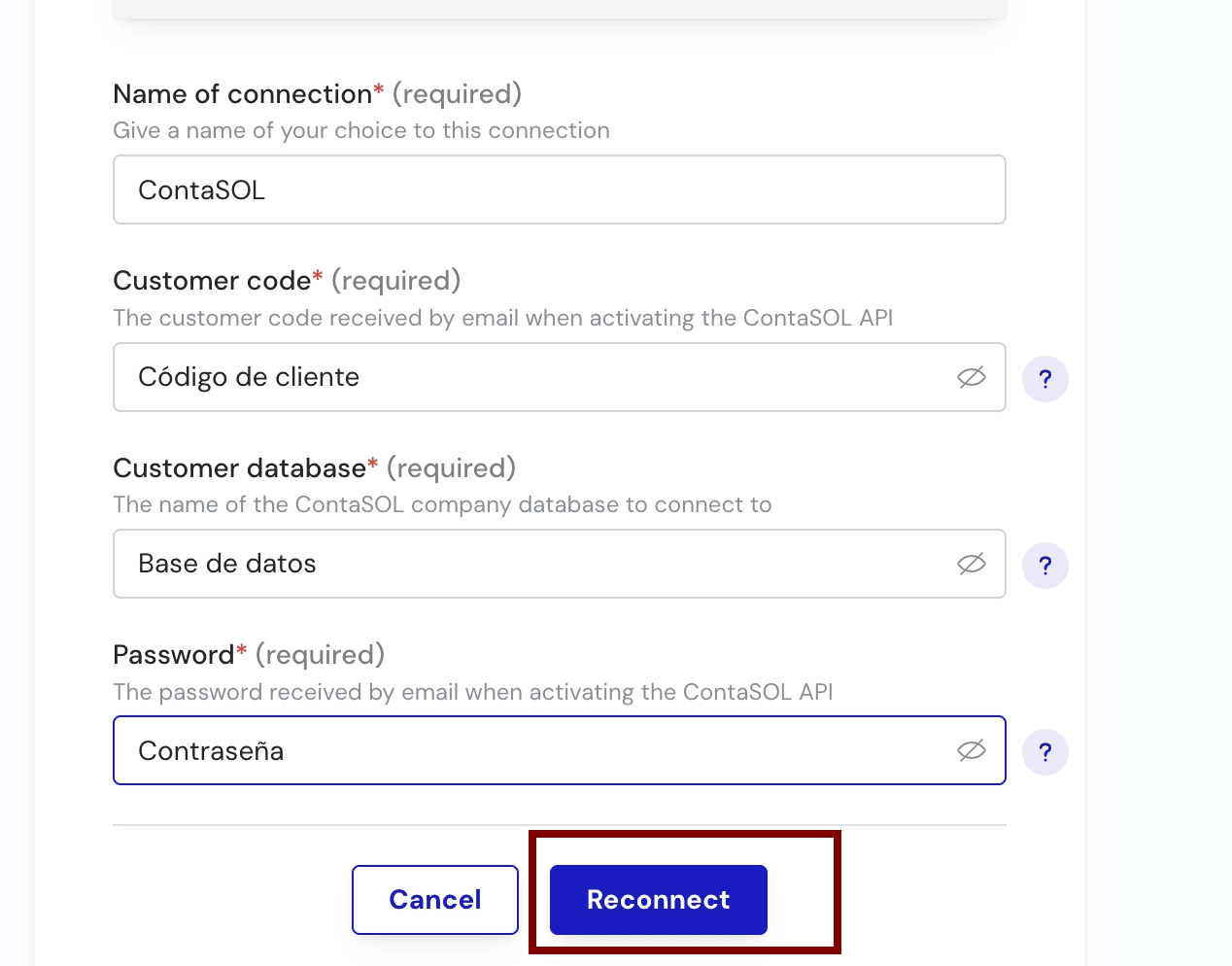
Contasol’s API is activated from inside Contasol using a CodigoFabricante and the email linked to the developer account. Once activated, Software DELSOL emails the API credentials, which you then enter in the Chift connection settings. There are two ways to organize this:- You manage your own developer account → you create it once (Step 1), receive your CodigoFabricante, and stay independent.
- Your partner manages the developer account → they give you their CodigoFabricante and EmailFabricante; the credentials email is sent to them, and they share the credentials with you.
🛠 PREPARATION
Step 1 — Create a developer account
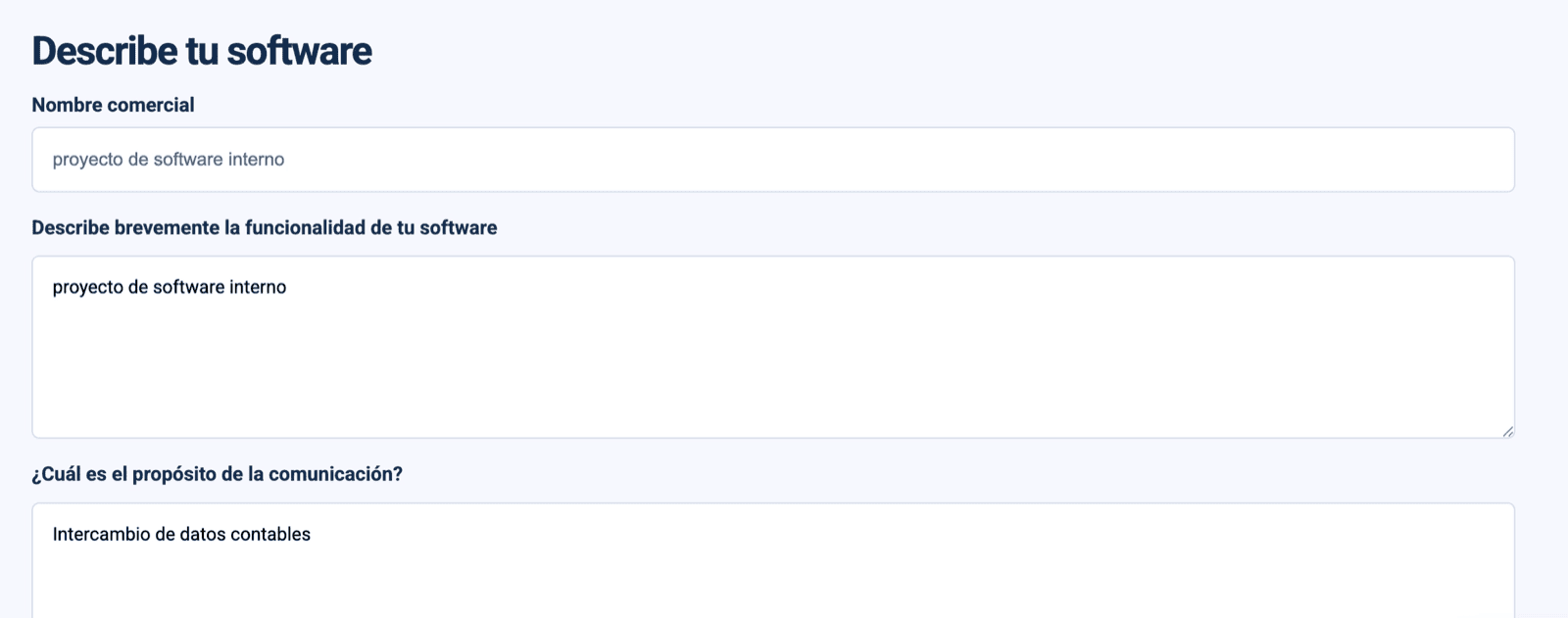
Go to the Software DELSOL developer registration and create a developer account to receive your CodigoFabricante. Choose an email address you have access to — Software DELSOL sends the API credentials to this address.

Step 2 — Activate the API in Contasol
Using your CodigoFabricante and the email you registered, activate API access inside Contasol. Software DELSOL’s official guide walks through each screen: CONTASOL | Acceso por API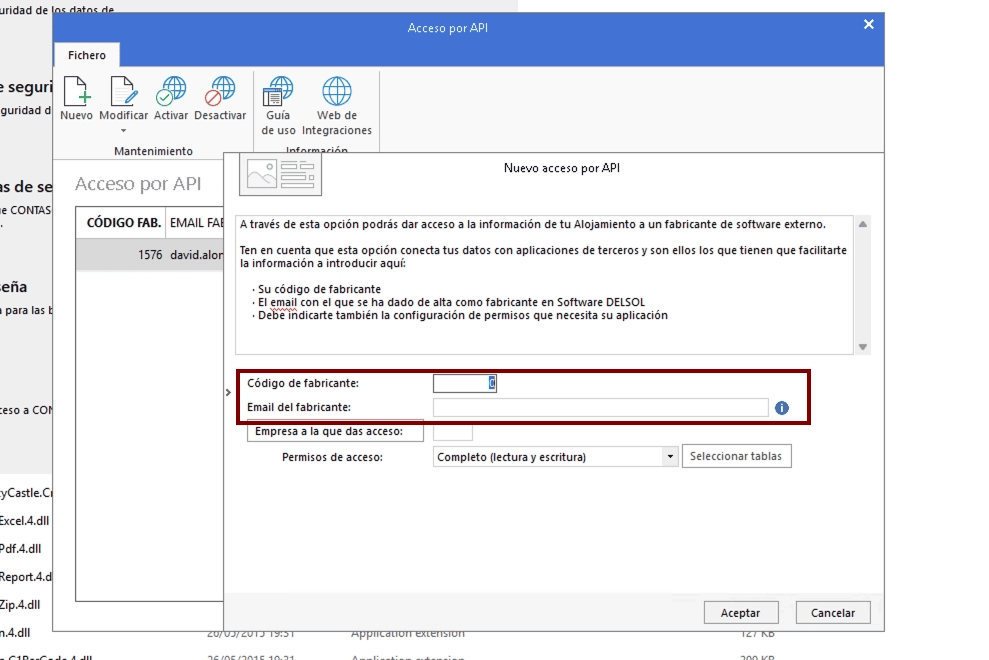

⚡️ CONNECTION

❓ Troubleshooting
⚡️ CONNECTION
Step 1: Choose a name for your connection. (If the connection name field isn’t visible, simply skip this step and continue.)