PREPARATION

  1. Generate an API key from your Cegid Loop account.
Here is how: https://app.arcade.software/share/VWS4eqYN11QzPXSuRdRo
  1. Connect your API Key and software on Loop Hub and select your accounting folder.
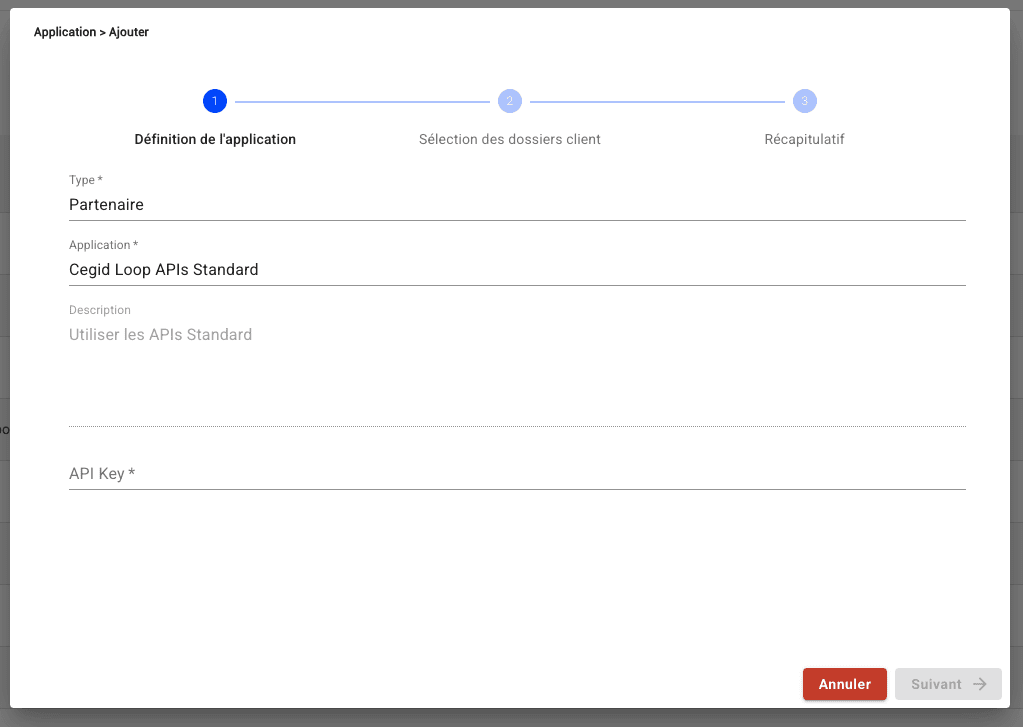
Here is how: https://app.arcade.software/share/xDBcC6VmzS1Ls7wbOeuk If you don’t find your software vendor in the list, use the default “Cegid Loop APIs Standard” option. image.png

CONNECTION

Step 1: Choose a name for your connection. Step 2: Define whether to activate the accounting analytics. Step 3: Enter the API Key, which you previously generated from your account. Step 4: Enter the secret key, which you previously generated from your account. Step 5: Click “Connect” to finalise the connection.


CONFIGURATION

Step 1: Select the accounting folder to connect. Step 2: Click “Submit” to finalise the configuration.