

PREPARATION
-
Activate the integration in Last.APP.
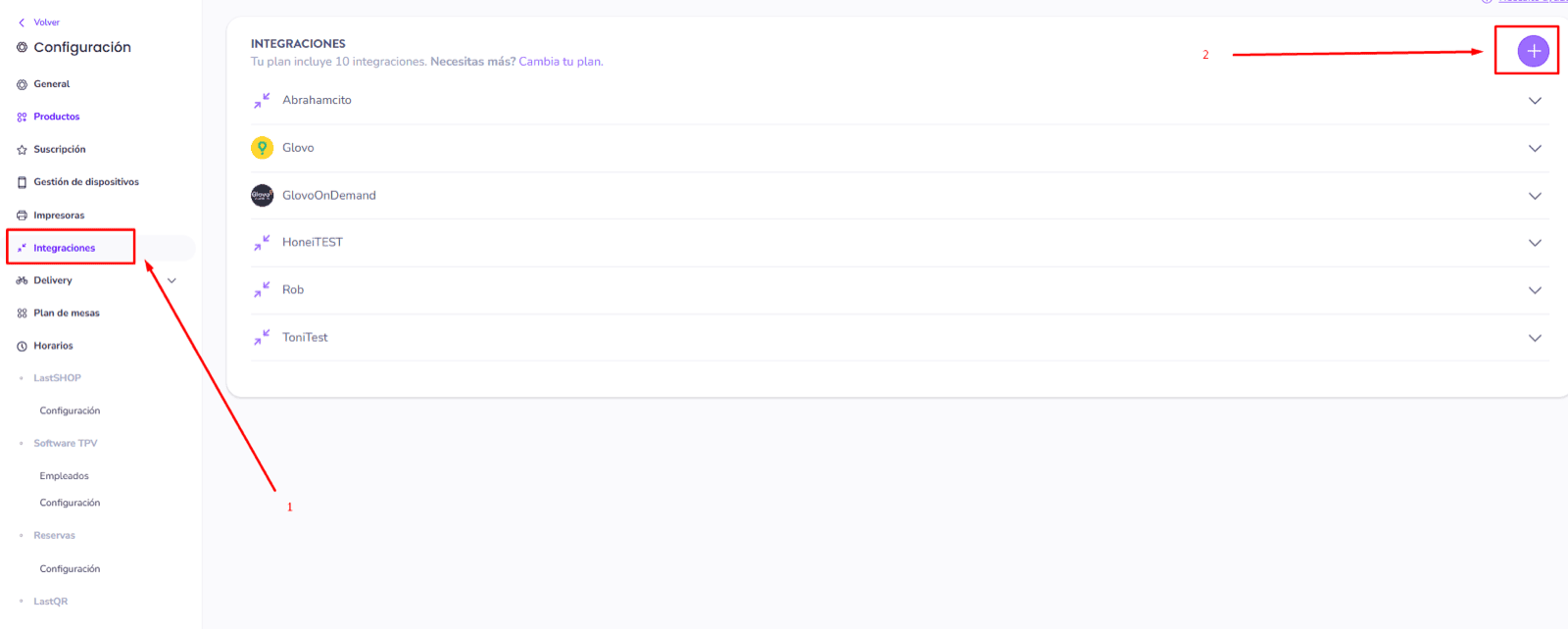
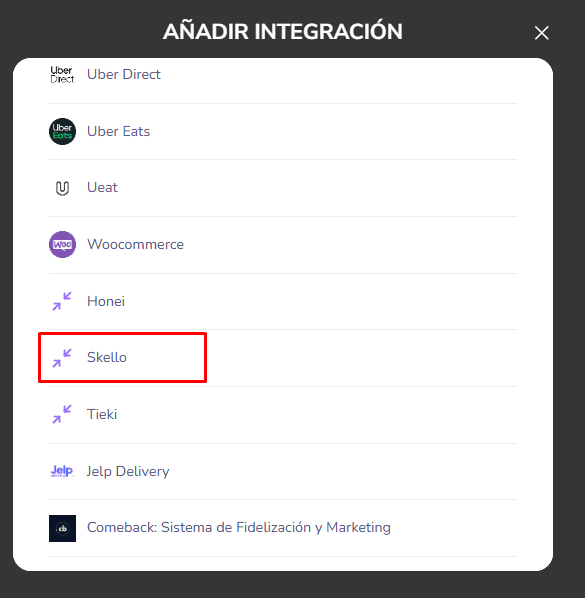
- Go to your Last.APP account → Menu → Integrations → “Add” / ”+” → click on the partner you want to integrate (in this example: Skello)
- **Contact Last.app support’**s team to request for an API bearer token in order to activate your integration.
CONNEXION
Step 1: Choose a name for your connection.

