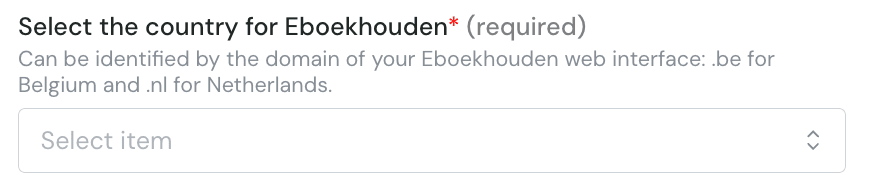
🚨 Prerequisites
API Token in e-Boekhouden – To connect, you first need to generate an API token in your e-Boekhouden account. The steps to do this are outlined below in the Preparation section.🛠 Preparation
- Log in to your e-Boekhouden account.
-
Navigate to the e-Boekhouden API token management page:
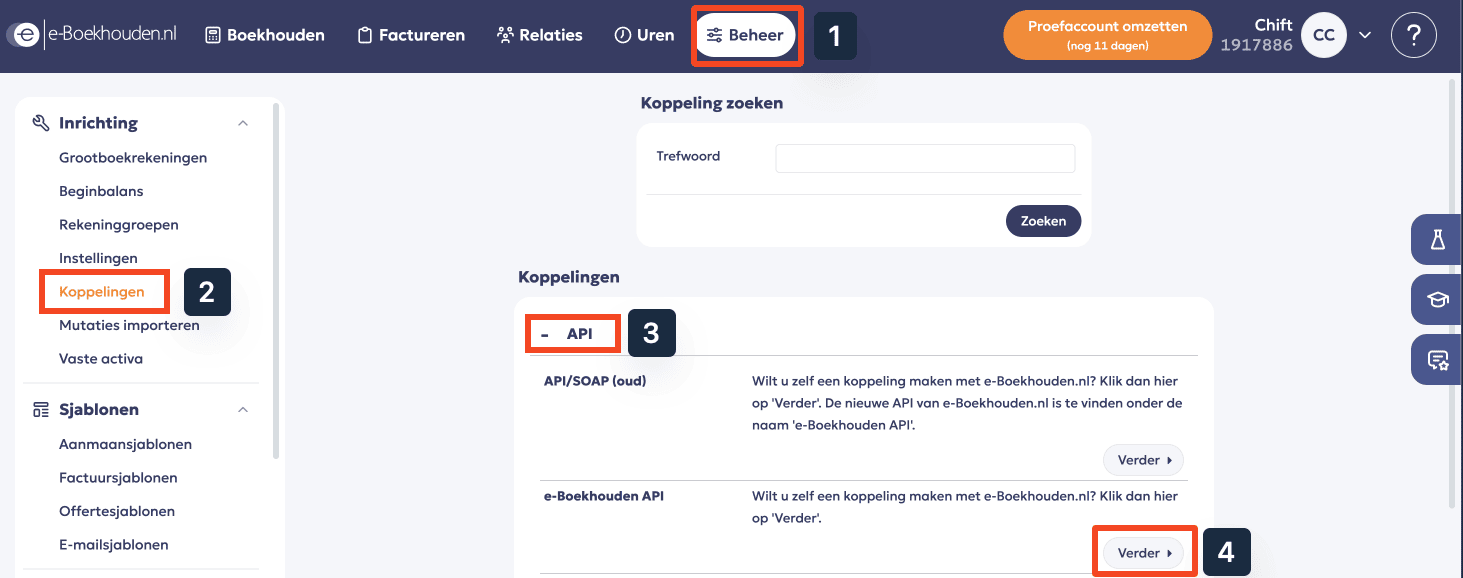
- Go to Beheer in the top menu.
- In the left sidebar, under Inrichting, select Koppelingen.
- In the API section, find e-Boekhouden API and click Verder.
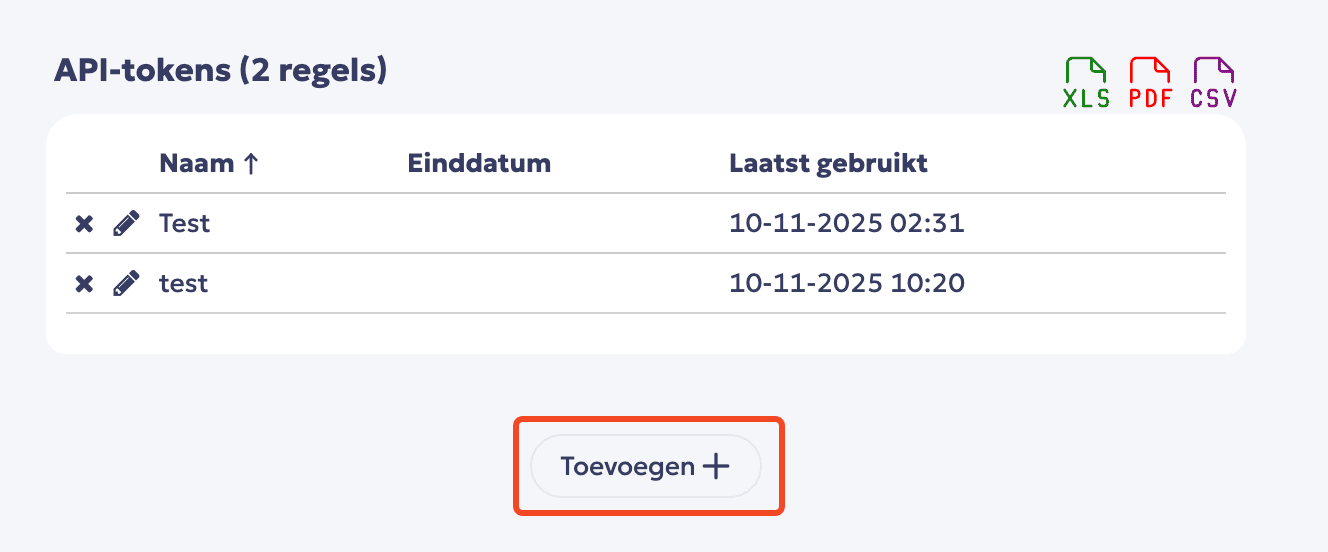
- Click Toevoegen to create a new API token.
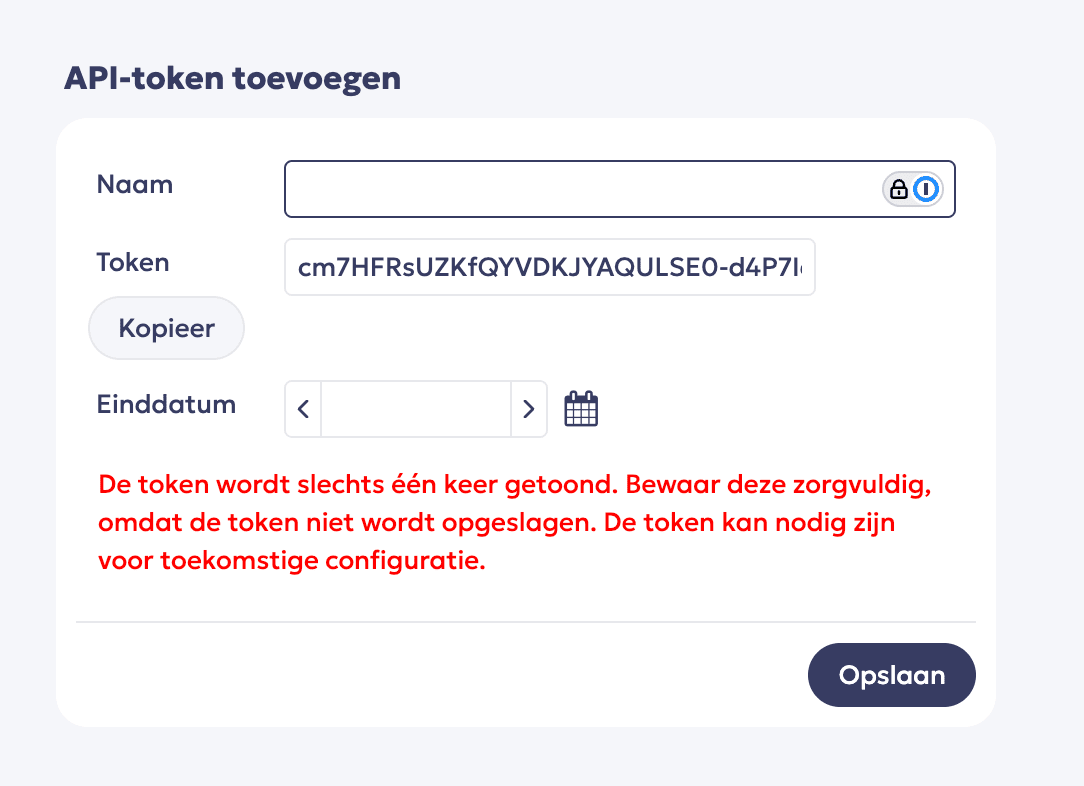
- Set up the key and save
⚡️ Connection
Step 1: Choose a name for your connection. (If the connection name field isn’t visible, simply skip this step and continue.)