

🛠 Preparation
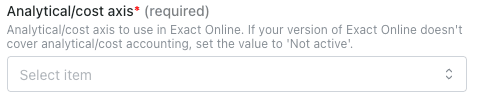
If you don’t see any field for analytical/cost axes on your activation page (Step 2 of the Connection section), or if you don’t need them, you can skip this step. Check if your account has analytical/cost axis enabled. For that, log into your Exact Online account.- Go to the Financial tab → Analysis & Results.
- In the example below, two axes are enabled: Cost Centres and Cost Units.

⚡️ Connection
Step 1: Choose a name for your connection.

✅ Authentication
You will be redirected to an Exact Online page to authenticate your account.
Configuration
Step 1: Select the company, folder, division you’d like to configure.
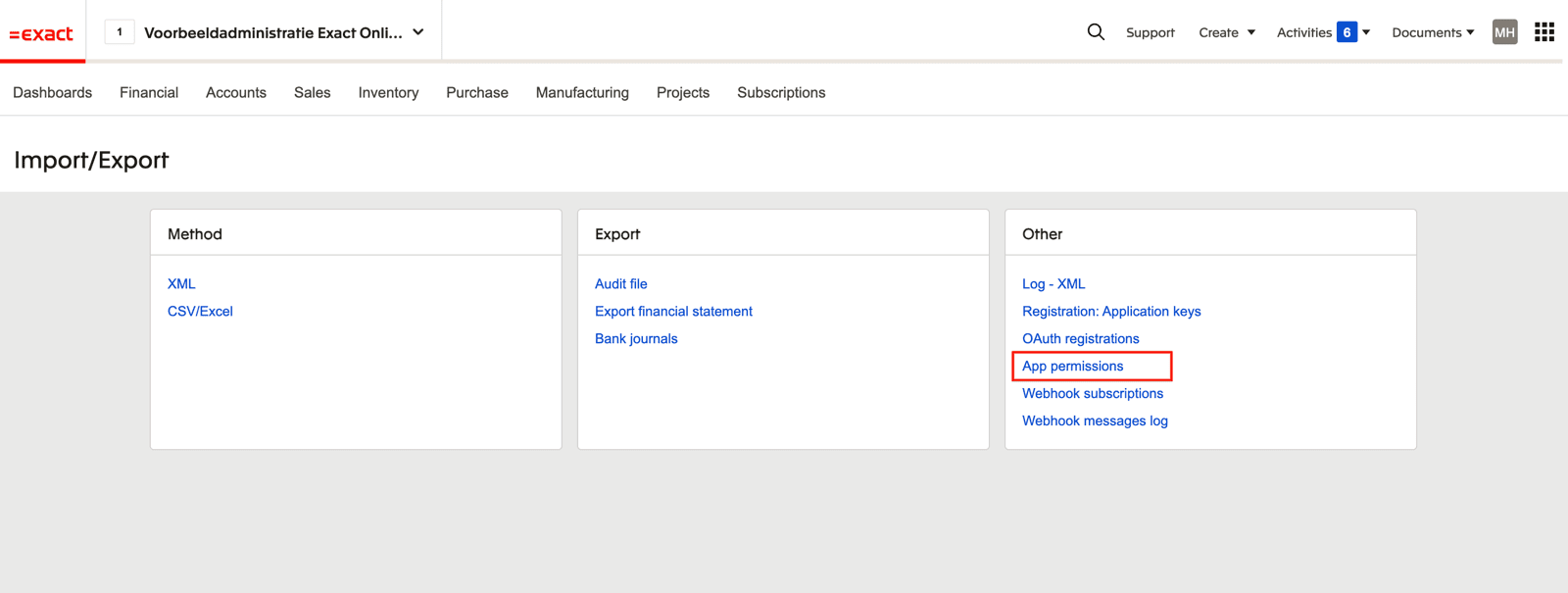
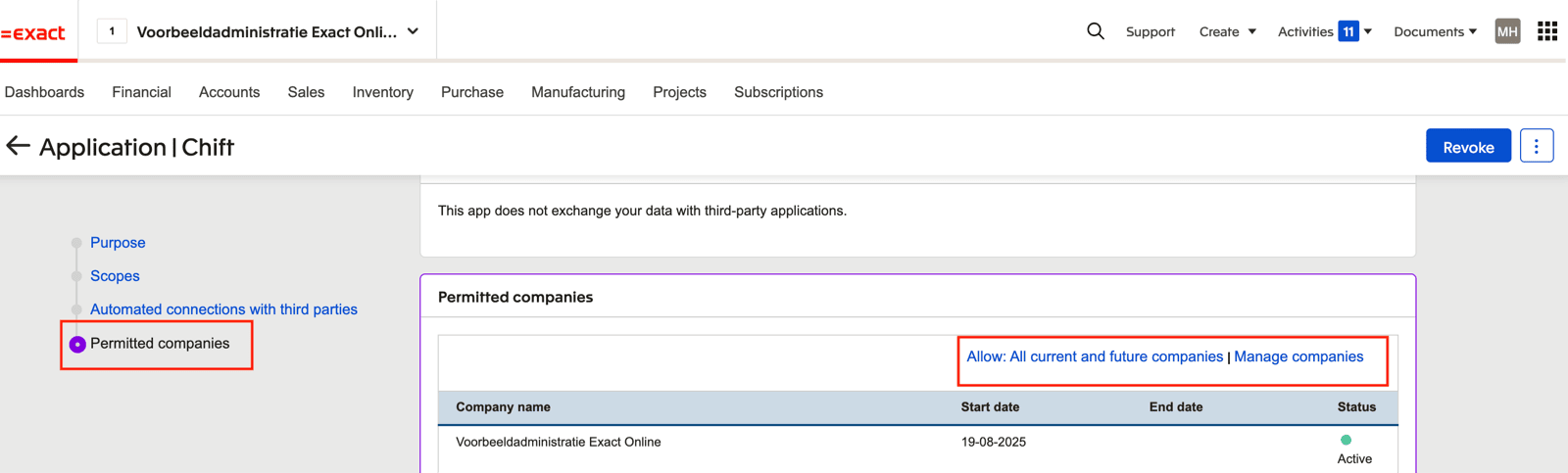
- Open Exact Online “Import/Export” Settings

- Select “App permissions”
- Select the app you are trying to connect to Exact Online
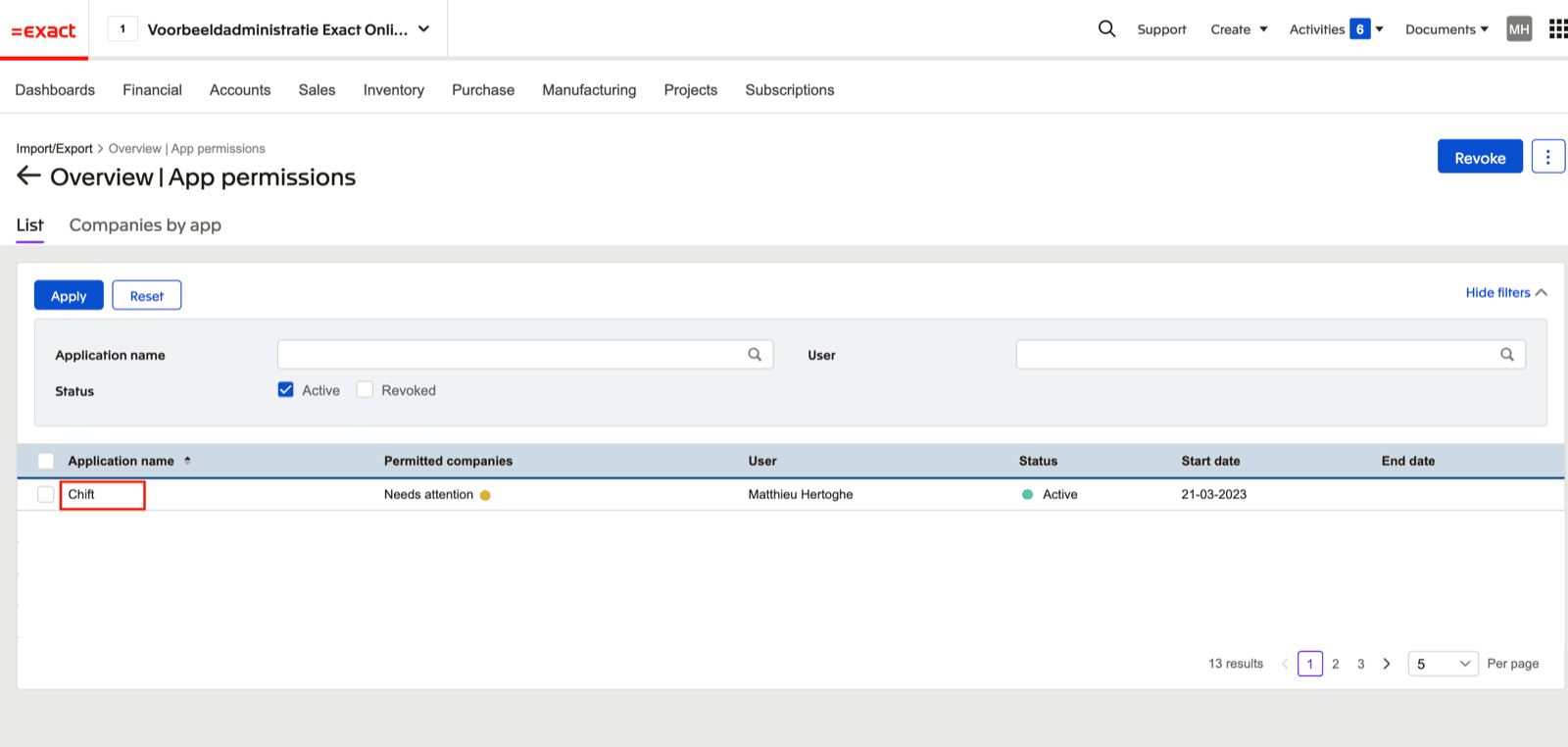
- Go to the “Permitted companies” section. Here you can allow all current and future companies OR select “Manage companies” to only allow specific companies

⚙️ Setup
VAT on general journals
If you want Chift to push VAT entries into a general journal (type General journal), you must make sure VAT is allowed on that journal in Exact Online. Otherwise, the VAT lines will be rejected when the entry is pushed. To check this, go to Master data → Journals, open the relevant general journal, and on the General tab make sure the VAT checkbox is ticked.❓ Troubleshooting
The accounting system is not set up for this date.
The accounting system is not set up for this date.
The entry’s date falls outside every financial year set up for this company in Exact Online.In Exact Online, create the financial year that contains this date, with its periods, then send the entry again.
The client is not active in the accounting system. / The supplier is not active in the accounting system.
The client is not active in the accounting system. / The supplier is not active in the accounting system.
The customer or supplier on this entry is inactive in Exact Online. The message says “client” for a sales entry and “supplier” for a purchase entry.In Exact Online, open the customer or supplier, make it active again, then send the entry again.