🛠 Preparation
- Log into your Yuki account.
-
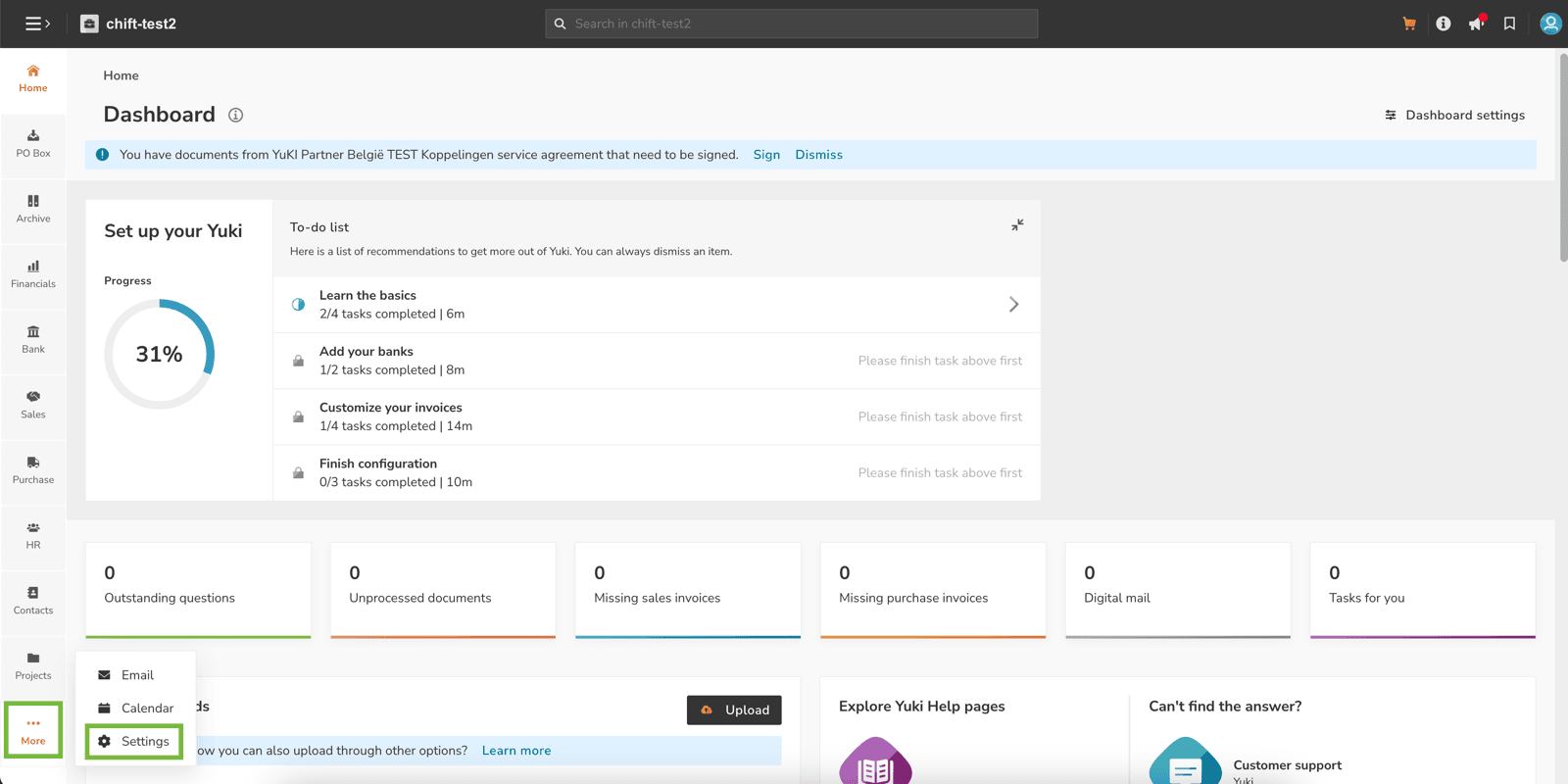
On the bottom left corner (“More” button), click on “Settings”.
-
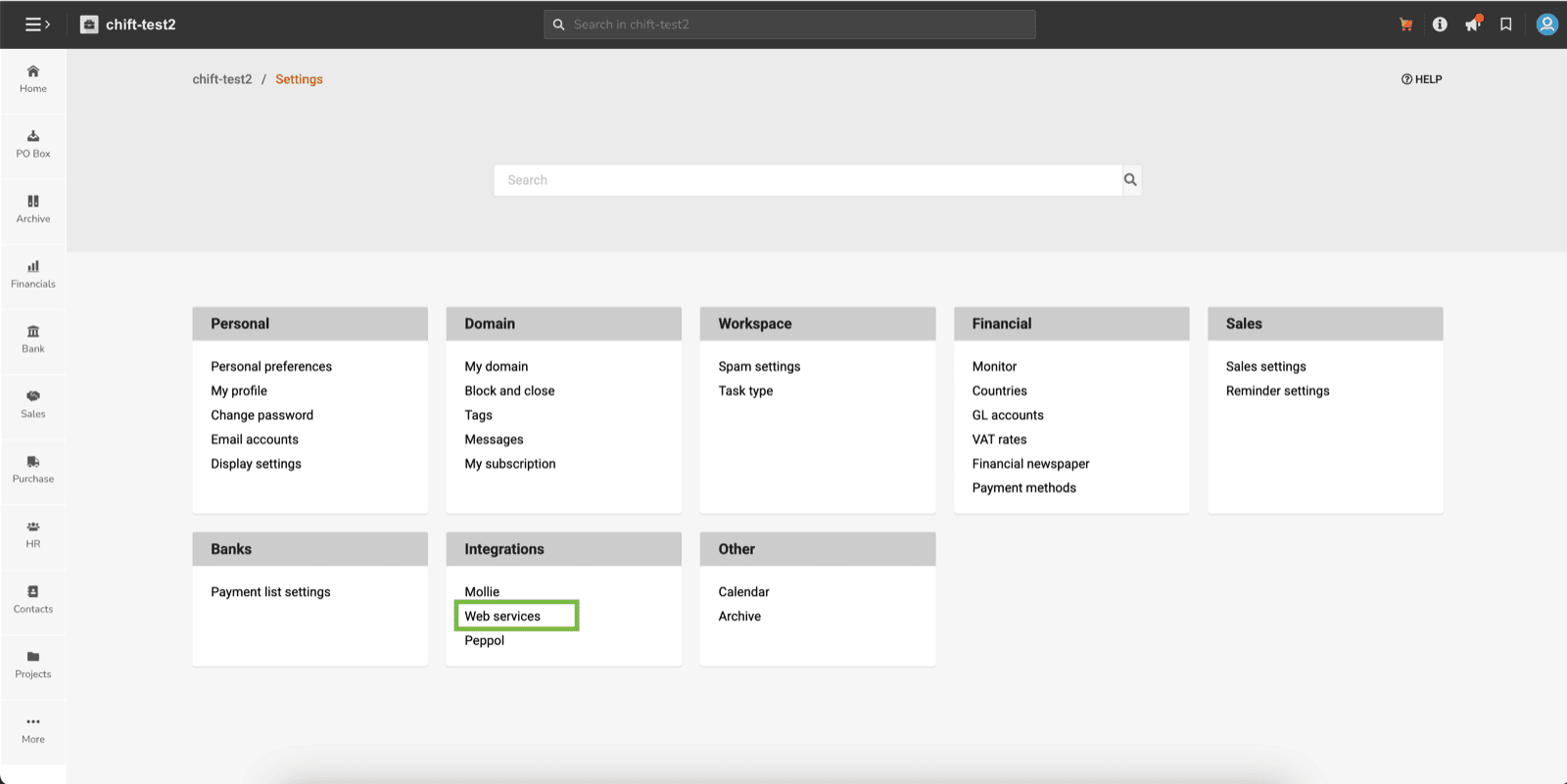
Then click on “Webservices” in the “Integrations” section.
-
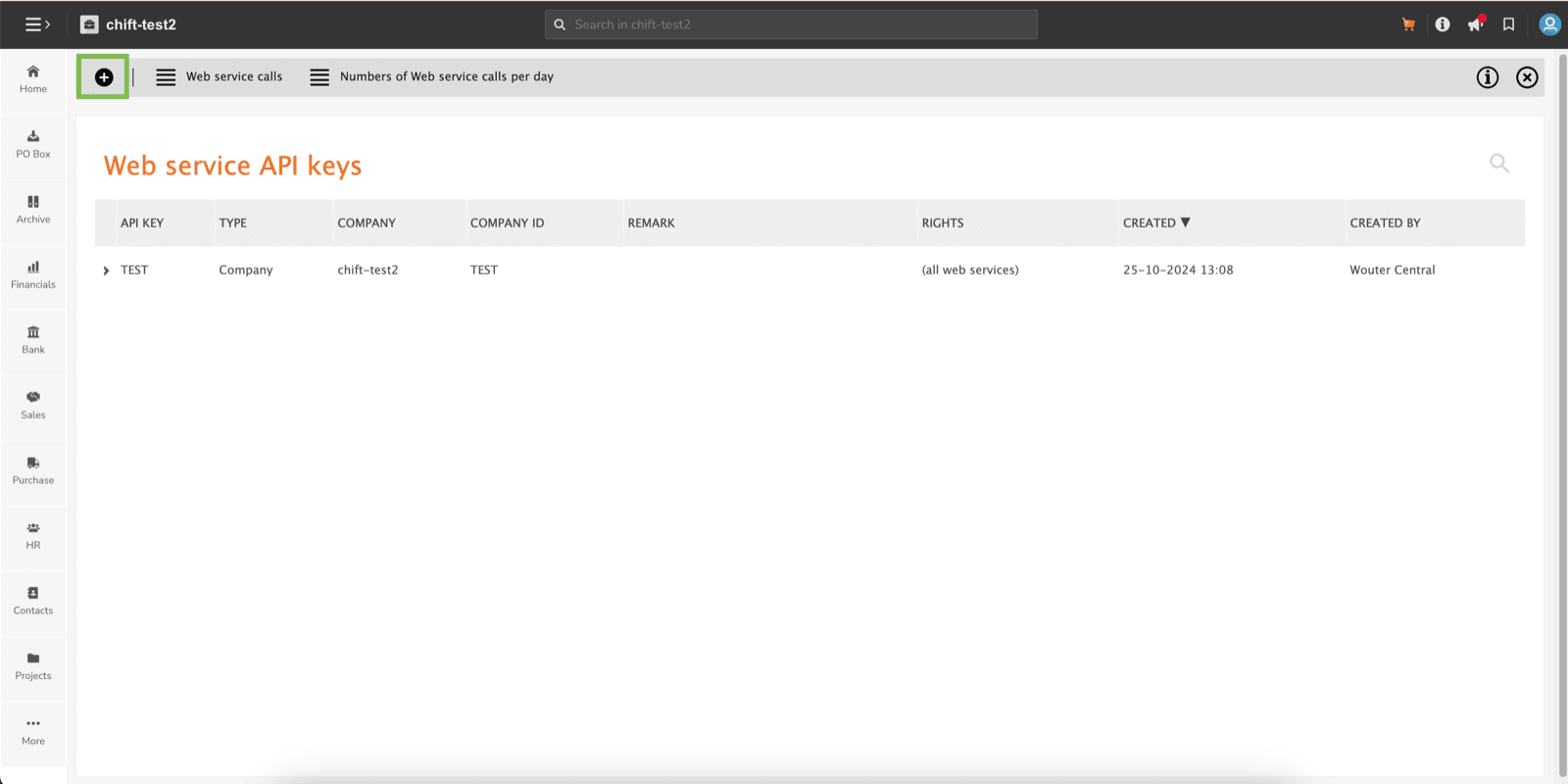
Click on the ”+” button in the top left corner.
-
Please make sure that you fill:
- Type: Company
- Company: choose the company to connect.
-
Rights: All web services
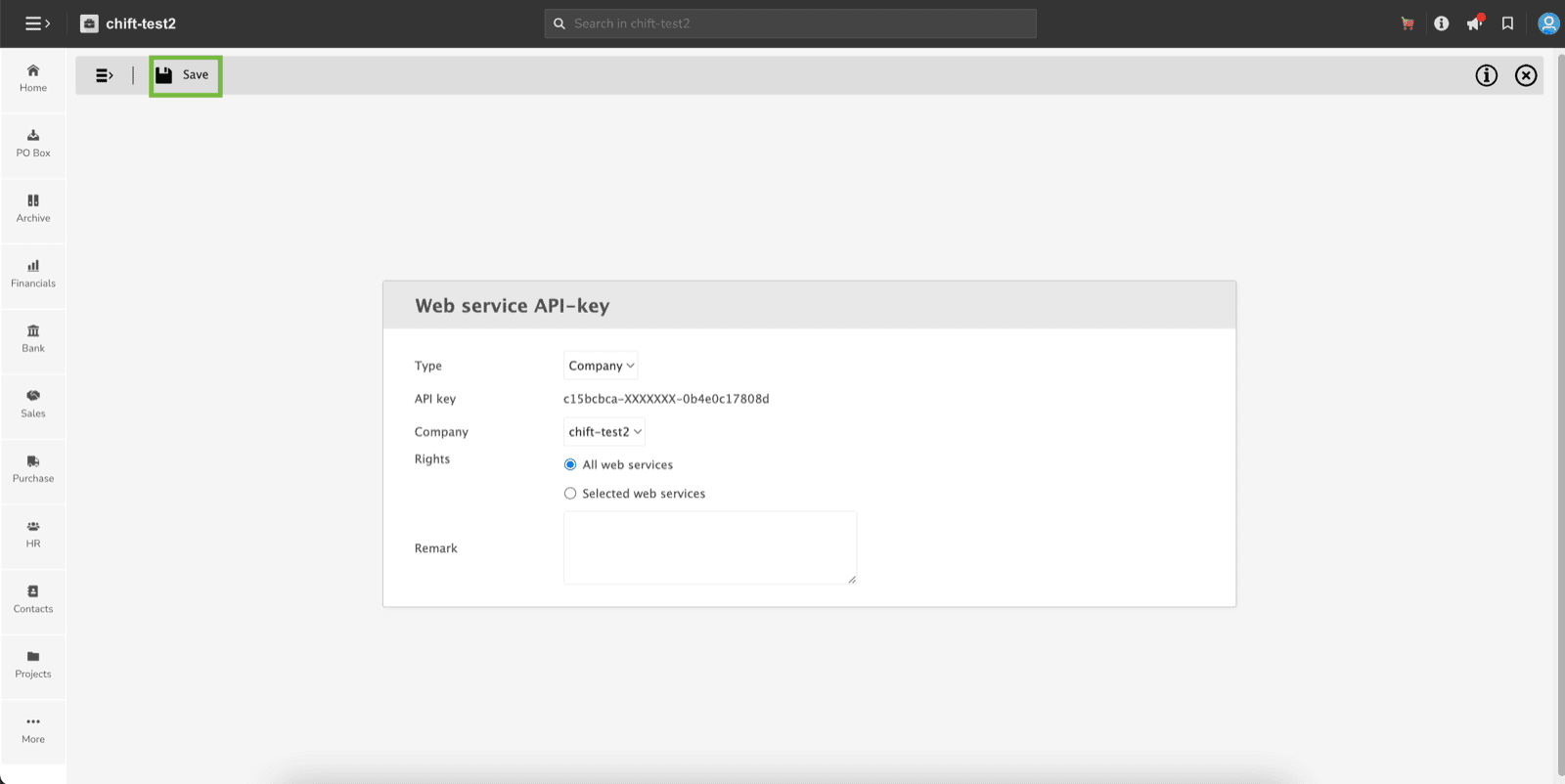
- You can paste this API key into Chift API
⚡️ Connection
Step 1: Choose a name for your connection.