📋 Overview
This integration connects with two DATEV components:- DATEV Rechnungswesen – On-premise accounting software. The generated bookings will be pushed into DATEV Rechnungswesen.
- DATEV Unternehmen Online (DUO) – Cloud portal used for sending attachments such as documents, invoices, or receipts. If you don’t plan to send attachments, DUO is not required.
🚨PREREQUISITES (conditions to be met prior to connection**)**
1. Licenses
How to confirm licenses:
- In DATEV Arbeitsplatz, go to Licence Management (Lizenzverwaltung) to view installed licences.
- Or request confirmation from your DATEV administrator, tax consultant (Steuerberater), or DATEV service partner.
2. Information to provide
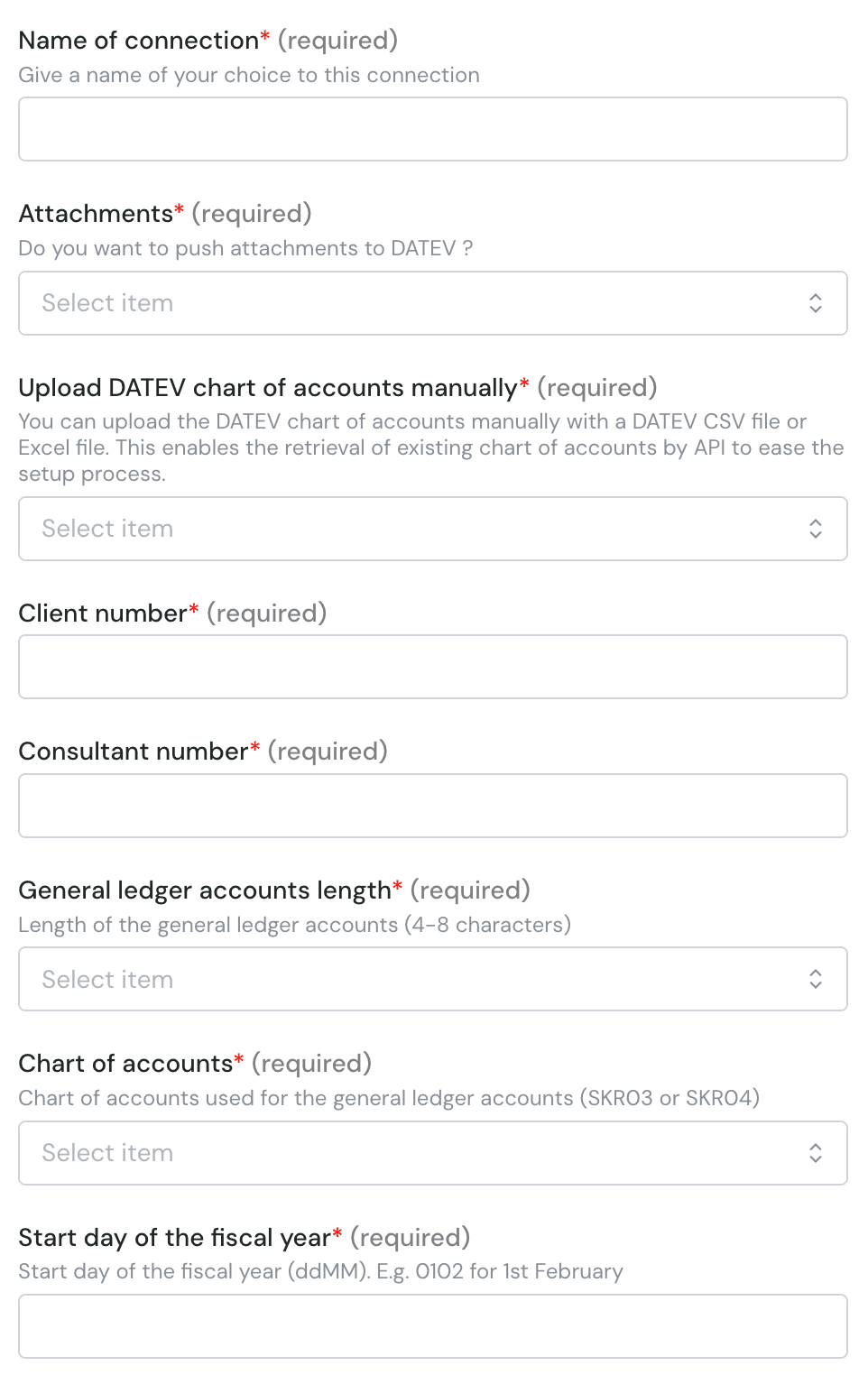
Verify that you are able to provide all information listed in the “Connection” section below. Contact the needed persons before the activation process if you miss some information.⚡️ CONNECTION

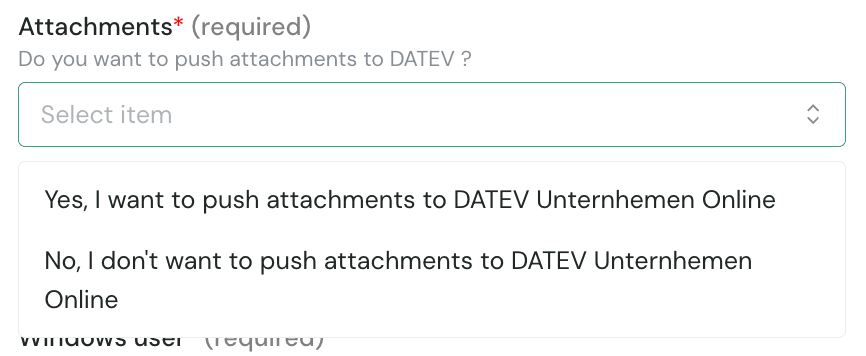
- If your integration needs to send PDF invoices, receipts, or supporting documents to DATEV, select Yes to enable attachments
- This requires a valid DATEV Unternehmen Online licence (see above in prerequisites section)
- This requires the Belegbilderservice to be enabled on your company (see above in prerequisites section)
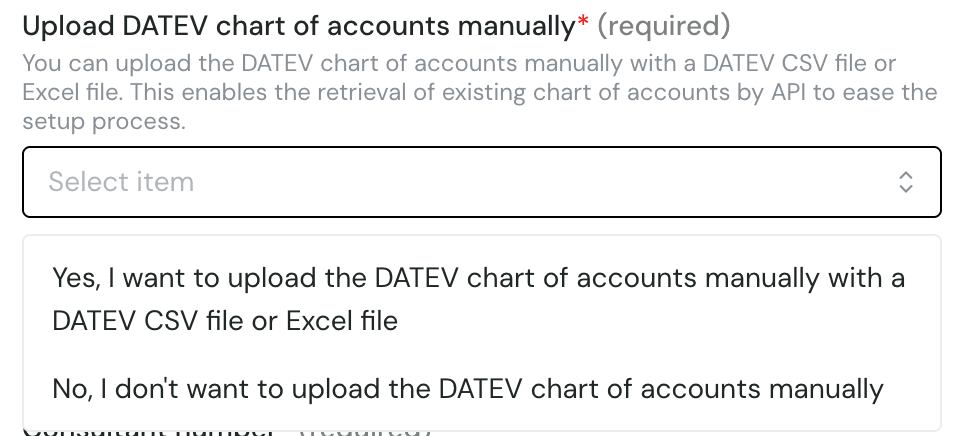

- Go to DUO sign-in page
- Select your company (if asked)
- The numbers are shown on the top bar:
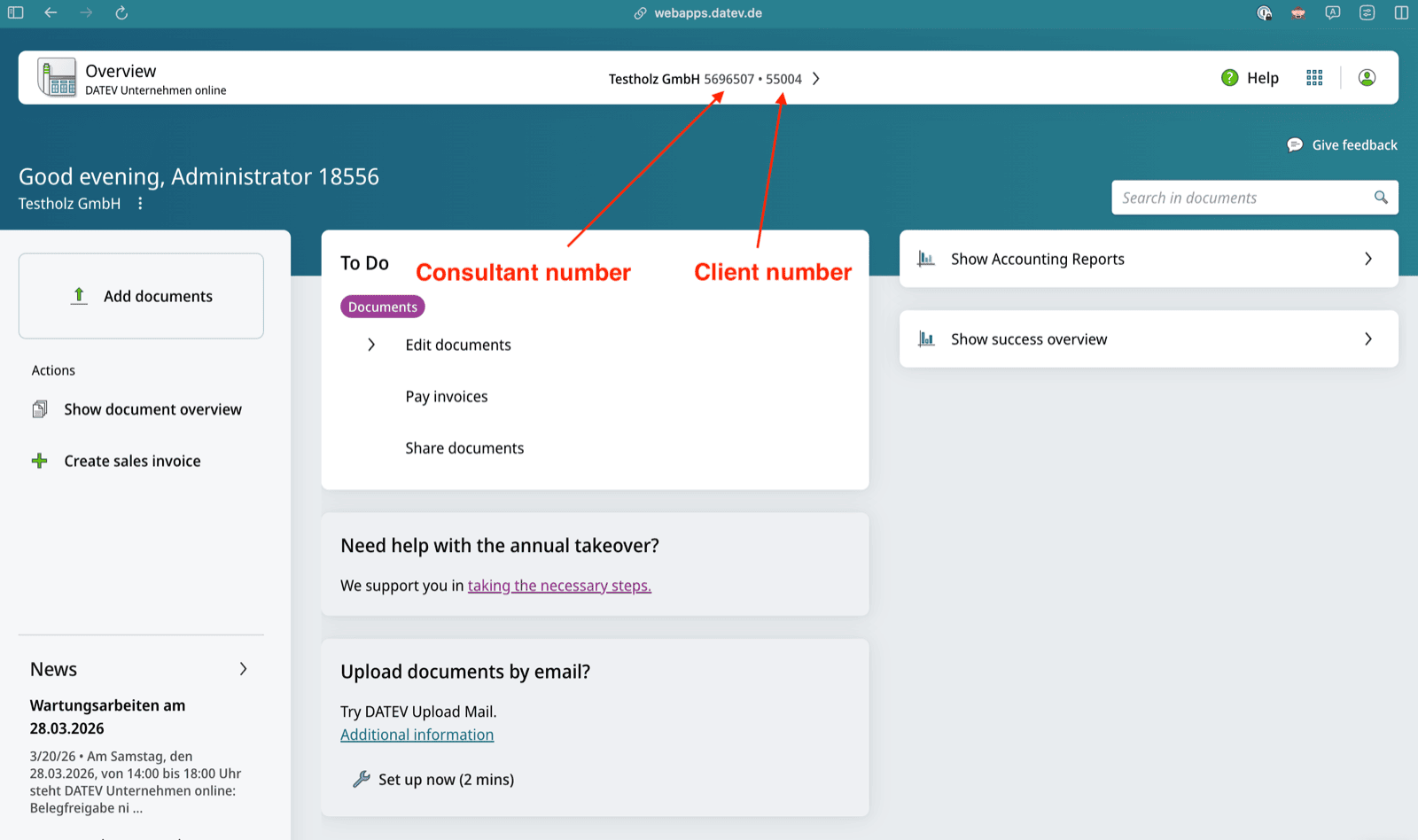
- 4 characters
- 5 characters
- 6 characters
- 7 characters
- 8 characters
- Go to DUO sign-in page
- Select your company (if asked)
- Go to “Stammdaten”:
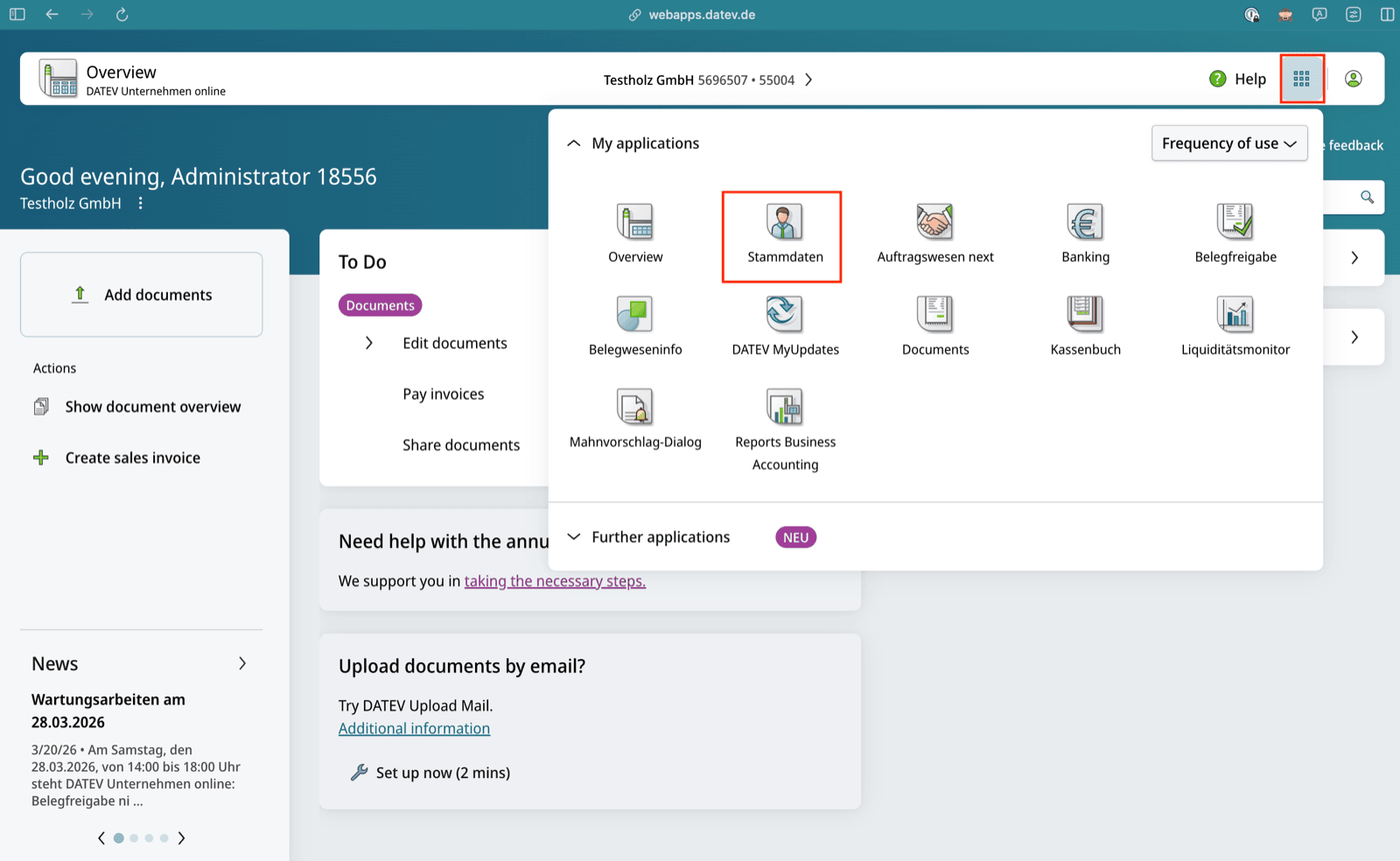
- You can see the information at the bottom right of your screen. In this example “4”:

- SKR 03
- SKR 04
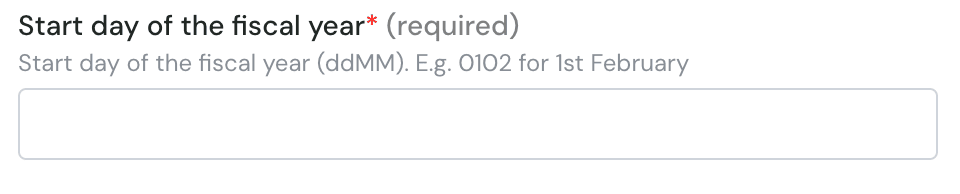
- Go to DUO sign-in page
- Select your company (if asked)
- Go to “Stammdaten”:
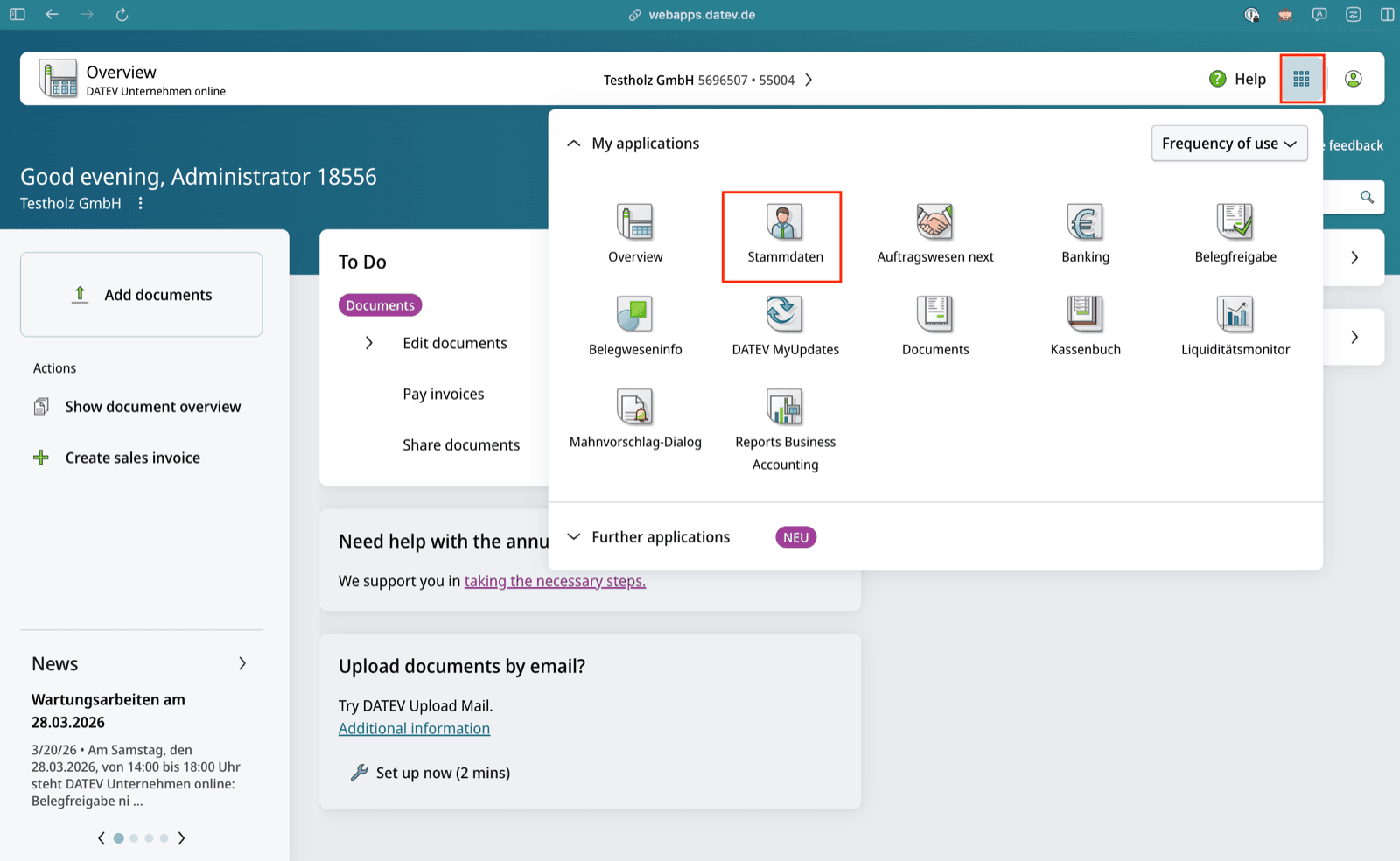
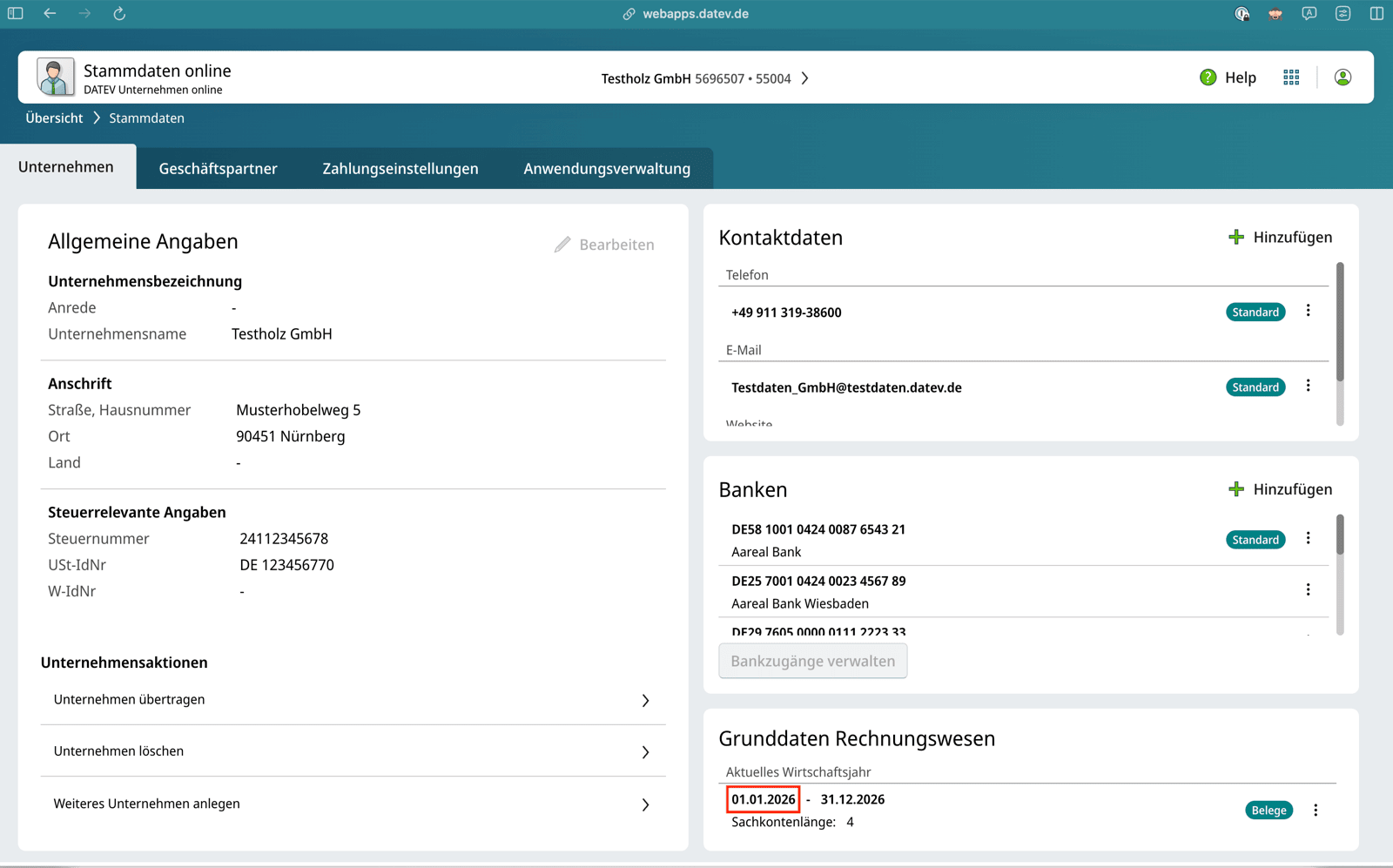
- You can see the information at the bottom right of your screen. In this example “01.01.2026”. It means that you need to fill in 0101.

AUTHENTICATION
You will be redirected to the login page of DUO to authenticate yourself and authorise the connection. You can log in using your SmartLogin or your SmartCard/mIDentity.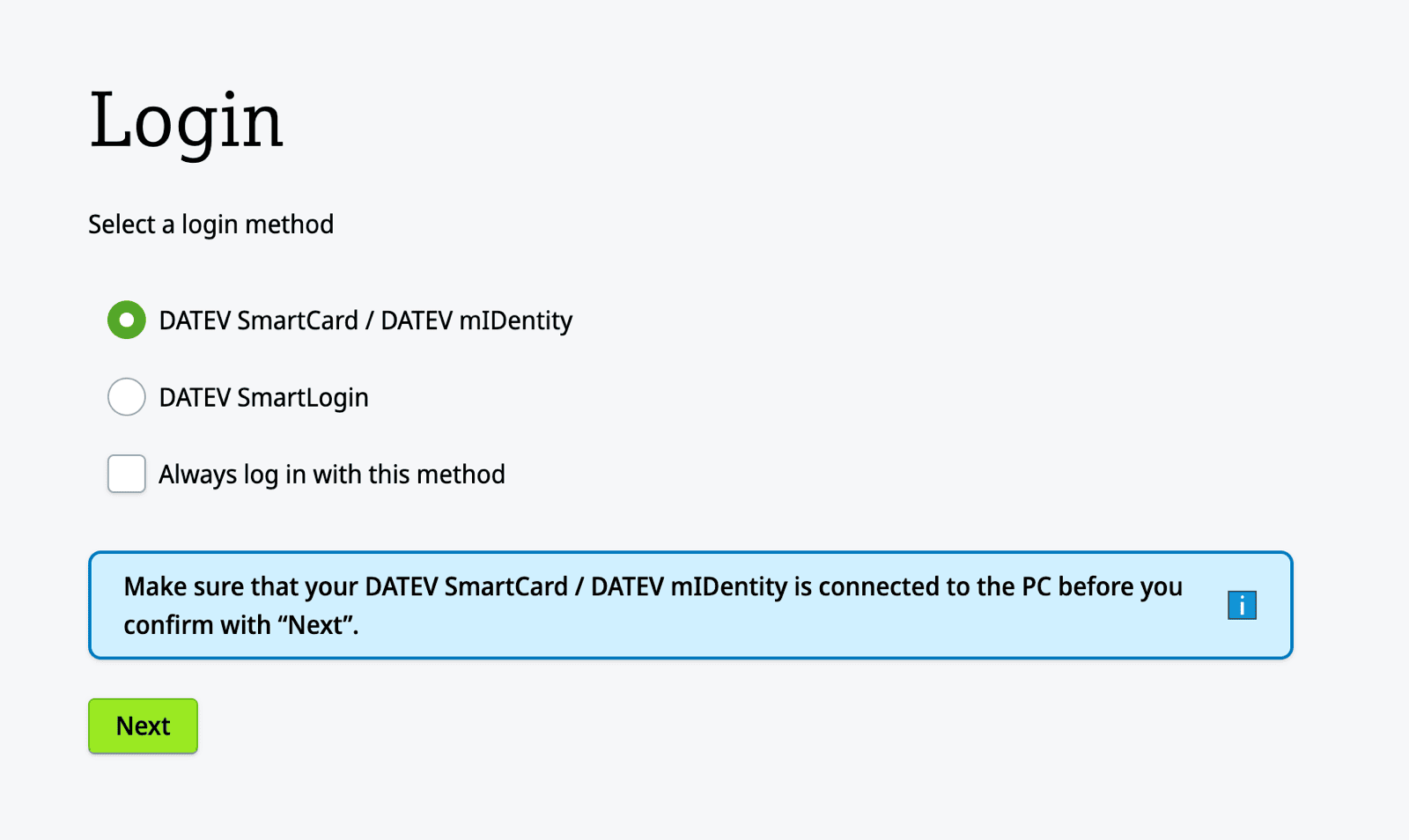
CONFIGURE
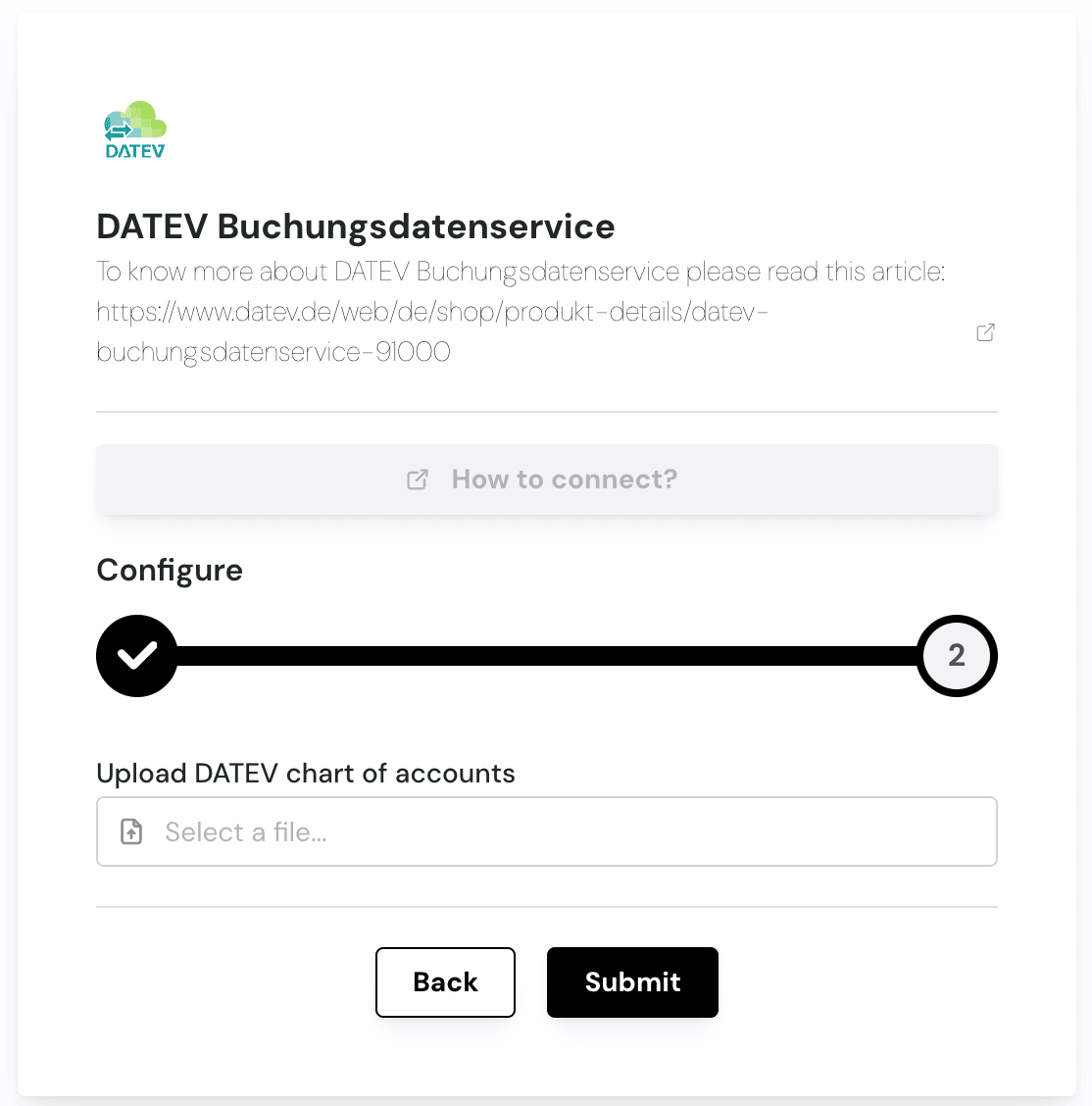
- Excel
- CSV (DATEV-format)
Excel:
To generate the Excel file you need to follow these steps:- Open your company in DATEV Rechnungswesen
- Go to the accounting plan:
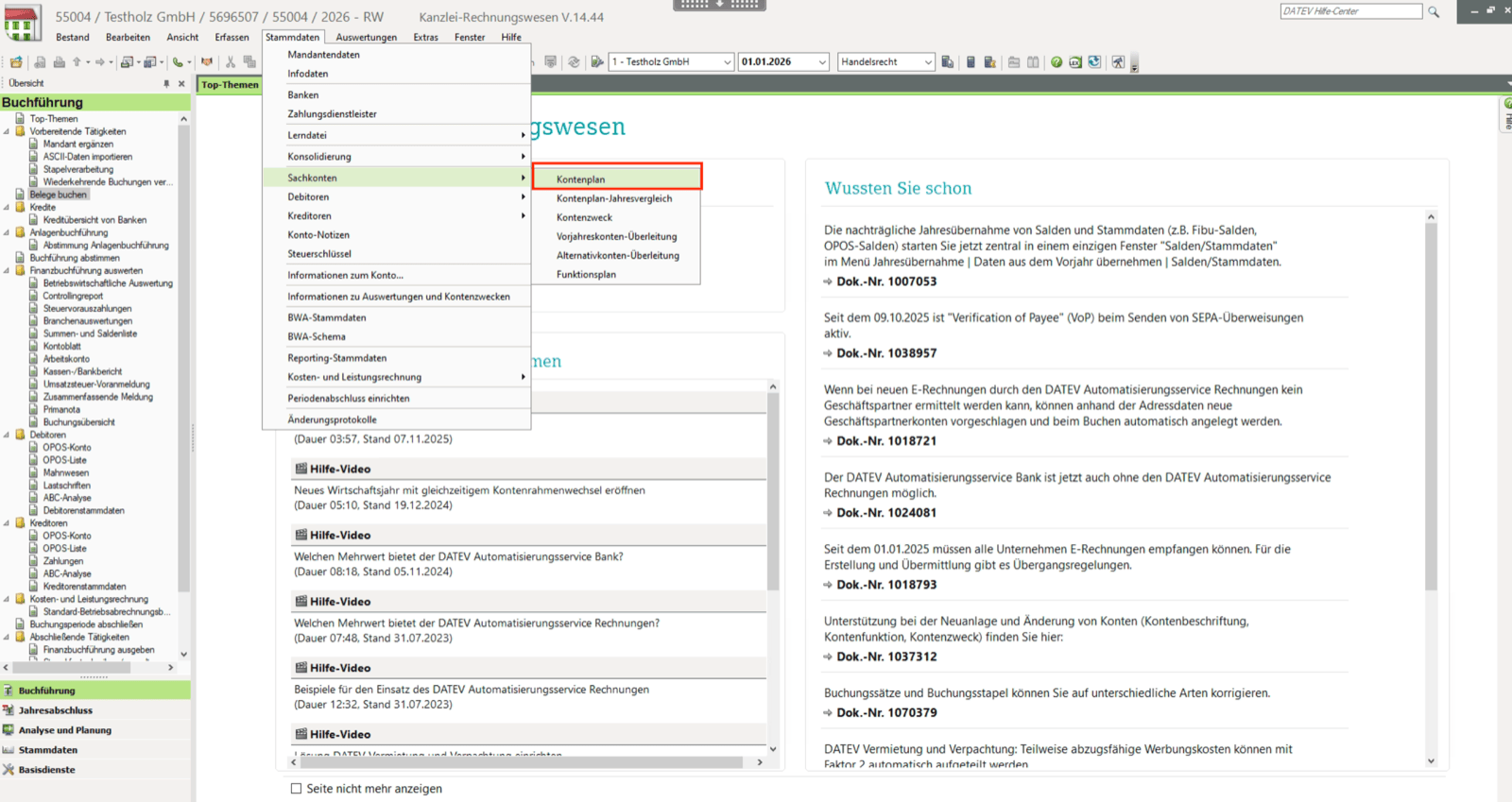
- Choose the “Beschriftet (Standard, Kanzlei, Ind.)” view, select all ledger accounts and open the ledger accounts in an Excel file:
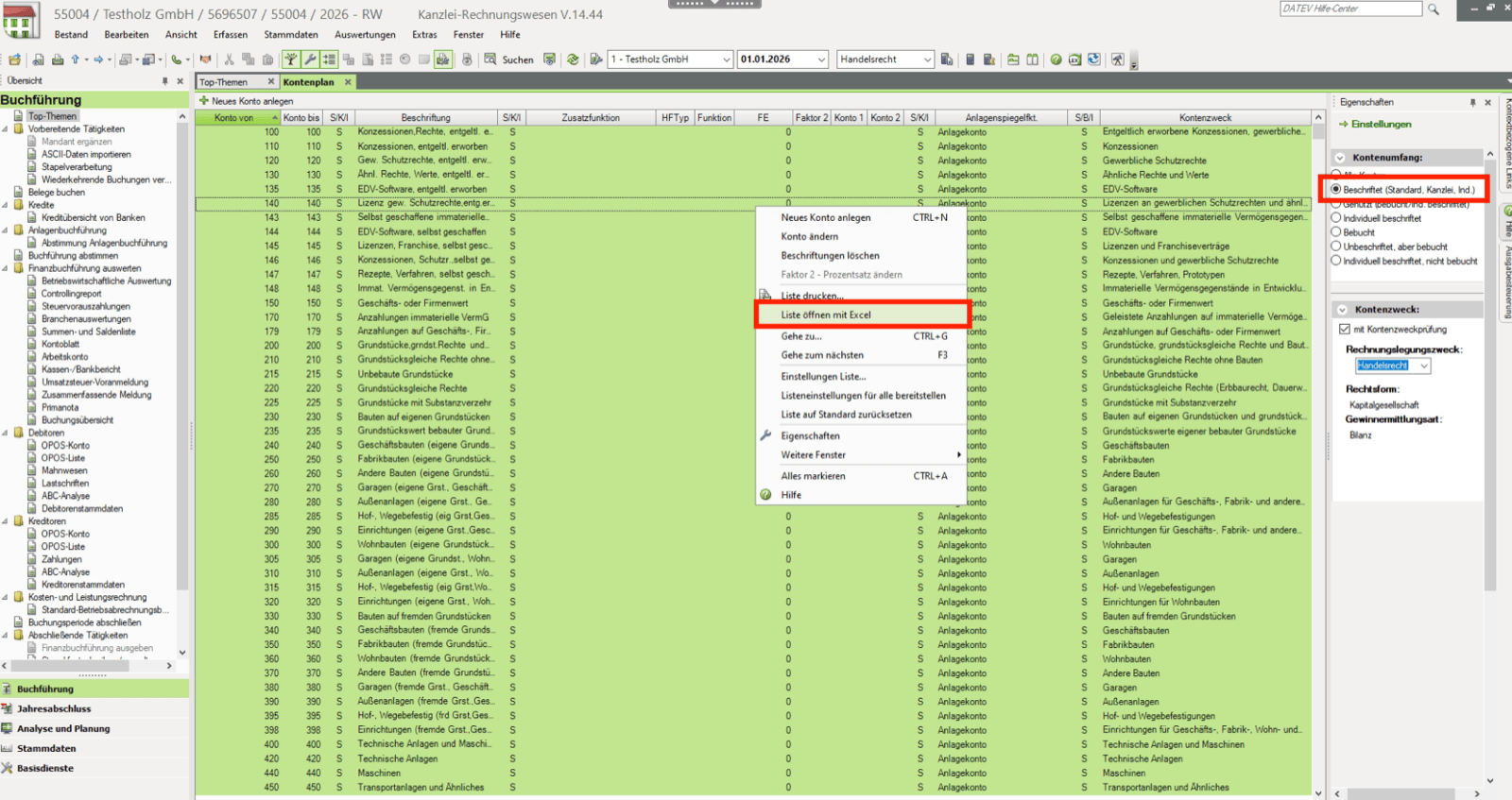
- Save the file
- Konto von
- Beschriftung
- HFTyp
- Funktion
- FE
CSV DATEV-Format:
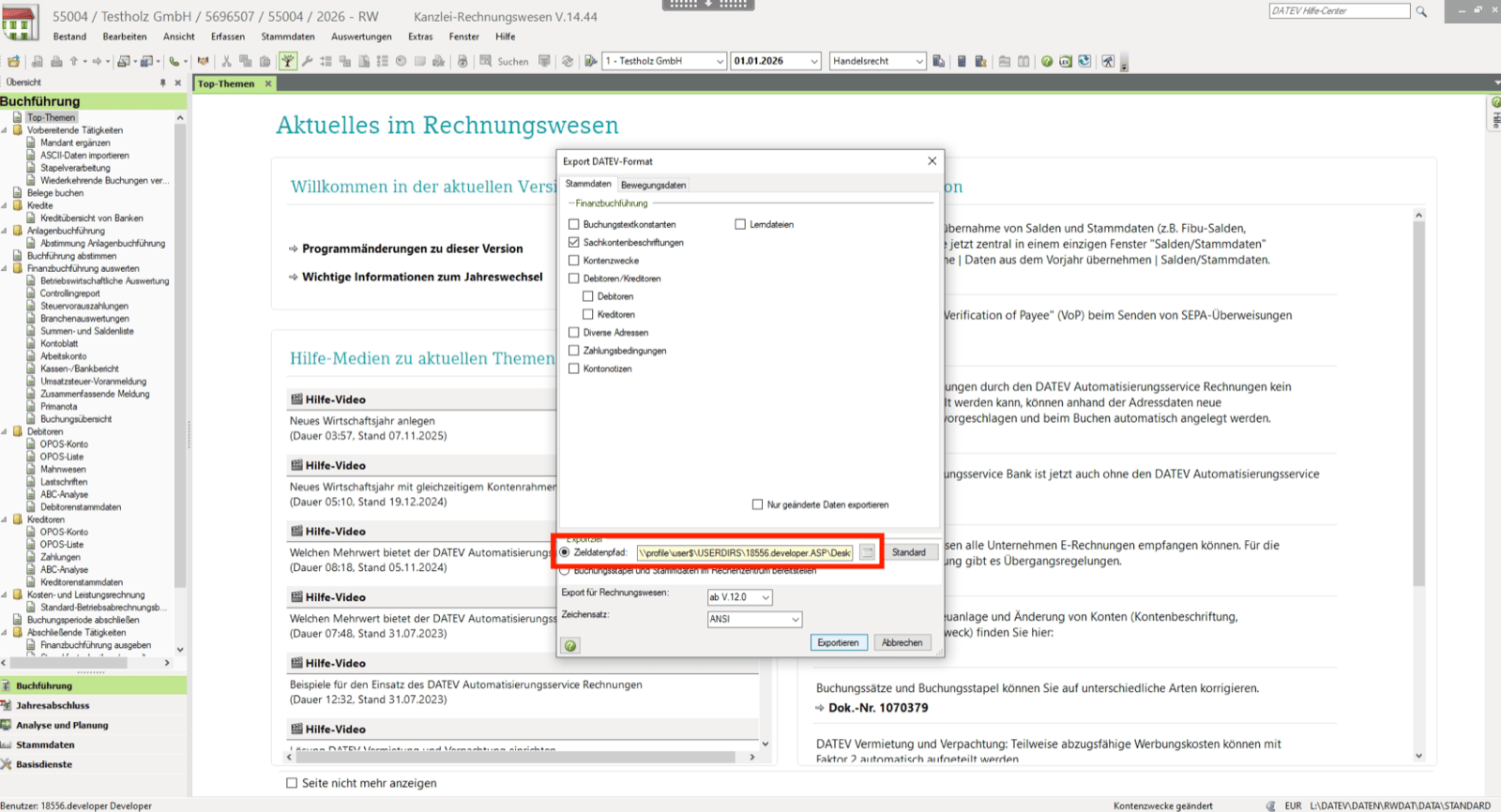
DATEV allows you to export the general ledger accounts in its own DATEV-format. You can generate this file as follows:- Open your company in DATEV Rechnungswesen
- Open the export menu:
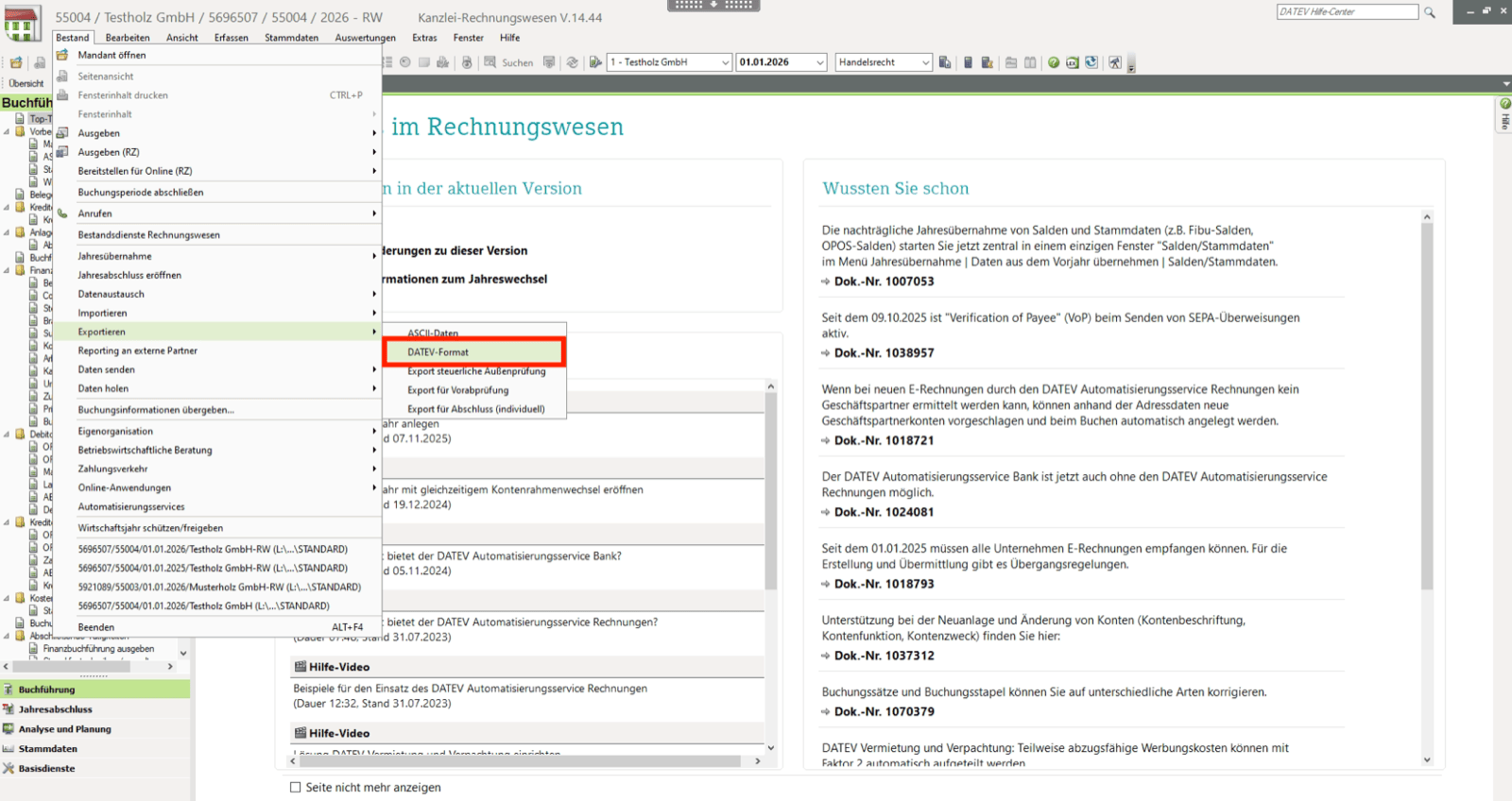
- Select the general ledger accounts export checkboxes:

- Save the file in the wanted folder:
Import exported data in DATEV Rechnungswesen
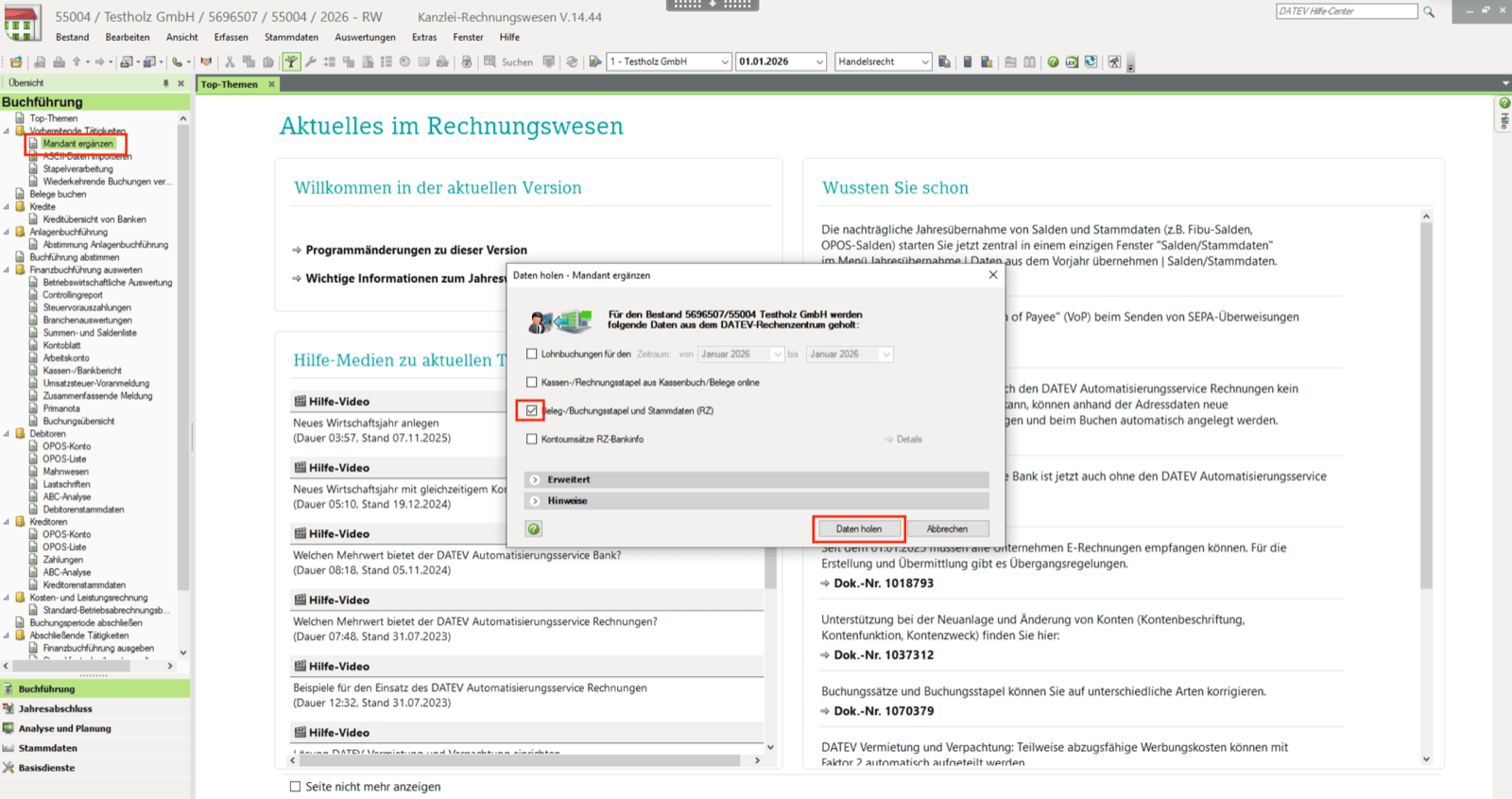
To import the exported data in DATEV Rechnungswesen, you need to follow these steps:- Open your company in DATEV Rechnungswesen
- Select the “Mandant ergänzen” function and download the data:
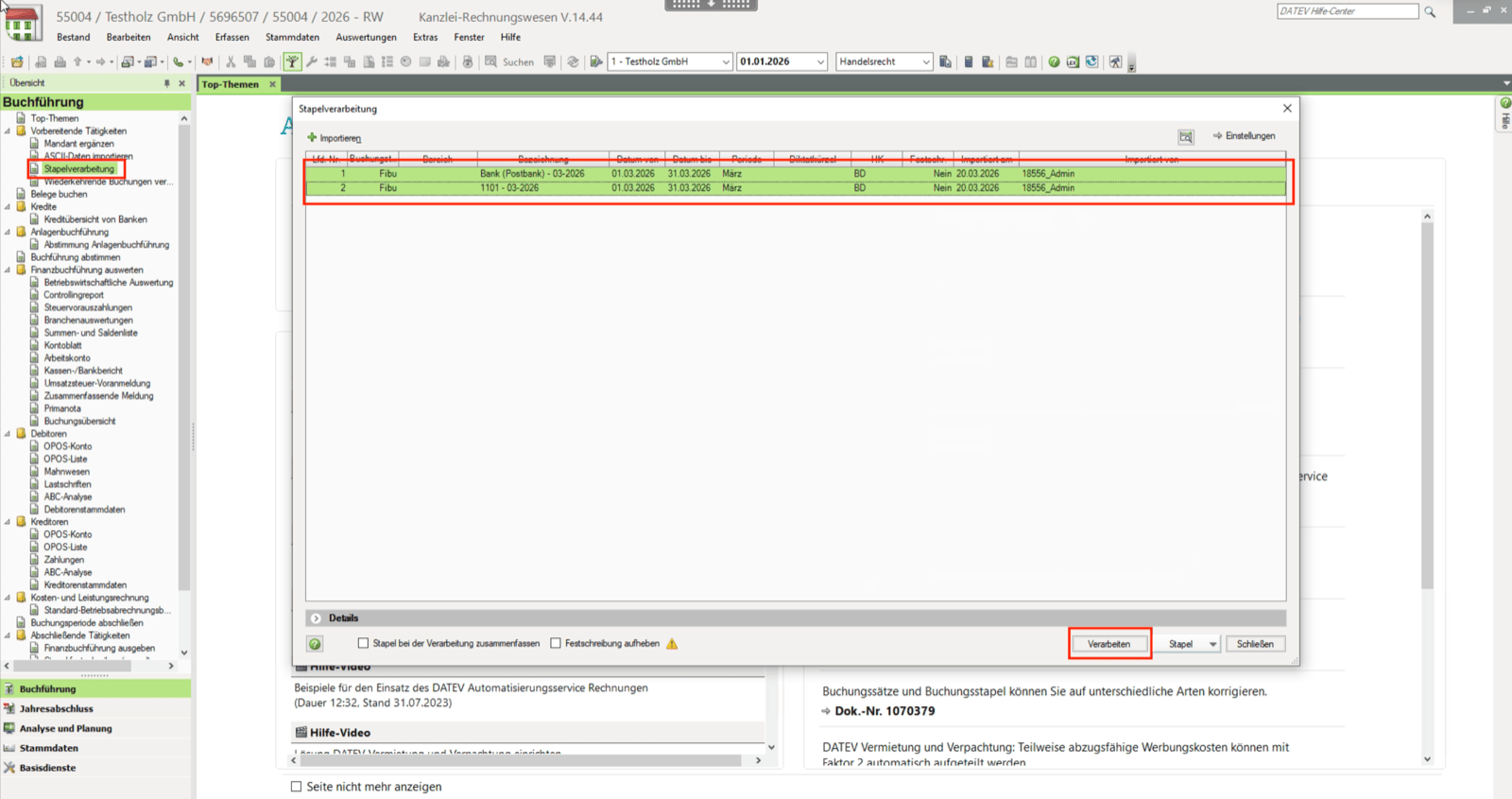
- Go to the “Stapelverarbeitung” function and select the imports you want to handle: