PREPARATION
There are two ways to authenticate on Horus:- use a Horus user (normally an accountant’s user), in which case there are no prerequisites.
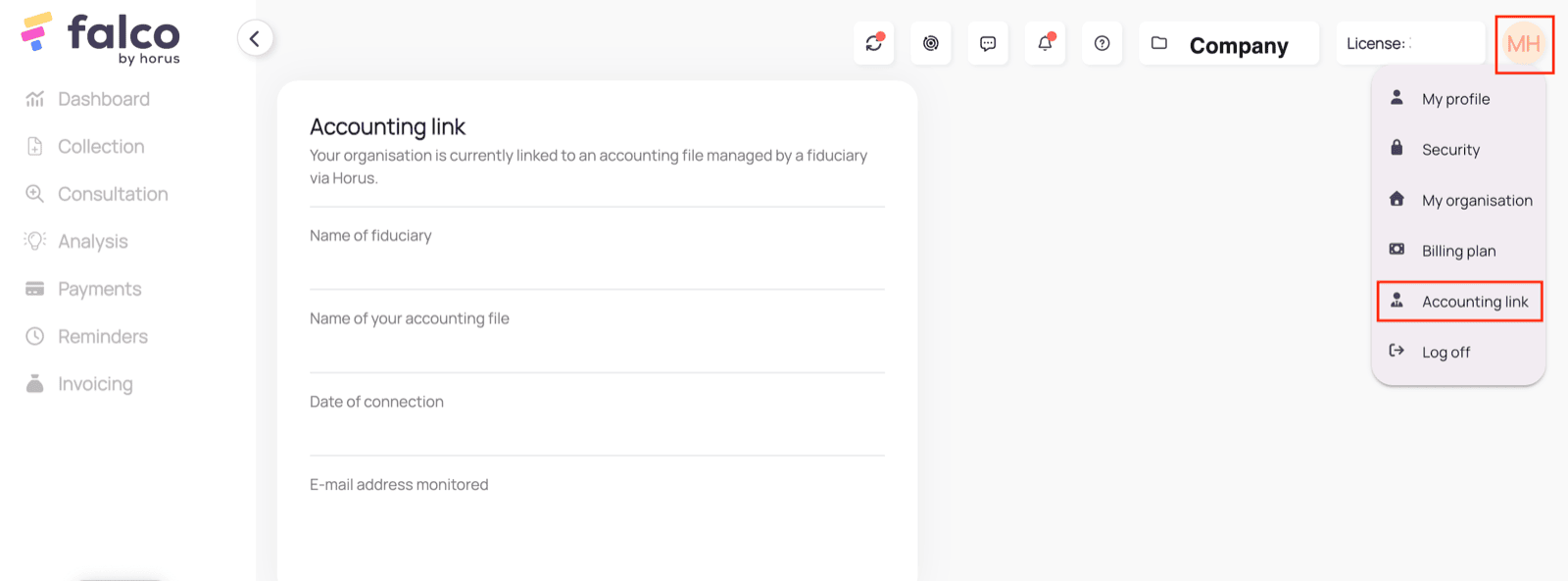
- use a Falco user. This only works if the accounting link between Falco and Horus is enabled. Make sure the accounting link is enabled before proceeding with the authorisation process. This can be verified in the Falco settings:
CONNECTION
Step 1: Choose a name for your connection.



AUTHENTICATION
Step 1: Enter your Horus credentials and connect.
CONFIGURATION
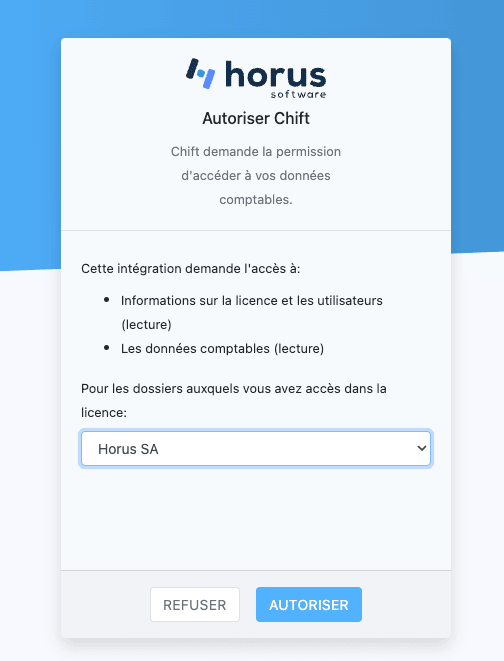
Step 1: Select the accounting folder to connect. If you do not see your accounting folder in the list, make sure that you selected the proper file in the previous step or that the link between your accounting folder in Horus and the related folder in Falco is properly configured.