PREPARATION
-
Generate an API Token for your connection to MyUnisoft.
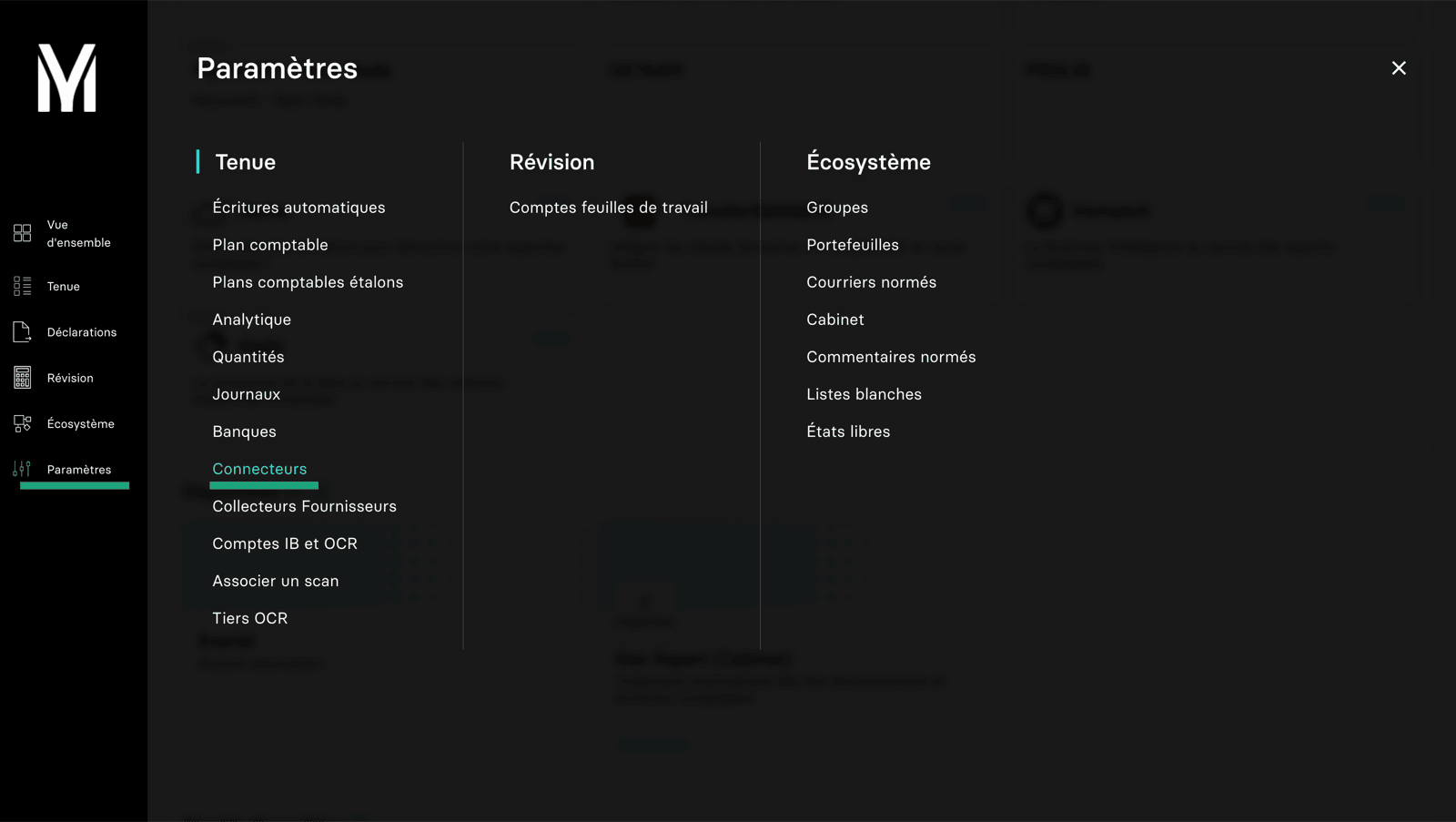
- Go to your MyUnisoft account, Parameters, then connectors.
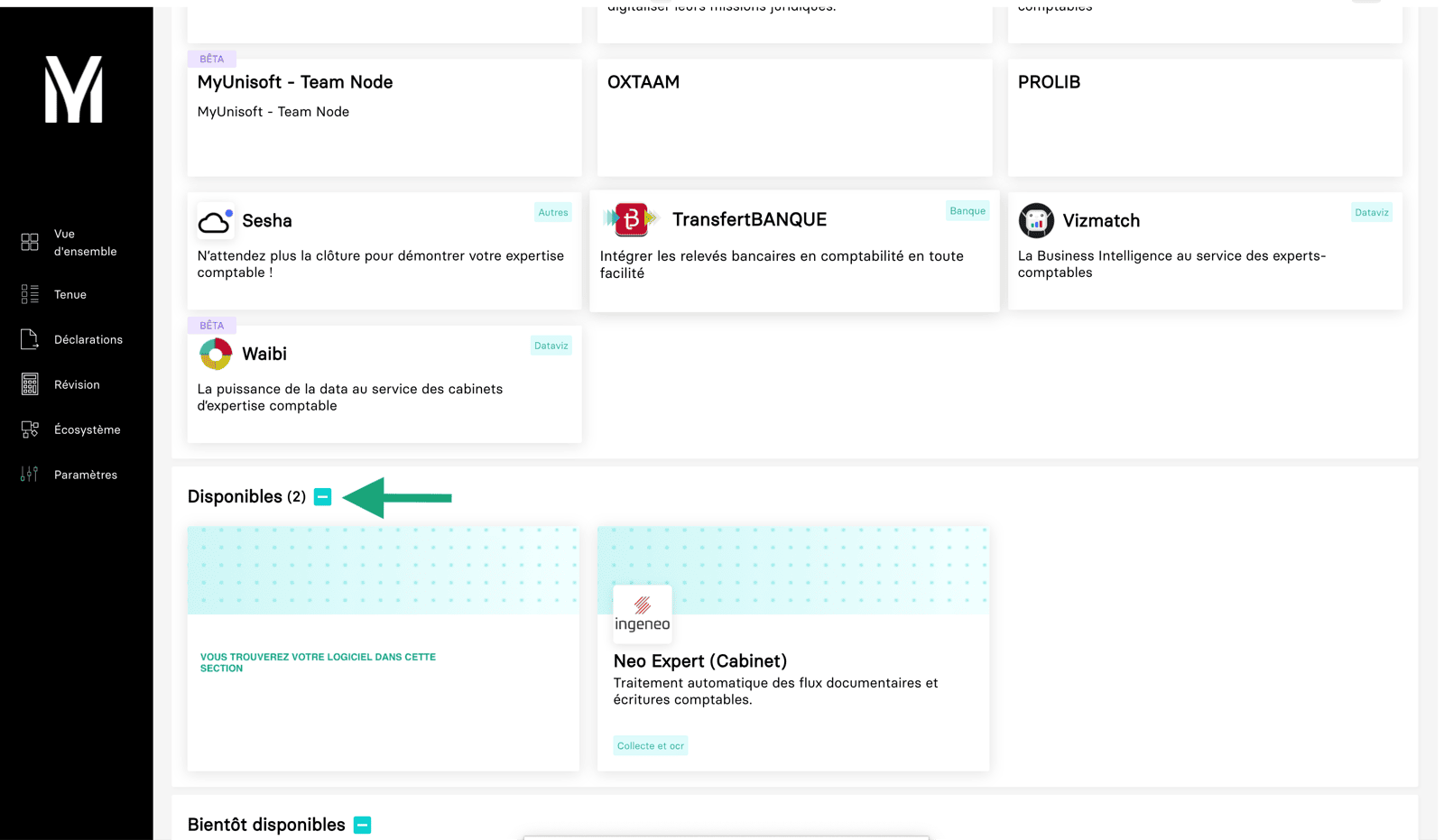
- You will find your software in the list of available connectors
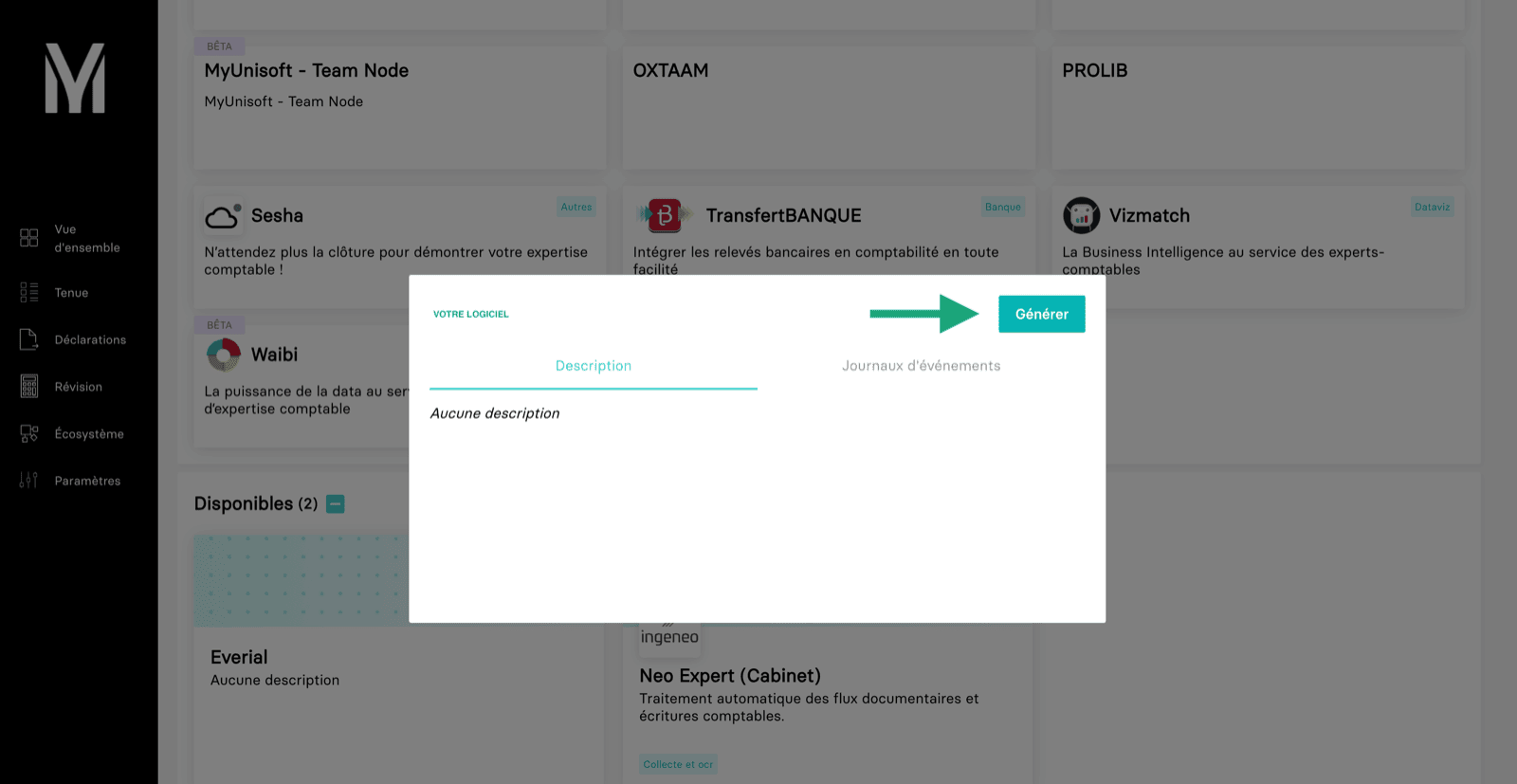
- Select the connector and generate an API token and copy.
CONNECTION
Step 1: Choose a name for your connection.