

Overview Legend 🧭
Overview Legend 🧭
Introduction
Sage BOB 50 is a Windows-based accounting and management program for small and medium-sized businesses and their accountants in Belgium and Luxembourg. It runs on the end user’s own server, so Chift connects to it through a local agent installed there.Activate Sage BOB 50
Partner keys
No partner keys and no approval: the connector is ready to use.Activate Sage BOB 50 in your Chift account
One click in Connectors, then create connections straight away.
Connector settings
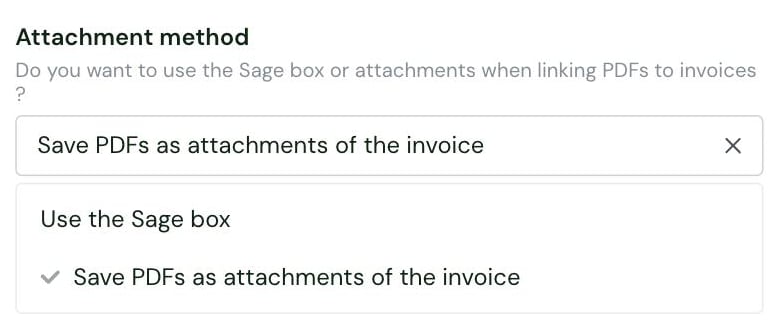
- Use the Sage box: PDFs are linked through the Sage Box. This is the default.
- Save PDFs as attachments of the invoice: the PDF is stored directly on the invoice record.
Test Sage BOB 50
Vendor fees
Software editor (you)
Paid test account — a sandbox is only available through a Sage integrator.
End user
No fees.
Connect Sage BOB 50
Sage BOB 50 setup guide for end users
The full step-by-step, with screenshots.
Local agent guide
Installing and running the local agent.
- Sage BOB 50 on the ADS database, with ADT files. The connector does not yet support a MySQL-based installation
- BOB 50 version 6.16 or later
- admin access to the server where BOB 50 runs, which must stay reachable over the internet at all times so data keeps syncing
- the .NET Framework 4.8 installed on that server
- the code of a BOB 50 admin user that does not require a password for BOBLink. They need the user’s code, not its password
- if BOB 50 data sits on a shared drive, a Windows user with access to that drive to run the agent
- to push data into BOB 50, the LINK module enabled and a license covering 2 users, because BOBLink needs a dedicated user to run
- fill in the connection form: the Analytic plan code and the Attachment method. The Analytic plan code is optional: leave it empty without analytic accounting
- download the local agent package and enter the code of each accounting folder to connect
- install the local agent on the server where BOB 50 runs
- load the connection in the agent’s Cockpit, enter the BOB 50 user and run Check Health
Rate limits
No rate limit documented by Sage.Limitations & specificities
Numbering
Numbering
Invoice numbers can only contain digits, up to 2,147,483,647. Operation numbers and entry numbers can only contain digits, up to 8 characters.
Analytics
Analytics
Analytic account codes can only be up to 10 characters. Analytic accounts and analytic lines are only available when the connection has an Analytic plan code.
Invoices
Invoices
Sage BOB 50 rejects an invoice with an untaxed total of 0. Invoices in a currency other than EUR need an exchange rate.
Financial entries
Financial entries
On a miscellaneous operation, the partner’s account type must match its role: a receivable account with a client, a payable account with a supplier.
Journal entries
Journal entries
Chift cannot write to a journal that is open in the Sage BOB 50 interface at the same time.