

Overview legend
Overview legend
Introduction
Contasol is a Spanish accounting software by Software DELSOL, used by SMEs and accountants for bookkeeping, VAT and financial reporting. It installs on the desktop and keeps company data either locally or in Software DELSOL’s cloud. The connector works only with companies hosted in the cloud.Activate Contasol
Partner keys
You’ll need your own developer account, registered with Software DELSOL. Software DELSOL, the maker of Contasol, requires a developer account to activate the API on an end user’s Contasol. Software DELSOL calls it a cuenta de fabricante. It can be held in two ways:One account for all your end users
You register once, as the software editor.
One account per end user
Each end user registers their own.
Activate Contasol in your Chift account
In Connectors, enter your manufacturer code and manufacturer email if you hold one developer account for all your end users.
Connector settings
Manufacturer code identifies the developer account registered with Software DELSOL that activated the end user’s Contasol API. The manufacturer code is numeric.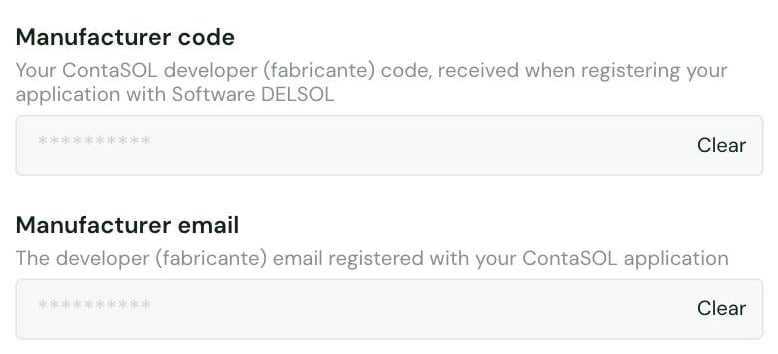
- One account for all your end users: set them yourself. Software DELSOL then sends the credentials to you, and you pass them on.
- One account per end user: leave them for the end user to fill in. They receive their own credentials directly and set up the connection without depending on you.
Test Contasol
Vendor fees
No vendor fees, for you or your end users.
Connect Contasol
Contasol setup guide for end users
The full step-by-step, with screenshots.
- their Contasol company hosted in Software DELSOL’s cloud, on the Nube / Alojamiento plan. The API does not reach locally stored data.
- to create an API access for the developer account in Contasol, in File > Security > API access. They choose the company and area to share and grant full read and write permissions.
- the resulting API credentials: a customer code, customer database and password, from their own developer account or from yours
- enter the Customer code, Customer database and Password Software DELSOL emailed
- if they registered their own developer account, enter their Manufacturer code and Manufacturer email
Rate limits
No rate limit documented by Software DELSOL.Limitations & specificities
Bank feed
Bank feed
A bank feed is possible on request.
Attachments
Attachments
Contasol does not store files, so attachments are not supported on any endpoint.
Contacts (clients & suppliers)
Contacts (clients & suppliers)
Filtering on
updated_after is not supported: every contact is returned regardless of the value passed.On creation, when a client or supplier has several addresses, Chift keeps a single one (the main address, or the invoice or delivery address if there is no main one) and ignores the rest.Analytics
Analytics
Contasol returns a single default analytic plan (“Departamentos contables”). Analytic accounts cannot be split: departments and their sub-departments come back as a flattened list.
Invoices
Invoices
Contasol has no invoice object. Chift reads as an invoice any journal entry that books:
- a client account (43…) against a revenue account (7…)
- a supplier account (40…) against an expense account (6…)
Journal entries
Journal entries
All entries are posted by default, so the
unposted_allowed filter has no effect.Payments & matching
Payments & matching
Contasol does not build due dates from a payment-term template. Its “tipo cartera” field is informative only. To keep behavior consistent, Chift accepts a standard list of payment term identifiers that mirrors the Contasol interface:
30, 60, 90, 30_60, 30_90, 60_90, 30_60_90.The invoice’s due date must equal its invoice date plus the last of the chosen installments (for example, +90 days for 30_60_90); otherwise Chift returns an error.