

Product
Chifty, your integration assistant
Chifty, the AI assistant built into the Chift platform, is now available on all Unified API accounts. Ask why an integration is failing, in plain language, and Chifty checks the consumer’s connections, scans the recent API calls and answers with a diagnosis and the concrete next action, quoting the actual error returned by the third-party system.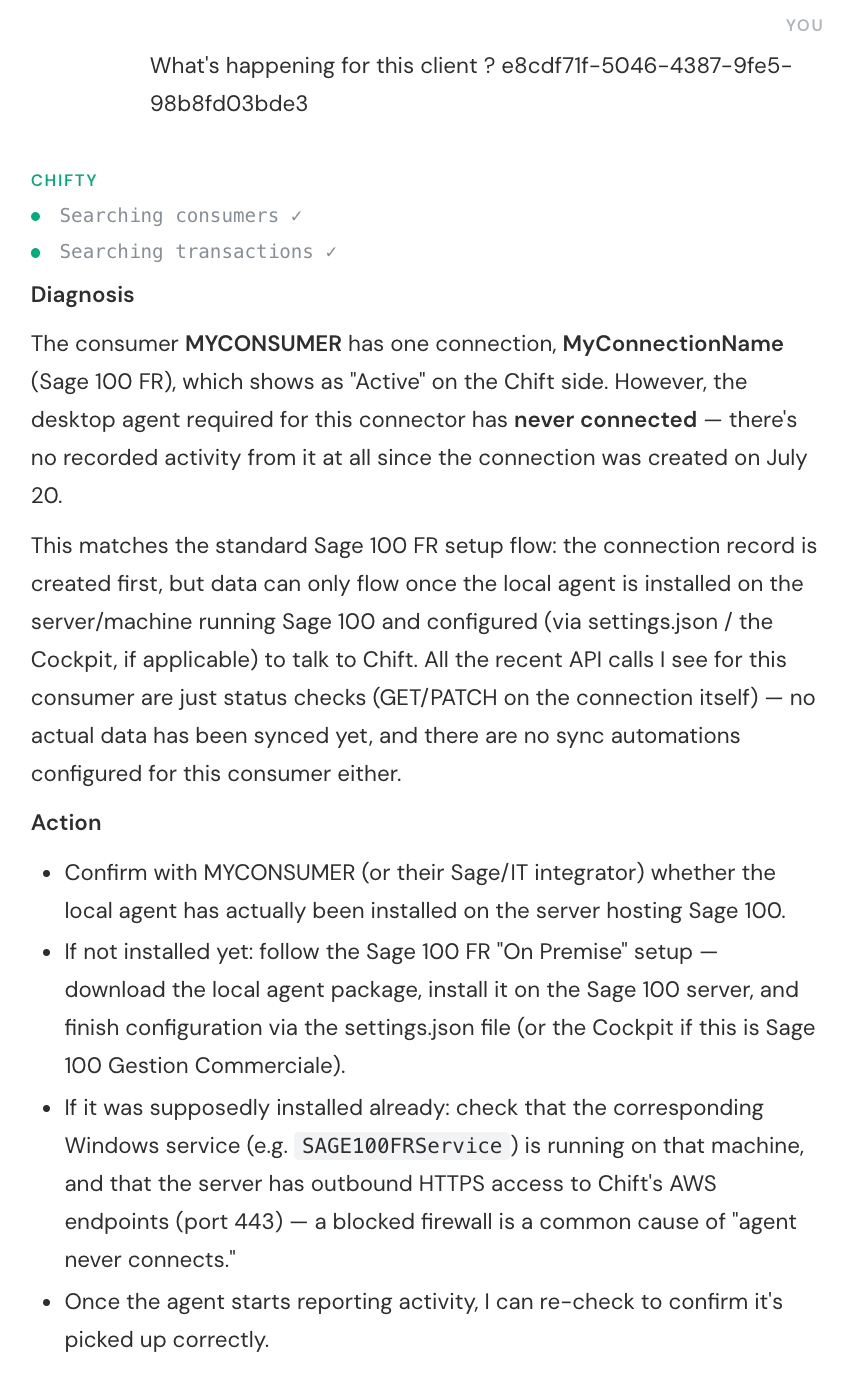
A full conversation: the question, the diagnosis and the actions to take
- Live diagnosis: Chifty queries your account data in real time and shows each step it takes while building its answer.
- Real errors, real fixes: it opens the failing API calls, quotes the third-party error message and tells you what to do about it.
- Connector-aware: answers use the Chift connector documentation (setup steps, prerequisites, known issues).
- Read-only and scoped: Chifty cannot modify anything, and only sees the data your user can access in the platform.
Chifty is only compatible with Unified API accounts for now. Support for Syncs accounts is coming.
Data layer: choose how much history to load
When the data layer is enabled on a connection, the first sync backfills historical data into the data layer store. You can now control how far back that initial load goes from the data layer settings page: keep the default 12 months, start from today, pick a relative period (months, years, or — for accounting — fiscal years back), load the full history, or set a specific date. If you enable the data layer manually rather than automatically, you can pass the same window straight to theenable_datalayer endpoint through its from_date, fiscal_years_back or full_history body options.
Data layer reads are also clearer while the first sync is still running: for a read sent with x-chift-datalayer: true before the initial sync completes, Chift now returns 409 ERROR_DATALAYER_SYNC_PENDING instead of silently empty data, so you can tell “not synced yet” apart from “no matching records”.
Read more in Activating the data layer.