

Overview Legend 🧭
Overview Legend 🧭
Introduction
AFAS Profit is an ERP that brings financial management, HR, payroll, document and project management into one platform. The connector works with AFAS Profit only, and is available in the Netherlands and Belgium.Activate AFAS
Partner keys
No partner keys and no approval: the connector is ready to use.Activate AFAS in your Chift account
One click in Connectors, then create connections straight away.
Connector settings
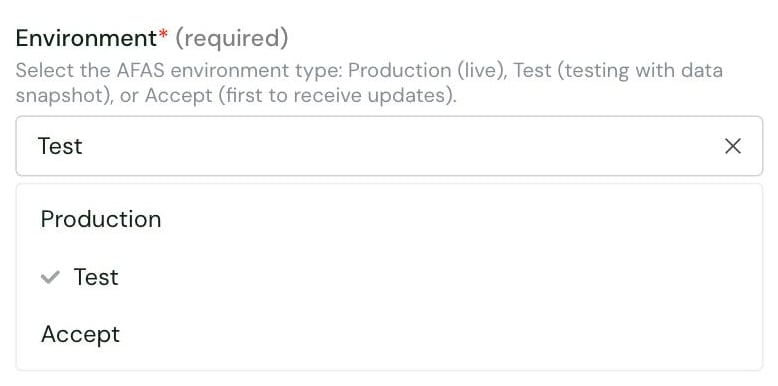
- Production (default): connections call the production environment, whose name starts with O.
- Test: connections call the test environment, whose name starts with T.
- Accept: connections call the acceptance environment, whose name starts with A.
Test AFAS
Vendor fees
No vendor fees, for you or your end users.
Connect AFAS
AFAS setup guide for end users
The full step-by-step, with screenshots.
- an AFAS login with full admin rights
- dimensions and automatic numbering for debtors and creditors enabled in AFAS
- a collective account (verzamelrekening) configured for debtors, and one for creditors
- create an App connector in AFAS Online
- import the GetConnectors file and add the UpdateConnectors
- save the API token AFAS displays at the end of the setup, and activate the “Algemeen - Administraties” authorization filter for the administrations to connect
- enter their Company ID and API Token in the connection form. The Company ID is only the digits of the AFAS environment number:
36480, notO36480AA. - pick the Default Payment Terms, which are mandatory
- optionally pick an Administrative ID and a Default Analytic Plan. The analytic plan appears only when analytic accounting is active.
Rate limits
No rate limit documented by AFAS.Limitations & specificities
Journal entries
Journal entries
- Collective accounts (verzamelrekeningen) cannot be used to book journal entries. Use third-party accounts instead.
- A sales journal entry needs at least one line linked to a client.
- A purchase journal entry needs at least one line linked to a supplier.
Financial entries
Financial entries
Financial entries cannot be booked on employee accounts: Chift rejects them. Book employee lines on a general ledger account instead.
Invoices
Invoices
The due date cannot be earlier than the invoice date.
Contacts (clients & suppliers)
Contacts (clients & suppliers)
Clients and suppliers cannot be created without a valid address.