

Overview Legend 🧭
Overview Legend 🧭
Introduction
Yuki is a cloud accounting platform for businesses in Belgium and the Netherlands and their accounting partners. It covers bookkeeping, invoicing and bank reconciliation, and centralizes financial data between a business and its accountant. In the Netherlands, it has been sold as Nmbrs Accounting since 1 September 2026.Activate Yuki
Partner keys
You can use Chift’s app, or register your own with Yuki.Use Chift's app
Chift fills in the Client ID and Client secret fields for Yuki’s Purchase web service.
Use your own app
Email
support.accounting@nmbrs.com to request a Purchase web service Client ID and Client secret, then enter them yourself in the Client ID and Client secret fields.Activate Yuki in your Chift account
In Connectors, enter your Client ID and Client secret.
Connector settings
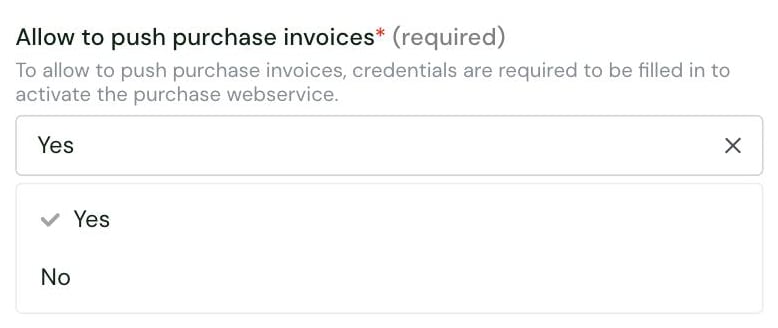
- Yes: shows the Client ID and Client secret fields. Enter the Purchase web service credentials issued by Nmbrs Accounting, as described in Partner keys.
- No: purchase invoices cannot be pushed.
Test Yuki
Vendor fees
Software editor (you)
No fees.
End user
Depends on the domain’s bundle. On the Minimal bundle, pushing sales invoices needs the Sales web service feature, billed to the accountant’s office at €10.50/month. Pushing purchase invoices needs a Minimal, Small, Medium, Large or Unlimited bundle.
Connect Yuki
Yuki setup guide for end users
The full step-by-step, with screenshots.
- a Yuki account with the Management or Backoffice role in the domain. Only these roles can create a webservice API key, under Settings > Integrations > Web services.
- to grant the key All web services access.
- a key of type Domain to connect several administrations. Otherwise, a key covers one administration.
- to push purchase invoices, a domain on a Minimal, Small, Medium, Large or Unlimited bundle.
- on the Minimal bundle, the Sales web service feature to also push sales invoices, as described in Vendor fees.
- paste the Yuki webservice API key into the connection form
- optionally, select which accounting folder(s) to connect
Rate limits
Yuki applies a daily quota: 1,000 calls a day per domain by default. To increase it, a user with the “Portal administrator” role in the accountant portal can add one of the following accountant features to the domain, billed to the accountant’s office:- Yuki Webservice: up to 5,000 calls/domain
- Yuki Webservice extended: up to 10,000 calls/domain
500 with a “daily limit exceeded” error. Chift does not retry: it returns ERROR_RATE_LIMIT (HTTP 429) until the quota resets.
See Yuki’s web services documentation.
Limitations & specificities
Attachments
Attachments
Chift does not attach documents to journal entries in Yuki. A
pdf field sent to POST /journal-entries is accepted but ignored, and the attachment status is returned as attachments_info.status: "unknown".Attaching a PDF to an existing invoice is available on request.Journal entries
Journal entries
Rules on journal entries in Yuki:
- Lines use a general ledger account, or a customer or supplier account with
force_general_accountset. - Ledger accounts starting with 10xxx, 11xxx, 120xx, 125xx, or 15xxx cannot be used.
- Entries are always posted to journal
805, in EUR.
Invoices
Invoices
- A customer invoice needs an invoice number when a PDF is attached.
- A supplier invoice always needs a PDF attached.
Chart of accounts & VAT
Chart of accounts & VAT
National, European and international VAT codes cannot be combined on one invoice. Use only one category of VAT codes per invoice.
Analytics
Analytics
An invoice can only use one analytic account and one analytic plan.An analytic account’s name must be unique, and it cannot be updated once created.