

Overview Legend 🧭
Overview Legend 🧭
Introduction
ACD is a production and management suite for accounting firms in France, covering bookkeeping, invoicing and document management across client folders (dossiers). The connector talks directly to the firm’s i-Suite Expert server, installed at the firm or hosted by ACD, through the i-Suite Expert API.Activate ACD
Partner keys
No partner keys and no approval: the connector is ready to use.Activate ACD in your Chift account
One click in Connectors, then create connections straight away.
Connector settings
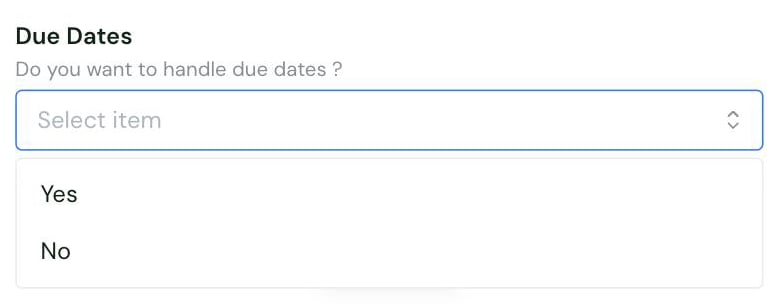
- Yes: due dates are sent. This is the default. The receiving journal must have due-date management, the échéancier, enabled, otherwise ACD rejects the entry.
- No: entries are sent without a due date.
Test ACD
Vendor fees
No vendor fees, for you or your end users.
Connect ACD
ACD setup guide for end users
The full step-by-step, with screenshots.
- ACD version 23 or later, with i-Suite Expert client status
- Comptabilité Entreprise Web available on their i-Suite Expert
- a Collaborateur-type user account. If their firm requires secure API access, a dedicated API user account with the
ACD_APIrole instead - their ACD server reachable from the internet over HTTPS, with port 443 open for inbound requests. Not needed when ACD hosts it
- the accounting folder shared in ACD, with the journals that will receive entries selected
- enter their Suite Expert URL and Connexion reference (CNX)
- sign in with their ACD username and password
- indicate whether Analytic accounting and Due Dates are active for the folder
- choose the accounting folder to sync
- optionally, specify the GED folders where sale and purchase invoice attachments are stored
Rate limits
No rate limit documented by ACD.Limitations & specificities
Journal entries
Journal entries
Entries can only be written in euros. Convert or change the currency before submitting.The exception is generic entries in a foreign currency. They go through if an exchange rate is supplied or currency conversion is forced.
Chart of accounts & VAT
Chart of accounts & VAT
- Collective general accounts cannot be used to create entries. Use a thirdparty account instead.
- Account numbers cannot exceed the general account length set on the ACD folder. Extend that parameter in ACD to accept longer codes.
- A VAT code can only be set on an entry line whose account is a pre-tax account, known as HT in ACD.
- The VAT code’s rate must match the rate configured for that VAT code in ACD.
Analytics
Analytics
In a hierarchised analytic accounting setup, each analytic account at a lower level must be linked to an analytic account at the level above it, otherwise ACD rejects the entry.
Numbering
Numbering
- A journal entry, invoice and operation each need a number. ACD rejects them without one.
- None of these three numbers can be longer than 16 characters.
- The journal entry’s name cannot be longer than 16 characters either.
Coverage
Troubleshooting
For errors shared by all connectors, such asERROR_TAX_RATE_NOT_CORRESPONDING, see Errors.