

How Chift works
Chift sits between your software and your end-users’ financial tools.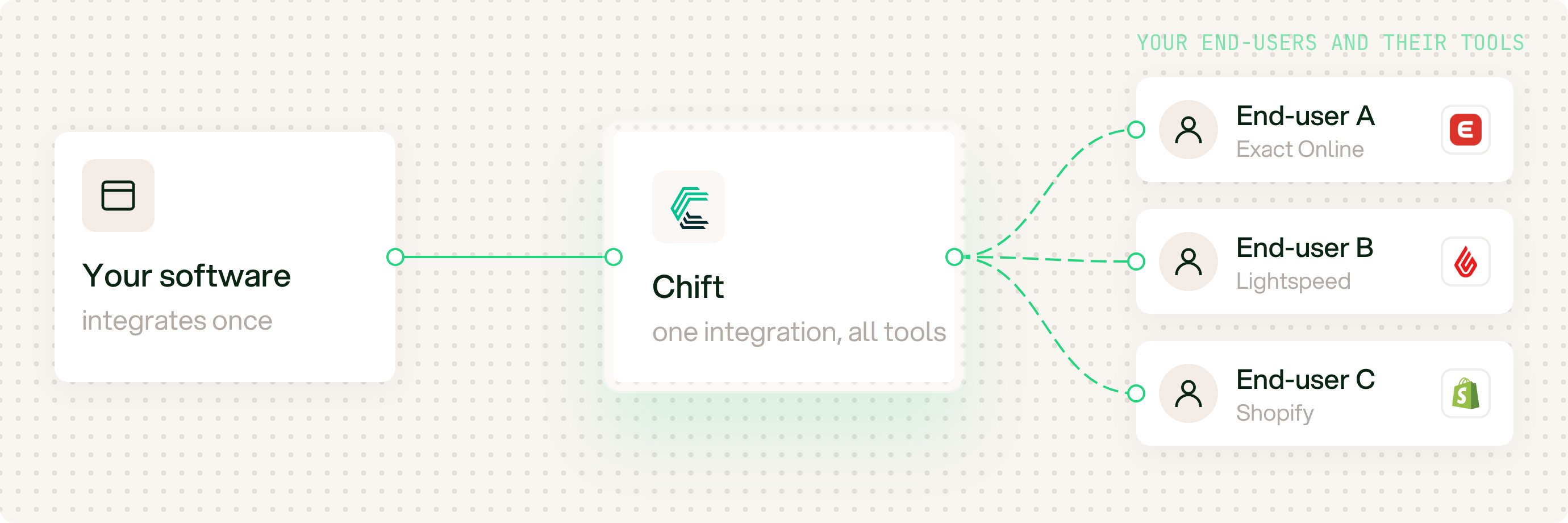
Chift sits between your software and your end-users' financial tools.
The three objects
Everything in Chift is built from three objects, and how they relate is the part worth getting straight up front: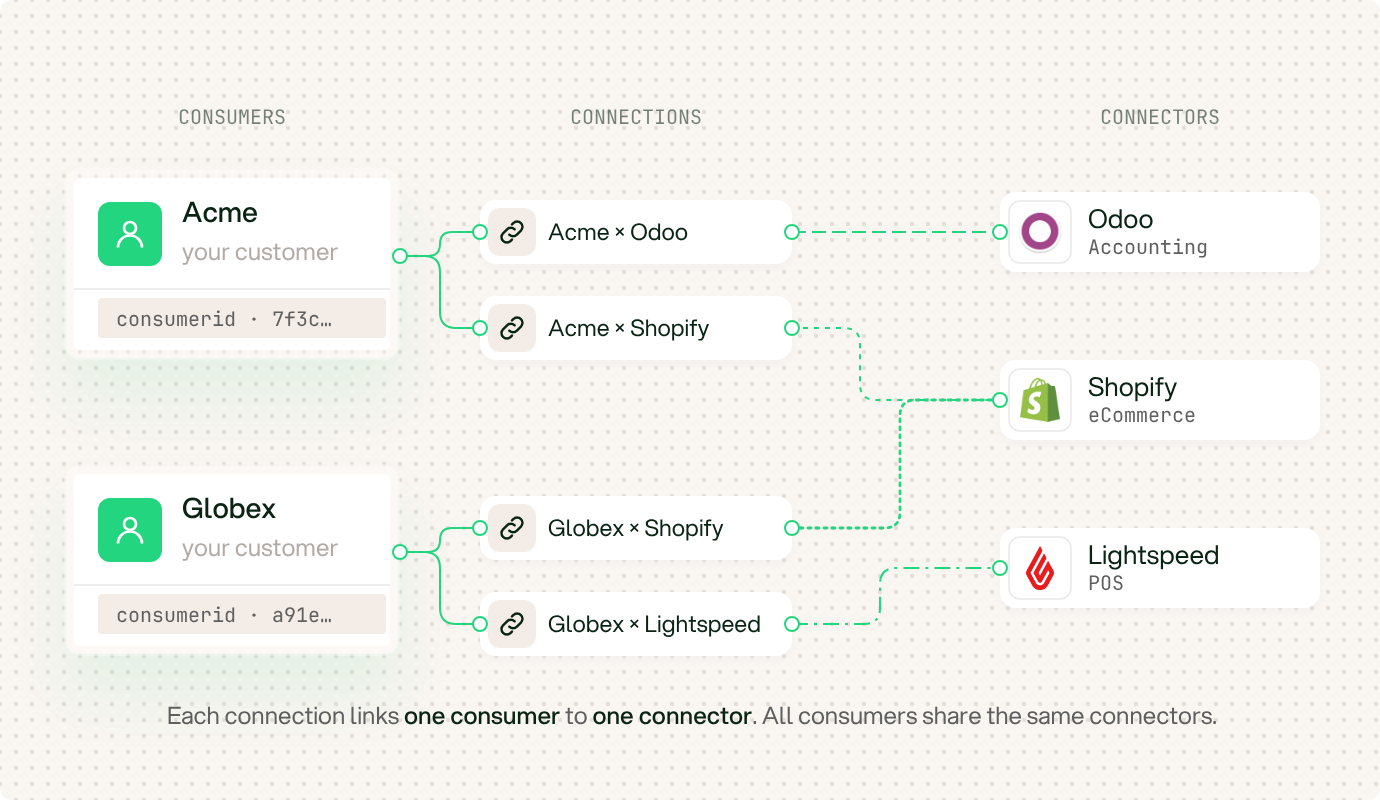
Consumers, connections, and connectors.
- Connector: software Chift talks to (Odoo, Sage, Shopify, Lightspeed). Chift builds and maintains these. You choose which to activate. In your product, an integration you offer.
- Consumer: one of your end-users, identified by a uuid (
consumerid). In your product, a tenant or account in your database, usually one per end-user. - Connection: one consumer linked to one connector, holding that end-user’s credentials and configuration. “This end-user connected their Odoo.”
Chift’s API paths and fields use the word integration (
GET /integrations, integrationid) for historical reasons. In the documentation we say connector. They mean the same thing.Two ways to use Chift
Both start from the same connectors, consumers, and connections. What differs is who writes the integration logic and who triggers it.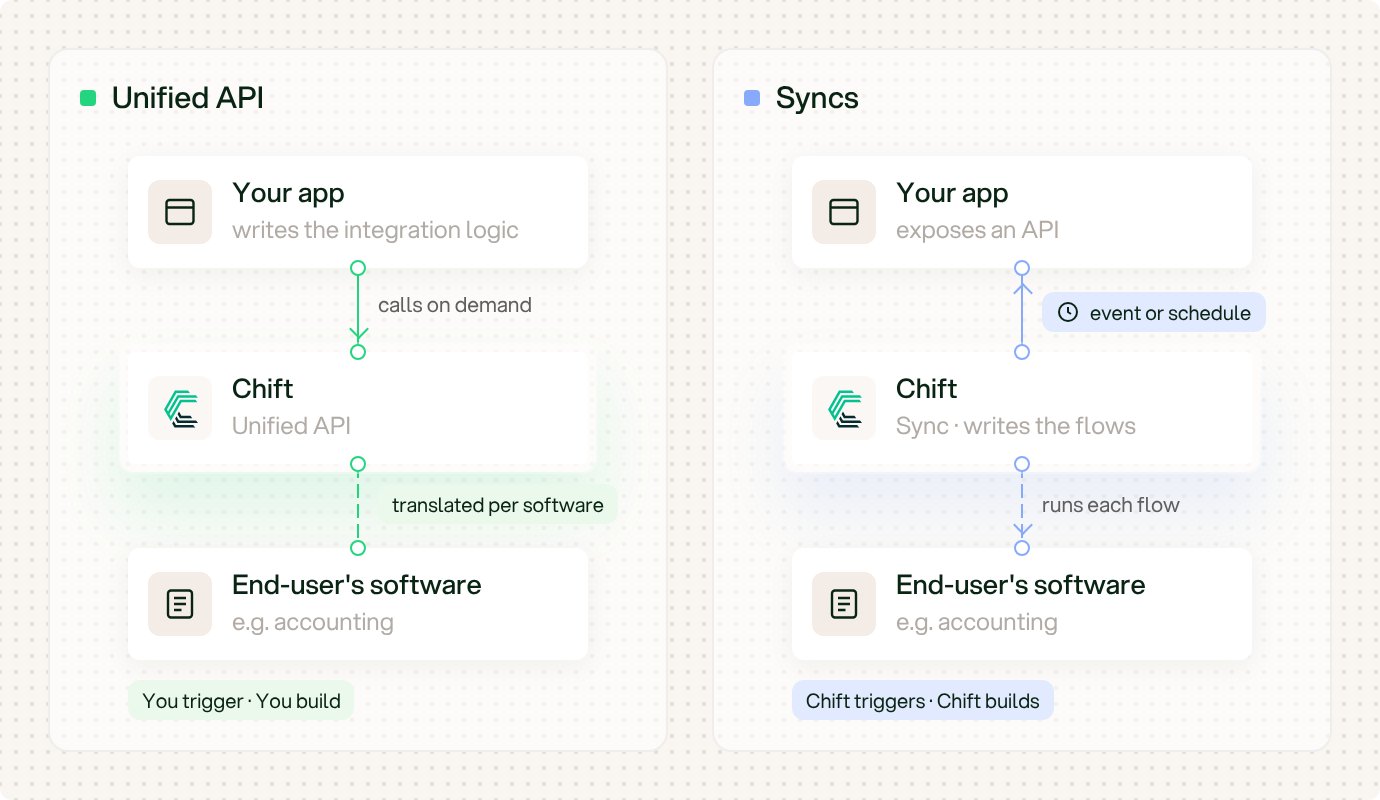
Unified API: you build and trigger the integration. Syncs: Chift builds and runs it.
Unified API
You build and trigger the integration.
Syncs
Chift builds and runs the integration.