

Overview Legend 🧭
Overview Legend 🧭
Introduction
Sage 100 is an accounting and business management suite for small and medium-sized companies in France, covering financial management and inventory. Only the On Premise and Sage Partner Cloud versions can be connected, through a local agent.Activate Sage 100
Partner keys
No partner keys and no approval: the connector is ready to use.Activate Sage 100 in your Chift account
One click in Connectors, then create connections straight away.
Connector settings
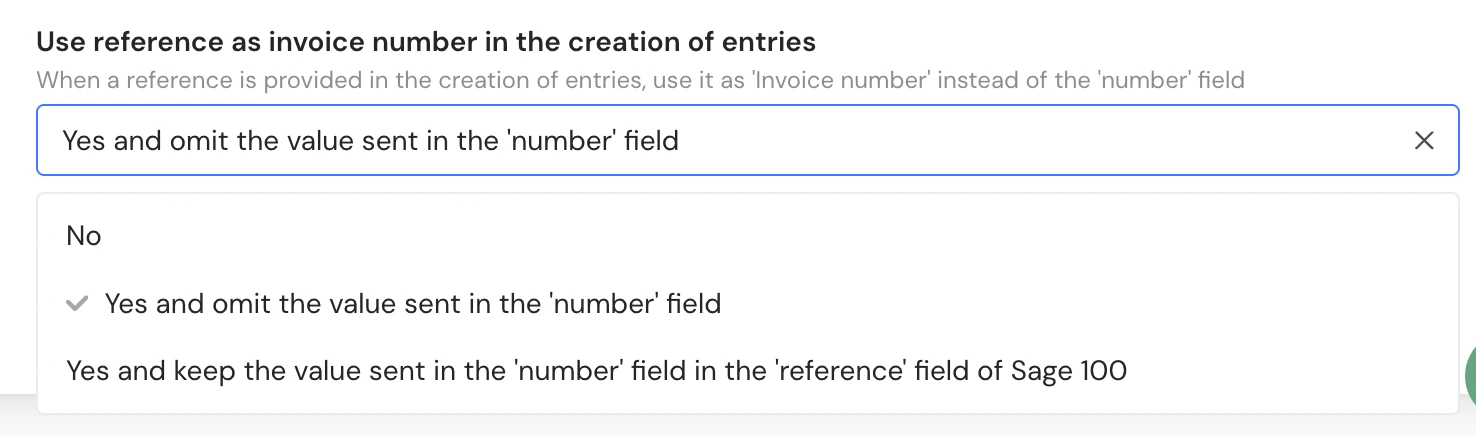
- No: the value sent in
numberis the invoice number. - Yes and omit the value sent in the ‘number’ field: the value sent in
referenceis the invoice number, andnumberis ignored. - Yes and keep the value sent in the ‘number’ field in the ‘reference’ field of Sage 100: the value sent in
referenceis the invoice number, andnumberis stored in the reference field of Sage 100.
reference as the invoice number instead of the value sent in number.
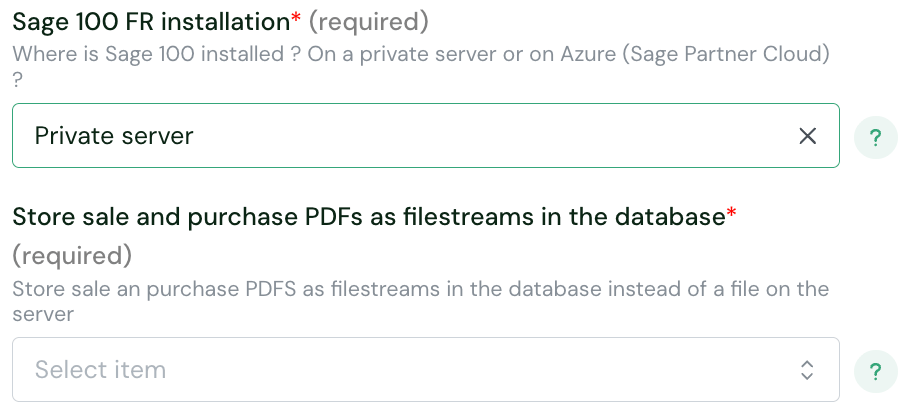
- No: PDFs are stored as files in a folder on the server. This is the default.
- Yes: PDFs are stored as filestream in the Sage 100 database, and can be opened from the document in Sage 100.
Test Sage 100
Vendor fees
Software editor (you)
Paid test account — a sandbox is only available through a Sage integrator.
End user
No fees.
Connect Sage 100
Sage 100 setup guide for end users
The full step-by-step, with screenshots.
Local agent guide
Installing and running the local agent.
- Sage 100 On Premise or Sage Partner Cloud — Sage 100 Online must first move to one of them
- On Premise: Sage 100 version 7 or later, with the Objets Métiers library installed in the same version as Sage 100, downloadable from Sage
- Sage Partner Cloud: nothing to install for Objets Métiers, it is already there and must not be reinstalled, as Sage’s note explains
- their Sage certified partner or IT partner, since Sage 100 is installed through a certified partner
- choose their Sage 100 FR installation in the connection form: Private server or Azure (Sage Partner Cloud)
- install the local agent on the server where Sage 100 runs
- connect it to your product
Rate limits
No rate limit documented by Sage.Limitations & specificities
Chart of accounts & VAT
Chart of accounts & VAT
Account numbers, for ledger accounts and for clients and suppliers, are limited to 13 characters and must be numeric.
Invoices
Invoices
Rules on invoices:
- Invoice numbers are limited to 17 characters.
- Each invoice needs a client or supplier account in
partner_id. - Each invoice needs at least one charge or product account.
- The partner is a supplier on purchase invoices and a client on sales invoices.
- The tax amount is greater than zero, or zero with a non-national tax code.
Journal entries
Journal entries
Rules on journal entries:
- Entry numbers, operation numbers and journal entry names are limited to 17 characters.
- Entries cannot contain a line with a zero amount.
- Entries can only use detailed ledger accounts, not summary accounts.
- Chift cannot write to a journal that is open in the Sage 100 interface at the same time.
Financial entries
Financial entries
Financial entry numbers are limited to 17 characters, and entries cannot contain a line with a zero amount.
Contacts (clients & suppliers)
Contacts (clients & suppliers)
A client or supplier cannot be updated while its record is open in the Sage 100 interface.
Multi-folder
Multi-folder
One connection covers one Sage 100 accounting folder. To connect several folders, create one connection per folder.