

Introduction
Nmbrs Accounting is Yuki’s name in the Netherlands since 1 September 2026. It is a cloud accounting platform for businesses and their accountants, covering bookkeeping, invoicing and banking. This connector is for end users in the Netherlands. It works like the Yuki connector, which is for Belgium.Activate Nmbrs Accounting
Partner keys
You can use Chift’s app, or register your own with Nmbrs Accounting.Use Chift's app
Chift fills in the Client ID and Client secret fields for the Purchase web service.
Use your own app
Email
support.accounting@nmbrs.com to request a Purchase web service Client ID and Client secret, then enter them yourself in the Client ID and Client secret fields.Activate Nmbrs Accounting in your Chift account
In Connectors, enter your Client ID and Client secret.
Connector settings
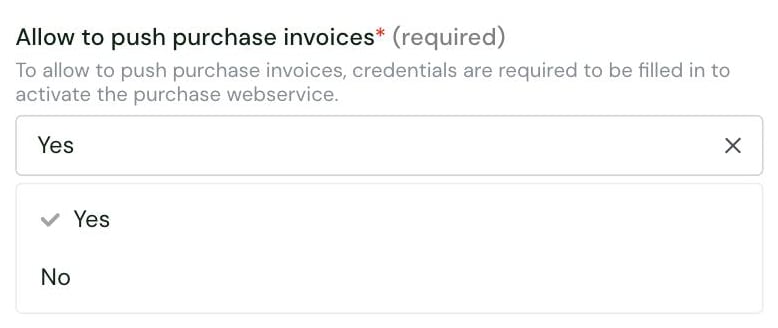
- Yes: shows the Client ID and Client secret fields. Enter the Purchase web service credentials issued by Nmbrs Accounting, as described in Partner keys.
- No: purchase invoices cannot be pushed.
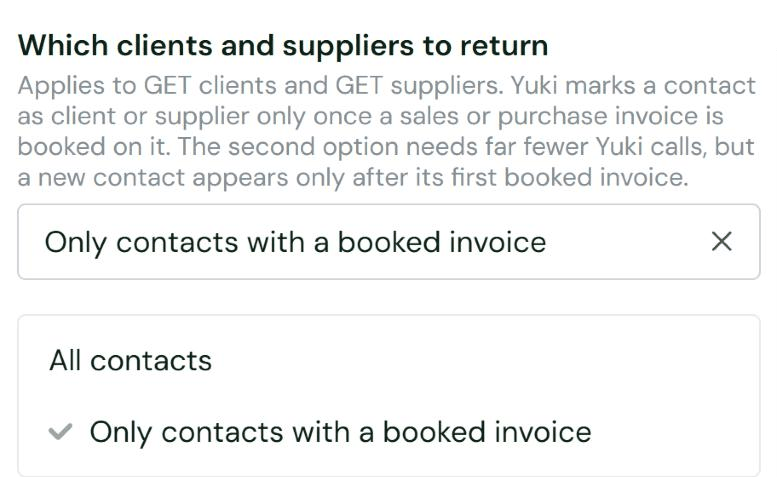
GET /accounting/clients and GET /accounting/suppliers return. Nmbrs Accounting marks a contact as client or supplier only once a sales or purchase invoice is booked on it.
- All contacts (default): both lists return every contact of the domain. Each list reads all contacts, one call per 100 contacts.
- Only contacts with a booked invoice: each list returns only the contacts marked as client or supplier, with far fewer calls. A contact created through Chift appears once its first invoice is booked. A
searchby name or code, or a read by ID, still finds it.
Test Nmbrs Accounting
Vendor fees
Software editor (you)
No fees.
End user
Depends on the domain’s bundle. On the Minimal bundle, pushing sales invoices needs the Sales web service feature, billed to the accountant’s office at €10.50/month. Pushing purchase invoices needs a Minimal, Small, Medium, Large or Unlimited bundle.
Connect Nmbrs Accounting
Nmbrs Accounting setup guide for end users
The full step-by-step, with screenshots.
- an Nmbrs Accounting account with the Management or Backoffice role in the domain. Only these roles can create a webservice API key, under Settings > Integrations > Web services.
- to grant the key All web services access.
- a key of type Domain to connect several companies. Otherwise, a key of type Company covers one company.
- to push purchase invoices, a domain on a Minimal, Small, Medium, Large or Unlimited bundle.
- on the Minimal bundle, the Sales web service feature to also push sales invoices, as described in Vendor fees.
- paste the webservice API key into the connection form
- optionally, select which accounting folder(s) to connect
Rate limits
Nmbrs Accounting applies a daily quota: 1,000 calls a day per domain by default. To increase it, a user with the “Portal administrator” role in the accountant portal can add one of the following accountant features to the domain, billed to the accountant’s office:- Webservice: up to 5,000 calls/domain
- Webservice Extended: up to 10,000 calls/domain
500 with a “daily limit exceeded” error. Chift does not retry: it returns ERROR_RATE_LIMIT (HTTP 429) until the quota resets.
Listing clients or suppliers reads every contact of the domain by default, one call per 100 contacts. On large domains, set Which clients and suppliers to return to Only contacts with a booked invoice, as described in Connector settings.
See the vendor’s web services documentation.
Limitations & specificities
Attachments
Attachments
Chift does not attach documents to journal entries in Nmbrs Accounting. A
pdf field sent to POST /journal-entries is accepted but ignored, and the attachment status is returned as attachments_info.status: "unknown".Attaching a PDF to an existing invoice is available on request.GET /attachments returns only the files stored with the entry or invoice in Nmbrs Accounting. Nmbrs Accounting also archives the import file (XML or CSV) of every document Chift pushes. Chift leaves that file out.Journals
Journals
GET /journals returns the document tabs of the archive folders that Nmbrs Accounting processes, and the bank accounts of the chart of accounts as financial_operation journals.Chift sets the journal_type of a tab from the first digit of its 3-digit ID. IDs starting with 1 are supplier_invoice, IDs starting with 2 are customer_invoice, and IDs starting with 3, 4, 5, 7 or 8 are miscellaneous_operation. This type does not show whether Chift accepts the journal. Chift accepts only these journals:Financial entries use the
financial_operation journals. Each one is a bank account of the chart of accounts, and its journal_id is the account number.When a user must choose a journal for a document, show only the journal listed for that document.Journal entries
Journal entries
Rules on journal entries in Nmbrs Accounting:
- Lines use a general ledger account, or a customer or supplier account with
force_general_accountset. - Ledger accounts starting with 10xxx, 11xxx, 120xx, 125xx, or 15xxx cannot be used.
- Entries are always posted to journal
805, in EUR.
Invoices
Invoices
- A customer invoice needs an invoice number when a PDF is attached.
- A supplier invoice always needs a PDF attached.
- Supplier invoices and supplier refunds must use journal
101. - Customer invoices and customer refunds must use journal
201. journal_idis optional. If you send it, Chift checks it against these rules. Any other journal returns an error.
Chart of accounts & VAT
Chart of accounts & VAT
National, European and international VAT codes cannot be combined on one invoice. Use only one category of VAT codes per invoice.
Analytics
Analytics
An invoice can only use one analytic account and one analytic plan.An analytic account’s name must be unique, and it cannot be updated once created.
Error messages
Error messages
The connector shares its code with the Yuki connector. Some error codes and messages name Yuki, for example
UNEXPECTED_YUKI_ERROR and ERROR_YUKI_ANALYTIC_DISTRIBUTION. See the Yuki troubleshooting table for the full list.