

Purpose & business value
- Risk reduction: Preview data before activating a flow, avoiding duplicates or errors.
- Confidence building: See exactly which ledger entries would be created.
- Debugging & compliance: Access execution logs to troubleshoot issues and verify accounting accuracy.
- Time & support savings: Reduces failed integrations and support tickets.
How it works
1. Initiate preview
Start a preview from the flow configuration modal by clicking Aperçu des écritures comptables.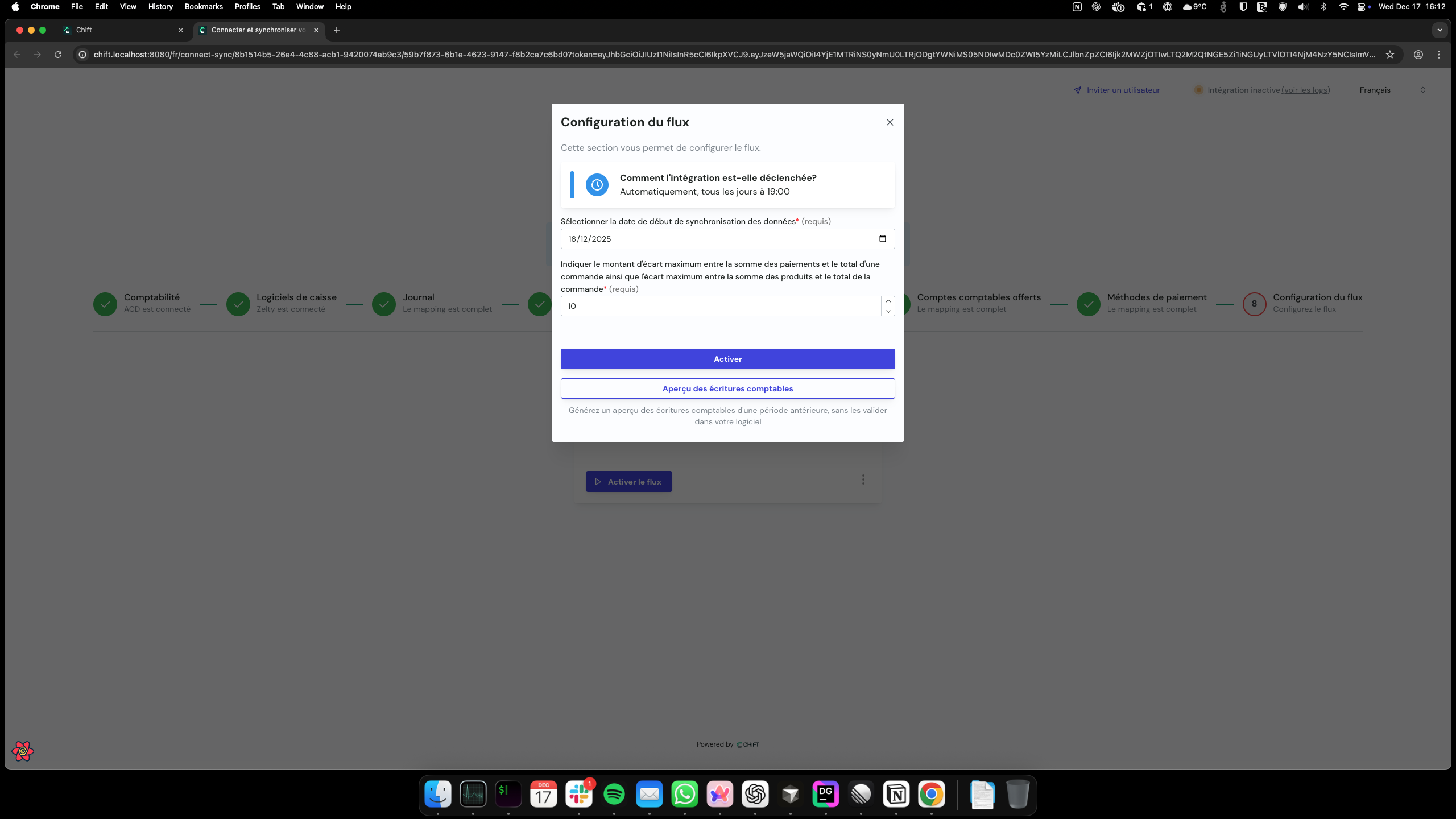
2. Select date range
Choose a date range for the preview. Only historical data can be selected (max 1 year).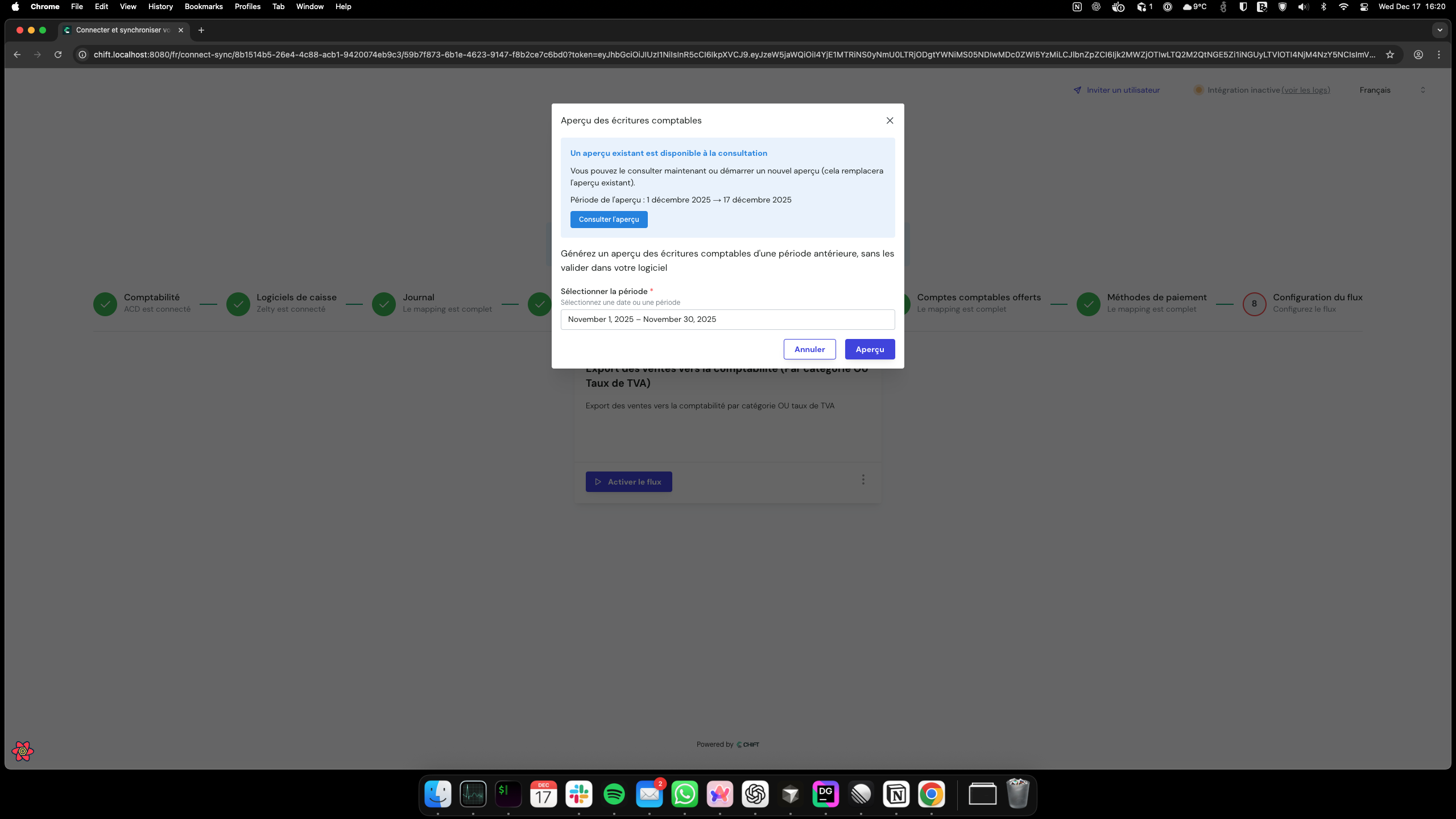
3. System processing
The preview runs asynchronously, generating simulated ledger entries. You will be notified by email when the preview is ready.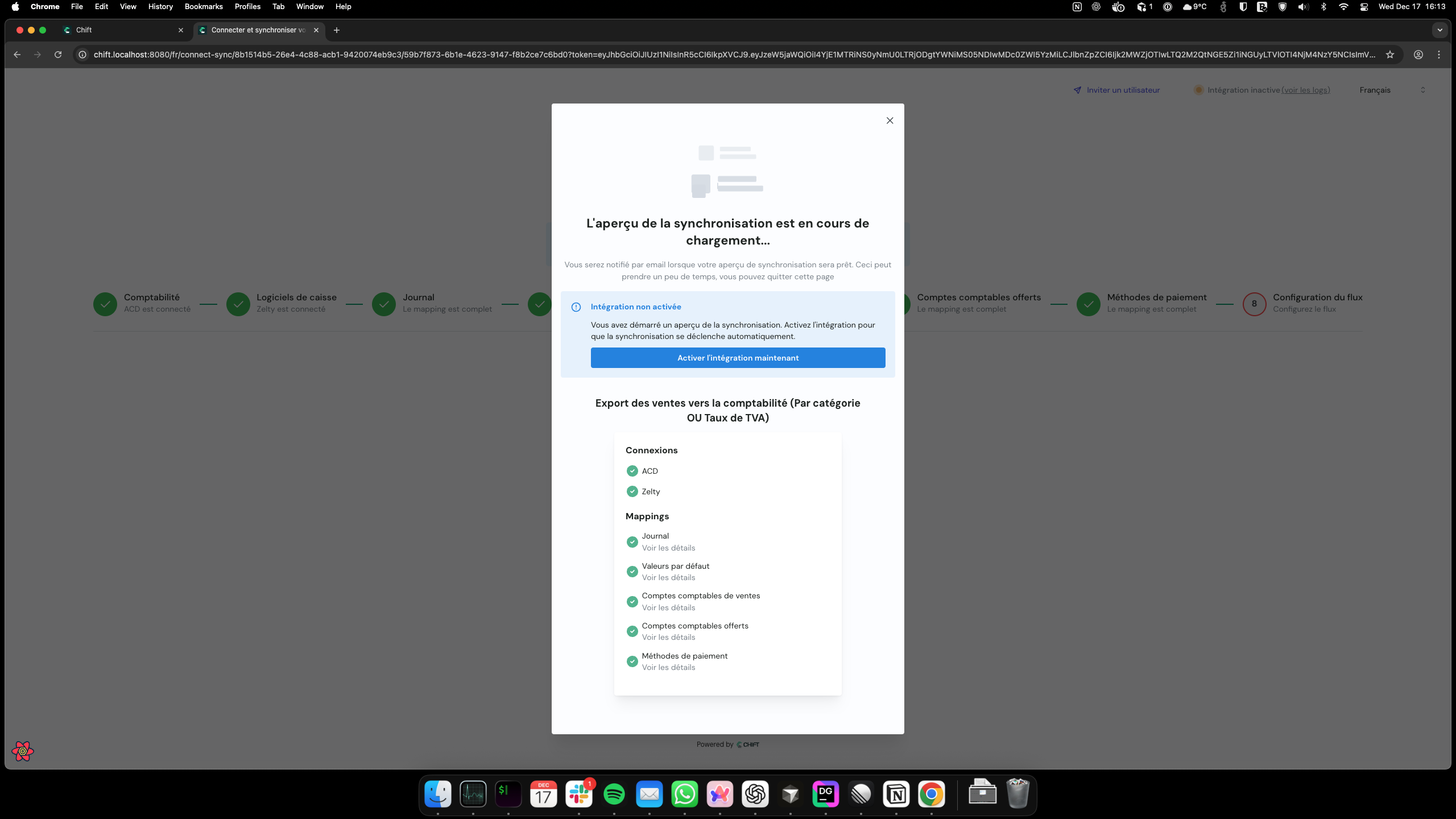
4. Email notification
Once the preview finishes, the system sends an email with a link to view the results or errors.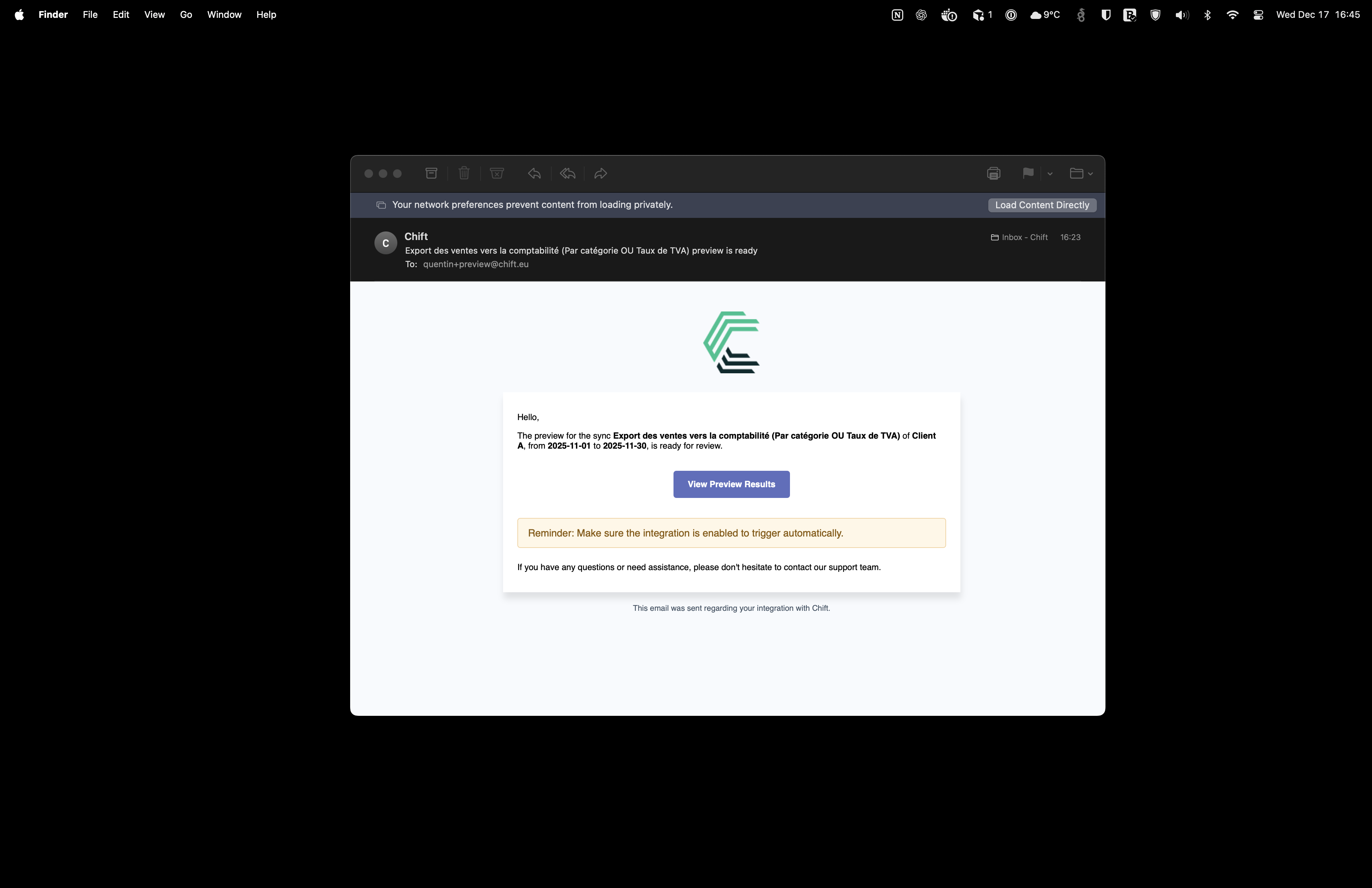
5. Review results
Access the preview results through two tabs: Ledger tab: Displays formatted journal entries (debits, credits, accounts, descriptions).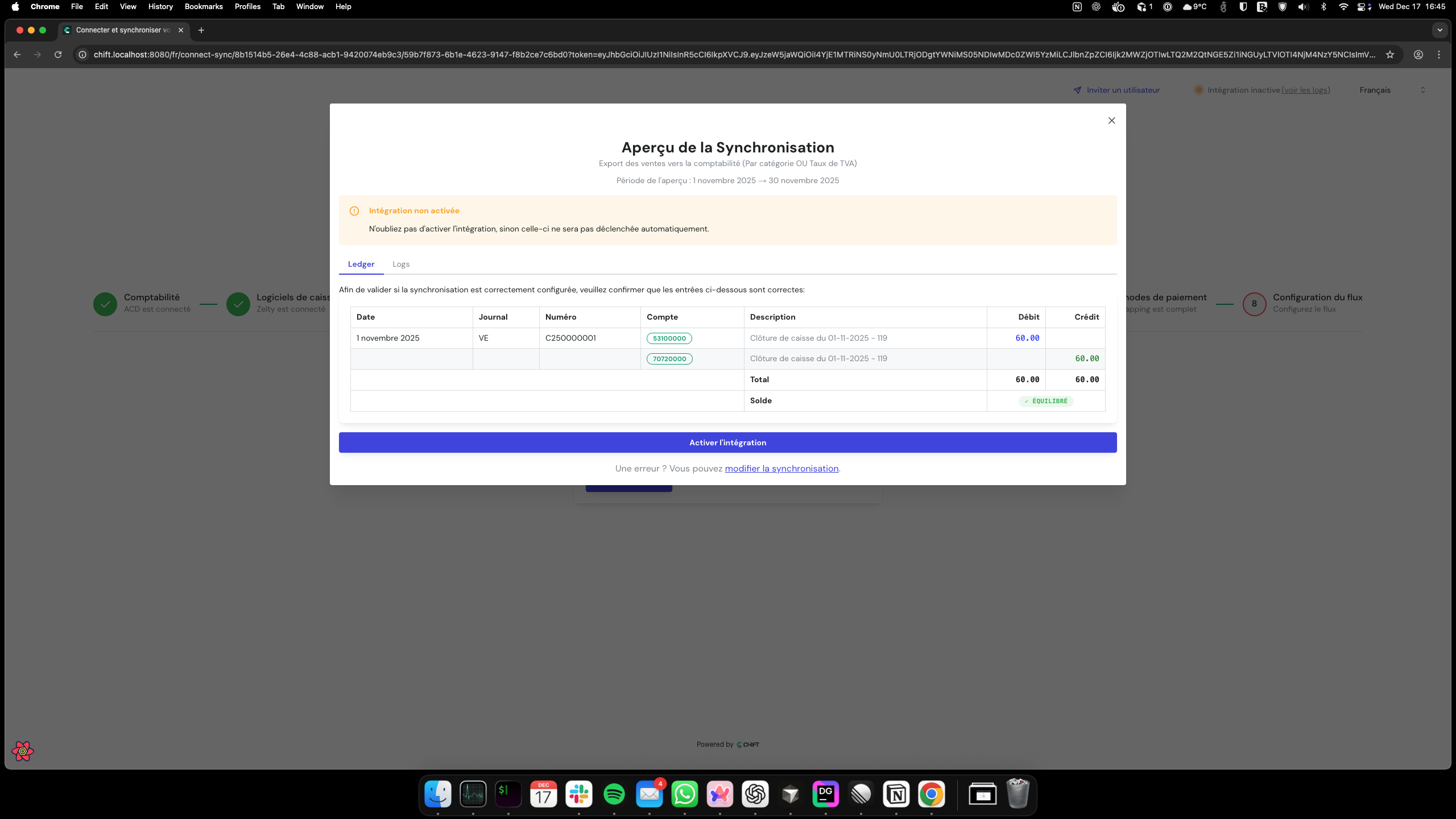
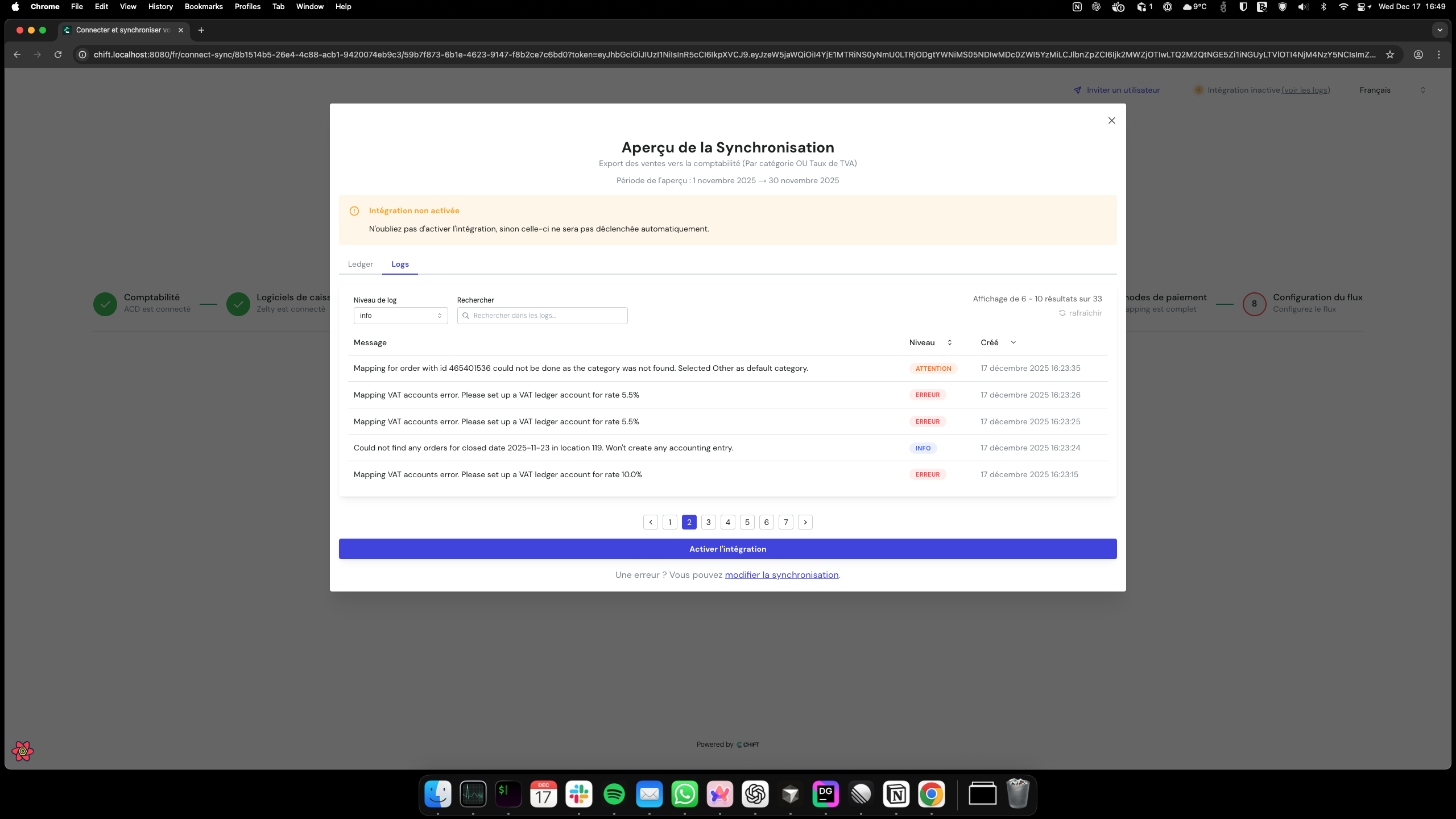
6. Decision
Based on the preview results, you can activate the flow, adjust configurations, or run another preview.Feature highlights
Status tracking
The system tracks preview status throughout the process:Additional features
- Secure access: Each preview is scoped to the requesting user and time-limited.
- Email notifications: Users are notified when a preview completes or fails, with links to view results or errors.
- Ledger entry validation: Verify that ledger entries are balanced (debits = credits) before committing.
Preview result links expire after 7 days.