

Three ways to provide a link
The three links differ in lifetime and in who sends the email. Only the reminder email and the access link suit a non-interactive flow.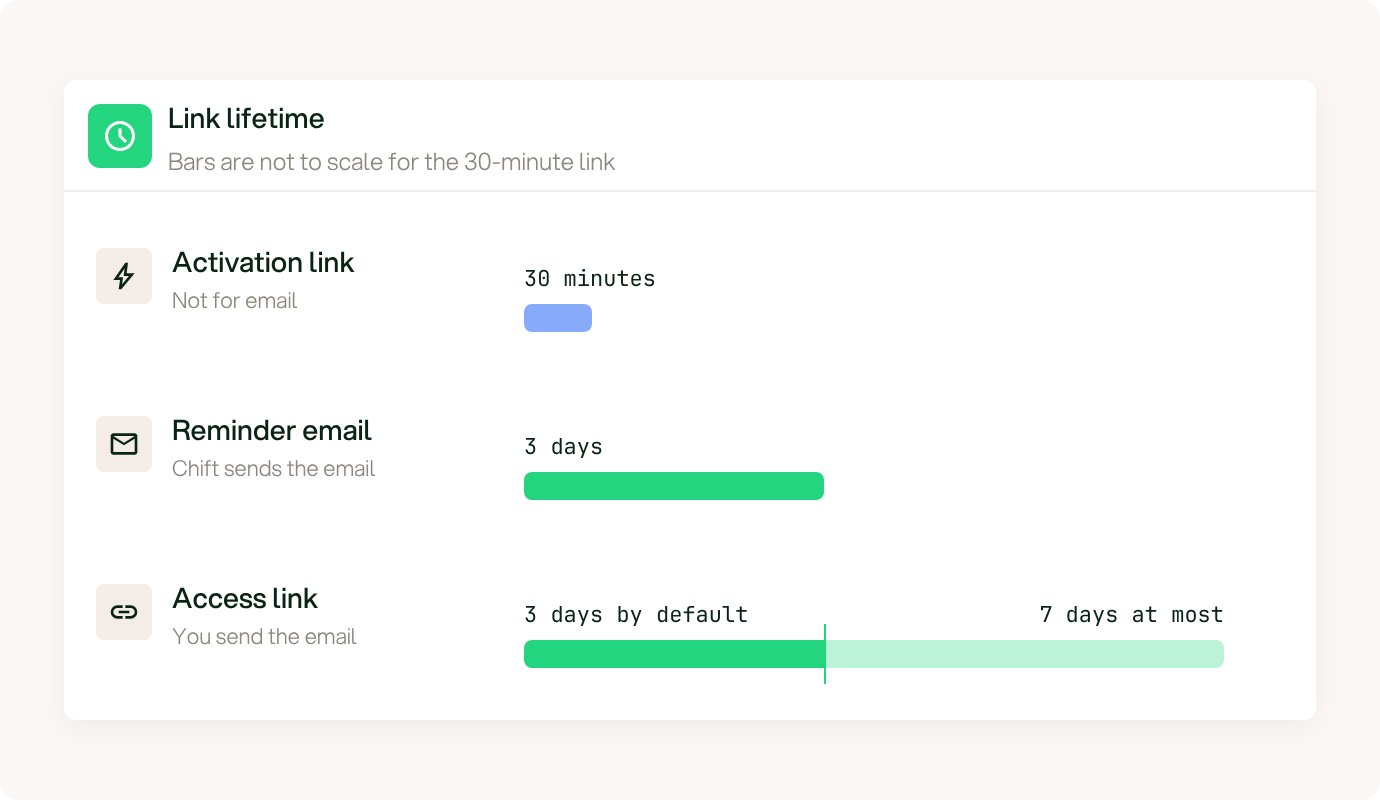
Lifetime of the three links. The 30-minute bar is not to scale.
A reminder email gives the end-user a new link after an interactive flow did not finish. Chift sends it. See Reminders. If you must send the email yourself, use an access link.
Sending via email
Use an access link when you must send the email from your own system. CallPOST /consumers/{consumer_id}/access-links to create a longer-lived link, then send it yourself.
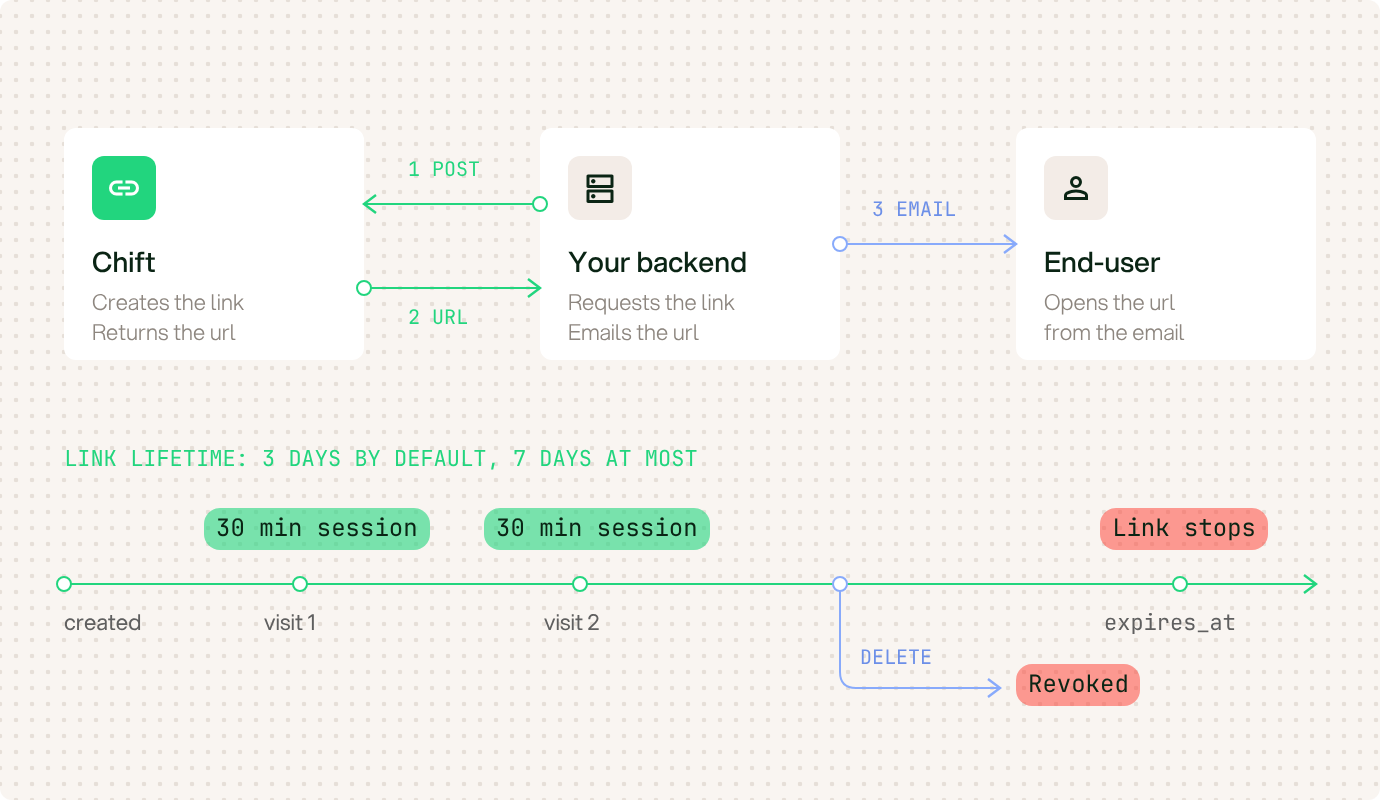
How an access link works, from creation to expiry.
- Pass
syncidto open a sync of the consumer, orintegrationidto open the connection page of one connector. You cannot pass both. - Use
expires_atto set the expiry. The default is 3 days from now. The maximum is 7 days from now. - The response contains
id,urlandexpires_at. - Each visit to the
urlopens a new 30-minute session. The link works untilexpires_at. - Call
DELETE /consumers/{consumer_id}/access-links/{access_id}to expire the link immediately.