

Overview
The remote MCP server is hosted by Chift athttps://mcp.chift.eu/mcp. There is nothing to install: you point an MCP client at that URL and authorize through the Chift OAuth flow.
Each authorization is tied to a single consumer, and the tools an agent can see are limited to the scopes granted during authorization. This makes the remote server well suited to productized, agentic use cases where an assistant acts on behalf of one of your customers with a deliberately bounded set of tools.
Prerequisites
- A Chift account with at least one consumer that has active integrations.
- An MCP-compatible client (Claude Desktop, Cursor, VS Code, Claude Code, or any framework that supports MCP).
DataLayer
If the consumer you authorized is connected to the DataLayer, the server automatically uses it as the source of truth for read operations. Your agent’s queries are served from Chift’s synced data store rather than hitting the source system live on every request, which keeps responses fast and consistent. No configuration is required. When a consumer is connected to the DataLayer, reads route through it automatically.Authentication
- OAuth 2.0 (recommended)
- Legacy token
The remote server supports OAuth 2.0 with Dynamic Client Registration (RFC 7591). Point your MCP client at 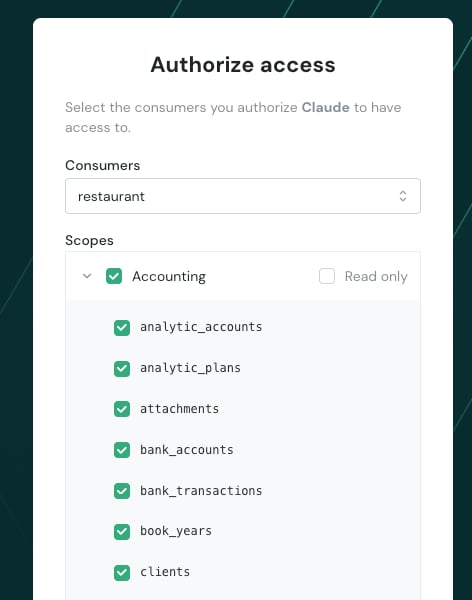
https://mcp.chift.eu/mcp and it handles client registration, the login redirect, and credential storage for you.1
Add the server
Point your MCP client at
https://mcp.chift.eu/mcp (see Connecting your client). On first use, the client opens a browser on Chift.2
Authorize
Log in, pick the consumer the agent will act on, and select the scopes to grant.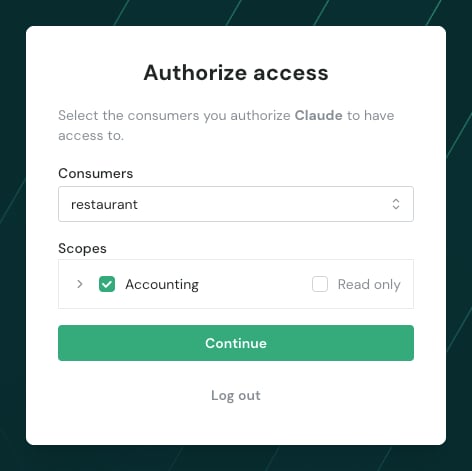
3
Start building
The client stores the connection and the agent can call the granted tools. Reconnecting reuses the saved credentials, so you will not be asked to authorize again.
Scopes
Scopes decide which tools an agent sees. They are defined at two levels:- The set a builder makes available for their integration, configured on the MCP settings page.
- The subset a user grants during authorization.
accounting) that you can narrow to read only or to specific entities (for example, only invoices and VAT codes).Connecting your client
Point your client athttps://mcp.chift.eu/mcp. Each client sets up the connection and authentication slightly differently, so follow the tab for the one you use.
IDE configuration
- Claude Desktop
- Cursor
- VS Code
- Claude Code
Claude Desktop cannot connect to a remote server directly, so it uses the The example above authenticates with a legacy token passed through
mcp-remote bridge. Add the following to your claude_desktop_config.json:AUTH_HEADER. To use OAuth instead, remove the --header argument and the AUTH_HEADER env var: mcp-remote then opens a browser for you to log in and authorize on first use.Using with AI frameworks
You can integrate the remote server with popular AI frameworks to build applications on top of Chift’s Unified API.- AI SDK (Vercel)
- Pydantic AI
- LangChain Python
- LangChain TypeScript
The AI framework examples use the legacy token method for simplicity. For production applications, we recommend implementing OAuth 2.0.