

Prerequisites
- An API key, and a bearer token obtained from it. See Authenticate with Chift API.
- At least one active connector on your account. See Activate a connector. Connectors you have not activated are invisible to the API and cannot be connected.
Choose a connection mode
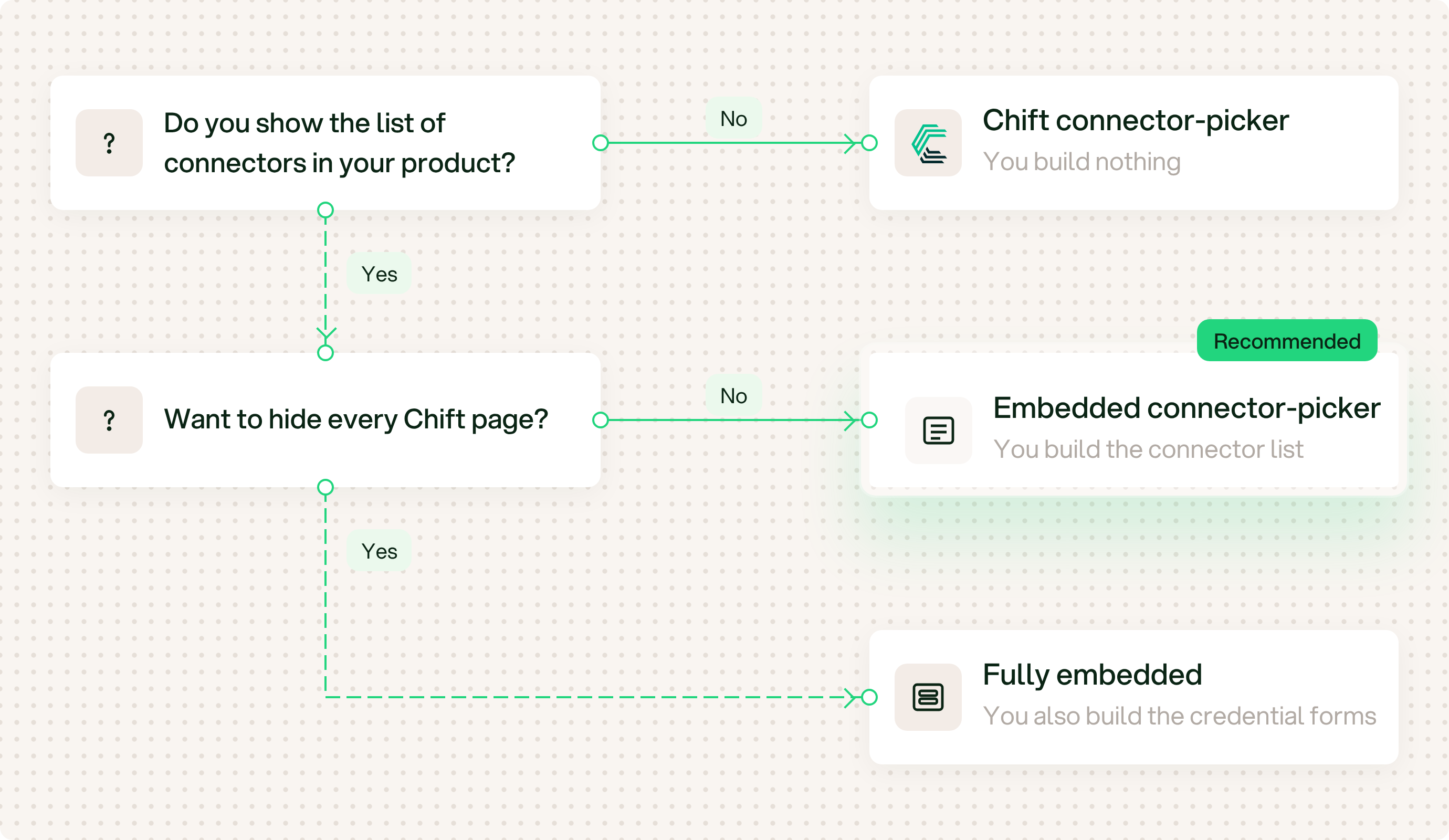
Choose a connection mode in 2 questions.
- Do you show the list of connectors in your product? If not, use the Chift connector-picker. You build nothing. If yes, go to question 2.
- Do you want to hide every Chift page? If not, use the embedded connector-picker. You build the connector list. This is the recommended mode. If yes, use Fully embedded. You also build the credential forms. It is more work for a small gain, and only some connectors support it.
Chift connector-picker
Chift shows the connectors and collects the credentials.
Embedded connector-picker
Recommended. You show the connectors. Chift collects the credentials.
Fully embedded
You show the connectors and collect the credentials.