> ## Documentation Index
> Fetch the complete documentation index at: https://docs.chift.eu/llms.txt
> Use this file to discover all available pages before exploring further.
# Ledger Preview
The **Preview** feature for ledger entries allows you to **safely test and validate synchronization flows** without committing any actual ledger entries to the target accounting system. It acts like a sandbox mode for data synchronization, showing exactly which ledger entries would be created **without writing any real data**.
For now, only Point of Sale to Accounting (*Export des ventes vers la
comptabilité - Par catégorie OU Taux de TVA*) is supported.
## Purpose & business value
* **Risk reduction:** Preview data before activating a flow, avoiding duplicates or errors.
* **Confidence building:** See exactly which ledger entries would be created.
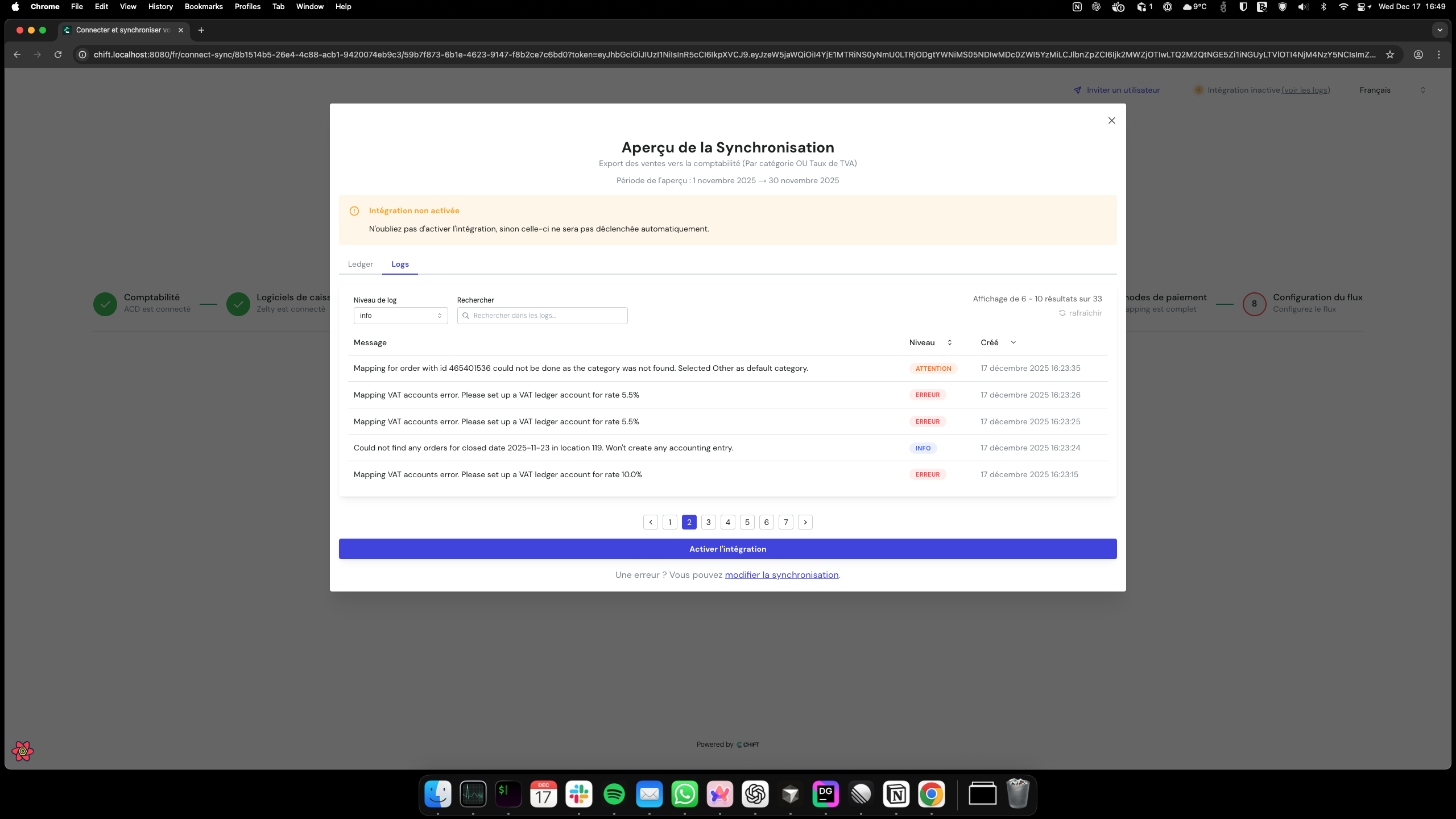
* **Debugging & compliance:** Access execution logs to troubleshoot issues and verify accounting accuracy.
* **Time & support savings:** Reduces failed integrations and support tickets.
## How it works
### 1. Initiate preview
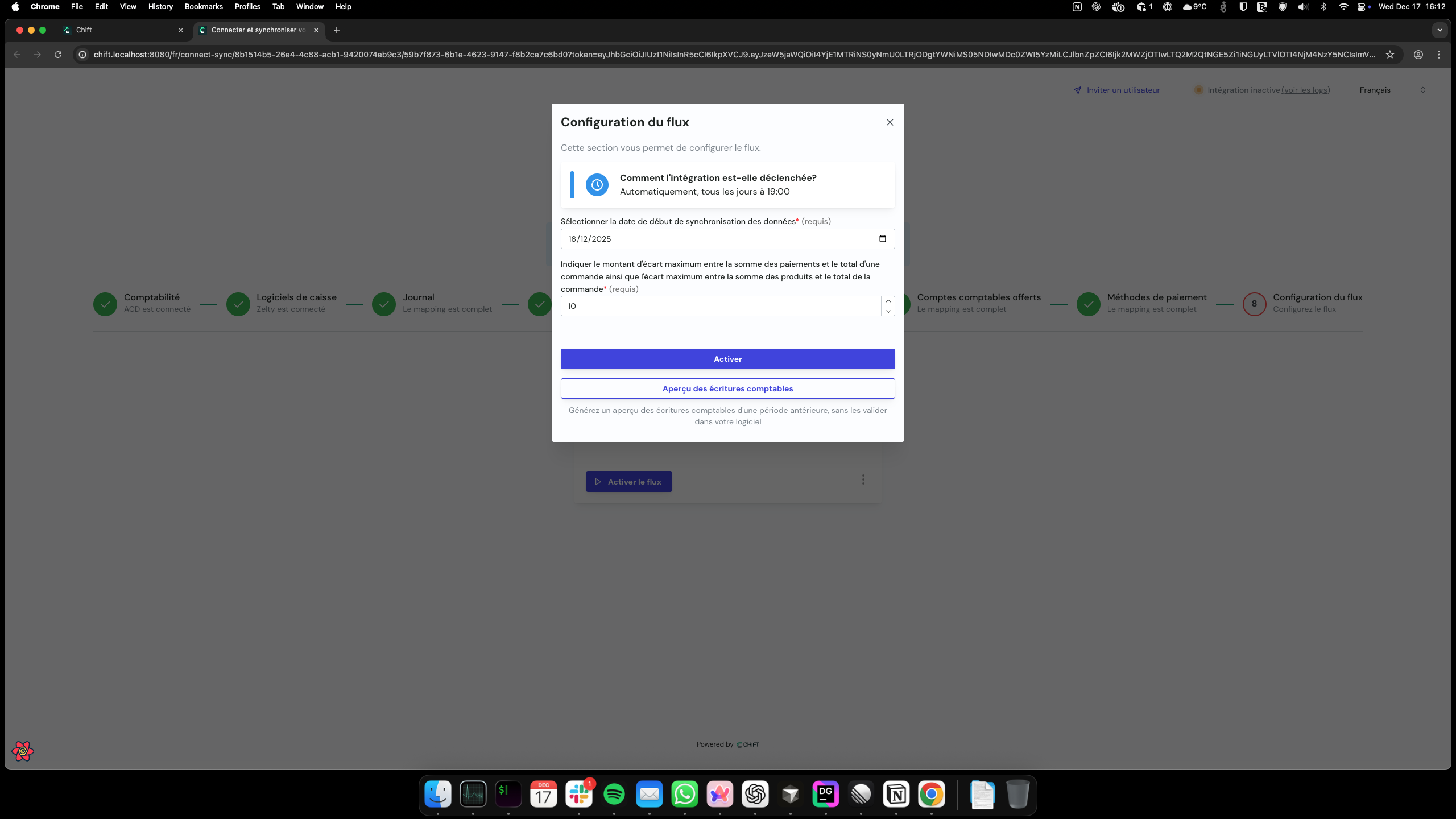
Start a preview from the flow configuration modal by clicking **Aperçu des écritures comptables**.
 ### 2. Select date range
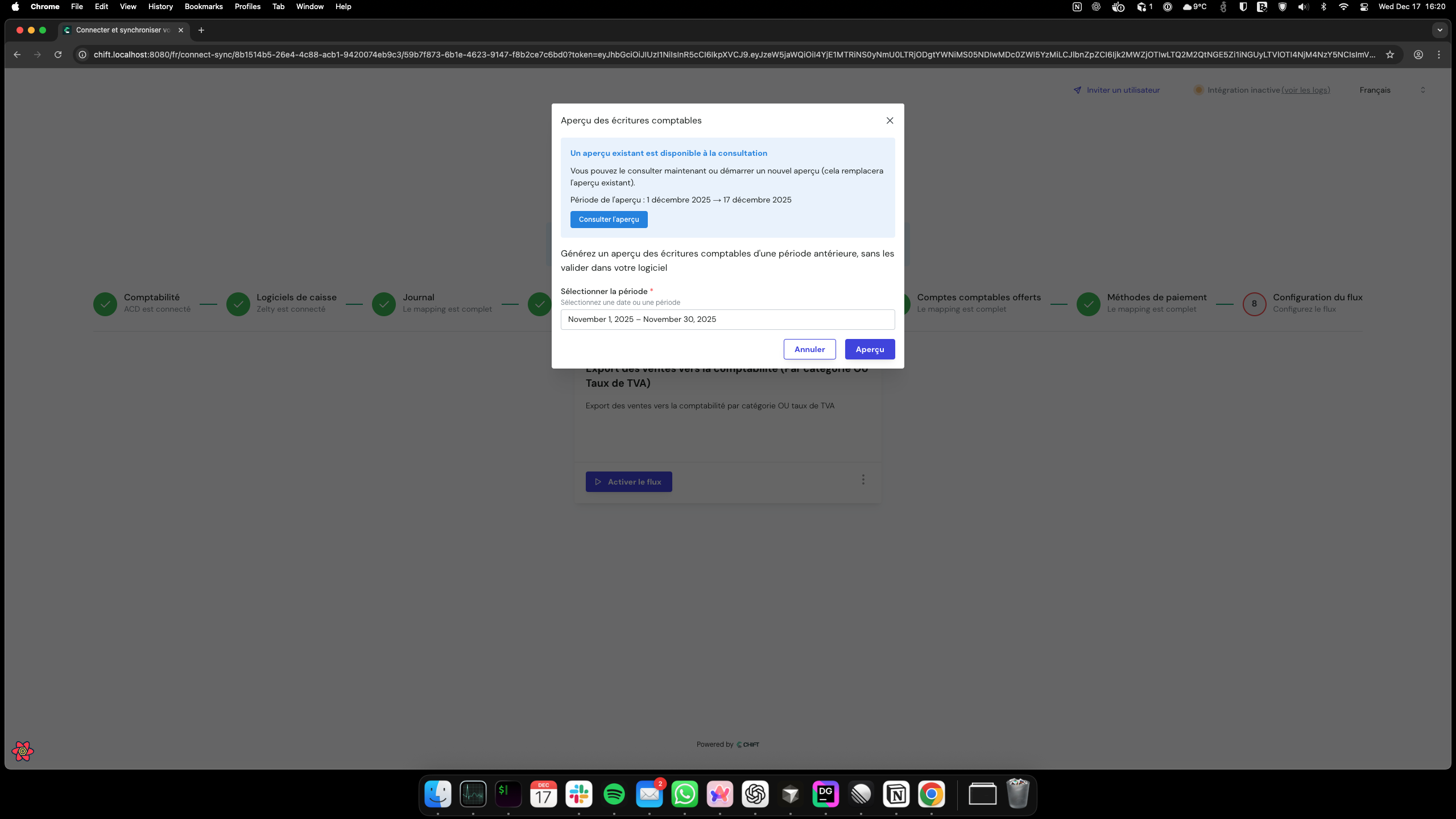
Choose a date range for the preview. Only historical data can be selected (max 1 year).
### 2. Select date range
Choose a date range for the preview. Only historical data can be selected (max 1 year).
 ### 3. System processing
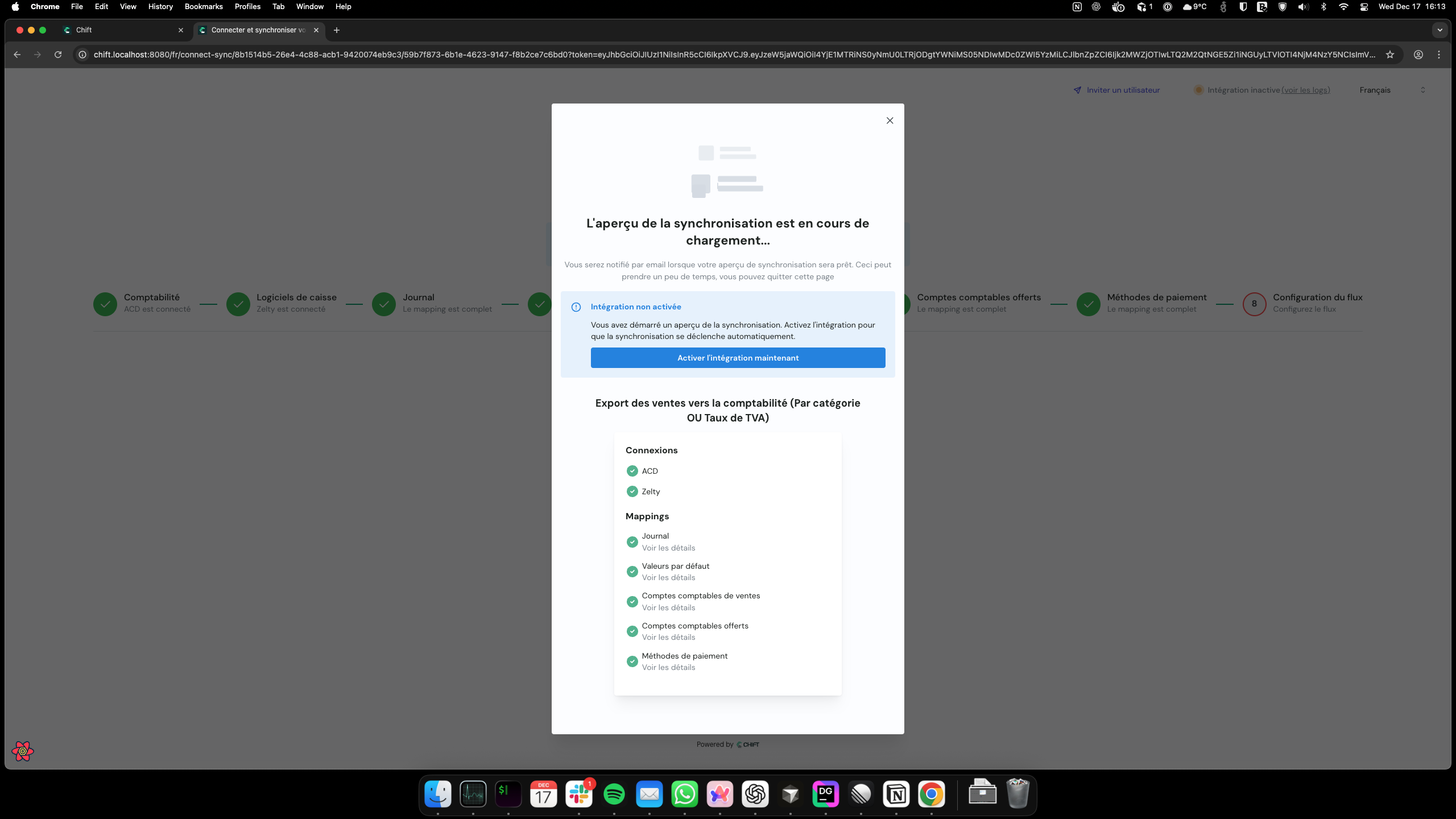
The preview runs asynchronously, generating simulated ledger entries. You will be notified by email when the preview is ready.
### 3. System processing
The preview runs asynchronously, generating simulated ledger entries. You will be notified by email when the preview is ready.
 ### 4. Email notification
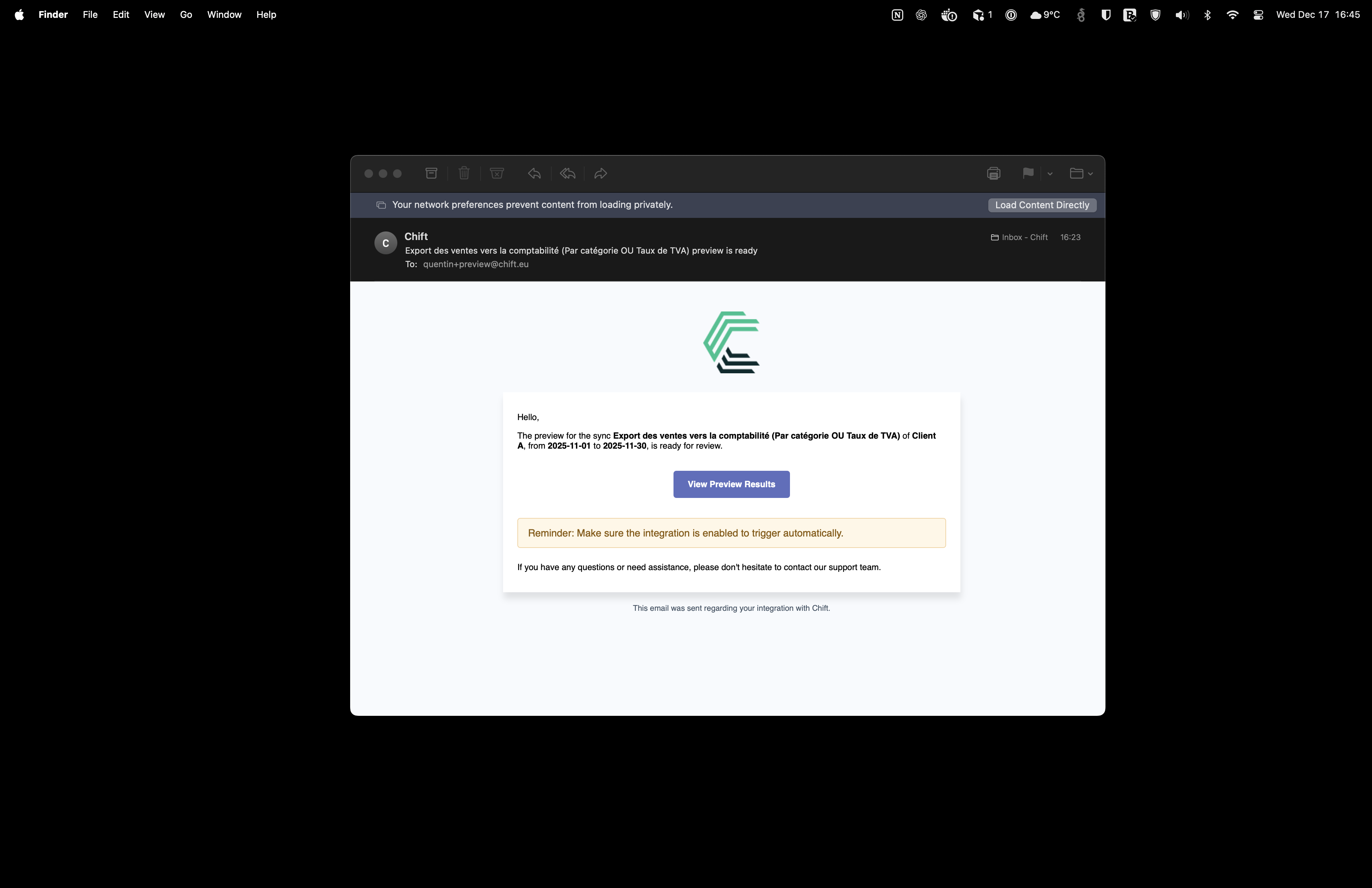
Once the preview finishes, the system sends an email with a link to view the results or errors.
### 4. Email notification
Once the preview finishes, the system sends an email with a link to view the results or errors.
 ### 5. Review results
Access the preview results through two tabs:
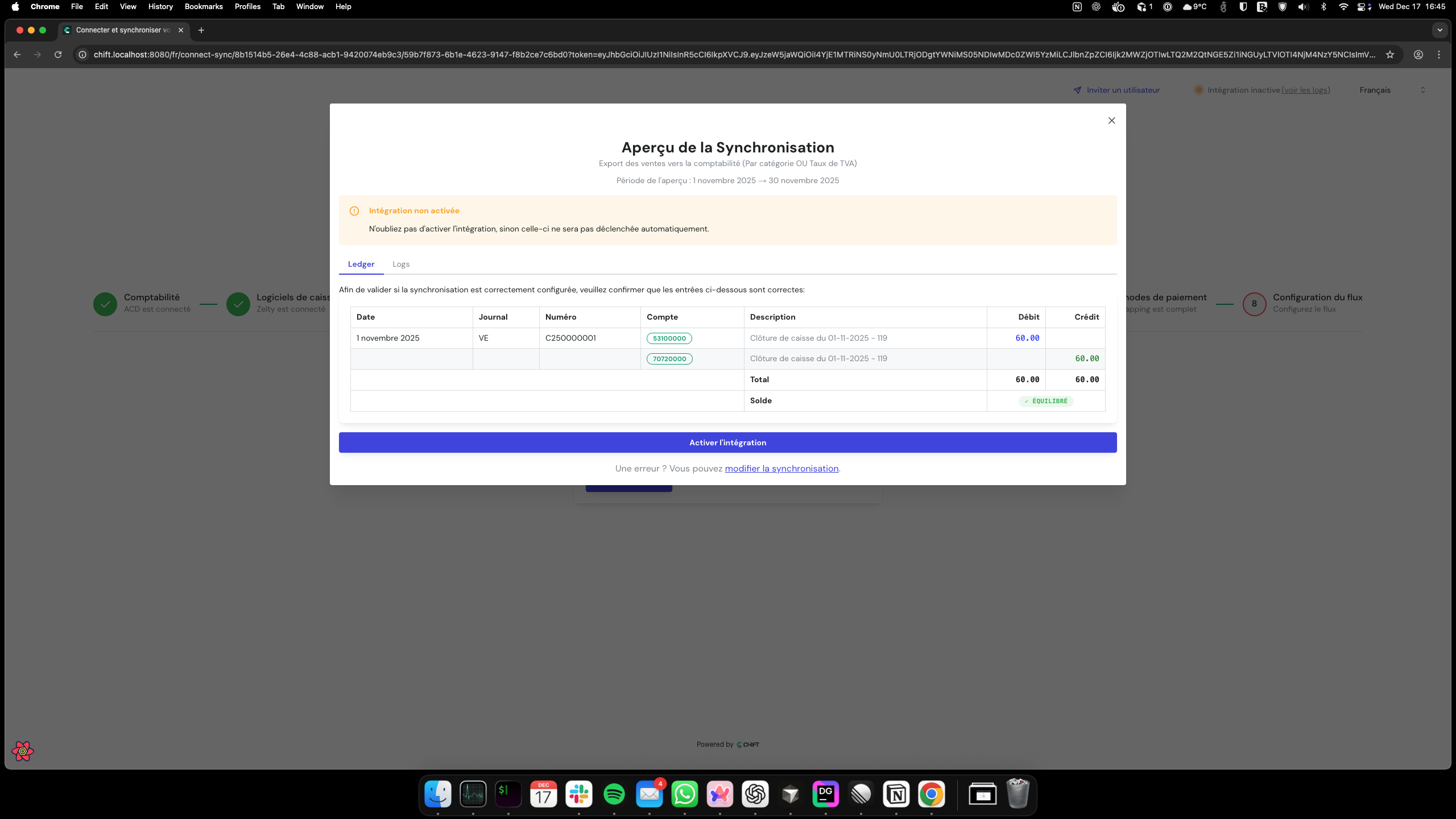
**Ledger tab:** Displays formatted journal entries (debits, credits, accounts, descriptions).
### 5. Review results
Access the preview results through two tabs:
**Ledger tab:** Displays formatted journal entries (debits, credits, accounts, descriptions).
 **Logs tab:** Shows execution details, errors, and debug information.
 ### 6. Decision
Based on the preview results, you can activate the flow, adjust configurations, or run another preview.
## Feature highlights
### Status tracking
The system tracks preview status throughout the process:
| Status | Description |
| ----------- | ------------------------------------------------- |
| **pending** | Preview is running |
| **ready** | Preview completed successfully, results available |
| **viewed** | User has accessed the preview results |
| **failed** | Preview encountered an error |
### Additional features
* **Secure access:** Each preview is scoped to the requesting user and time-limited.
* **Email notifications:** Users are notified when a preview completes or fails, with links to view results or errors.
* **Ledger entry validation:** Verify that ledger entries are balanced (debits = credits) before committing.
Preview result links expire after 7 days.
### 6. Decision
Based on the preview results, you can activate the flow, adjust configurations, or run another preview.
## Feature highlights
### Status tracking
The system tracks preview status throughout the process:
| Status | Description |
| ----------- | ------------------------------------------------- |
| **pending** | Preview is running |
| **ready** | Preview completed successfully, results available |
| **viewed** | User has accessed the preview results |
| **failed** | Preview encountered an error |
### Additional features
* **Secure access:** Each preview is scoped to the requesting user and time-limited.
* **Email notifications:** Users are notified when a preview completes or fails, with links to view results or errors.
* **Ledger entry validation:** Verify that ledger entries are balanced (debits = credits) before committing.
Preview result links expire after 7 days.