> ## Documentation Index
> Fetch the complete documentation index at: https://docs.chift.eu/llms.txt
> Use this file to discover all available pages before exploring further.

# Thais PMS

# VOORBEREIDING

Activeer de "Chift"-connector in Thais. Je ontvangt een gebruikersnaam/wachtwoord om verbinding te kunnen maken met de API.

Dit is wat je in het formulier moet invullen.

# VERBINDING

**Stap 1:** Kies een naam voor je verbinding.
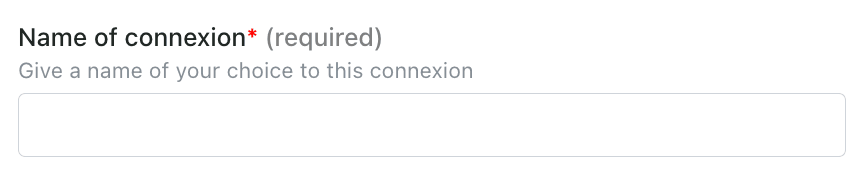
<img src="https://mintcdn.com/chift/5FvfVbGwKHoQNfh9/images/help/thais-pms/thais-pms-1.png?fit=max&auto=format&n=5FvfVbGwKHoQNfh9&q=85&s=4d2e97bc2d06bd4a55e8a06e0b8ccfcf" alt="" width="868" height="186" data-path="images/help/thais-pms/thais-pms-1.png" />

**Stap 2:** Voer de url van je instance in (controleer je browser)
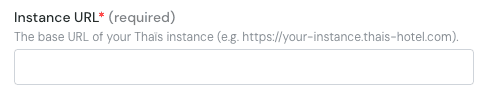
<img src="https://mintcdn.com/chift/5FvfVbGwKHoQNfh9/images/help/thais-pms/thais-pms-2.png?fit=max&auto=format&n=5FvfVbGwKHoQNfh9&q=85&s=a1fc653c8463969b1f2eed05bb914033" alt="image.png" width="481" height="100" data-path="images/help/thais-pms/thais-pms-2.png" />

**Stap 3:** Voer je gebruikersnaam in

<img src="https://mintcdn.com/chift/5FvfVbGwKHoQNfh9/images/help/thais-pms/thais-pms-3.png?fit=max&auto=format&n=5FvfVbGwKHoQNfh9&q=85&s=b9be44af98b68e73385e84cd3aa48d24" alt="image.png" width="474" height="89" data-path="images/help/thais-pms/thais-pms-3.png" />

**Stap 4:** Voer je wachtwoord in

<img src="https://mintcdn.com/chift/5FvfVbGwKHoQNfh9/images/help/thais-pms/thais-pms-4.png?fit=max&auto=format&n=5FvfVbGwKHoQNfh9&q=85&s=80537068fe988b6f9440d4ac20b82854" alt="image.png" width="479" height="95" data-path="images/help/thais-pms/thais-pms-4.png" />

<img src="https://mintcdn.com/chift/5FvfVbGwKHoQNfh9/images/help/thais-pms/thais-pms-5.png?fit=max&auto=format&n=5FvfVbGwKHoQNfh9&q=85&s=4d591c94375ed9e2c1b4ac7cbc978e05" alt="" width="110" height="47" data-path="images/help/thais-pms/thais-pms-5.png" />