> ## Documentation Index
> Fetch the complete documentation index at: https://docs.chift.eu/llms.txt
> Use this file to discover all available pages before exploring further.

# Octopus

# VEREISTEN

De connector vereist dat de Webservice Module is ingeschakeld voor de te koppelen dossiers.

# VERBINDING

**Stap 1:** Kies een naam voor uw verbinding.

<img src="https://mintcdn.com/chift/31nQ8nkwKpxNtIUa/images/help/octopus/octopus-1.png?fit=max&auto=format&n=31nQ8nkwKpxNtIUa&q=85&s=594cb3bab0eb60053631794dcd216d6d" alt="" width="595" height="108" data-path="images/help/octopus/octopus-1.png" />

**Stap 2:** Voer de gebruikersnaam van uw account in.

<img src="https://mintcdn.com/chift/31nQ8nkwKpxNtIUa/images/help/octopus/octopus-2.png?fit=max&auto=format&n=31nQ8nkwKpxNtIUa&q=85&s=3e64d06f4f4d4672a1be3f2ddde16d67" alt="" width="595" height="113" data-path="images/help/octopus/octopus-2.png" />

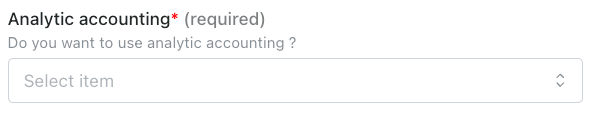
**Stap 3:** Bepaal of u wilt dat analytische gegevens worden overgedragen.
<img src="https://mintcdn.com/chift/31nQ8nkwKpxNtIUa/images/help/octopus/octopus-3.png?fit=max&auto=format&n=31nQ8nkwKpxNtIUa&q=85&s=0a2763f7785c2868e464c6e199ac2b91" alt="" width="595" height="119" data-path="images/help/octopus/octopus-3.png" />

**Stap 4:** Voer het wachtwoord van uw account in.

<img src="https://mintcdn.com/chift/31nQ8nkwKpxNtIUa/images/help/octopus/octopus-4.png?fit=max&auto=format&n=31nQ8nkwKpxNtIUa&q=85&s=ffdc8b0a77f4e95770380796eb1918ff" alt="" width="598" height="106" data-path="images/help/octopus/octopus-4.png" />

**Stap 5:** Klik op "Connect" om de verbinding af te ronden.

<img src="https://mintcdn.com/chift/31nQ8nkwKpxNtIUa/images/help/octopus/octopus-5.png?fit=max&auto=format&n=31nQ8nkwKpxNtIUa&q=85&s=5fcd4b4143a0e51d647f940fe34e8707" alt="Screenshot 2026-01-08 at 17.27.05.png" width="112" height="43" data-path="images/help/octopus/octopus-5.png" />

# CONFIGURATIE

**Stap 1:** Selecteer het boekhouddossier dat u wilt koppelen.

<img src="https://mintcdn.com/chift/31nQ8nkwKpxNtIUa/images/help/octopus/octopus-6.png?fit=max&auto=format&n=31nQ8nkwKpxNtIUa&q=85&s=1dae83d2e1a0586d6c3cbe6e2bfacf72" alt="" width="593" height="86" data-path="images/help/octopus/octopus-6.png" />

**Stap 2:** Klik op "Submit" om de configuratie af te ronden.

<img src="https://mintcdn.com/chift/U14_hTCN2xNLrbV6/images/help/octopus/octopus-7.png?fit=max&auto=format&n=U14_hTCN2xNLrbV6&q=85&s=0c095521dca1dd04c1f2c95b4e37380d" alt="" width="167" height="78" data-path="images/help/octopus/octopus-7.png" />
