> ## Documentation Index
> Fetch the complete documentation index at: https://docs.chift.eu/llms.txt
> Use this file to discover all available pages before exploring further.
# Vosfactures
# VOORBEREIDING
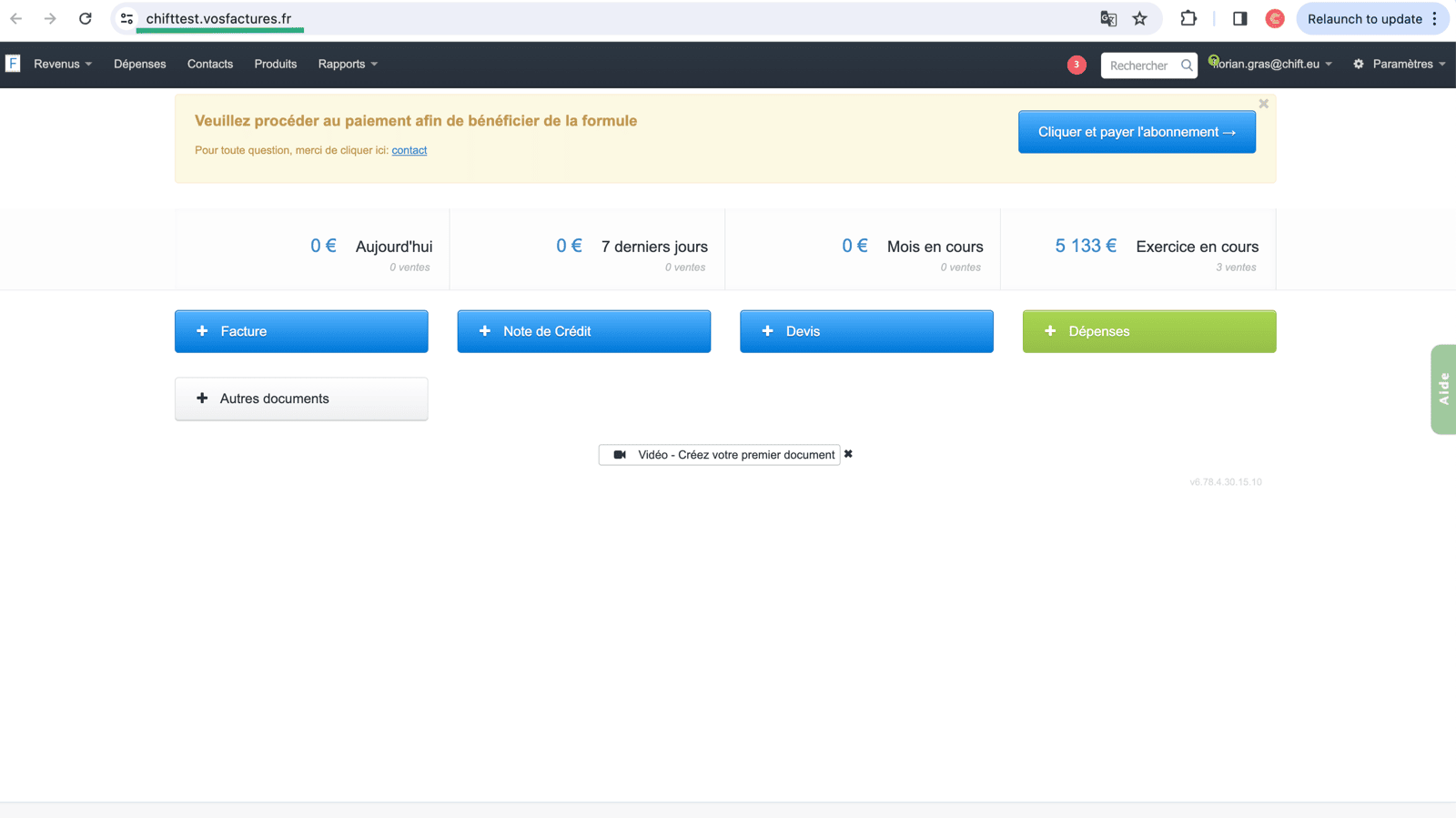
#### Hoe vind je de URL van je account op Vos Factures:
De URL van je Vos Factures-account staat in de zoekbalk van je webpagina. Je moet deze informatie kopiëren en invoeren bij stap 2 van de activering van de Vos Factures-integratie.
 ## Hoe genereer je een API-sleutel voor je Vos Factures-account
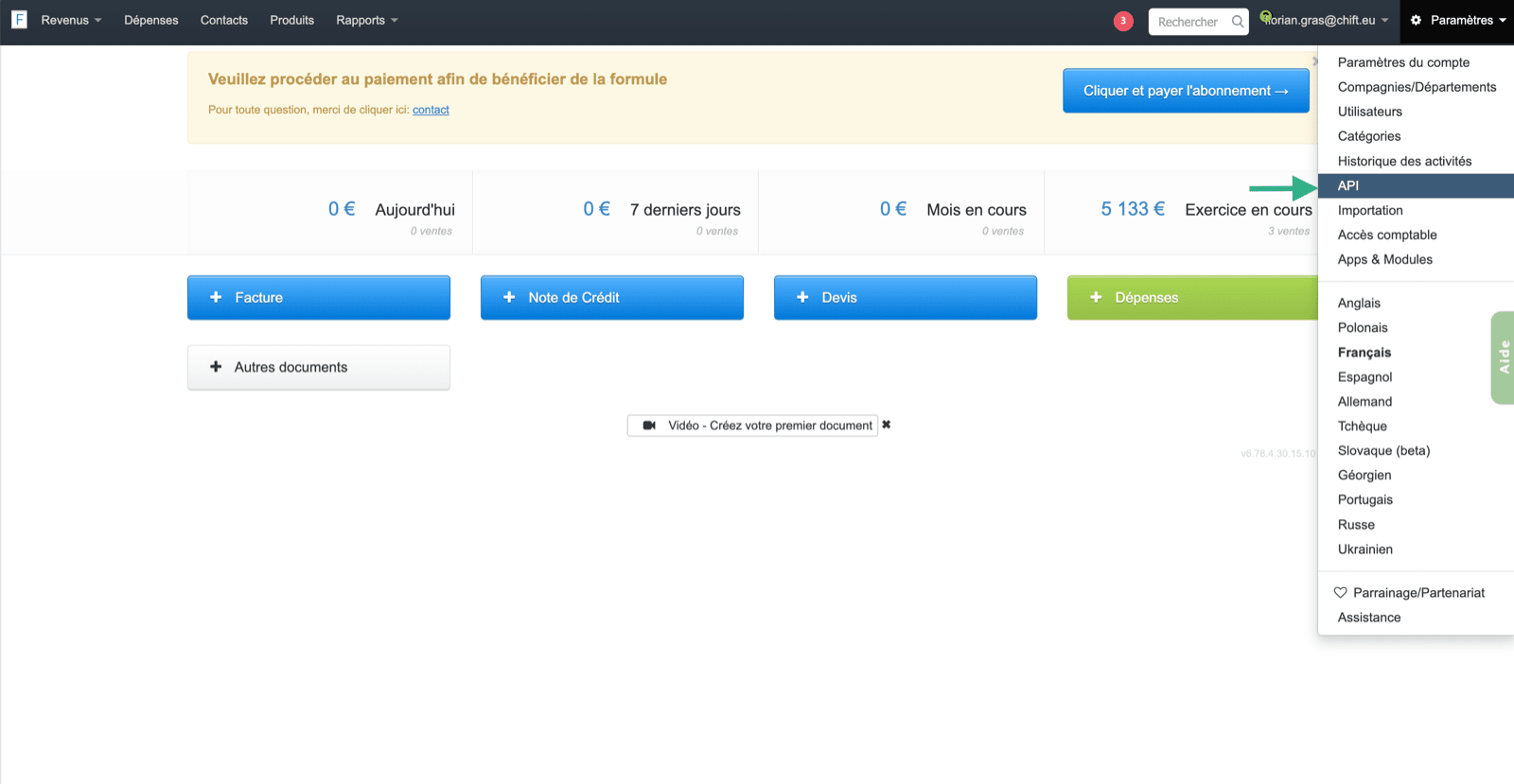
Om je API-sleutel te vinden, ga je naar je Vos Factures-account en selecteer je in de instellingen de pagina "API".
## Hoe genereer je een API-sleutel voor je Vos Factures-account
Om je API-sleutel te vinden, ga je naar je Vos Factures-account en selecteer je in de instellingen de pagina "API".
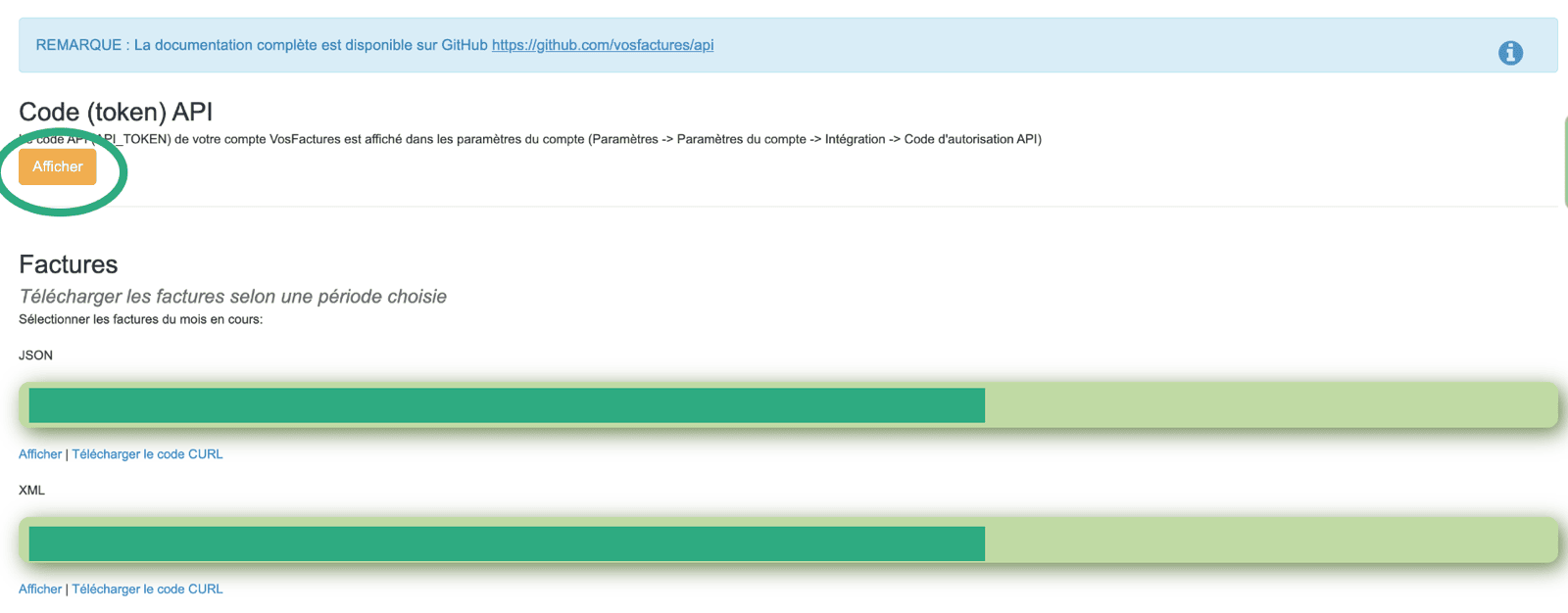
 Zodra de API-sleutel wordt weergegeven, moet je de sleutel kopiëren en invoeren in het veld bij stap 3 op de activeringspagina van je integratie.
 Het API-token moet worden gegenereerd door een gebruiker die **toegang heeft tot de accountinstellingen**; anders werkt de verbinding niet.
Om problemen met rechten te voorkomen, raden we sterk aan de API-sleutel te genereren vanaf het eigenaarsaccount van je Vosfactures-account.
# VERBINDING
**Stap 1:** Kies een naam voor je verbinding.
Het API-token moet worden gegenereerd door een gebruiker die **toegang heeft tot de accountinstellingen**; anders werkt de verbinding niet.
Om problemen met rechten te voorkomen, raden we sterk aan de API-sleutel te genereren vanaf het eigenaarsaccount van je Vosfactures-account.
# VERBINDING
**Stap 1:** Kies een naam voor je verbinding.
 **Stap 2:** Voer de URL van je Vos Factures-account in.
 **Stap 3:** Voer de API-sleutel in die je eerder vanuit je account hebt gegenereerd
 **Stap 4:** Klik op "Connect" om de verbinding af te ronden.