> ## Documentation Index
> Fetch the complete documentation index at: https://docs.chift.eu/llms.txt
> Use this file to discover all available pages before exploring further.
# Shopify
# **VOORBEREIDING**
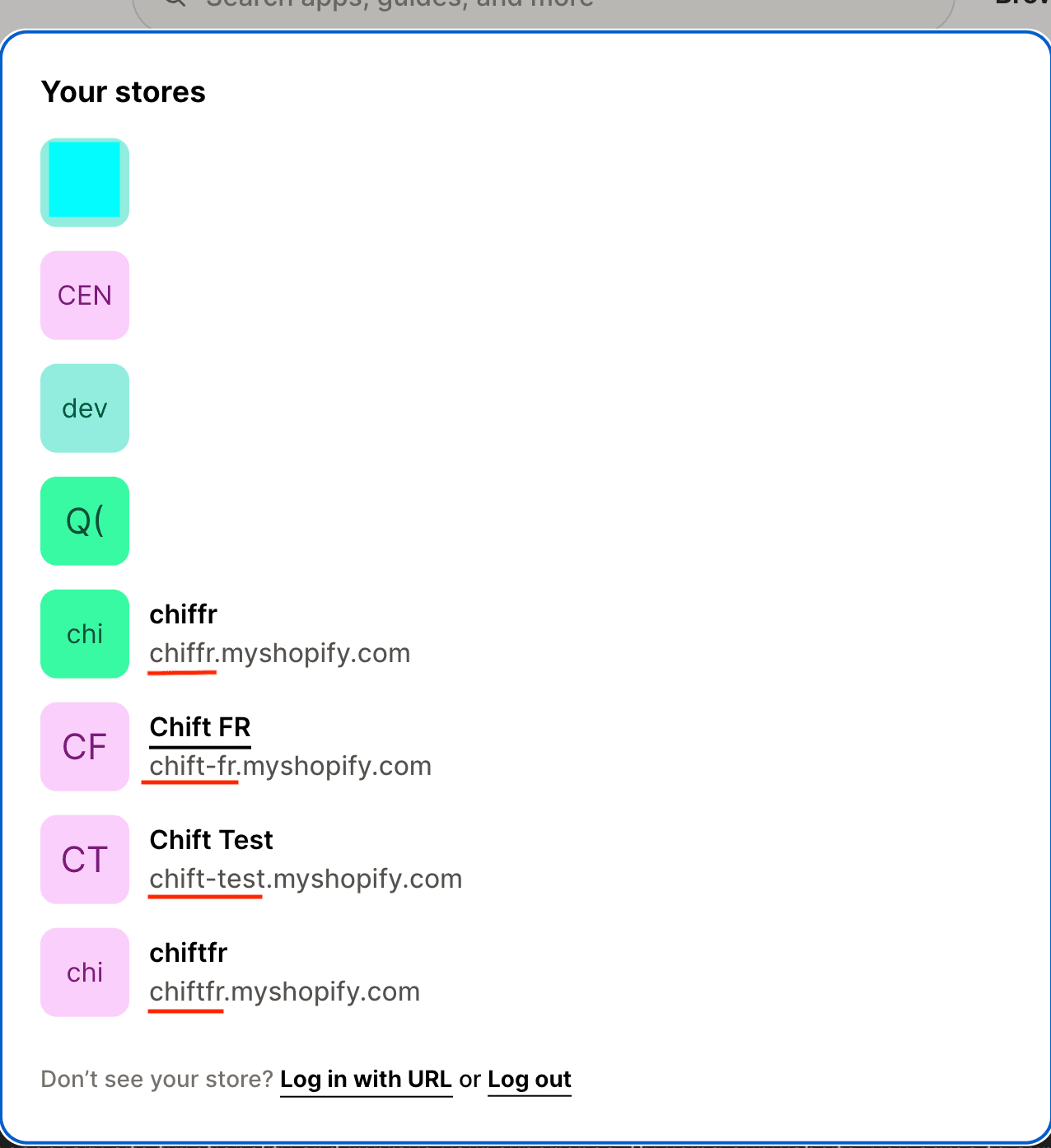
1. Identificeer de technische naam van uw "store" op Shopify
 # VERBINDING
**Stap 1:** Kies een naam voor uw verbinding (informatief).
# VERBINDING
**Stap 1:** Kies een naam voor uw verbinding (informatief).
 **Stap 2:** Voer de technische naam van uw store in, die u eerder in uw account hebt gevonden.
 **Stap 3**: (**Optioneel**) Voer de client id / client secret van uw app in. Als hierom wordt gevraagd, ga dan naar de sectie "**Configuratie - Custom app**" verderop in deze handleiding. Ga anders verder met **stap 4a.**

 **Stap 4a:** Klik op "Authorise" om de verbinding te voltooien.
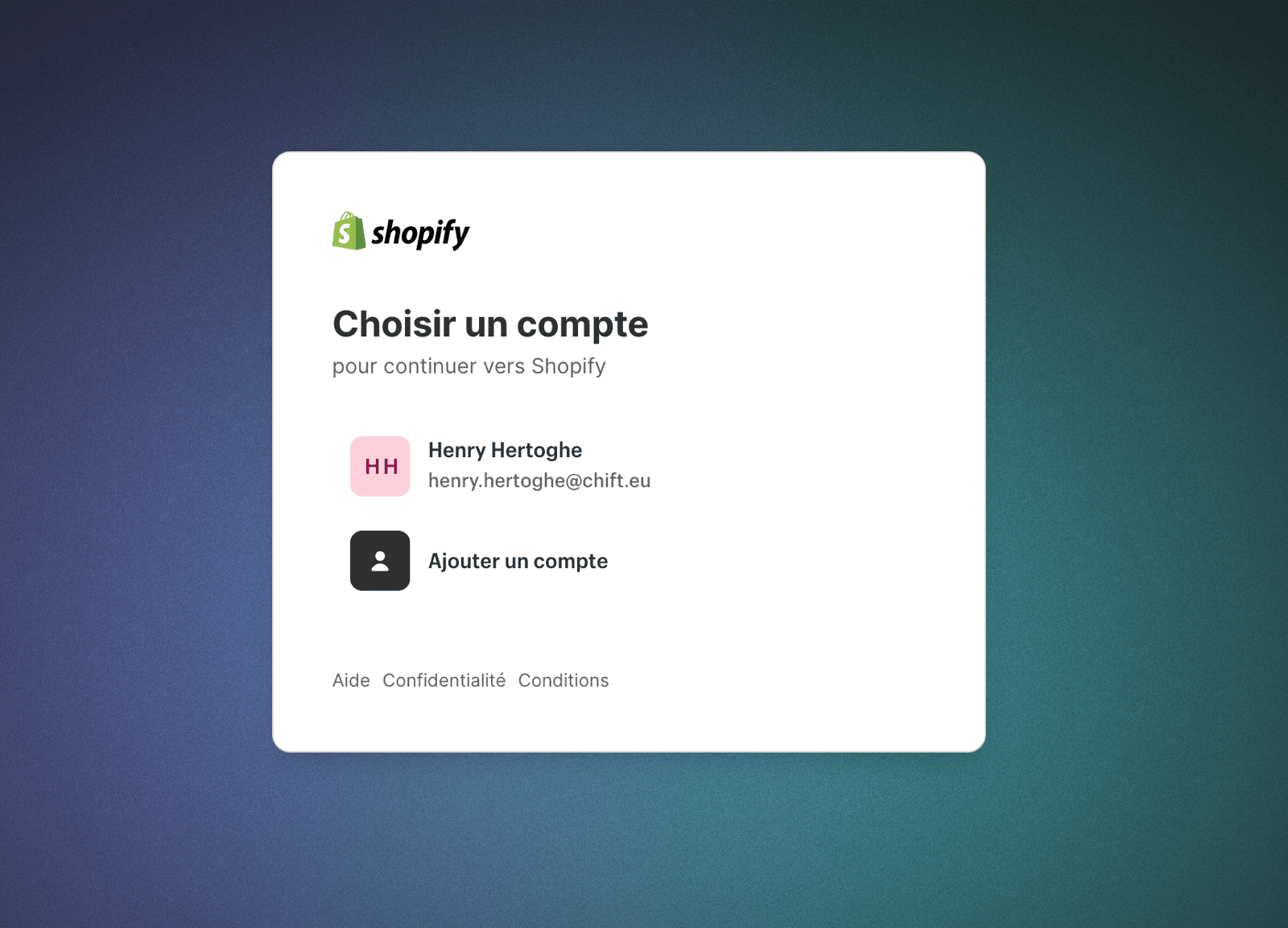
 **Stap 5a:** Kies uw Shopify-store om te verbinden
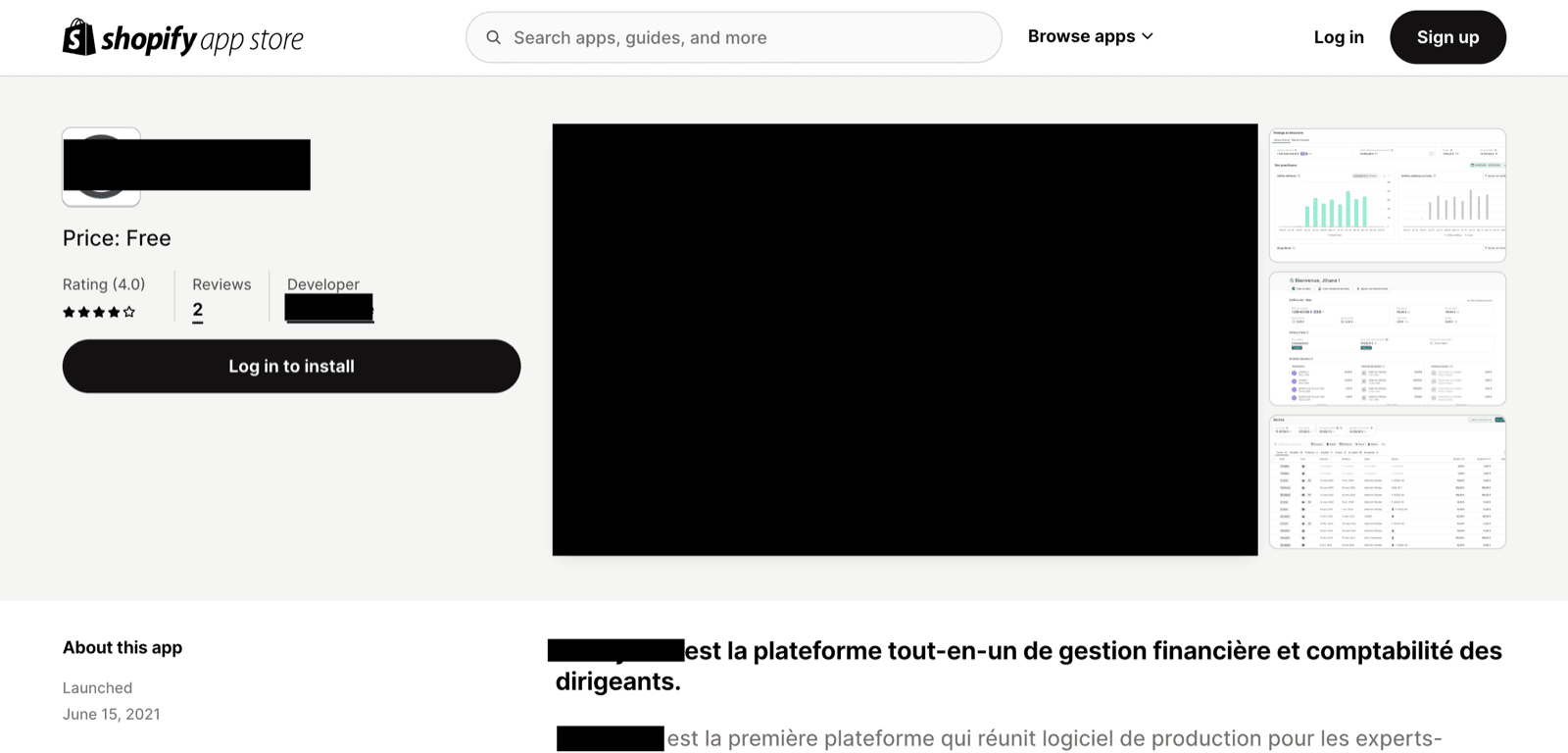
 **Stap 6a:** Installeer de app van uw partner die u met Shopify wilt verbinden.
 ### Configuratie - custom app
Voer deze stappen alleen uit als om een client id en client secret wordt gevraagd.
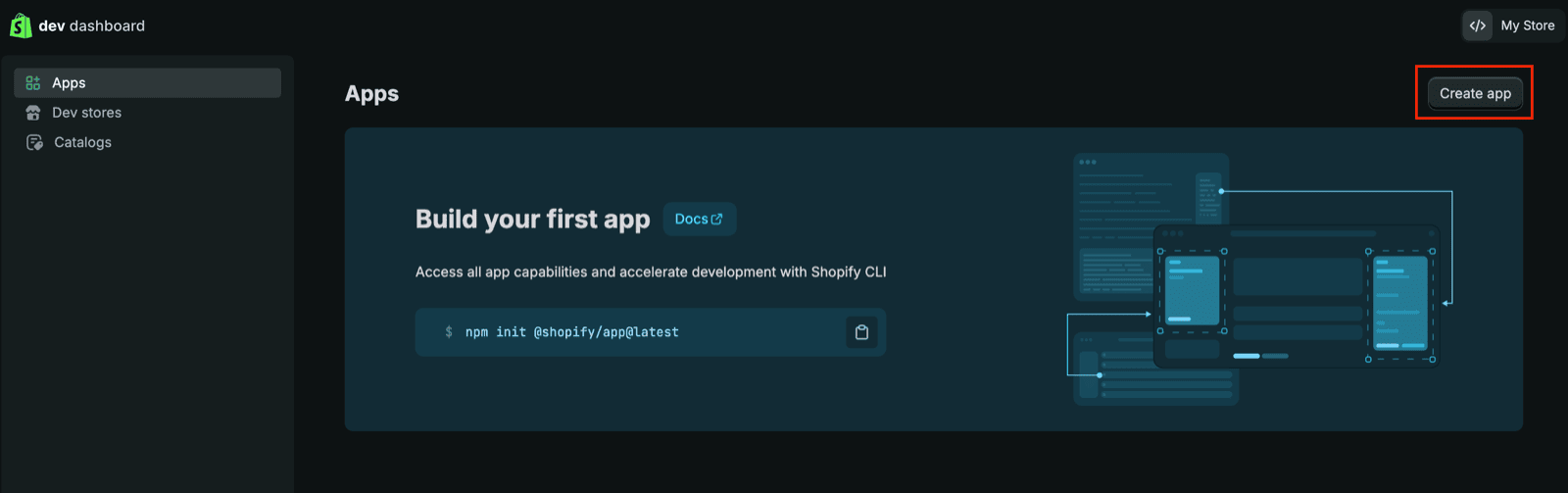
**Stap 4b:** Ga naar het Dev Dashboard ([https://dev.shopify.com/dashboard](https://dev.shopify.com/dashboard)) en volg de stappen die in dit artikel worden beschreven om een custom app te activeren en aan te maken:
* [https://shopify.dev/docs/apps/build/dev-dashboard/create-apps-using-dev-dashboard](https://shopify.dev/docs/apps/build/dev-dashboard/create-apps-using-dev-dashboard)
* De volgende scopes zijn nodig:
* read\_orders
* read\_all\_orders (als u orders ouder dan 60 dagen moet ophalen). Let op: als u de app aanmaakt als partner van de merchant, moet u extra toegang verkrijgen via het partner dashboard, zie de documentatie: [https://shopify.dev/docs/api/usage/access-scopes#orders-permissions](https://shopify.dev/docs/api/usage/access-scopes#orders-permissions). Zodra dit is gebeurd, ziet u "read\_all\_orders" in de beschikbare scopes (ververs de pagina indien nodig)
* read\_returns
* read\_discounts
* read\_products
* read\_customers
* De redirect-url is de volgende "**[https://chift.app/oauth2/redirect](https://chift.app/oauth2/redirect)**".
* U hoeft de applicatie niet te installeren.
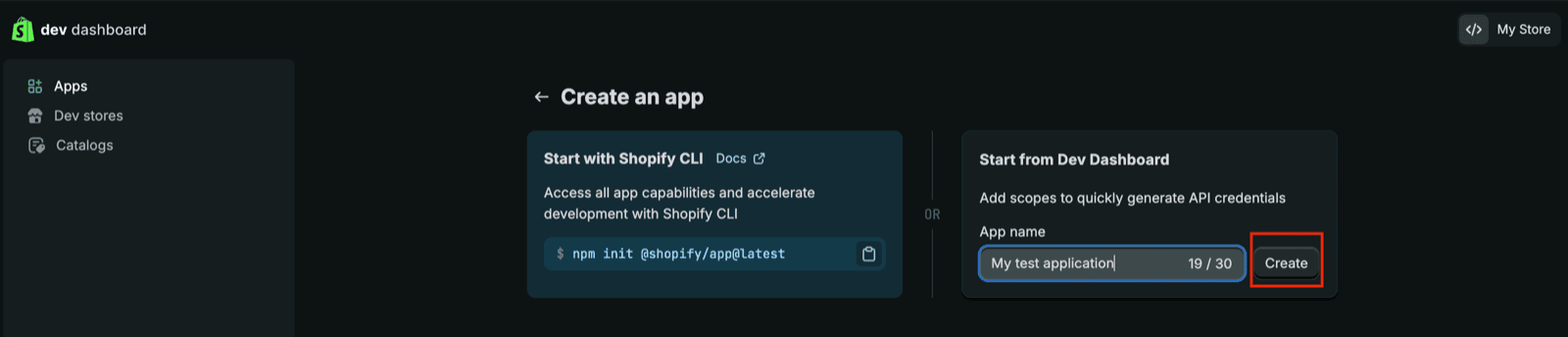
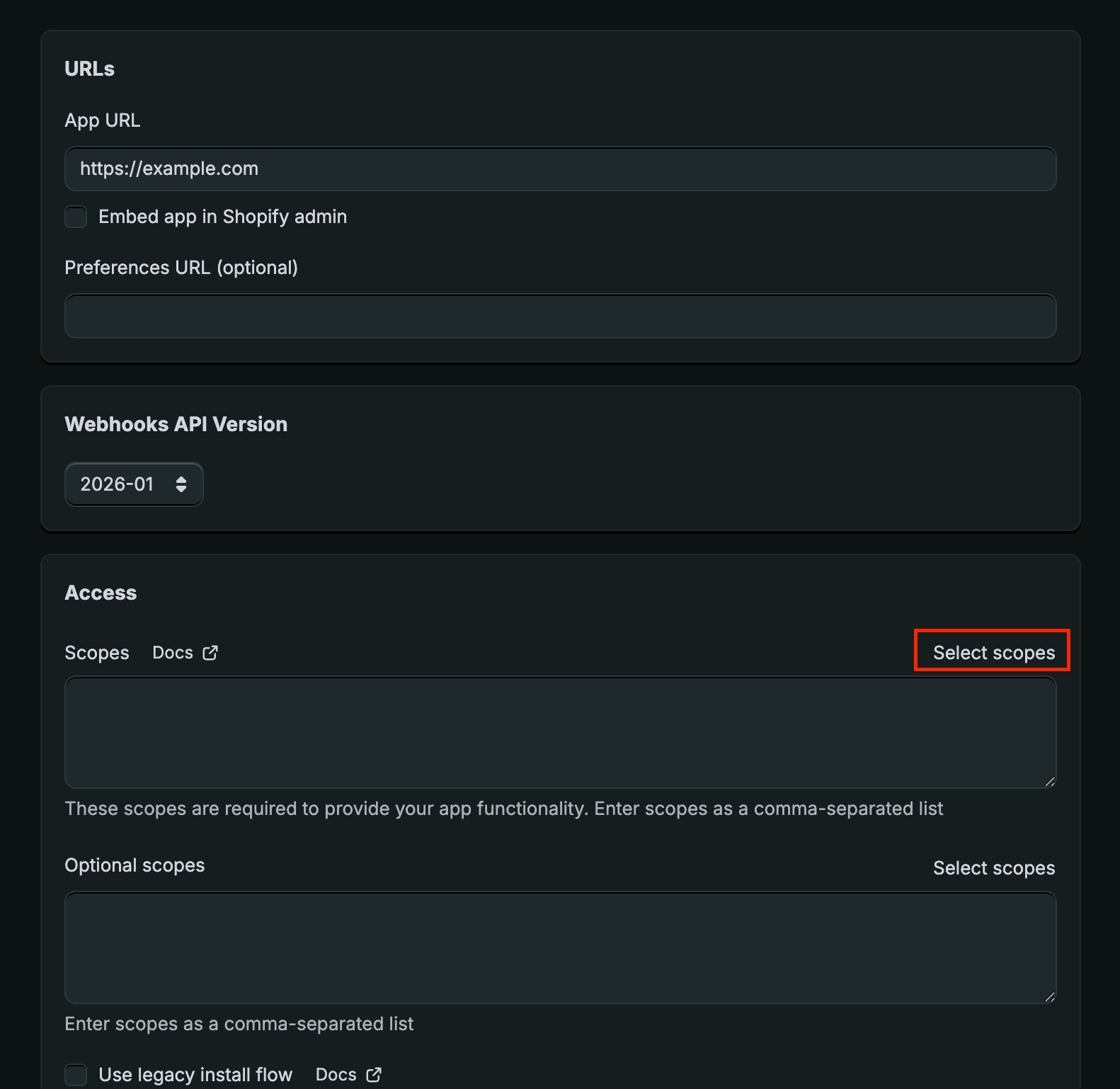
Hier zijn enkele screenshots die de stappen weergeven:
### Configuratie - custom app
Voer deze stappen alleen uit als om een client id en client secret wordt gevraagd.
**Stap 4b:** Ga naar het Dev Dashboard ([https://dev.shopify.com/dashboard](https://dev.shopify.com/dashboard)) en volg de stappen die in dit artikel worden beschreven om een custom app te activeren en aan te maken:
* [https://shopify.dev/docs/apps/build/dev-dashboard/create-apps-using-dev-dashboard](https://shopify.dev/docs/apps/build/dev-dashboard/create-apps-using-dev-dashboard)
* De volgende scopes zijn nodig:
* read\_orders
* read\_all\_orders (als u orders ouder dan 60 dagen moet ophalen). Let op: als u de app aanmaakt als partner van de merchant, moet u extra toegang verkrijgen via het partner dashboard, zie de documentatie: [https://shopify.dev/docs/api/usage/access-scopes#orders-permissions](https://shopify.dev/docs/api/usage/access-scopes#orders-permissions). Zodra dit is gebeurd, ziet u "read\_all\_orders" in de beschikbare scopes (ververs de pagina indien nodig)
* read\_returns
* read\_discounts
* read\_products
* read\_customers
* De redirect-url is de volgende "**[https://chift.app/oauth2/redirect](https://chift.app/oauth2/redirect)**".
* U hoeft de applicatie niet te installeren.
Hier zijn enkele screenshots die de stappen weergeven:
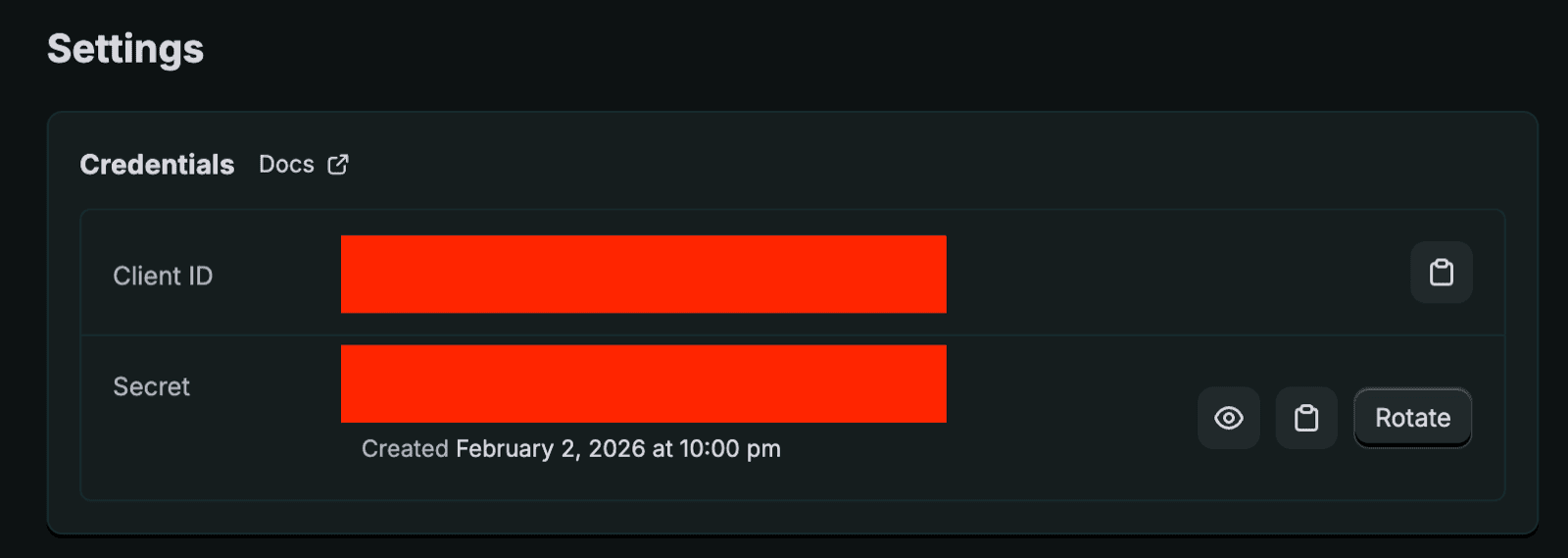
 **Stap 5b:** Klik op "Settings" in het menu aan de linkerkant. Kopieer de "Client id" / "Secret"
 **Stap 6b:** Plak de client id / client secret in de respectievelijke velden en klik op "Authorise". U wordt doorgestuurd en gevraagd om de applicatie te installeren. Ga verder voor een succesvolle installatie.