> ## Documentation Index
> Fetch the complete documentation index at: https://docs.chift.eu/llms.txt
> Use this file to discover all available pages before exploring further.
# WooCommerce
# 🛠 **VOORBEREIDING**
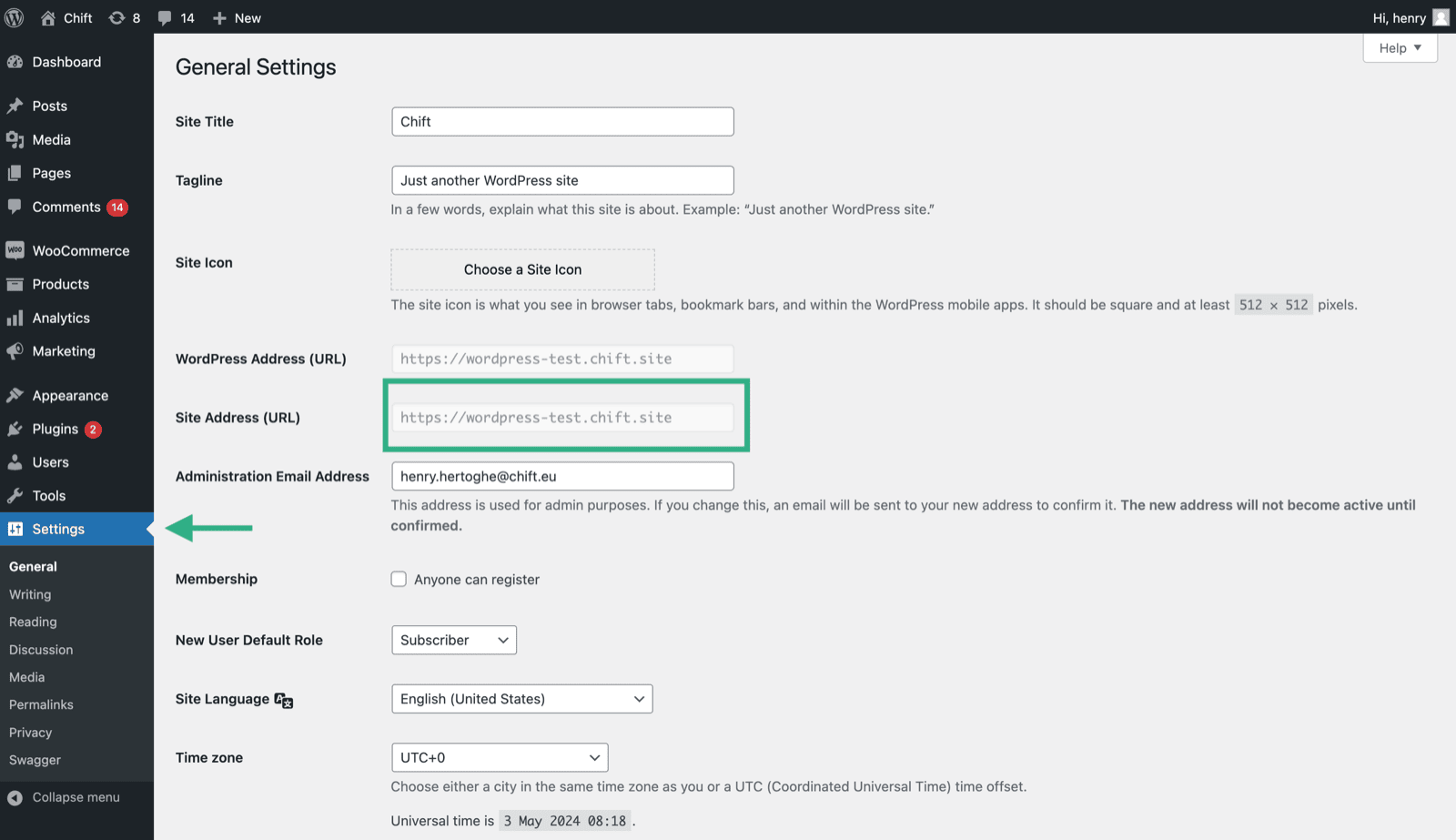
## Hoe je je account-URL vindt
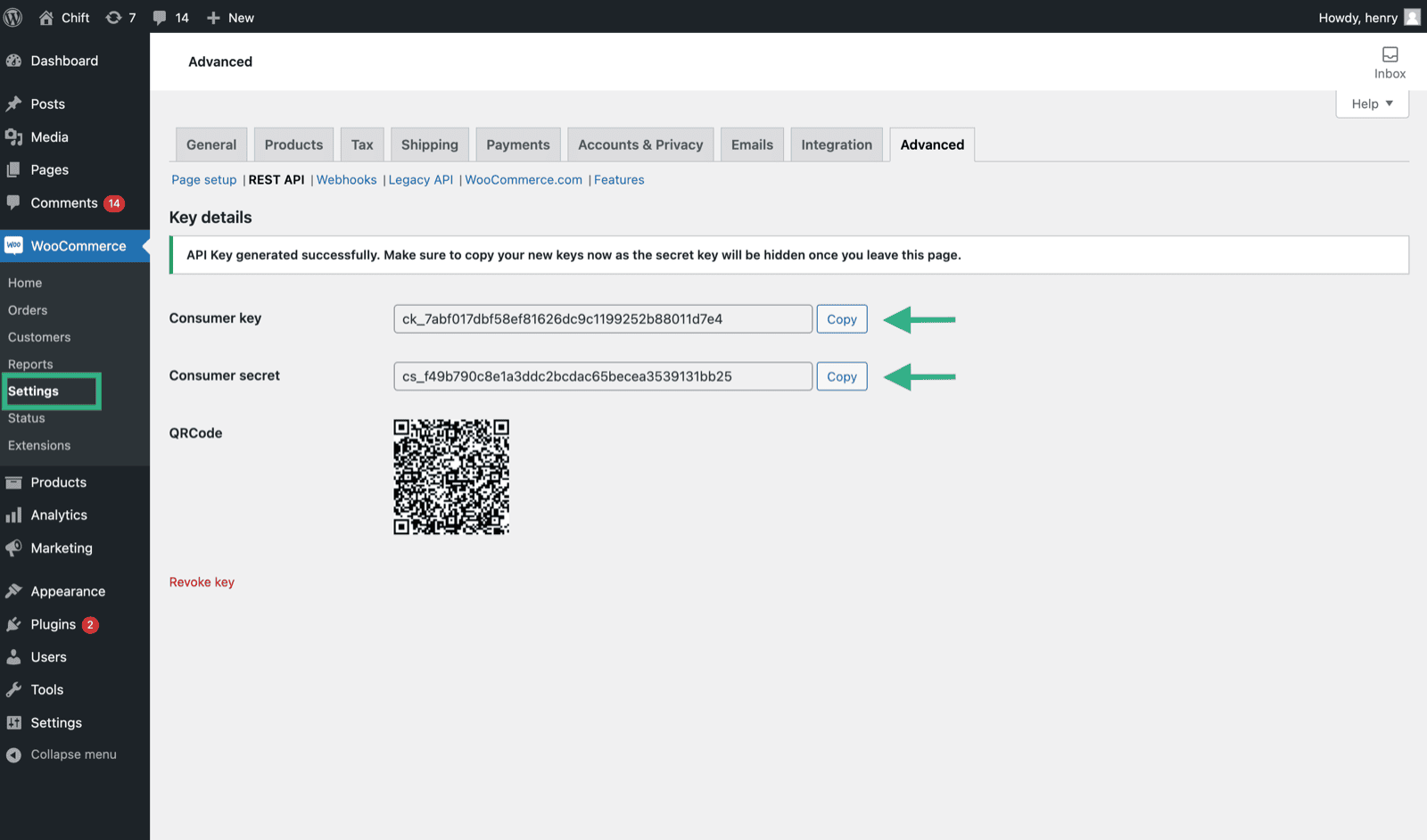
 ## Hoe je je sleutel en client secret vindt op WooCommerce
1. Activeer de REST API op je WooCommerce-account
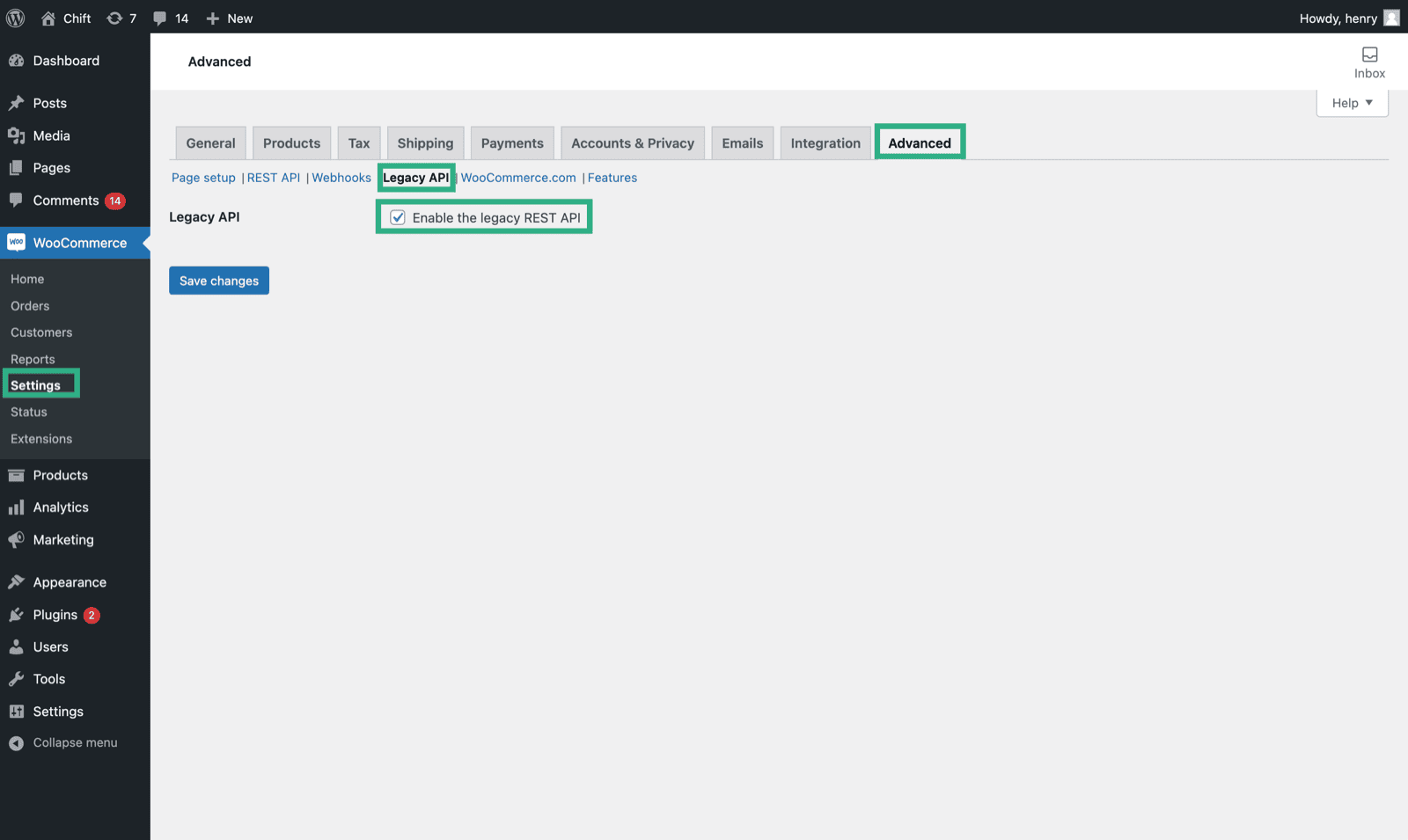
Sinds versie 9.0 van WooCommerce is de speciale extensie "*WooCommerce Legacy REST API*" vereist. Je kunt deze installeren via het menu Plugins.
**Eerdere versies hebben deze module niet nodig.**
## Hoe je je sleutel en client secret vindt op WooCommerce
1. Activeer de REST API op je WooCommerce-account
Sinds versie 9.0 van WooCommerce is de speciale extensie "*WooCommerce Legacy REST API*" vereist. Je kunt deze installeren via het menu Plugins.
**Eerdere versies hebben deze module niet nodig.**
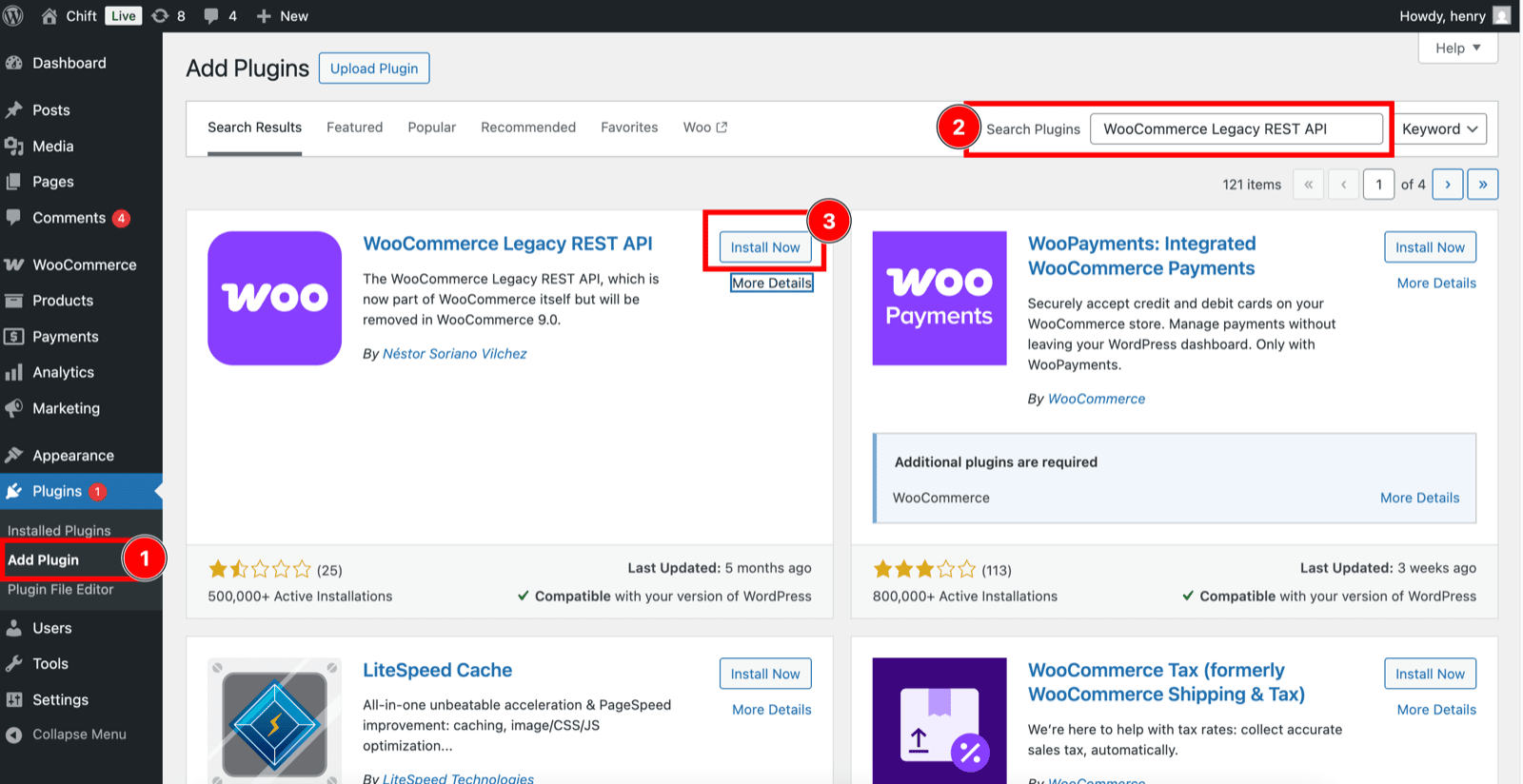 Vergeet daarna niet om de Legacy API te activeren.
 2. Maak een nieuwe API-sleutel aan
 3. Kopieer de clientsleutel- en client secret-codes van je nieuwe API-sleutel.
 # ⚡️ VERBINDING
**Stap 1:** Kies een naam voor je verbinding.
# ⚡️ VERBINDING
**Stap 1:** Kies een naam voor je verbinding.
 **Stap 2:** Geef de URL van je WooCommerce-account op.
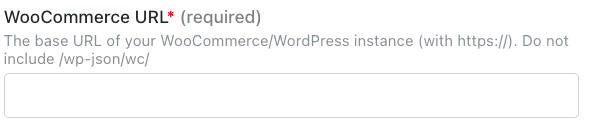 **Stap 3:** Geef je consumer key op, die je hebt aangemaakt op je WooCommerce-account.
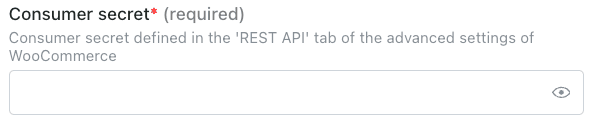
 **Stap 4:** Geef je consumer secret key op, die je hebt aangemaakt op je WooCommerce-account.
 **Stap 5:** Klik op "Connect" om de verbinding af te ronden.