> ## Documentation Index
> Fetch the complete documentation index at: https://docs.chift.eu/llms.txt
> Use this file to discover all available pages before exploring further.

# Numier

# PREREQUISITES

* You need to contact Numier to obtain credentials to be able to use the API

# CONNEXION

**Step 1:** Choose a name for your connection.

<img src="https://mintcdn.com/chift/31nQ8nkwKpxNtIUa/images/help/numier/numier-1.png?fit=max&auto=format&n=31nQ8nkwKpxNtIUa&q=85&s=81f0b8ddcdc5d6f01cf0ce91d5025582" alt="" width="592" height="110" data-path="images/help/numier/numier-1.png" />

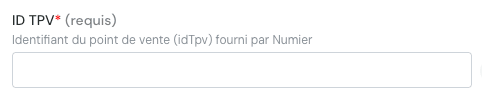
**Step 2:** Enter the POS ID / TPV ID

<img src="https://mintcdn.com/chift/31nQ8nkwKpxNtIUa/images/help/numier/numier-2.png?fit=max&auto=format&n=31nQ8nkwKpxNtIUa&q=85&s=f2f1633619925244d701d77be5242f8c" alt="image.png" width="482" height="99" data-path="images/help/numier/numier-2.png" />

**Step 3:** Enter the API Key

<img src="https://mintcdn.com/chift/31nQ8nkwKpxNtIUa/images/help/numier/numier-3.png?fit=max&auto=format&n=31nQ8nkwKpxNtIUa&q=85&s=7424b625c52cc23e54567dd0602fcbe8" alt="image.png" width="481" height="72" data-path="images/help/numier/numier-3.png" />

<img src="https://mintcdn.com/chift/31nQ8nkwKpxNtIUa/images/help/numier/numier-4.png?fit=max&auto=format&n=31nQ8nkwKpxNtIUa&q=85&s=53b89498d1fb39ee0dc58519b228ef57" alt="image.png" width="232" height="110" data-path="images/help/numier/numier-4.png" />