> ## Documentation Index
> Fetch the complete documentation index at: https://docs.chift.eu/llms.txt
> Use this file to discover all available pages before exploring further.

# Hosteltactil

# Prerequisites

* Please contact your commercial to use the **API**.

* Once this is done, you will need a username/password as well as the "localId" of your location.

# CONNEXION

**Step 1:** Choose a name for your connection (optional)

<img src="https://mintcdn.com/chift/g_wzHBUE35cgmYIE/images/help/hosteltactil/hosteltactil-1.png?fit=max&auto=format&n=g_wzHBUE35cgmYIE&q=85&s=0ad783f7a6d9c1f8793ff3ab498d1d9f" alt="" width="592" height="110" data-path="images/help/hosteltactil/hosteltactil-1.png" />

**Step 2:** Enter the local identifier (localId) of your location:

<img src="https://mintcdn.com/chift/g_wzHBUE35cgmYIE/images/help/hosteltactil/hosteltactil-2.png?fit=max&auto=format&n=g_wzHBUE35cgmYIE&q=85&s=6b08c620fbec887732956f1cf7511716" alt="image.png" width="489" height="97" data-path="images/help/hosteltactil/hosteltactil-2.png" />

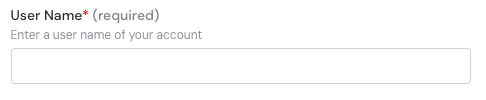
**Step 3**: Enter your username to connect to the API
<img src="https://mintcdn.com/chift/g_wzHBUE35cgmYIE/images/help/hosteltactil/hosteltactil-3.png?fit=max&auto=format&n=g_wzHBUE35cgmYIE&q=85&s=6fa5019e86fbdc4afe4165e264fbe6e5" alt="image.png" width="486" height="100" data-path="images/help/hosteltactil/hosteltactil-3.png" />

**Step 4**: Enter your password to connect to the API

<img src="https://mintcdn.com/chift/g_wzHBUE35cgmYIE/images/help/hosteltactil/hosteltactil-4.png?fit=max&auto=format&n=g_wzHBUE35cgmYIE&q=85&s=2c5d573879e655935eaab94646a1648c" alt="image.png" width="478" height="90" data-path="images/help/hosteltactil/hosteltactil-4.png" />

**Step 5:** Click "Connect" to finalise the connection.

<img src="https://mintcdn.com/chift/g_wzHBUE35cgmYIE/images/help/hosteltactil/hosteltactil-5.png?fit=max&auto=format&n=g_wzHBUE35cgmYIE&q=85&s=4c241d1e8fe663e857fcadcd98ef37cb" alt="" width="184" height="79" data-path="images/help/hosteltactil/hosteltactil-5.png" />
