> ## Documentation Index
> Fetch the complete documentation index at: https://docs.chift.eu/llms.txt
> Use this file to discover all available pages before exploring further.
# Carrepos
# Prerequisites
* The POS needs to be connected to Internet at all time (API availability)
* A license to use the API needs to be asked to your Carrepos' reseller (mention that you want to connect to **Chift**).
* Your reseller will setup the API connection
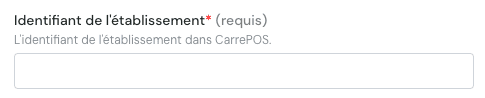
* Your reseller will provide you with the **store identifier** that you need to enter to connect here
# CONNEXION
**Step 1:** Choose a name for your connection (optional).
 **Step 2:** Enter your store identifier (see above on how to get it).
 **Step 3:** Click "Connect" to finalise the connection.