> ## Documentation Index
> Fetch the complete documentation index at: https://docs.chift.eu/llms.txt
> Use this file to discover all available pages before exploring further.

# WooCommerce

# 🛠 **PREPARATION**

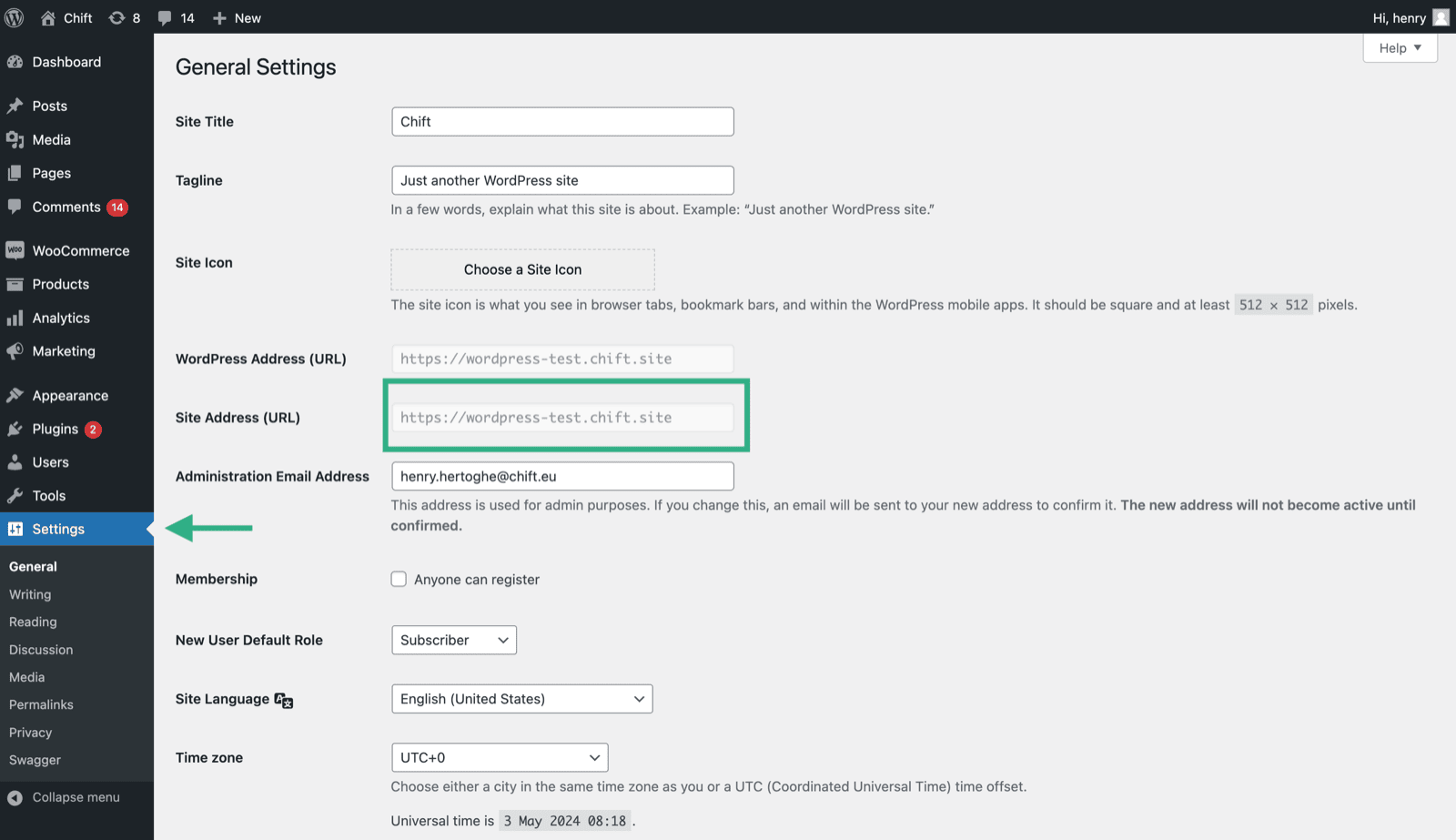
## How to find your account URL
<img src="https://mintcdn.com/chift/nJpWYnx9H3AxO1jq/images/help/woocommerce/woocommerce-1.png?fit=max&auto=format&n=nJpWYnx9H3AxO1jq&q=85&s=530d304d454455f664d0808880ca8a17" alt="" width="1600" height="923" data-path="images/help/woocommerce/woocommerce-1.png" />

## How to find your key and client secret on WooCommerce

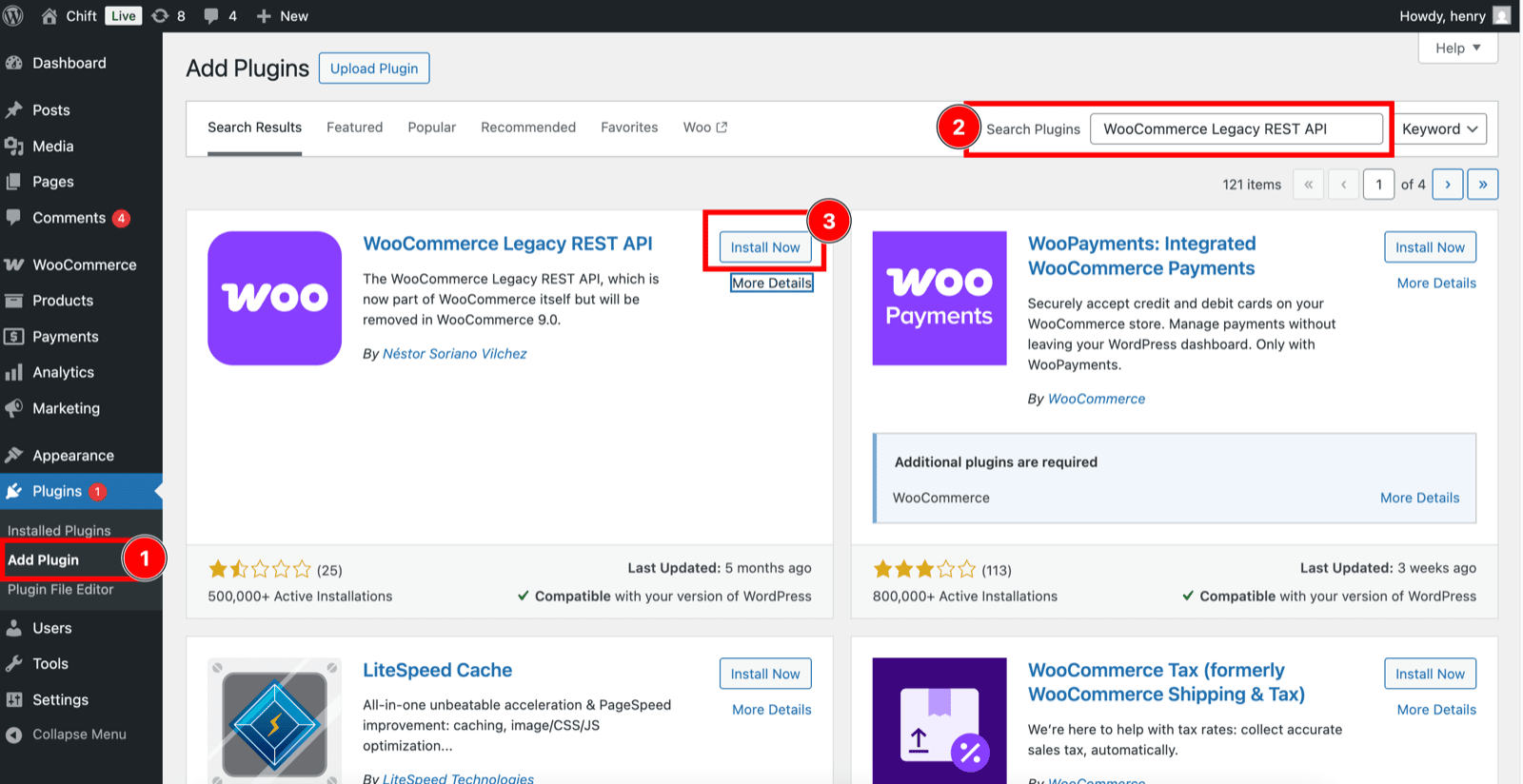
1. Activate the REST API on your WooCommerce account

Since version 9.0 of WooCommerce, the dedicated extension "*WooCommerce Legacy REST API*" is required. You can install it from the Plugins menu.

**Earlier versions do not require this module.**
<img src="https://mintcdn.com/chift/nJpWYnx9H3AxO1jq/images/help/woocommerce/woocommerce-2.png?fit=max&auto=format&n=nJpWYnx9H3AxO1jq&q=85&s=0e7a935b7c96a2be18f626e380479452" alt="" width="1600" height="824" data-path="images/help/woocommerce/woocommerce-2.png" />

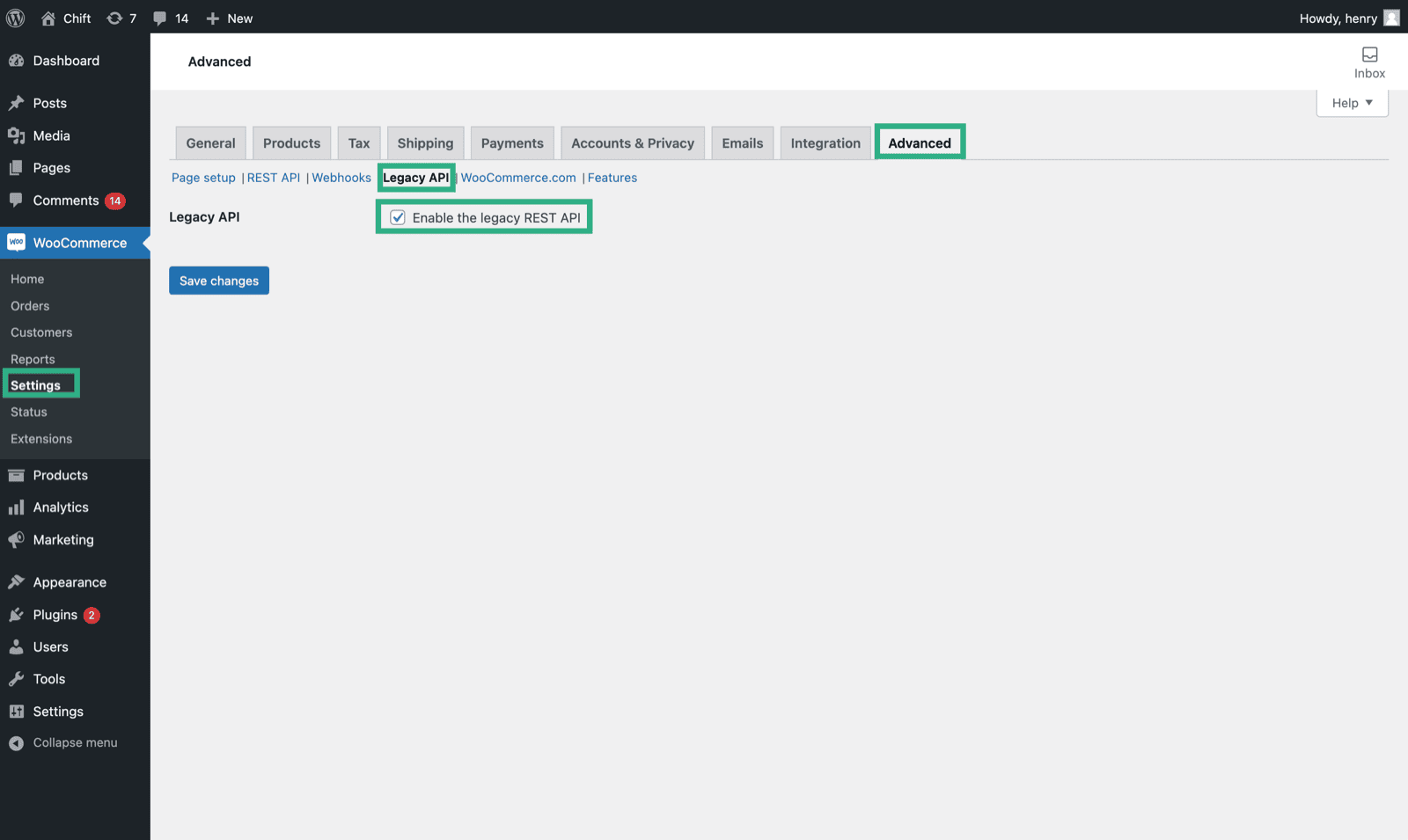
Then, don't forget to activate the Legacy API.
<img src="https://mintcdn.com/chift/nJpWYnx9H3AxO1jq/images/help/woocommerce/woocommerce-3.png?fit=max&auto=format&n=nJpWYnx9H3AxO1jq&q=85&s=9c846745712ef5e28676e3cc94c63902" alt="" width="1600" height="955" data-path="images/help/woocommerce/woocommerce-3.png" />

2. Create a new API key

<img src="https://mintcdn.com/chift/nJpWYnx9H3AxO1jq/images/help/woocommerce/woocommerce-4.png?fit=max&auto=format&n=nJpWYnx9H3AxO1jq&q=85&s=7a22613adbbd34d34f24d52f2d03f074" alt="" width="1600" height="966" data-path="images/help/woocommerce/woocommerce-4.png" />

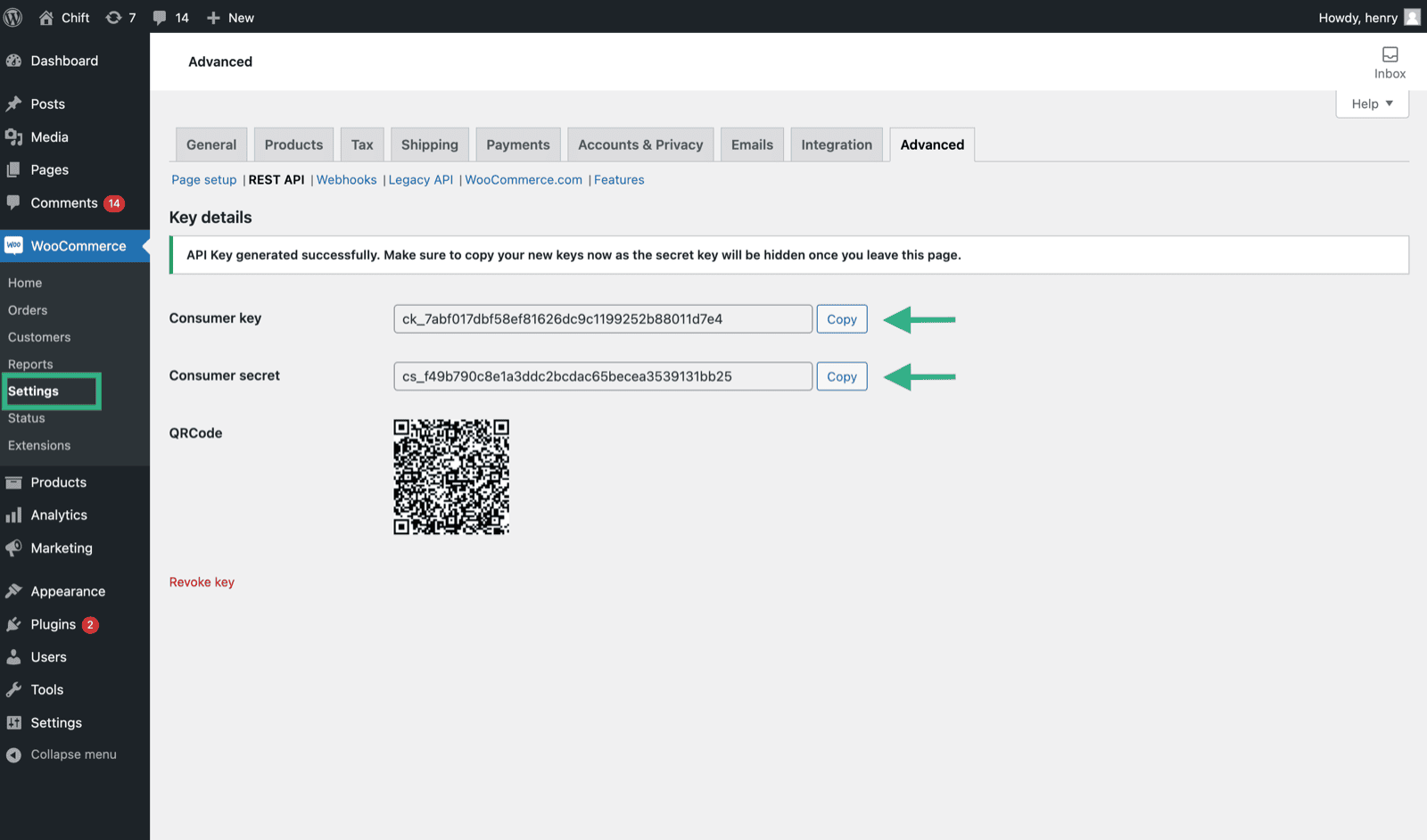
3. Copy the client key and client secret codes from your new API key.
<img src="https://mintcdn.com/chift/nJpWYnx9H3AxO1jq/images/help/woocommerce/woocommerce-5.png?fit=max&auto=format&n=nJpWYnx9H3AxO1jq&q=85&s=720ecea85676d267981961ed5817d9c7" alt="" width="1600" height="942" data-path="images/help/woocommerce/woocommerce-5.png" />

# ⚡️ CONNECTION

**Step 1:** Choose a name for your connection.

<img src="https://mintcdn.com/chift/nJpWYnx9H3AxO1jq/images/help/woocommerce/woocommerce-6.png?fit=max&auto=format&n=nJpWYnx9H3AxO1jq&q=85&s=be1f192c13bce9e640cea004c0ac7162" alt="" width="592" height="110" data-path="images/help/woocommerce/woocommerce-6.png" />

**Step 2:** Provide your WooCommerce Account URL.
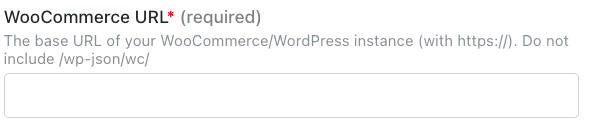
<img src="https://mintcdn.com/chift/nJpWYnx9H3AxO1jq/images/help/woocommerce/woocommerce-7.png?fit=max&auto=format&n=nJpWYnx9H3AxO1jq&q=85&s=9a9888310eb3b86f1b4a725ab6188d74" alt="" width="590" height="133" data-path="images/help/woocommerce/woocommerce-7.png" />

**Step 3:** Provide your consumer key, which you created on your WooCommerce Account.

<img src="https://mintcdn.com/chift/nJpWYnx9H3AxO1jq/images/help/woocommerce/woocommerce-8.png?fit=max&auto=format&n=nJpWYnx9H3AxO1jq&q=85&s=7fcfc6fbe04a8e96ed5faa9a227fda1d" alt="" width="594" height="134" data-path="images/help/woocommerce/woocommerce-8.png" />

**Step 4:** Provide your consumer secret key, which you created on your WooCommerce Account.
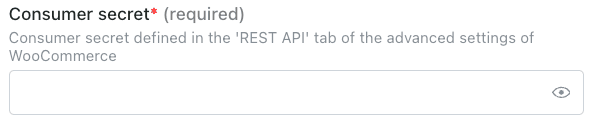
<img src="https://mintcdn.com/chift/nJpWYnx9H3AxO1jq/images/help/woocommerce/woocommerce-9.png?fit=max&auto=format&n=nJpWYnx9H3AxO1jq&q=85&s=ece54f45fad00c6a2b9b6a9d0e129fe5" alt="" width="593" height="128" data-path="images/help/woocommerce/woocommerce-9.png" />

**Step 5:** Click "Connect" to finalise the connection.
<img src="https://mintcdn.com/chift/nJpWYnx9H3AxO1jq/images/help/woocommerce/woocommerce-10.png?fit=max&auto=format&n=nJpWYnx9H3AxO1jq&q=85&s=777779a3eaa048b228de09901032e96a" alt="" width="184" height="79" data-path="images/help/woocommerce/woocommerce-10.png" />
