> ## Documentation Index
> Fetch the complete documentation index at: https://docs.chift.eu/llms.txt
> Use this file to discover all available pages before exploring further.
# Yuki
# **PREPARATION**
1. Log into your Yuki account.
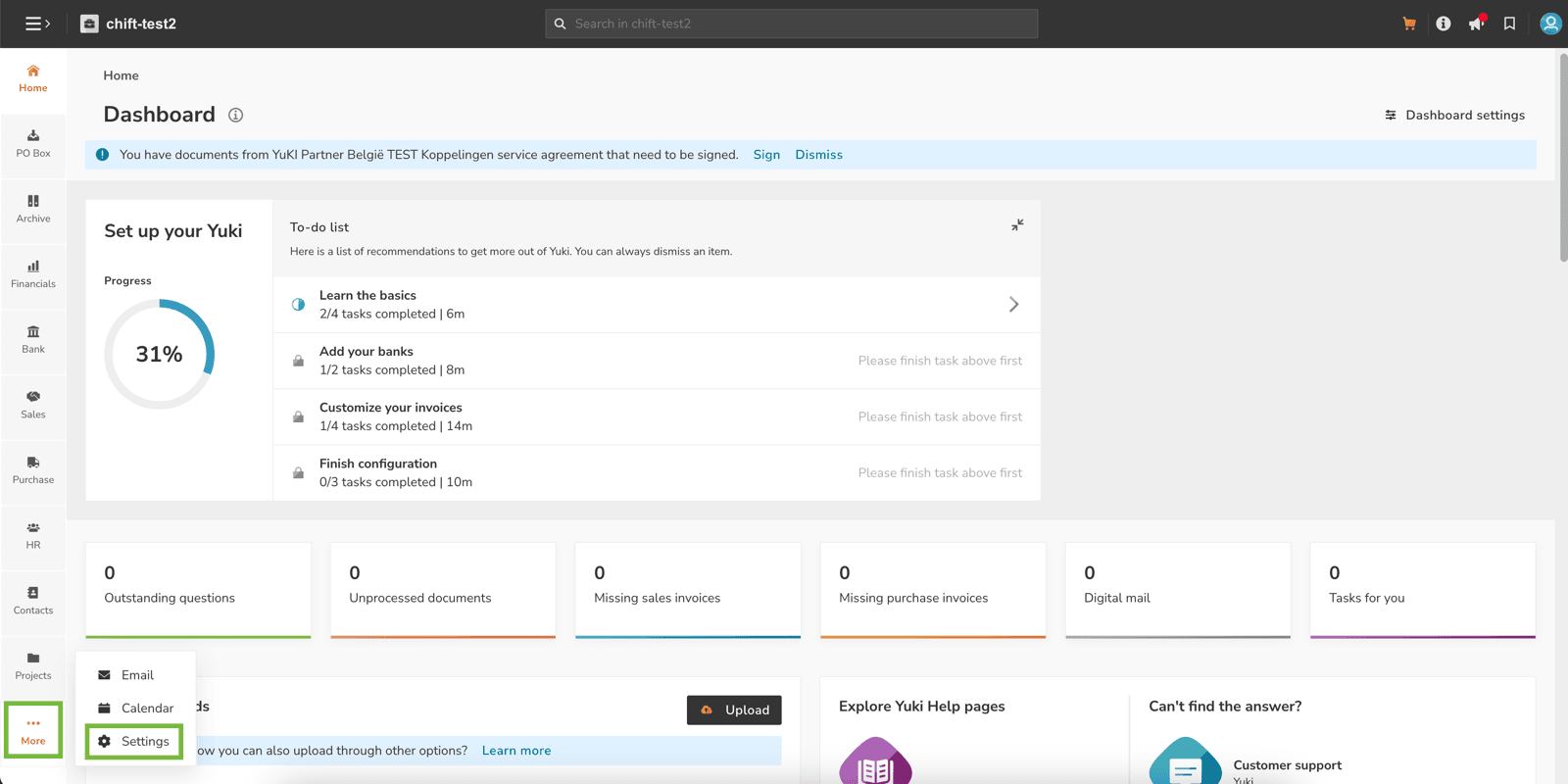
2. On the bottom left corner ("More" button), click on "Settings".
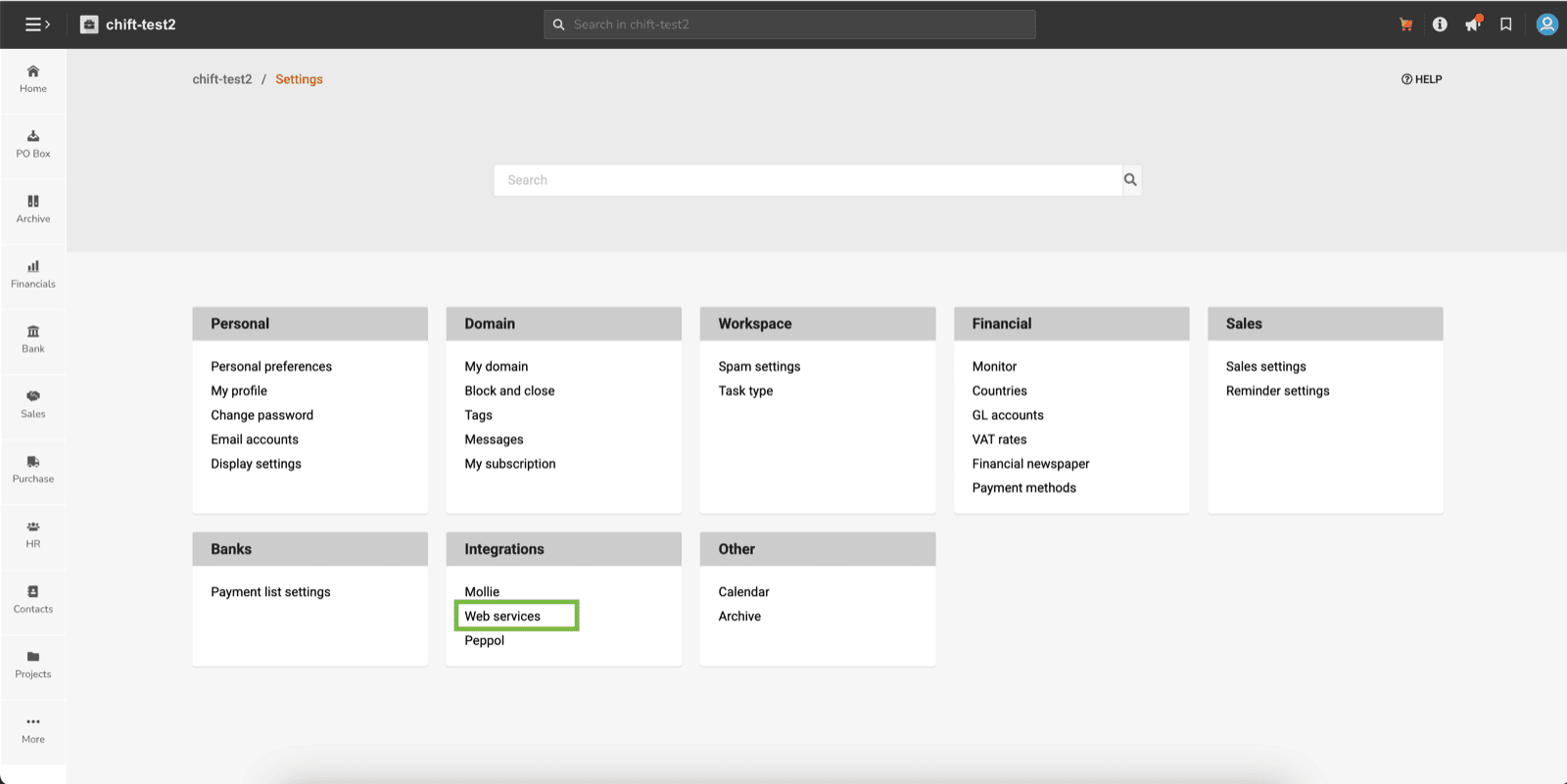
 3. Then click on "Webservices" in the "Integrations" section.
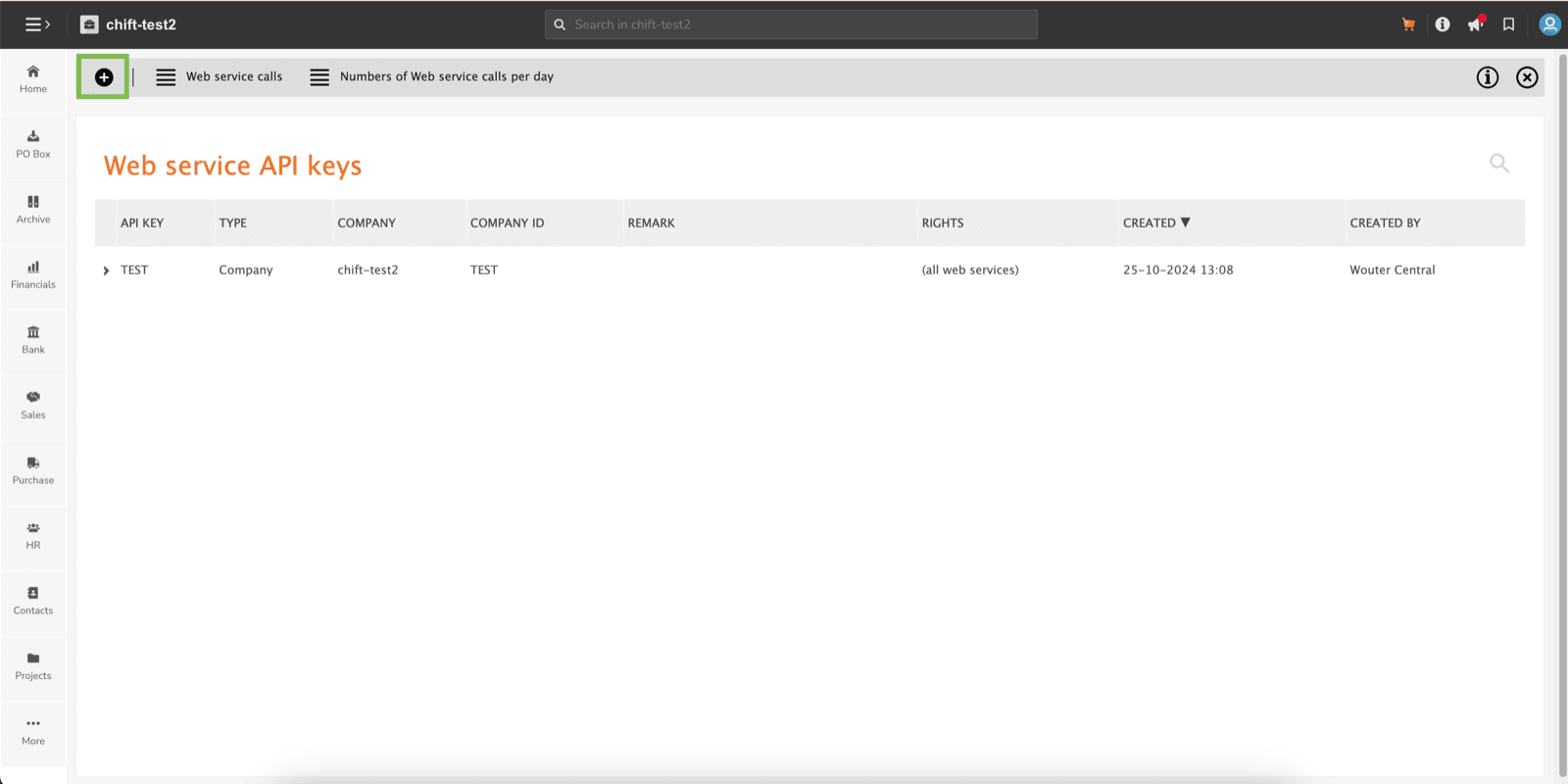
 4. Click on the "+" button in the top left corner.
 5. Please make sure that you fill :
1. **Type :** Company
⚠ ***Here you are creating a key for each company separately you want to connect to ; if you wish to create a global API key, please make sure that type is set on "domain".***
2. **Company :** choose the company to connect.
3. **Rights :** All web services
5. Please make sure that you fill :
1. **Type :** Company
⚠ ***Here you are creating a key for each company separately you want to connect to ; if you wish to create a global API key, please make sure that type is set on "domain".***
2. **Company :** choose the company to connect.
3. **Rights :** All web services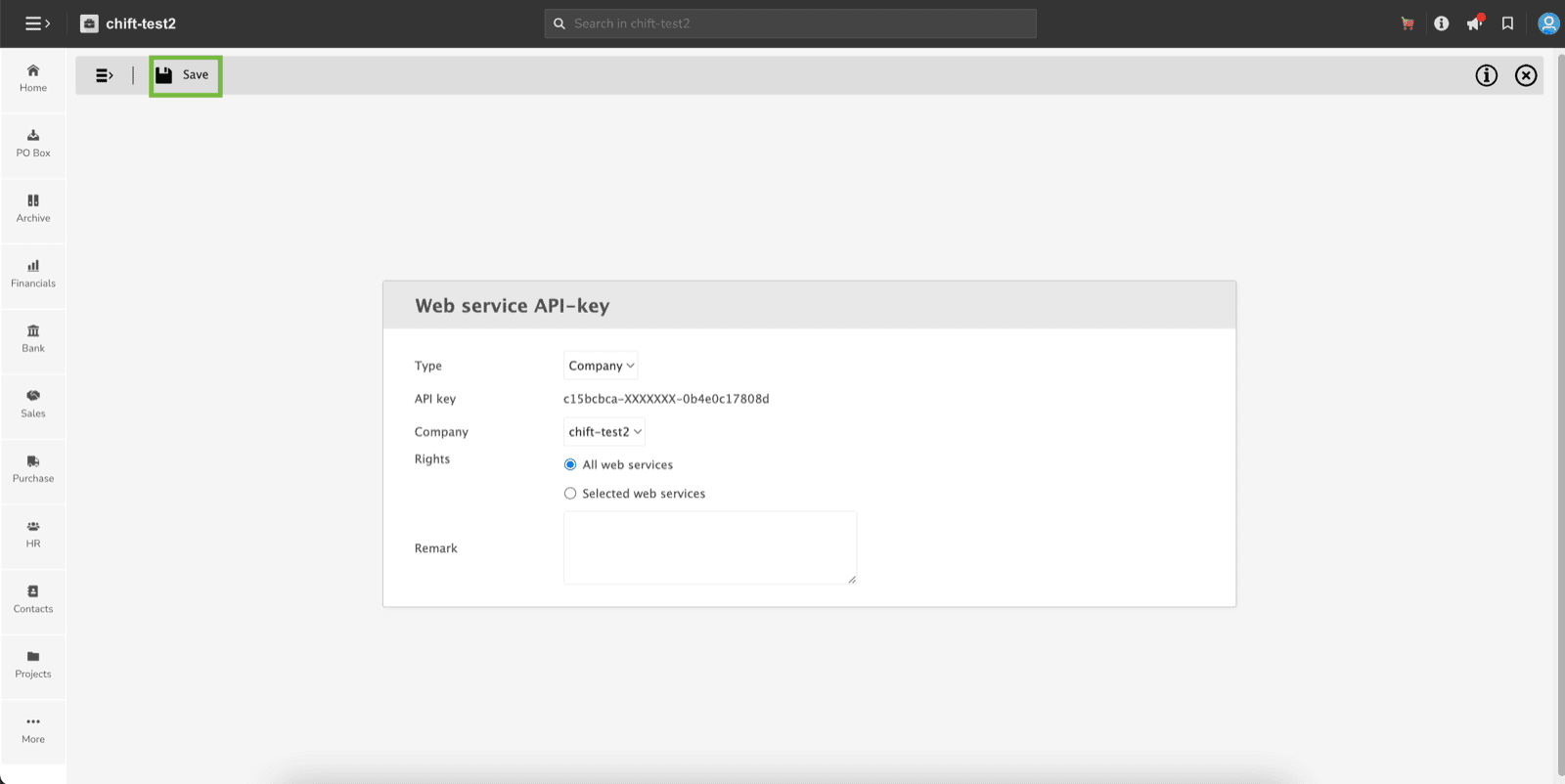 ⚠ ***Don't forget to save with the dedicated button in the top left corner.***
6. You can paste this API key into Chift API
# CONNECTION
**Step 1:** Choose a name for your connection.
⚠ ***Don't forget to save with the dedicated button in the top left corner.***
6. You can paste this API key into Chift API
# CONNECTION
**Step 1:** Choose a name for your connection.
 **Step 2:** fill in the API key you fetched from Yuki.
 **Step 3:** Click "Connect" to finalise the connection.