> ## Documentation Index
> Fetch the complete documentation index at: https://docs.chift.eu/llms.txt
> Use this file to discover all available pages before exploring further.
# Visma Spiris
**PREPARATION**
No prerequisites with the exception that your user needs to have the required authorisations to be able to authorise the connection.
# **CONNECTION**
**Step 1:** Choose a name for your connection.
 **Step 2:** Click "Authorise" to start the authorisation process. You will be redirected to a Spiris connection page where you need to use your credentials to connect.
 # **SUPPLIERS**
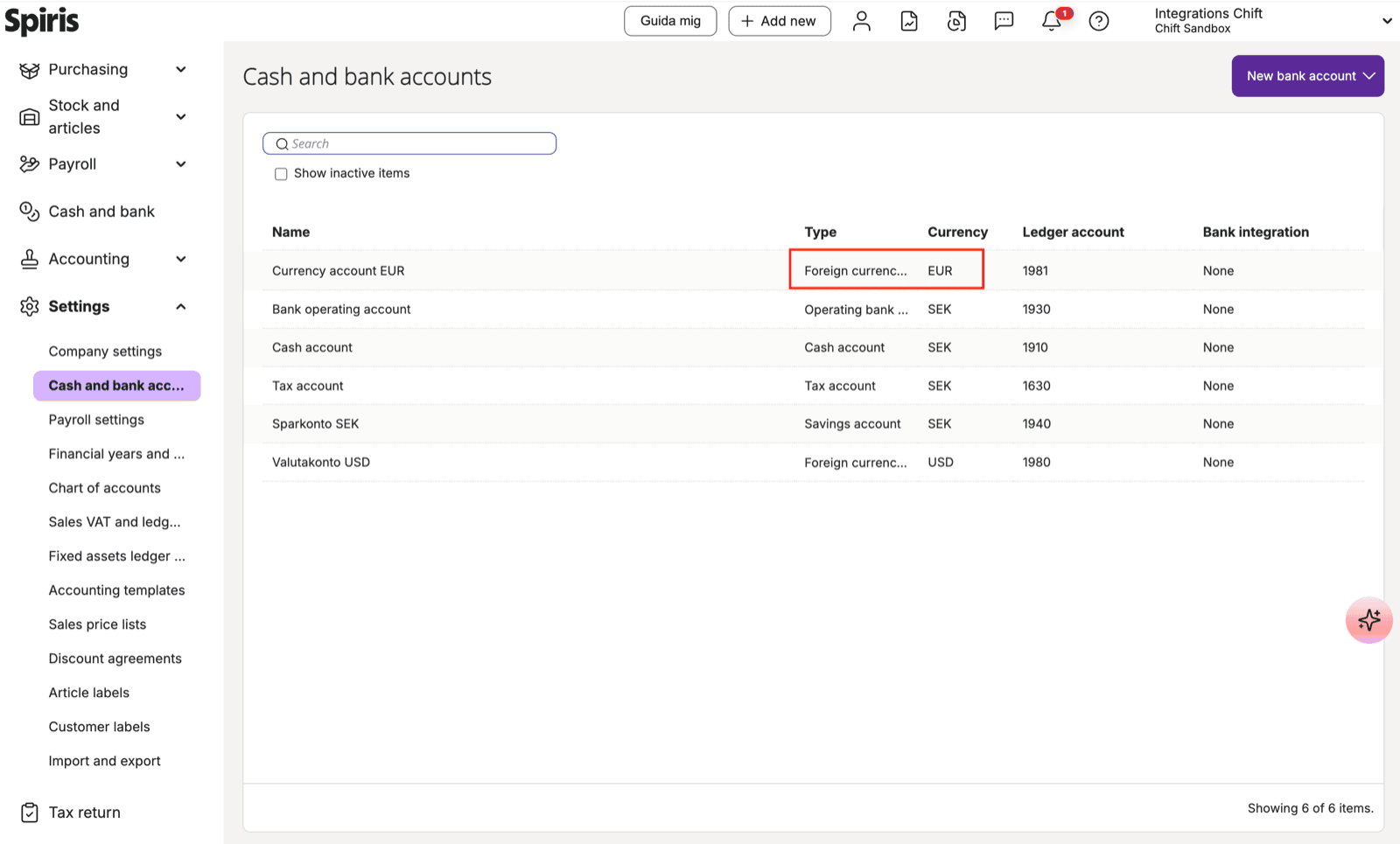
When creating a supplier in Visma Spiris, if the supplier is linked to a **foreign currency** (e.g. EUR), a **bank account configured for that same currency** in Visma Spiris must be specified on the supplier.
If no matching foreign currency bank account exists in Visma Spiris, the supplier creation will fail.
## Resolution
Create a foreign currency bank account for each currency you intend to use with suppliers:
1. Go to **Settings → Cash and bank accounts**
2. Click **New bank account**
3. Set the type to **Foreign currency account**
4. Select the target currency (e.g. EUR or USD)
5. Assign a ledger account
Once the account exists, the supplier creation will work as expected.
# **SUPPLIERS**
When creating a supplier in Visma Spiris, if the supplier is linked to a **foreign currency** (e.g. EUR), a **bank account configured for that same currency** in Visma Spiris must be specified on the supplier.
If no matching foreign currency bank account exists in Visma Spiris, the supplier creation will fail.
## Resolution
Create a foreign currency bank account for each currency you intend to use with suppliers:
1. Go to **Settings → Cash and bank accounts**
2. Click **New bank account**
3. Set the type to **Foreign currency account**
4. Select the target currency (e.g. EUR or USD)
5. Assign a ledger account
Once the account exists, the supplier creation will work as expected.