> ## Documentation Index
> Fetch the complete documentation index at: https://docs.chift.eu/llms.txt
> Use this file to discover all available pages before exploring further.
# Lexware Office (Lexoffice)
# 🚨 **PREREQUISITES**
**API Token in Lexoffice** – To connect, you first need to generate an API token in your Lexoffice account. The steps to do this are outlined below in the **Preparation** section.
# 🛠 **PREPARATION**
* **Log in** to your Lexoffice account.
* **Navigate** to the following page to create an API key [https://app.lexware.de/addons/public-api](https://app.lexware.de/addons/public-api)
* **Click** on "Create a new API key"
 * **Select** the first option
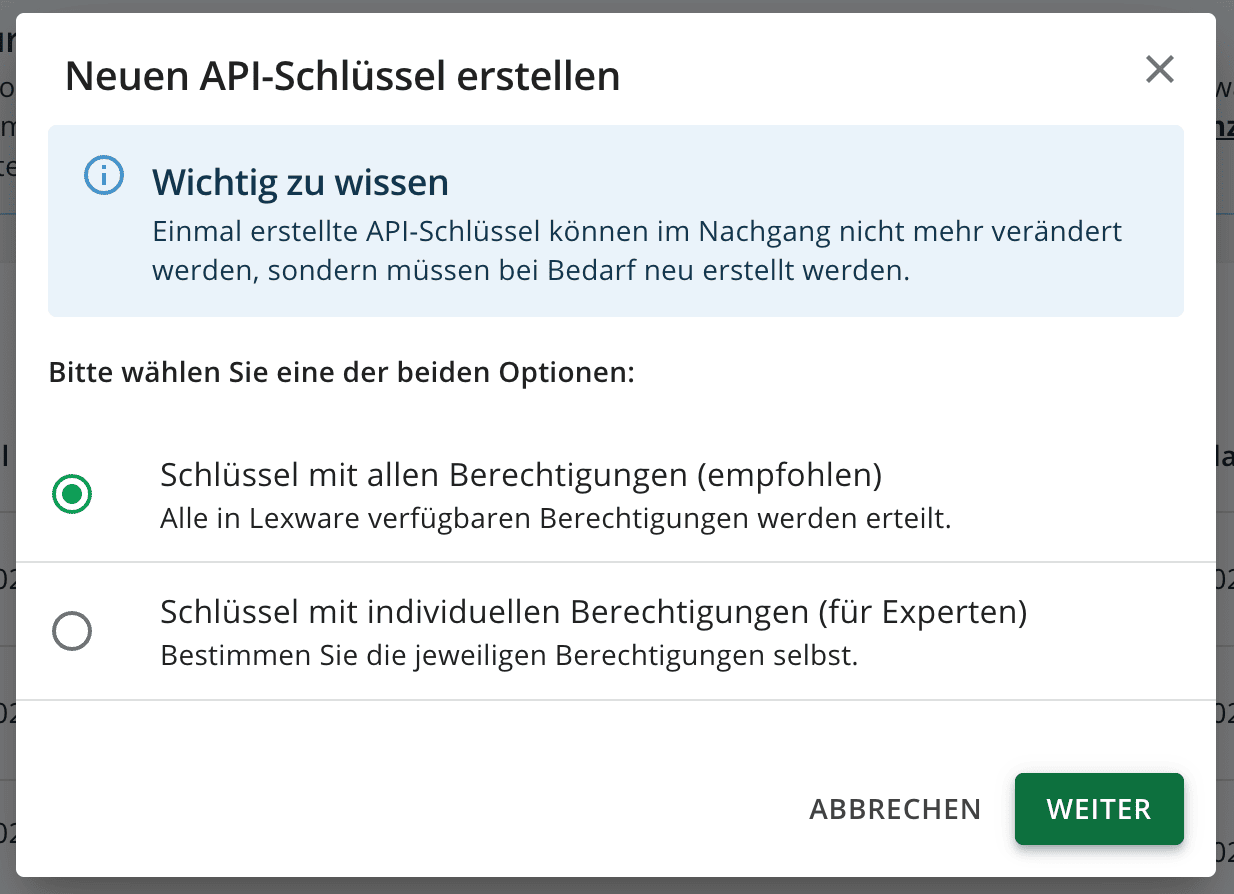 * Or if you prefer to set individual permissions, at minimum you need to enable:
* * Get general profile information
* Retrieve contacts
* Save contacts
* Retrieve invoices
* Save invoices
* Retrieve receipts
* Save receipts
* Filter and retrieve receipt list
* Retrieve payment information from receipts
* Retrieve credit notes
* Save credit notes
* Retrieve vouchers
* Give the name of your choice to your key and check the checkbox to be able to generate the key. Once the key is generated, copy the token for later usage.
**Important:** The token is displayed only once, so make sure to save it immediately. Otherwise, you will need to generate a new token.
The token is by default valid for 2 years. You will have to generate it again when it expires.
# ⚡**️ CONNECTION**
**Step 1:** Choose a name for your connection. (If the connection name field isn’t visible, simply skip this step and continue.)
* Or if you prefer to set individual permissions, at minimum you need to enable:
* * Get general profile information
* Retrieve contacts
* Save contacts
* Retrieve invoices
* Save invoices
* Retrieve receipts
* Save receipts
* Filter and retrieve receipt list
* Retrieve payment information from receipts
* Retrieve credit notes
* Save credit notes
* Retrieve vouchers
* Give the name of your choice to your key and check the checkbox to be able to generate the key. Once the key is generated, copy the token for later usage.
**Important:** The token is displayed only once, so make sure to save it immediately. Otherwise, you will need to generate a new token.
The token is by default valid for 2 years. You will have to generate it again when it expires.
# ⚡**️ CONNECTION**
**Step 1:** Choose a name for your connection. (If the connection name field isn’t visible, simply skip this step and continue.)
 **Step 2:** Paste the API key
 **Step 3:** Click "Connect" to finalise the connection.