> ## Documentation Index
> Fetch the complete documentation index at: https://docs.chift.eu/llms.txt
> Use this file to discover all available pages before exploring further.
# Dinero
# 🚨 PREREQUISITES
* You must have an active Dinero subscription on the **Pro** plan or above (the **Total** plan also works).
***
# ⚡️ CONNECTION
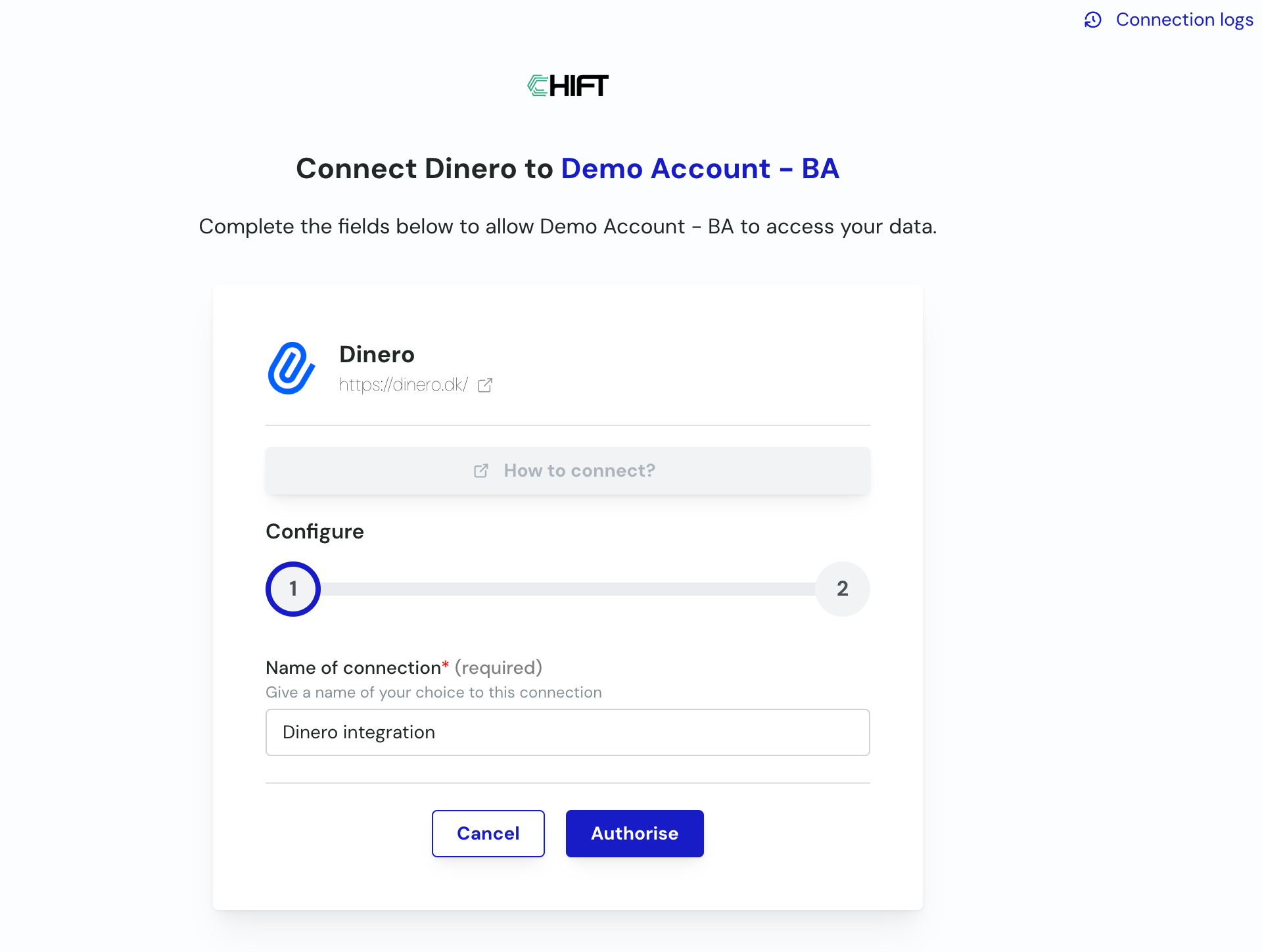
**Step 1:** Choose a name for your connection, then click **Authorise**. *(If the connection name field isn't visible, simply skip this step and continue.)*
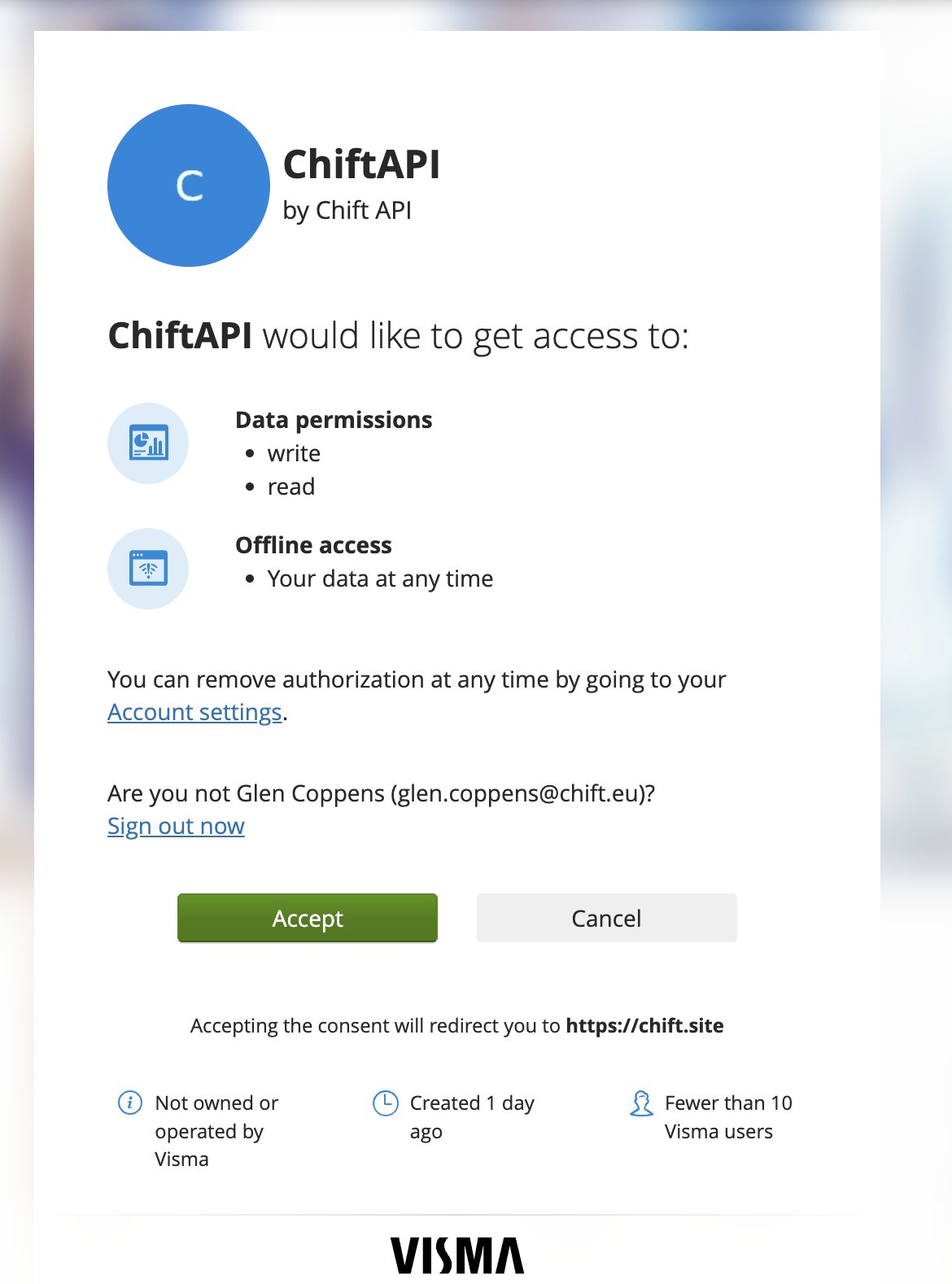
 **Step 2:** You're redirected to Dinero to authorize the Chift app. Click **Accept**.
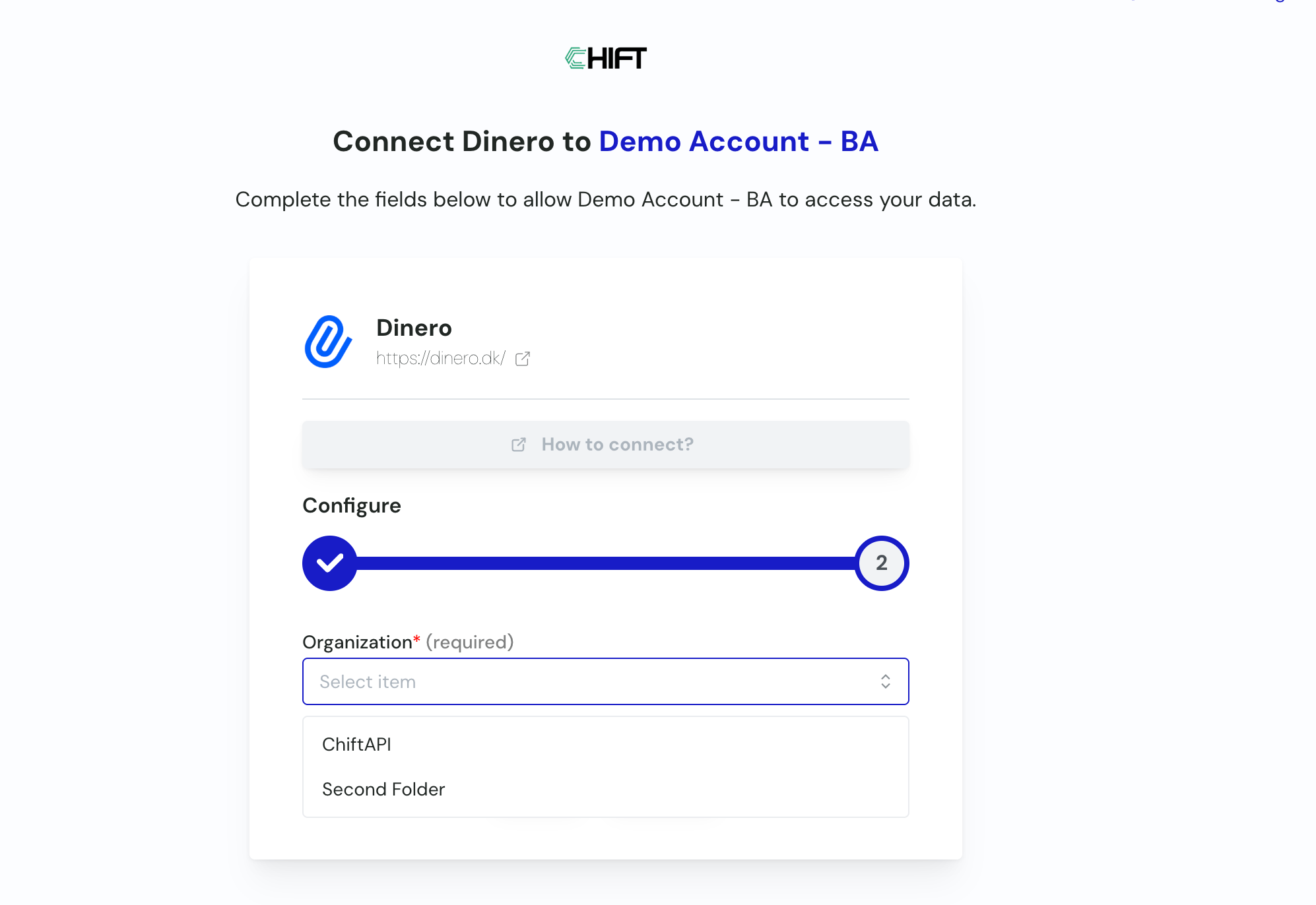
 **Step 3:** You're redirected back to the Chift platform. If you manage several Dinero organizations, select the one you want to connect, then confirm.
 Your connection is now active.
***
## ⚠️ Important: VAT codes on new accounts
Dinero requires every account that generates VAT (sales or expense accounts) to have a **VAT code** assigned. Accounts created through this integration are **not** created with a VAT code.
If these accounts aren't updated in Dinero, invoices booked to them are created **without VAT**. After setting up the connection, check the chart of accounts in Dinero and assign the correct VAT code to any account created by the integration.
***
## ❓ Troubleshooting
| Issue | What to do |
| ------------------------------------------ | -------------------------------------------------------------------------------------------------------------------------------------------------------------- |
| Invoices are missing VAT | Check the account used on the invoice in Dinero and make sure it has a VAT code assigned — see the note above. |
| I don't see an organization selection step | This step only appears if you have access to more than one Dinero organization. Otherwise your connection uses your only available organization automatically. |
| You want to revoke access | Log in to your Dinero account, go to your app/integration settings, find Chift, and remove the authorization. |
Your connection is now active.
***
## ⚠️ Important: VAT codes on new accounts
Dinero requires every account that generates VAT (sales or expense accounts) to have a **VAT code** assigned. Accounts created through this integration are **not** created with a VAT code.
If these accounts aren't updated in Dinero, invoices booked to them are created **without VAT**. After setting up the connection, check the chart of accounts in Dinero and assign the correct VAT code to any account created by the integration.
***
## ❓ Troubleshooting
| Issue | What to do |
| ------------------------------------------ | -------------------------------------------------------------------------------------------------------------------------------------------------------------- |
| Invoices are missing VAT | Check the account used on the invoice in Dinero and make sure it has a VAT code assigned — see the note above. |
| I don't see an organization selection step | This step only appears if you have access to more than one Dinero organization. Otherwise your connection uses your only available organization automatically. |
| You want to revoke access | Log in to your Dinero account, go to your app/integration settings, find Chift, and remove the authorization. |