> ## Documentation Index
> Fetch the complete documentation index at: https://docs.chift.eu/llms.txt
> Use this file to discover all available pages before exploring further.
# Last.app
# PRÉPARATION
1. Activer l'intégration dans Last.APP pour obtenir un bearer token
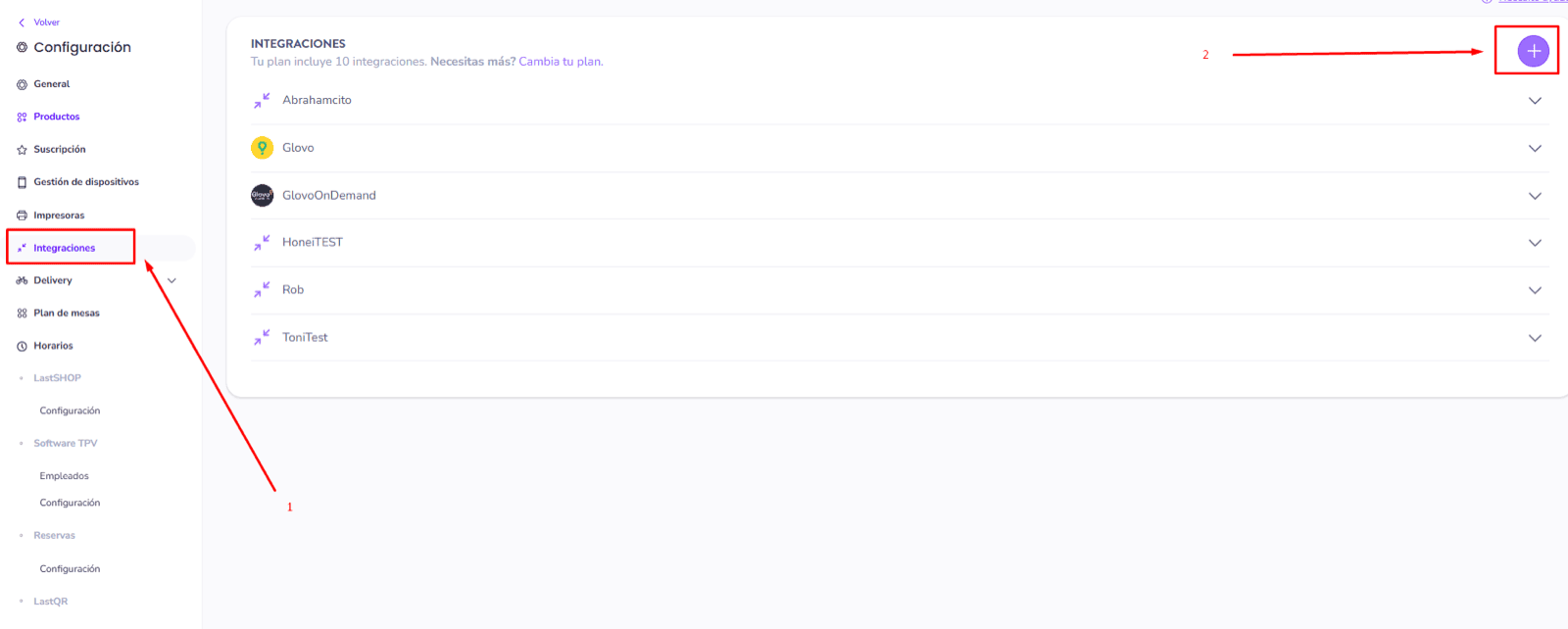
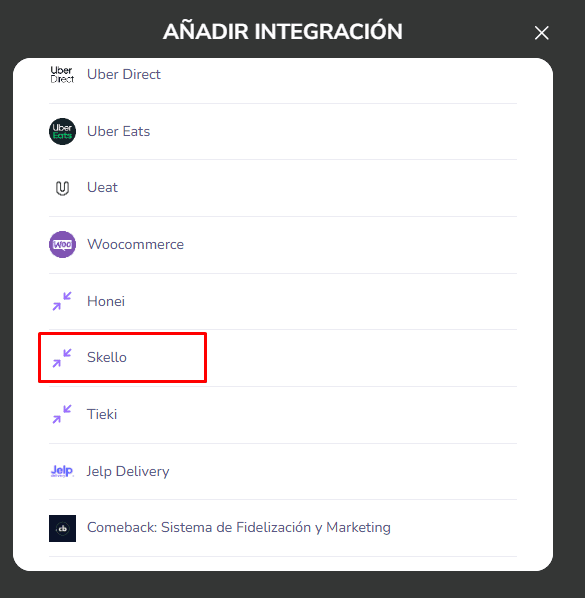
1. Rendez-vous sur votre compte Last.APP → Menu → Intégrations → "Ajouter" / "+" → cliquez sur le partenaire que vous souhaitez intégrer (ici pour l'exemple: Skello)
 2. **Contactez l'équipe de support** de Last.app pour demander un **jeton d'accès API** (bearer token) afin d'activer votre intégration.
# CONNEXION
**Étape 1:** Choisissez un nom pour votre connexion.
2. **Contactez l'équipe de support** de Last.app pour demander un **jeton d'accès API** (bearer token) afin d'activer votre intégration.
# CONNEXION
**Étape 1:** Choisissez un nom pour votre connexion.
 **Étape 2:** Renseignez le bearer token, précédemment trouvée sur votre compte Last APP.
 **Étape 3:** Cliquez sur "Connecter" pour finaliser la connexion.