> ## Documentation Index
> Fetch the complete documentation index at: https://docs.chift.eu/llms.txt
> Use this file to discover all available pages before exploring further.
# Carrepos
# Prérequis
* Le POS doit être connecté à Internet en permanence (disponibilité de l'API)
* Une licence d'utilisation de l'API doit être demandée à votre revendeur de Carrepos (mentionner une demande de connexion à **Chift**).
* Votre revendeur configurera la connexion API
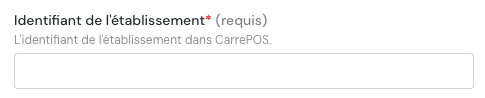
* Votre revendeur vous fournira **l'identifiant de votre établissement** que vous devez saisir pour vous connecter ici
# CONNEXION
**Étape 1 :** Choisissez un nom pour votre connexion (facultatif).
 **Étape 2 :** Entrez l'identifiant de votre établissement (voir ci-dessus pour les étapes pour l'obtenir).
 **Étape 3 :** Cliquez sur "Connecter" pour finaliser la connexion.