> ## Documentation Index
> Fetch the complete documentation index at: https://docs.chift.eu/llms.txt
> Use this file to discover all available pages before exploring further.

# Thais PMS

# PRÉPARATION

Activez le connecteur "Chift" dans Thais. Vous recevrez un nom d'utilisateur/mot de passe pour pouvoir vous connecter à l'API.

Voici ce que vous devez remplir dans le formulaire.

# CONNEXION

**Étape 1 :** Choisissez un nom pour votre connexion.
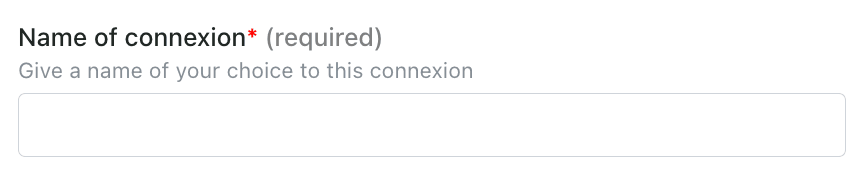
<img src="https://mintcdn.com/chift/5FvfVbGwKHoQNfh9/images/help/thais-pms/thais-pms-fr-1.png?fit=max&auto=format&n=5FvfVbGwKHoQNfh9&q=85&s=e89e1bda4bb0912a9764ba8a3f35f619" alt="" width="868" height="186" data-path="images/help/thais-pms/thais-pms-fr-1.png" />

**Étape 2:** Entrez l'URL de votre instance (vérifiez votre navigateur)
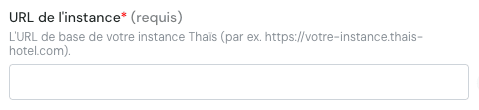
<img src="https://mintcdn.com/chift/5FvfVbGwKHoQNfh9/images/help/thais-pms/thais-pms-fr-2.png?fit=max&auto=format&n=5FvfVbGwKHoQNfh9&q=85&s=2df3d6a46d2e7dbe213b827b502a5cec" alt="image.png" width="479" height="110" data-path="images/help/thais-pms/thais-pms-fr-2.png" />

**Étape 3:** Entrez votre nom d'utilisateur

<img src="https://mintcdn.com/chift/5FvfVbGwKHoQNfh9/images/help/thais-pms/thais-pms-fr-3.png?fit=max&auto=format&n=5FvfVbGwKHoQNfh9&q=85&s=17def0265c7f1721b57cbc854a97379e" alt="image.png" width="479" height="96" data-path="images/help/thais-pms/thais-pms-fr-3.png" />

**Étape 4:** Entrez votre mot de passe

<img src="https://mintcdn.com/chift/5FvfVbGwKHoQNfh9/images/help/thais-pms/thais-pms-fr-4.png?fit=max&auto=format&n=5FvfVbGwKHoQNfh9&q=85&s=818cda893fde7dfd4d34b16b78ae8c9f" alt="image.png" width="478" height="89" data-path="images/help/thais-pms/thais-pms-fr-4.png" />

<img src="https://mintcdn.com/chift/5FvfVbGwKHoQNfh9/images/help/thais-pms/thais-pms-fr-5.png?fit=max&auto=format&n=5FvfVbGwKHoQNfh9&q=85&s=0a2244c149dd252a458609009676c04e" alt="" width="110" height="47" data-path="images/help/thais-pms/thais-pms-fr-5.png" />