> ## Documentation Index
> Fetch the complete documentation index at: https://docs.chift.eu/llms.txt
> Use this file to discover all available pages before exploring further.

# Chargebee

# PREPARATION

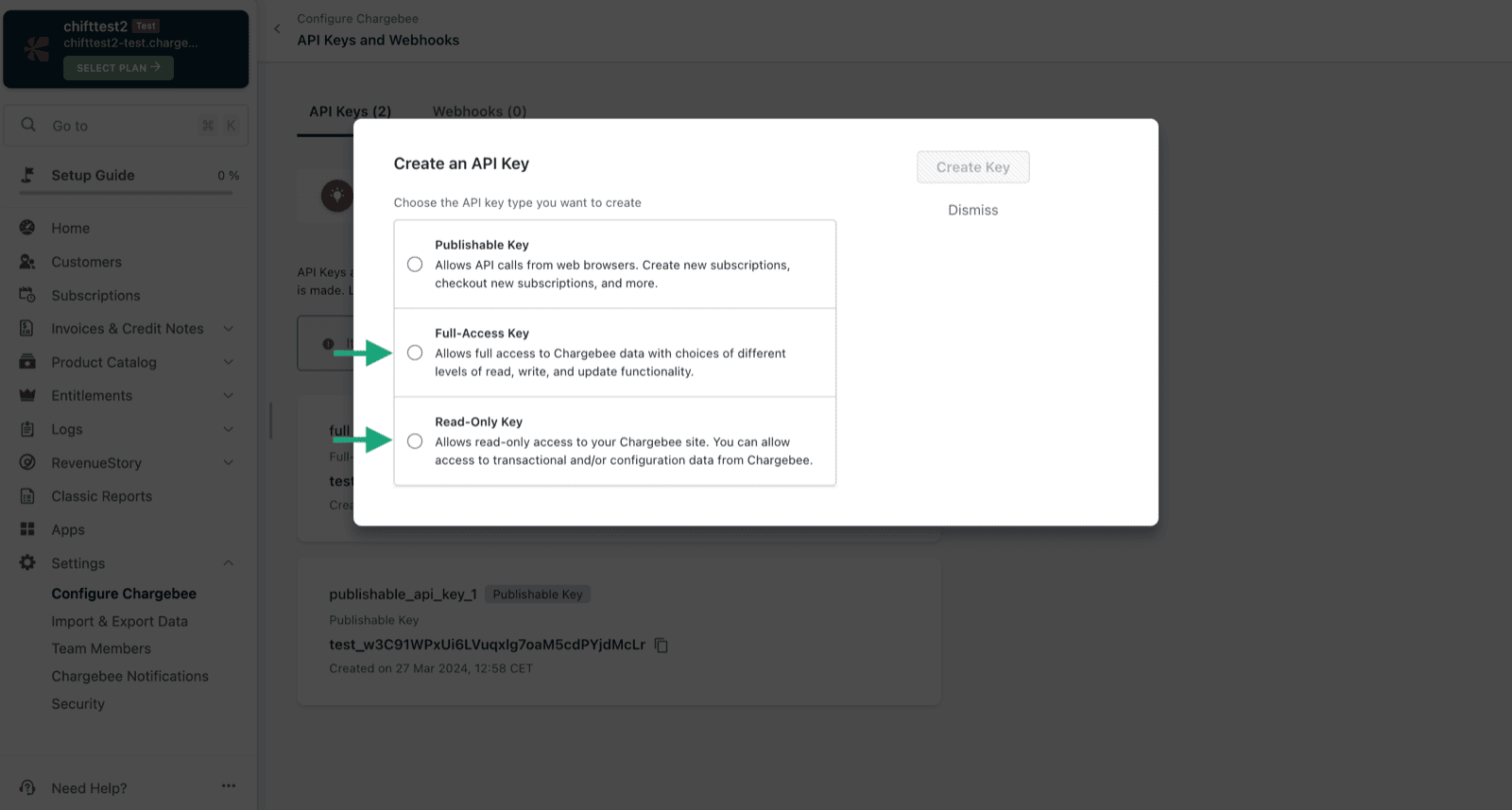
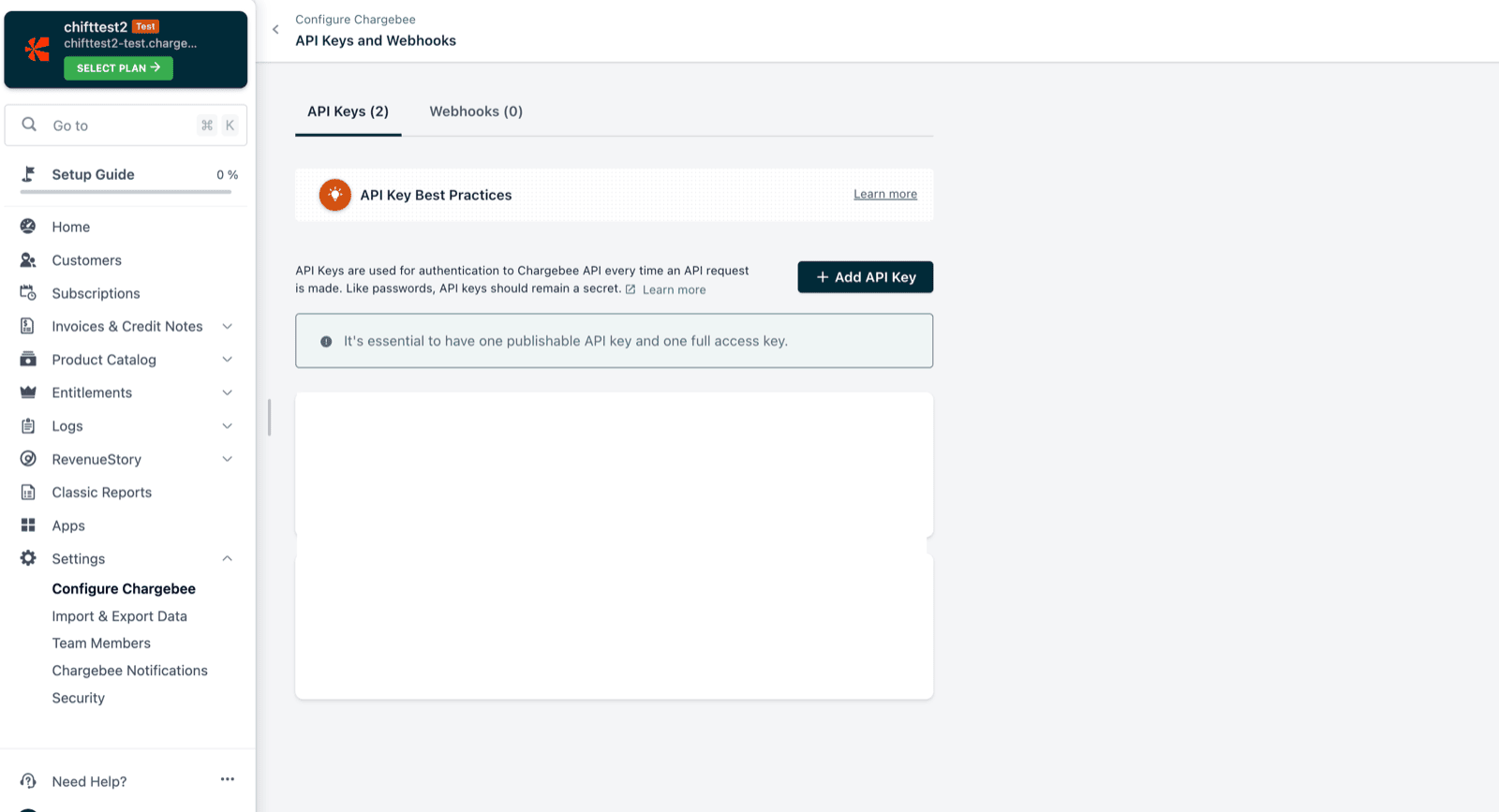
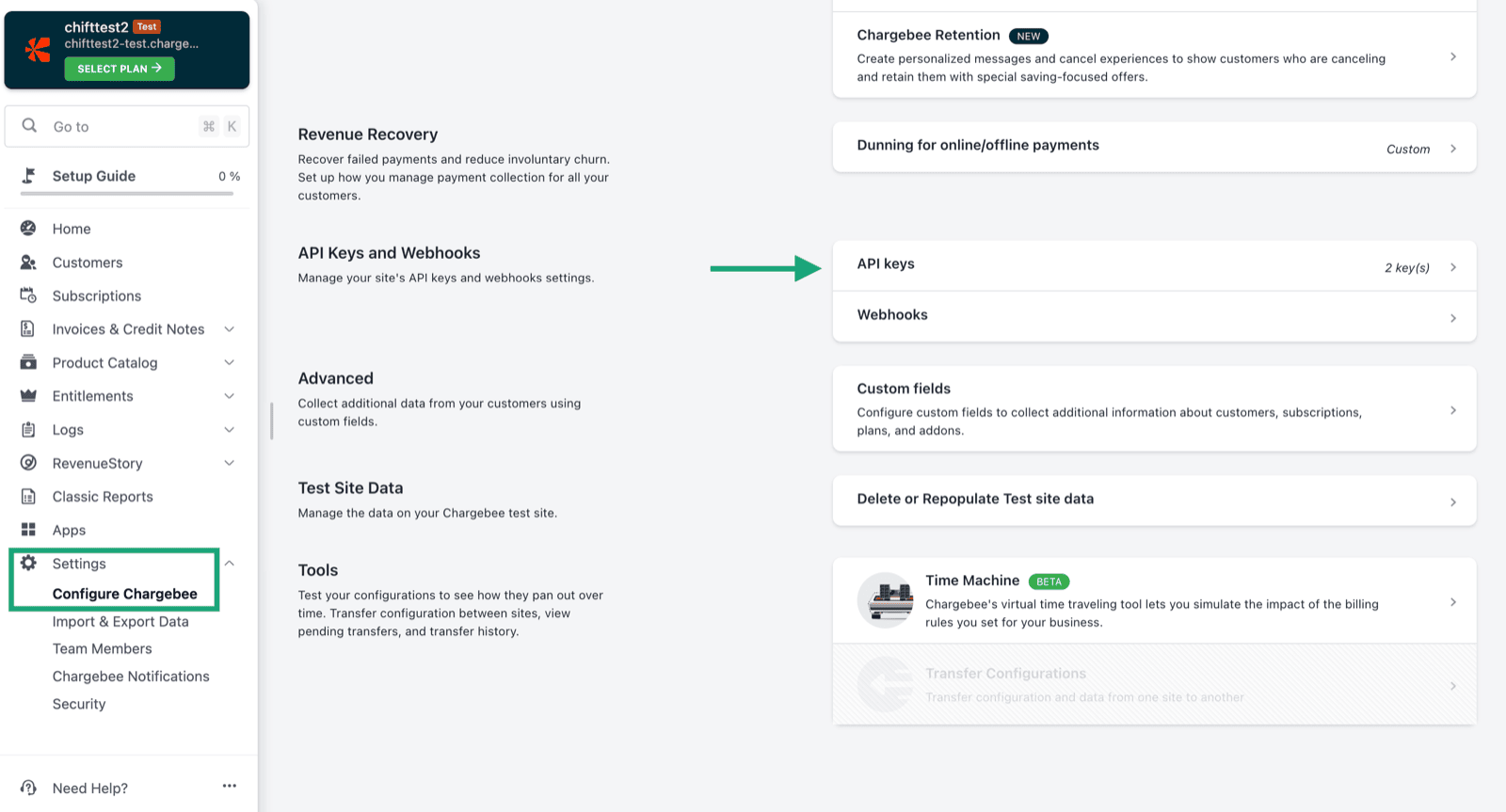
1. Créez une clé API depuis votre compte Chargebee.
<img src="https://mintcdn.com/chift/7EyK8g9fmTEnHC7W/images/help/chargebee/chargebee-fr-1.png?fit=max&auto=format&n=7EyK8g9fmTEnHC7W&q=85&s=a9a6e8698f852c60aa843730a62f9b59" alt="" width="1600" height="863" data-path="images/help/chargebee/chargebee-fr-1.png" />

L'option 2 ou 3 au choix.

<img src="https://mintcdn.com/chift/7EyK8g9fmTEnHC7W/images/help/chargebee/chargebee-fr-2.png?fit=max&auto=format&n=7EyK8g9fmTEnHC7W&q=85&s=478025808c3fea9fec0e3ad52dabd559" alt="" width="1600" height="857" data-path="images/help/chargebee/chargebee-fr-2.png" />

<img src="https://mintcdn.com/chift/7EyK8g9fmTEnHC7W/images/help/chargebee/chargebee-fr-3.png?fit=max&auto=format&n=7EyK8g9fmTEnHC7W&q=85&s=b8772b83177b88cb4b464eadd8dac0e7" alt="" width="1600" height="867" data-path="images/help/chargebee/chargebee-fr-3.png" />

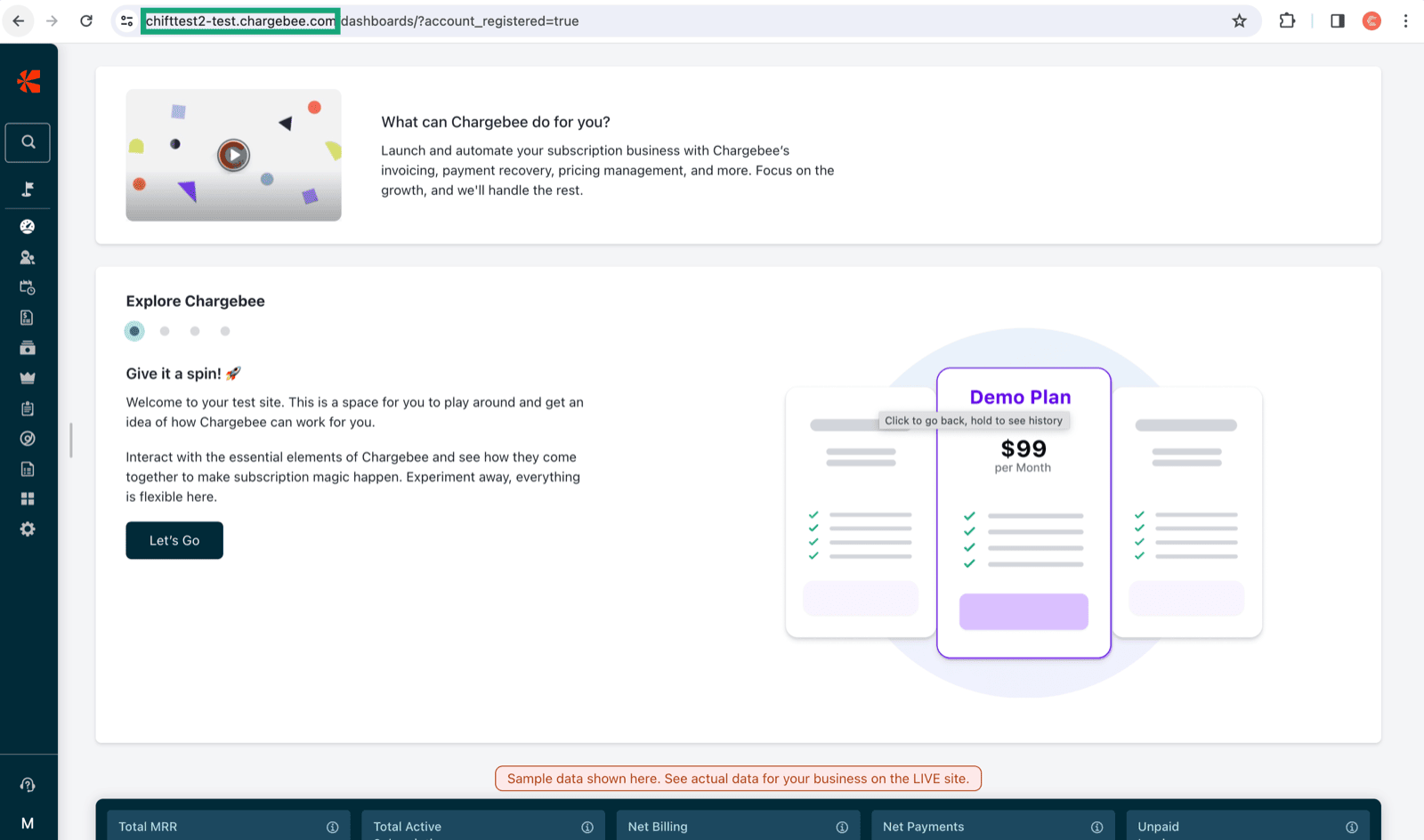
2. Récupération de l'url de votre compte Chargebee (correspond à l'encadré en vert ci-dessous).
<img src="https://mintcdn.com/chift/7EyK8g9fmTEnHC7W/images/help/chargebee/chargebee-fr-4.png?fit=max&auto=format&n=7EyK8g9fmTEnHC7W&q=85&s=5b86e0863b1ce246bb2e5b7e7905a792" alt="" width="1600" height="944" data-path="images/help/chargebee/chargebee-fr-4.png" />

# CONNEXION

**Étape 1:** Choisissez un nom pour votre connexion.

<img src="https://mintcdn.com/chift/7EyK8g9fmTEnHC7W/images/help/chargebee/chargebee-fr-5.png?fit=max&auto=format&n=7EyK8g9fmTEnHC7W&q=85&s=8b54f195fe42c538318f5804b76dd46e" alt="" width="599" height="112" data-path="images/help/chargebee/chargebee-fr-5.png" />

**Étape 2:** Renseignez l'URL de votre compte Chargebee.

<img src="https://mintcdn.com/chift/7EyK8g9fmTEnHC7W/images/help/chargebee/chargebee-fr-6.png?fit=max&auto=format&n=7EyK8g9fmTEnHC7W&q=85&s=03eb49c73c1686e5cb5aee1fe3d95052" alt="image.png" width="488" height="92" data-path="images/help/chargebee/chargebee-fr-6.png" />

**Étape 3:** Multi-entité. Si vous avez plusieurs entités sur Chargebee et que vous voulez travailler sur une entité, veuillez sélectionner **oui**.

<img src="https://mintcdn.com/chift/7EyK8g9fmTEnHC7W/images/help/chargebee/chargebee-fr-7.png?fit=max&auto=format&n=7EyK8g9fmTEnHC7W&q=85&s=2a218eb673690ec746797307a522f383" alt="image.png" width="492" height="98" data-path="images/help/chargebee/chargebee-fr-7.png" />

**Étape 3:** Renseignez la clé API généré sur votre compte Chargebee.

<img src="https://mintcdn.com/chift/7EyK8g9fmTEnHC7W/images/help/chargebee/chargebee-fr-8.png?fit=max&auto=format&n=7EyK8g9fmTEnHC7W&q=85&s=33b64aa0f1f28257ad7008808e68a868" alt="image.png" width="484" height="76" data-path="images/help/chargebee/chargebee-fr-8.png" />

**Étape 5:** Cliquez sur "Connecter" pour finaliser la connexion.

<img src="https://mintcdn.com/chift/7EyK8g9fmTEnHC7W/images/help/chargebee/chargebee-fr-9.png?fit=max&auto=format&n=7EyK8g9fmTEnHC7W&q=85&s=c92521c07a7349216c45af064c46ee6b" alt="" width="244" height="98" data-path="images/help/chargebee/chargebee-fr-9.png" />