> ## Documentation Index
> Fetch the complete documentation index at: https://docs.chift.eu/llms.txt
> Use this file to discover all available pages before exploring further.
# Shopify
# **PRÉPARATION**
1. Identifiez le nom technique de votre "boutique" sur Shopify
 # CONNEXION
**Étape 1:** Choisissez un nom pour votre connexion (informatif).
# CONNEXION
**Étape 1:** Choisissez un nom pour votre connexion (informatif).
 **Étape 2:** Saisissez le nom technique de votre magsin, trouvé précédemment dans votre compte.
 **Étape 3** : (**Optionnel**) Entrez le Client ID / Secret de votre application. Si l'on vous le demande, veuillez vous rendre à la section "**Configuration - application personnalisée**" ci-dessous dans ce guide. Sinon, continuez à **étape 4a.**
 **Étape 4a:** Cliquez sur "Autoriser" pour finaliser la connexion.
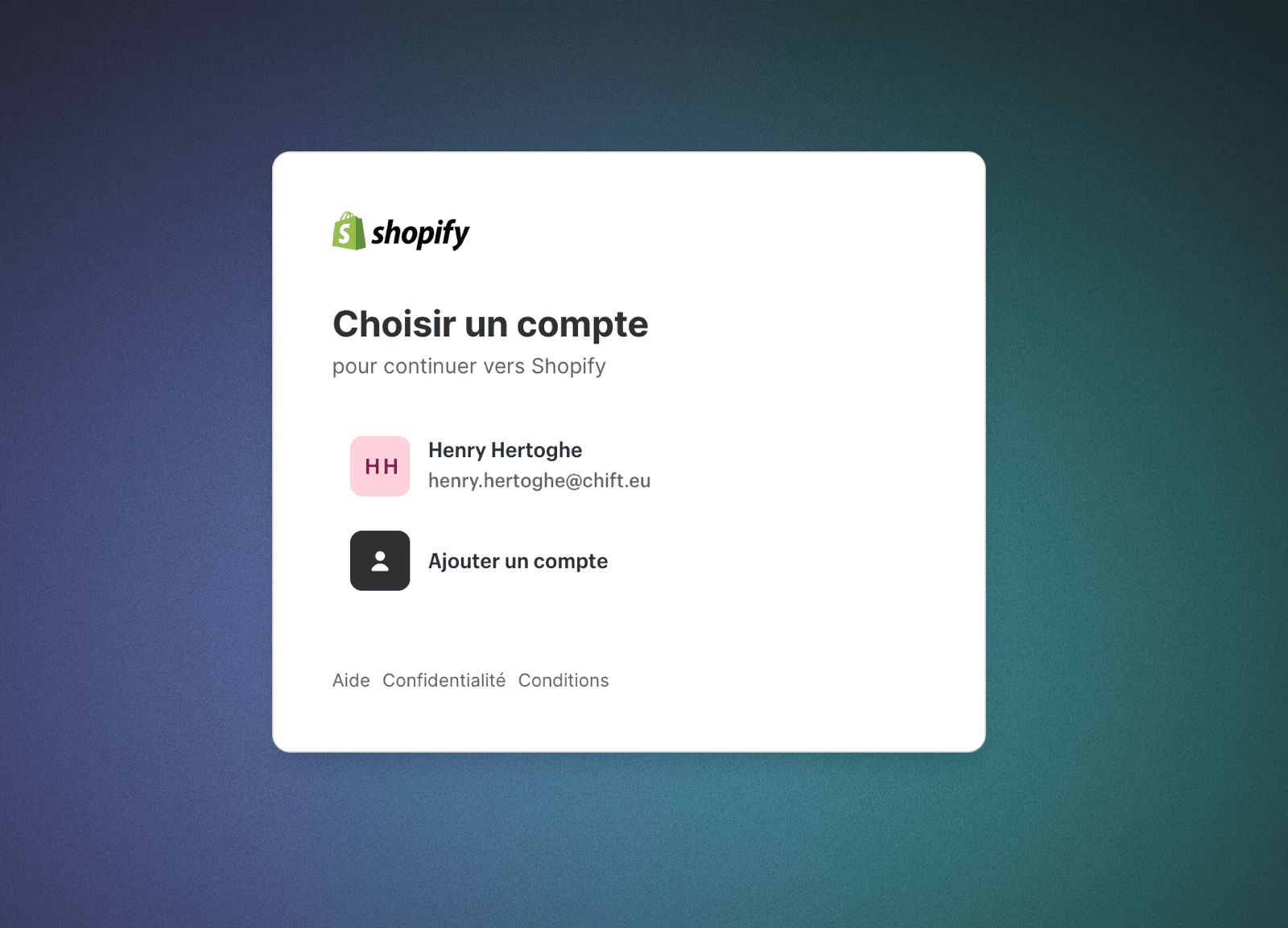
 **Étape 5a:** Choisissez votre boutique Shopify à connecter
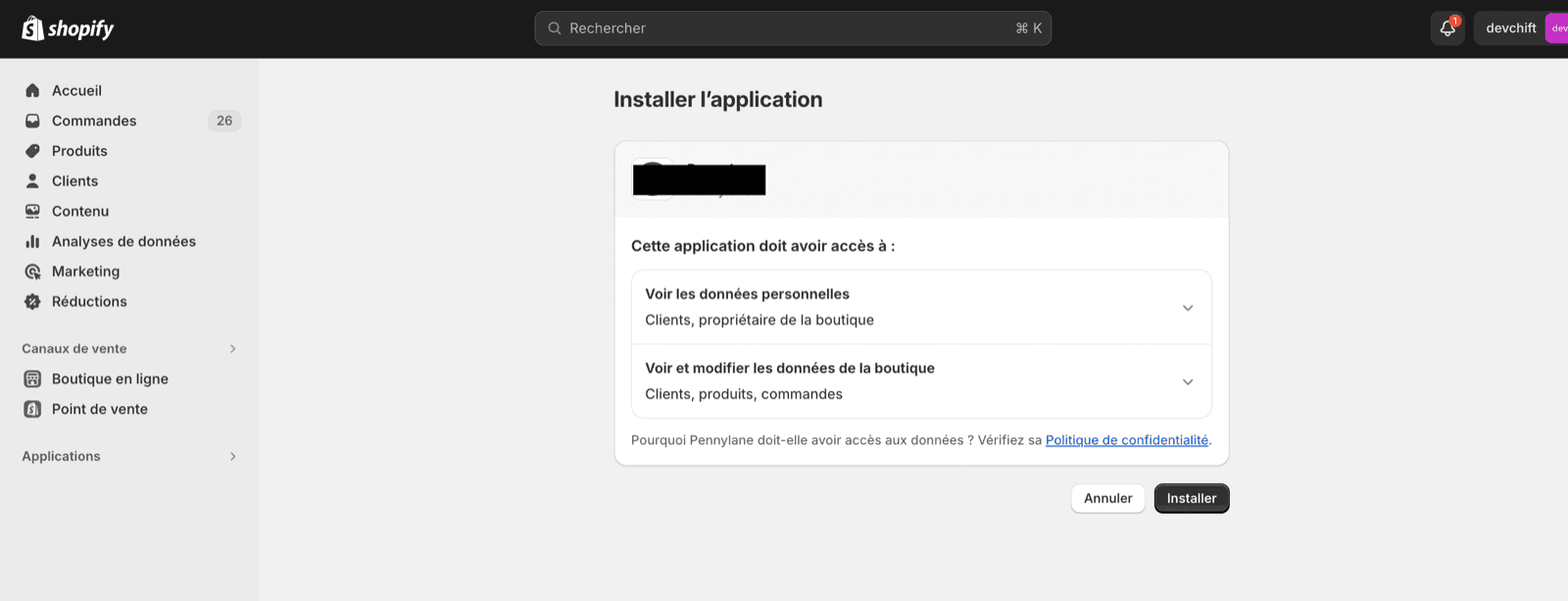
 **Étape 6a:** Installez l'application de votre partenaire que vous souhaitez connecter à Shopify.

 ### Configuration - application personnalisée
Procédez à ces étapes uniquement si on vous demande un identifiant client et un secret client (client id / secret).
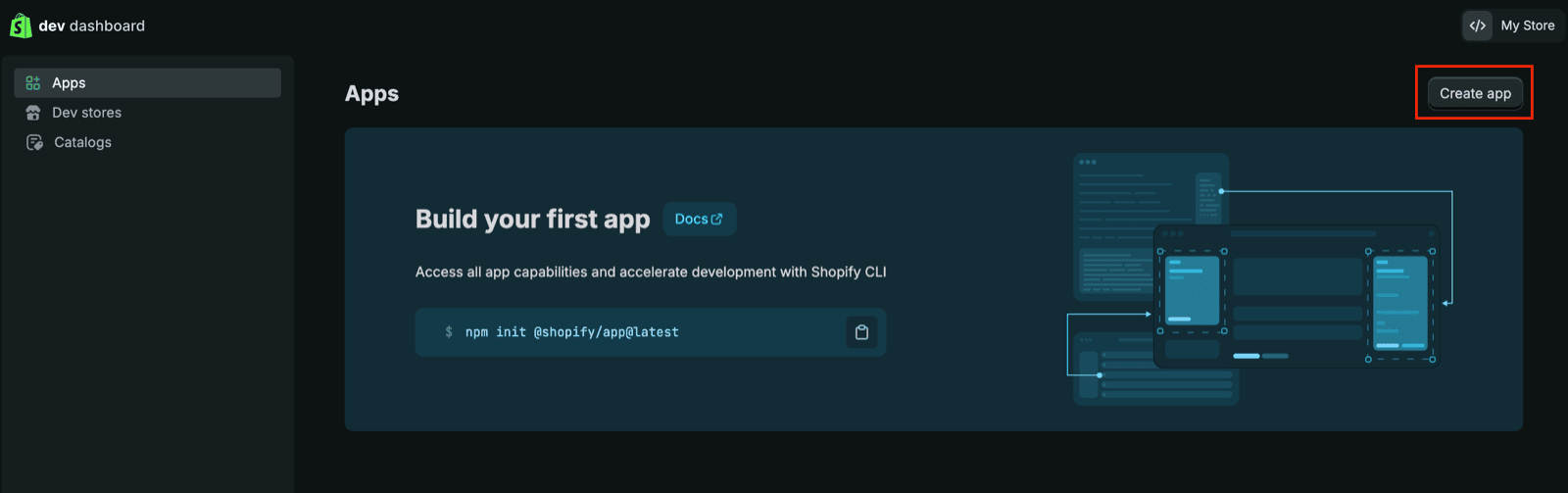
**Étape 4b :** Accédez au tableau/dashboard de développement ([https://dev.shopify.com/dashboard](https://dev.shopify.com/dashboard)) et suivez les étapes décrites dans cet article pour activer et créer une application personnalisée :
* [https://shopify.dev/docs/apps/build/dev-dashboard/create-apps-using-dev-dashboard](https://shopify.dev/docs/apps/build/dev-dashboard/create-apps-using-dev-dashboard)
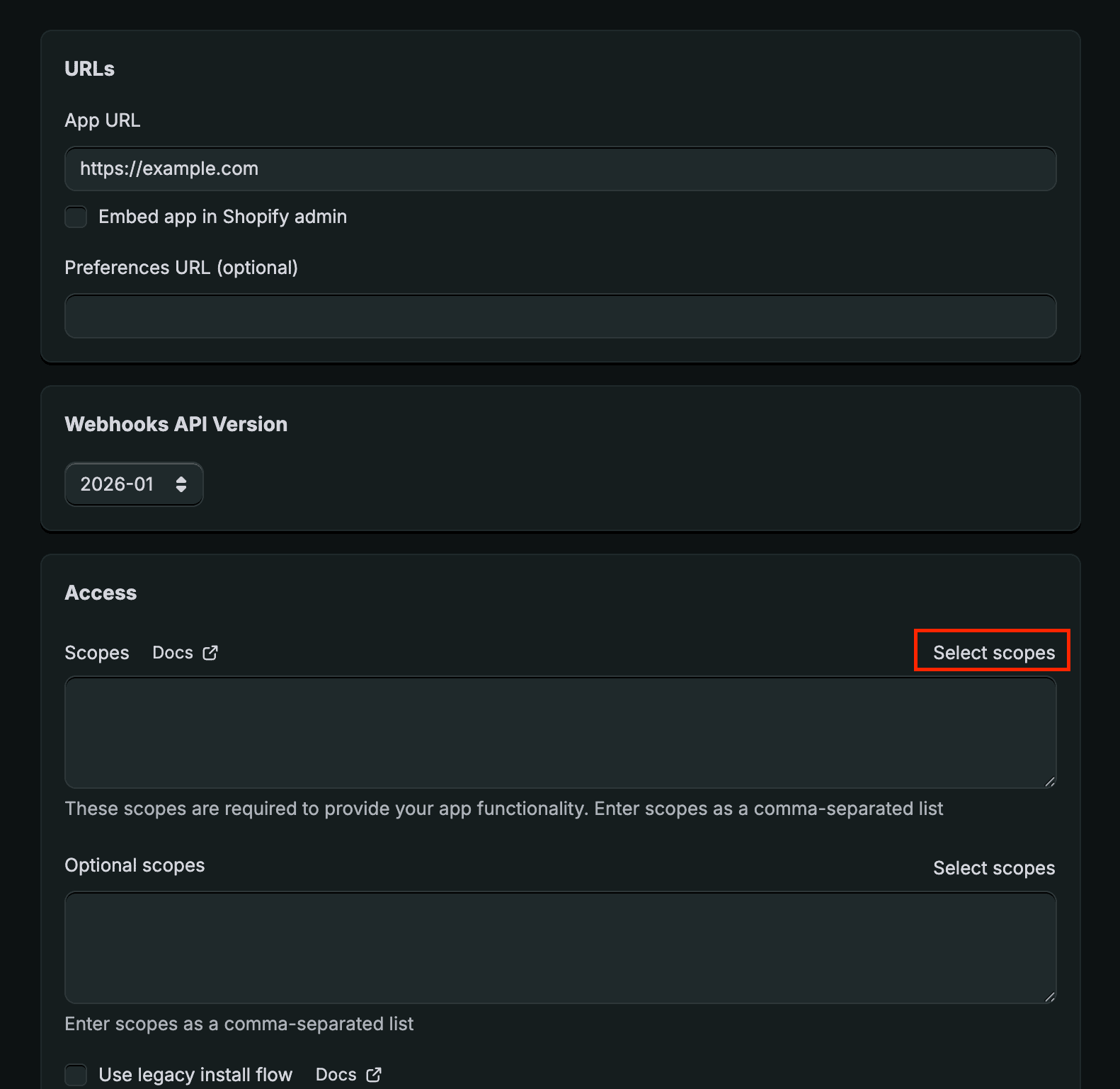
* Les scopes suivantes sont nécessaires :
* read\_orders
* read\_all\_orders (si vous devez récupérer des commandes datant de plus de 60 jours). Notez que si vous créez l'application en tant que partenaire du commerçant, vous devrez obtenir un accès supplémentaire via le dashboard du partenaire, consultez la documentation : [https://shopify.dev/docs/api/usage/access-scopes#orders-permissions](https://shopify.dev/docs/api/usage/access-scopes#orders-permissions). Une fois cela fait, vous pourrez voir "read\_all\_orders" dans les scopes disponibles (rafraîchissez la page si nécessaire)
* read\_returns
* read\_discounts
* read\_products
* read\_customers
* L'URL de redirection est la suivante "**[https://chift.app/oauth2/redirect](https://chift.app/oauth2/redirect)**".
* Vous n'avez pas besoin d'installer l'application.
Voici quelques captures d'écran illustrant les étapes :
### Configuration - application personnalisée
Procédez à ces étapes uniquement si on vous demande un identifiant client et un secret client (client id / secret).
**Étape 4b :** Accédez au tableau/dashboard de développement ([https://dev.shopify.com/dashboard](https://dev.shopify.com/dashboard)) et suivez les étapes décrites dans cet article pour activer et créer une application personnalisée :
* [https://shopify.dev/docs/apps/build/dev-dashboard/create-apps-using-dev-dashboard](https://shopify.dev/docs/apps/build/dev-dashboard/create-apps-using-dev-dashboard)
* Les scopes suivantes sont nécessaires :
* read\_orders
* read\_all\_orders (si vous devez récupérer des commandes datant de plus de 60 jours). Notez que si vous créez l'application en tant que partenaire du commerçant, vous devrez obtenir un accès supplémentaire via le dashboard du partenaire, consultez la documentation : [https://shopify.dev/docs/api/usage/access-scopes#orders-permissions](https://shopify.dev/docs/api/usage/access-scopes#orders-permissions). Une fois cela fait, vous pourrez voir "read\_all\_orders" dans les scopes disponibles (rafraîchissez la page si nécessaire)
* read\_returns
* read\_discounts
* read\_products
* read\_customers
* L'URL de redirection est la suivante "**[https://chift.app/oauth2/redirect](https://chift.app/oauth2/redirect)**".
* Vous n'avez pas besoin d'installer l'application.
Voici quelques captures d'écran illustrant les étapes :

 **Étape 5b :** Cliquez sur "Settings" dans le menu de gauche. Copiez le "Client id" / "Secret"
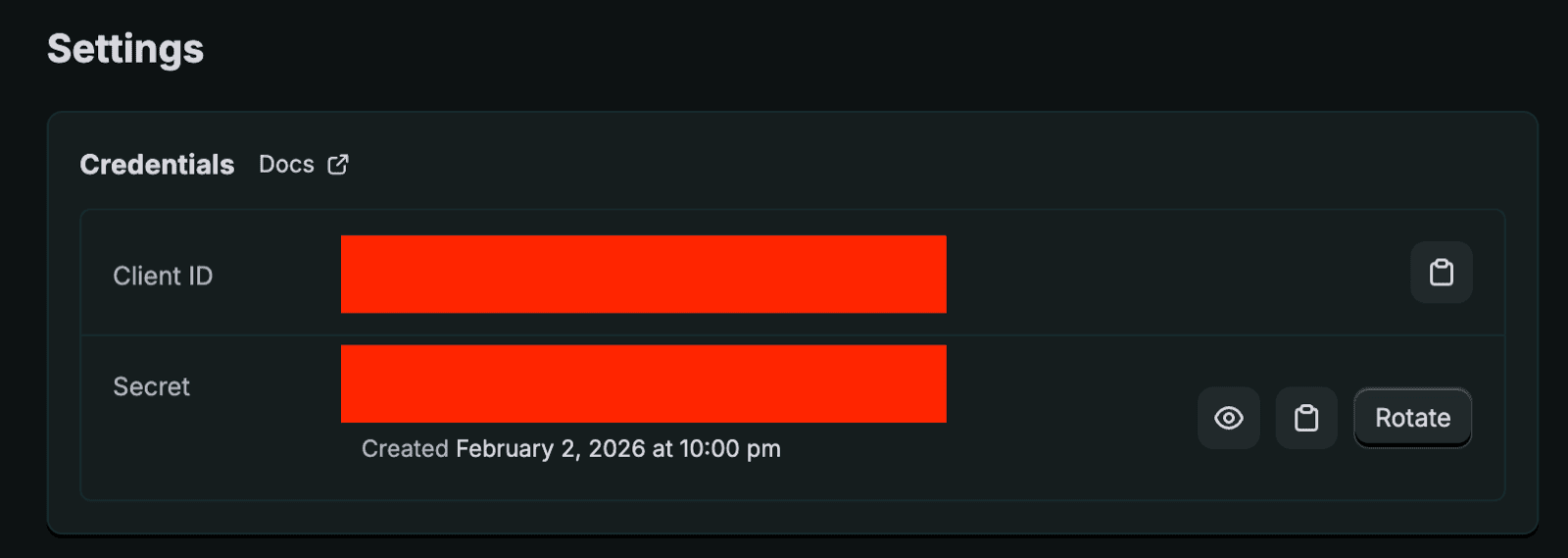 **Étape 6b :** Collez le client id / secret dans les champs correspondants et cliquez sur "Autoriser". Vous serez redirigé(e) et invité(e) à installer l'application. Veuillez approuver pour terminer l'installation.