> ## Documentation Index
> Fetch the complete documentation index at: https://docs.chift.eu/llms.txt
> Use this file to discover all available pages before exploring further.
# InexWeb - In Extenso
# PRÉREQUIS
L'application à laquelle vous essayez de connecter "InexWeb - In Extenso" doit être activée. Veuillez verifier que ceci est bien le cas avant d'activer la connexion. Si ce n'est pas encore le cas, veuillez contacter le support de d'In Extenso ([**assistance@fulll.help**](mailto:assistance@fulll.help)) afin de procéder à l'activation de l'application.
# CONNEXION
**Étape 1:** Choisissez un nom pour votre connexion.
 **Étape 2:** Cliquez sur "Autoriser" pour finaliser la connexion.
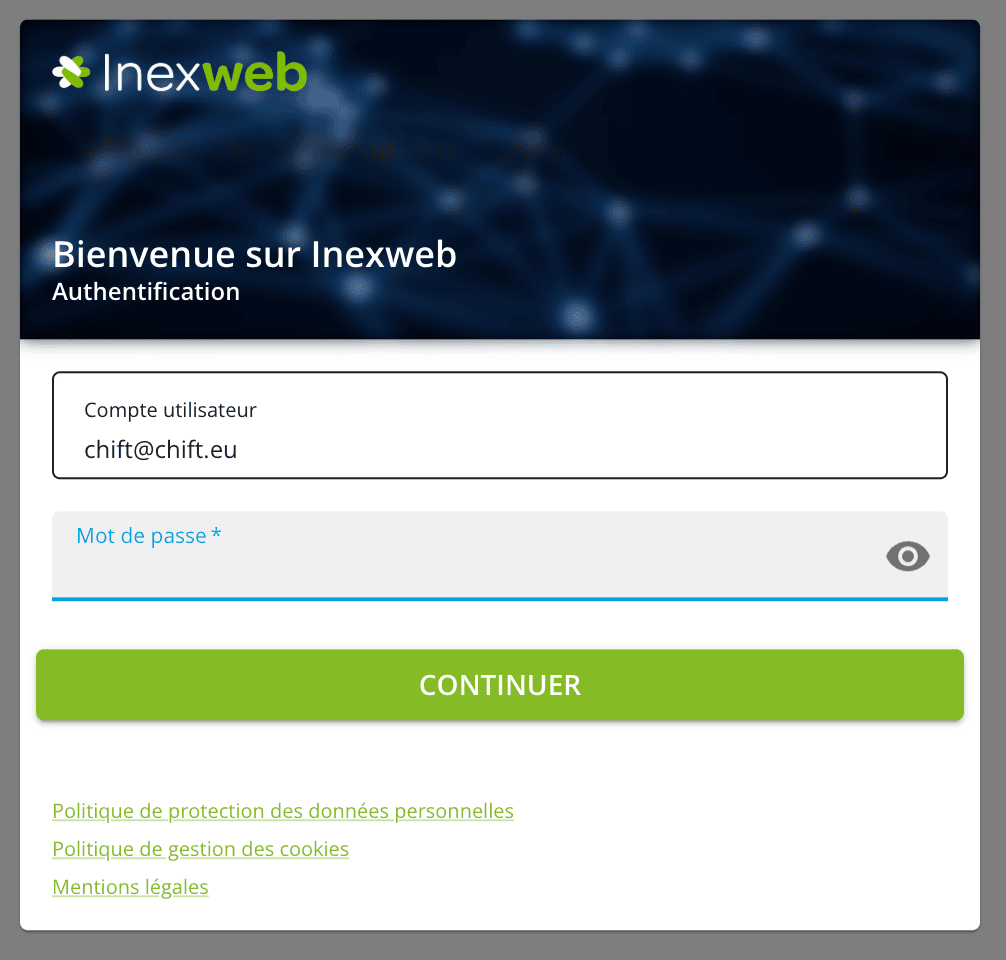
 **Étape 3:** Saisissez vos identifiants InexWeb - In Extenso puis validez ; vous serez ensuite redirigés vers Chift.
 # ERREURS
⚠ En cas d'erreur veuillez vérifier que l'application à laquelle vous essayer de connecter "InexWeb - In Extenso" est bien activée. Si ce n'est pas encore le cas, veuillez contacter le support d'In Extenso ([**assistance@fulll.help**](mailto:assistance@fulll.help)) afin de procéder à l'activation de l'application.
# ERREURS
⚠ En cas d'erreur veuillez vérifier que l'application à laquelle vous essayer de connecter "InexWeb - In Extenso" est bien activée. Si ce n'est pas encore le cas, veuillez contacter le support d'In Extenso ([**assistance@fulll.help**](mailto:assistance@fulll.help)) afin de procéder à l'activation de l'application.