> ## Documentation Index
> Fetch the complete documentation index at: https://docs.chift.eu/llms.txt
> Use this file to discover all available pages before exploring further.
# Cashpad
# **PRÉPARATION**
Envoyez un e-mail à l'équipe support de Cashpad : [support@cashpad.fr](mailto:support@cashpad.fr) ou voyez directement avec votre revendeur.
Informez-les que vous activez la connexion API via **Chift** et demandez-leur les informations suivantes concernant votre compte :
* Installation ID (l'identifiant unique de votre site)
# CONNEXION
**Étape 1 :** Choisissez un nom pour votre connexion.
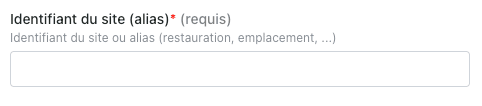
 **Étape 2 :** Saisissez l'identifiant du site (installation ID) fourni par Cashpad.
 **Étape 3 :** Cliquez sur « Connecter » pour finaliser la connexion.