> ## Documentation Index
> Fetch the complete documentation index at: https://docs.chift.eu/llms.txt
> Use this file to discover all available pages before exploring further.
# Vosfactures
# PRÉPARATION
#### Comment trouver l'URL de votre compte sur Vos Factures :
L'url de votre compte Vos Factures se trouve dans la barre de recherche de votre page web, vous devrez copier cette information et l'insérer à l'Étape 2 de l'activation de l'intégration Vos Factures.
 ## Comment générer une clé API pour votre compte Vos Factures
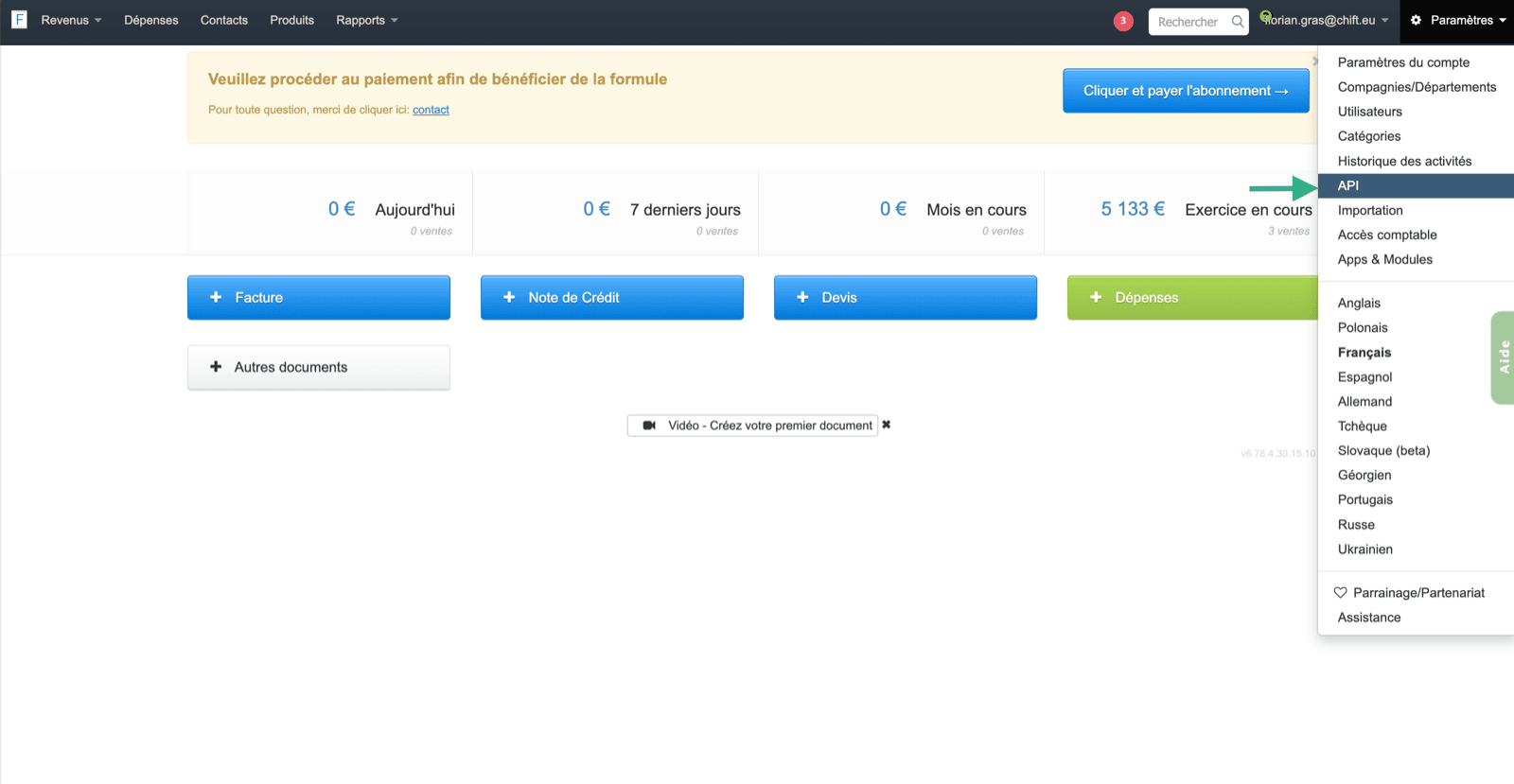
Pour trouver votre clé API, vous devrez vous rendre sur votre compte Vos Factures, puis sélectionner dans les paramètres la page « API ».
## Comment générer une clé API pour votre compte Vos Factures
Pour trouver votre clé API, vous devrez vous rendre sur votre compte Vos Factures, puis sélectionner dans les paramètres la page « API ».
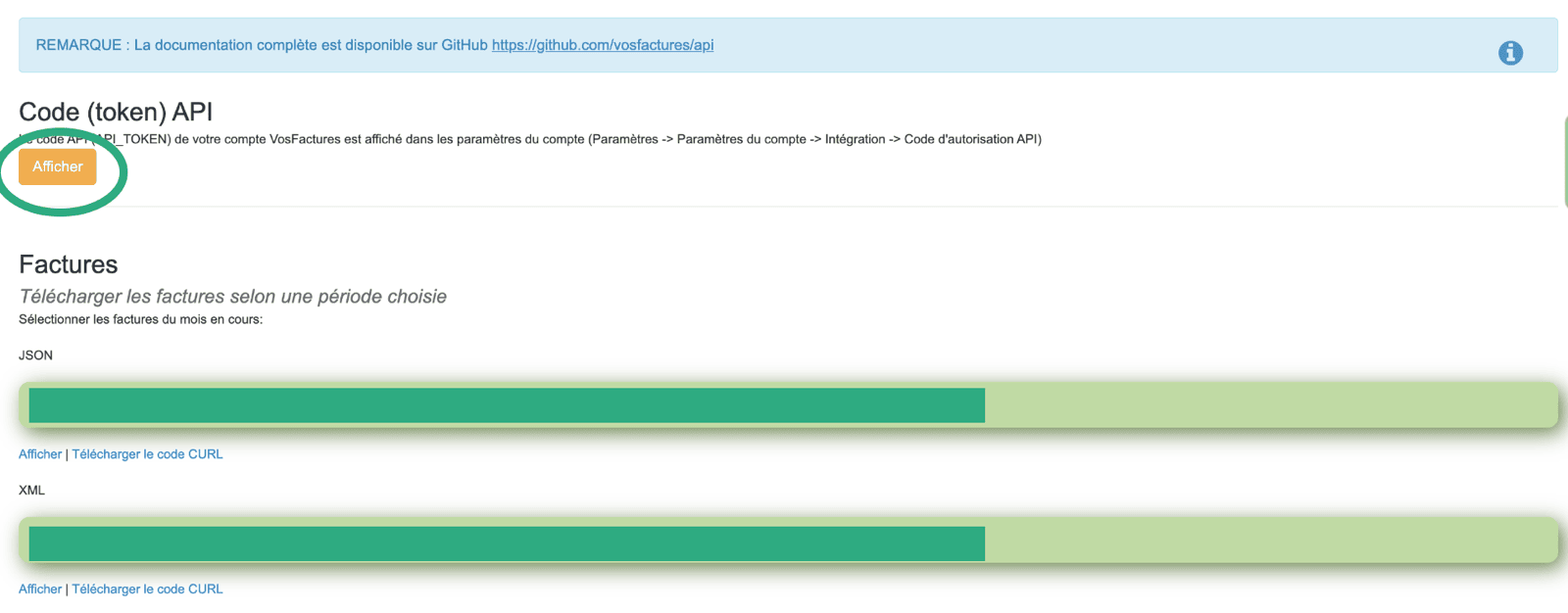
 Une fois la clé API affichée, vous devrez la copier et l'insérer dans le champ de l'Étape 3 de votre page d'activation de l'intégration.
 Le token API doit être généré par un utilisateur qui **a accès aux paramètres du compte** ; sinon, la connexion ne fonctionnera pas.
Pour éviter tout problème de permission, nous vous recommandons fortement de générer la clé API depuis le compte propriétaire de votre compte Vosfactures.
# CONNEXION
**Étape 1 :** Choisissez un nom pour votre connexion.
Le token API doit être généré par un utilisateur qui **a accès aux paramètres du compte** ; sinon, la connexion ne fonctionnera pas.
Pour éviter tout problème de permission, nous vous recommandons fortement de générer la clé API depuis le compte propriétaire de votre compte Vosfactures.
# CONNEXION
**Étape 1 :** Choisissez un nom pour votre connexion.
 **Étape 2 :** Saisissez l'URL de votre compte Vos Factures.
 **Étape 3 :** Saisissez la clé API, précédemment générée depuis votre compte
 **Étape 4 :** Cliquez sur « Connecter » pour finaliser la connexion.