> ## Documentation Index
> Fetch the complete documentation index at: https://docs.chift.eu/llms.txt
> Use this file to discover all available pages before exploring further.

# Axonaut

# **PRÉPARATION**

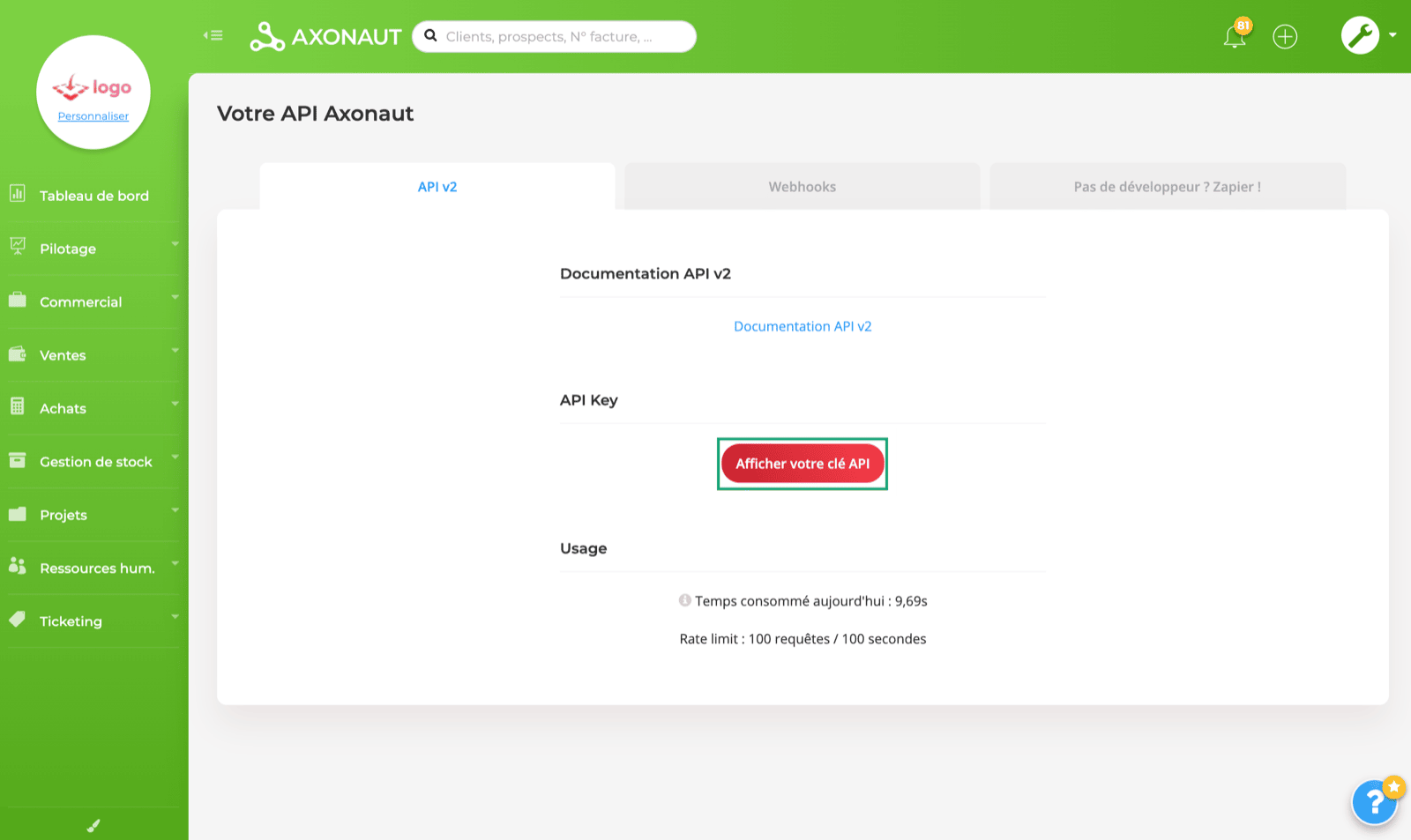
Les informations nécessaires pour configurer la connexion se trouvent directement depuis votre compte Axonaut. (Paramètres → API → Afficher votre clé API)
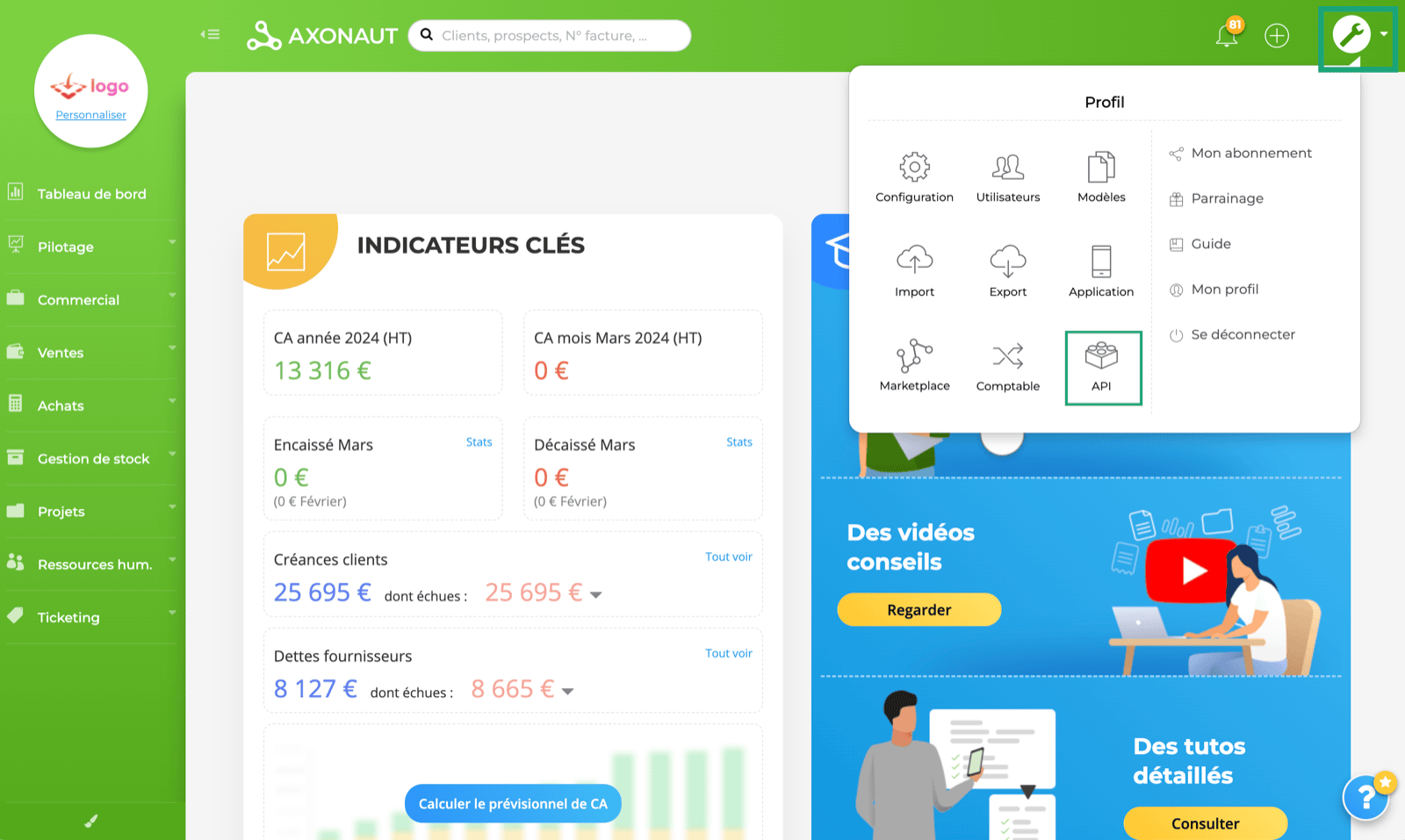
<img src="https://mintcdn.com/chift/vFP6kbuJx-Hf0o8M/images/help/axonaut/axonaut-fr-1.png?fit=max&auto=format&n=vFP6kbuJx-Hf0o8M&q=85&s=9bb7d61c84733dec4082a768eb94e0df" alt="" width="1600" height="957" data-path="images/help/axonaut/axonaut-fr-1.png" />

<img src="https://mintcdn.com/chift/vFP6kbuJx-Hf0o8M/images/help/axonaut/axonaut-fr-2.png?fit=max&auto=format&n=vFP6kbuJx-Hf0o8M&q=85&s=8d2ee5385600b1875f3a51664849f729" alt="" width="1600" height="953" data-path="images/help/axonaut/axonaut-fr-2.png" />

# CONNEXION

**Étape 1 :** Choisissez un nom pour votre connexion.

<img src="https://mintcdn.com/chift/vFP6kbuJx-Hf0o8M/images/help/axonaut/axonaut-fr-3.png?fit=max&auto=format&n=vFP6kbuJx-Hf0o8M&q=85&s=488c5c49990d83b1610c96ec7f5e61ea" alt="" width="860" height="168" data-path="images/help/axonaut/axonaut-fr-3.png" />

**Étape 2 :** Saisissez votre clé API, que vous avez précédemment trouvée sur votre compte.
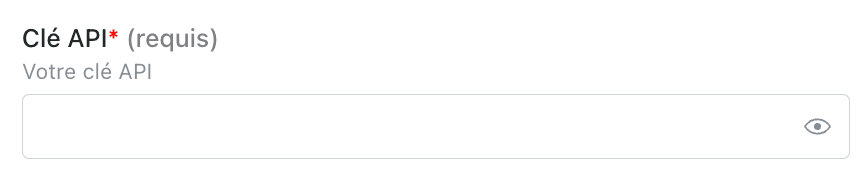
<img src="https://mintcdn.com/chift/vFP6kbuJx-Hf0o8M/images/help/axonaut/axonaut-fr-4.png?fit=max&auto=format&n=vFP6kbuJx-Hf0o8M&q=85&s=f3504ef2cf16a6743b986fbb3c2fb003" alt="" width="862" height="178" data-path="images/help/axonaut/axonaut-fr-4.png" />

**Étape 3 :** Cliquez sur « Connecter » pour finaliser la connexion.
<img src="https://mintcdn.com/chift/vFP6kbuJx-Hf0o8M/images/help/axonaut/axonaut-fr-5.png?fit=max&auto=format&n=vFP6kbuJx-Hf0o8M&q=85&s=03b725ad14b683e2eedfe9578cfdbd85" alt="" width="244" height="98" data-path="images/help/axonaut/axonaut-fr-5.png" />
