> ## Documentation Index
> Fetch the complete documentation index at: https://docs.chift.eu/llms.txt
> Use this file to discover all available pages before exploring further.

# Numier

# REQUISITOS PREVIOS

* Necesitas contactar a Numier para obtener credenciales y poder usar la API

# CONEXIÓN

**Paso 1:** Elige un nombre para tu conexión.
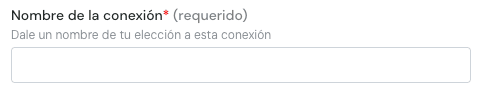
<img src="https://mintcdn.com/chift/31nQ8nkwKpxNtIUa/images/help/numier/numier-es-1.png?fit=max&auto=format&n=31nQ8nkwKpxNtIUa&q=85&s=7d3551c7fd04a3a907d0a7827bb932f3" alt="image.png" width="482" height="97" data-path="images/help/numier/numier-es-1.png" />

**Paso 2:** Introduce el ID de POS / ID de TPV

<img src="https://mintcdn.com/chift/31nQ8nkwKpxNtIUa/images/help/numier/numier-es-2.png?fit=max&auto=format&n=31nQ8nkwKpxNtIUa&q=85&s=236c3777c96571d654e9feb2fad5bc1f" alt="image.png" width="483" height="93" data-path="images/help/numier/numier-es-2.png" />

**Paso 3:** Introduce la clave API

<img src="https://mintcdn.com/chift/31nQ8nkwKpxNtIUa/images/help/numier/numier-es-3.png?fit=max&auto=format&n=31nQ8nkwKpxNtIUa&q=85&s=aebdfb6b26847bad8d8cc0d35d661cc4" alt="image.png" width="490" height="80" data-path="images/help/numier/numier-es-3.png" />

<img src="https://mintcdn.com/chift/31nQ8nkwKpxNtIUa/images/help/numier/numier-es-4.png?fit=max&auto=format&n=31nQ8nkwKpxNtIUa&q=85&s=3ced2e02bc5c79db0d0865b2db3448cb" alt="image.png" width="122" height="55" data-path="images/help/numier/numier-es-4.png" />