> ## Documentation Index
> Fetch the complete documentation index at: https://docs.chift.eu/llms.txt
> Use this file to discover all available pages before exploring further.
# Last.app
# PREPARACIÓN
1. **Activa la integración en Last.APP.**
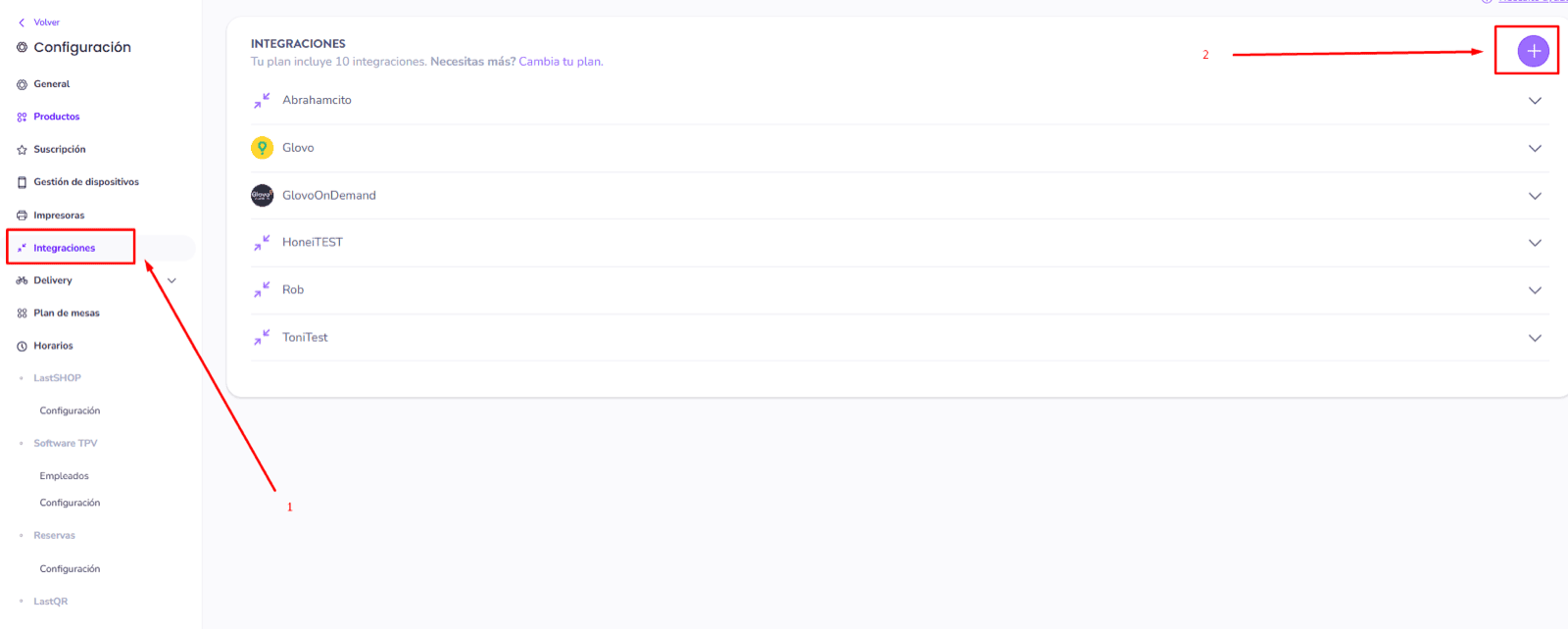
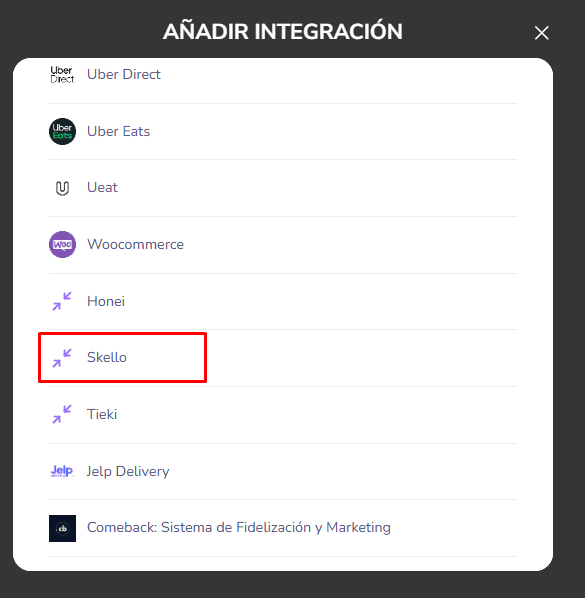
1. Ve a tu cuenta de Last.APP → Menú → Integraciones → "Añadir" / "+" → haz clic en el partner que quieras integrar (en este ejemplo: Skello)
 2. **Ponte en contacto con el equipo de soporte de Last.app** para solicitar un **token bearer de API** y así activar tu integración.
# CONEXIÓN
**Paso 1:** Elige un nombre para tu conexión.
2. **Ponte en contacto con el equipo de soporte de Last.app** para solicitar un **token bearer de API** y así activar tu integración.
# CONEXIÓN
**Paso 1:** Elige un nombre para tu conexión.
 **Paso 2:** Introduce tu token bearer, que encontrarás en tu cuenta de Last App.
 **Paso 3:** Haz clic en "Conectar" para finalizar la conexión.
