> ## Documentation Index
> Fetch the complete documentation index at: https://docs.chift.eu/llms.txt
> Use this file to discover all available pages before exploring further.
# Vosfactures
# PREPARACIÓN
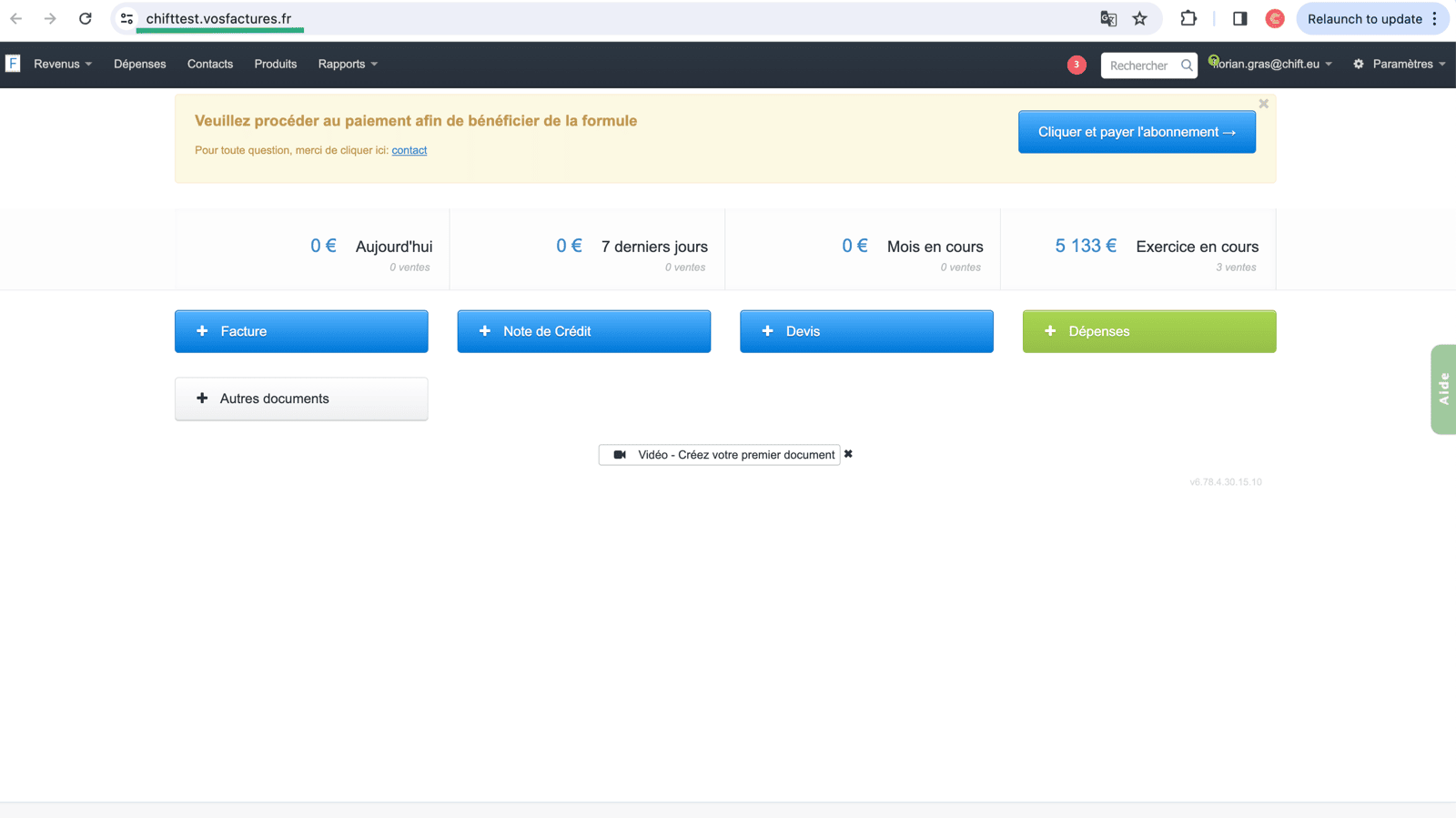
#### Cómo encontrar la URL de tu cuenta en Vos Factures:
La url de tu cuenta de Vos Factures se encuentra en la barra de direcciones de tu página web; deberás copiar esta información e insertarla en el Paso 2 de la activación de la integración de Vos Factures.
 ## Cómo generar una clave API para tu cuenta de Vos Factures
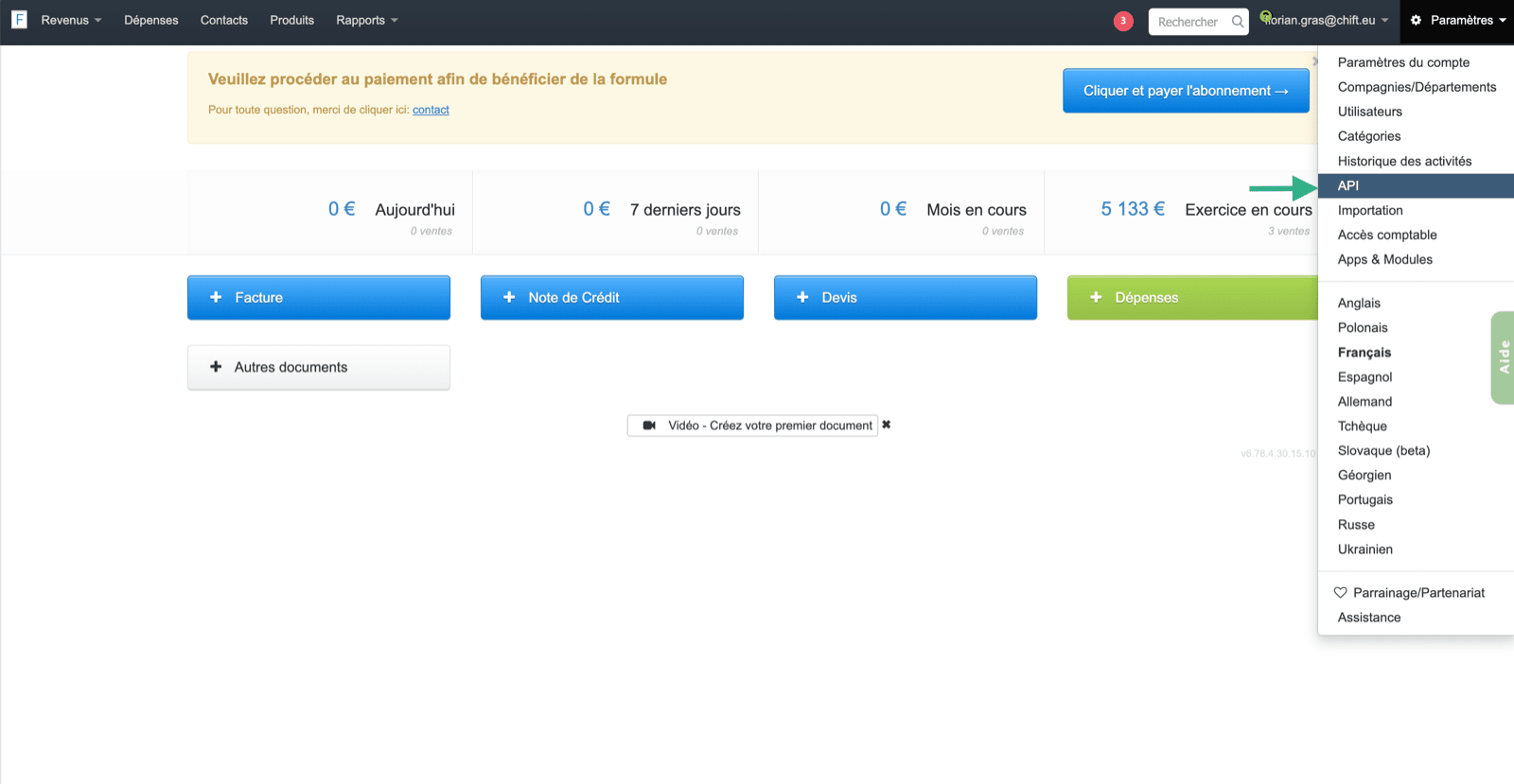
Para encontrar tu clave API, deberás ir a tu cuenta de Vos Factures y seleccionar en los ajustes la página "API".
## Cómo generar una clave API para tu cuenta de Vos Factures
Para encontrar tu clave API, deberás ir a tu cuenta de Vos Factures y seleccionar en los ajustes la página "API".
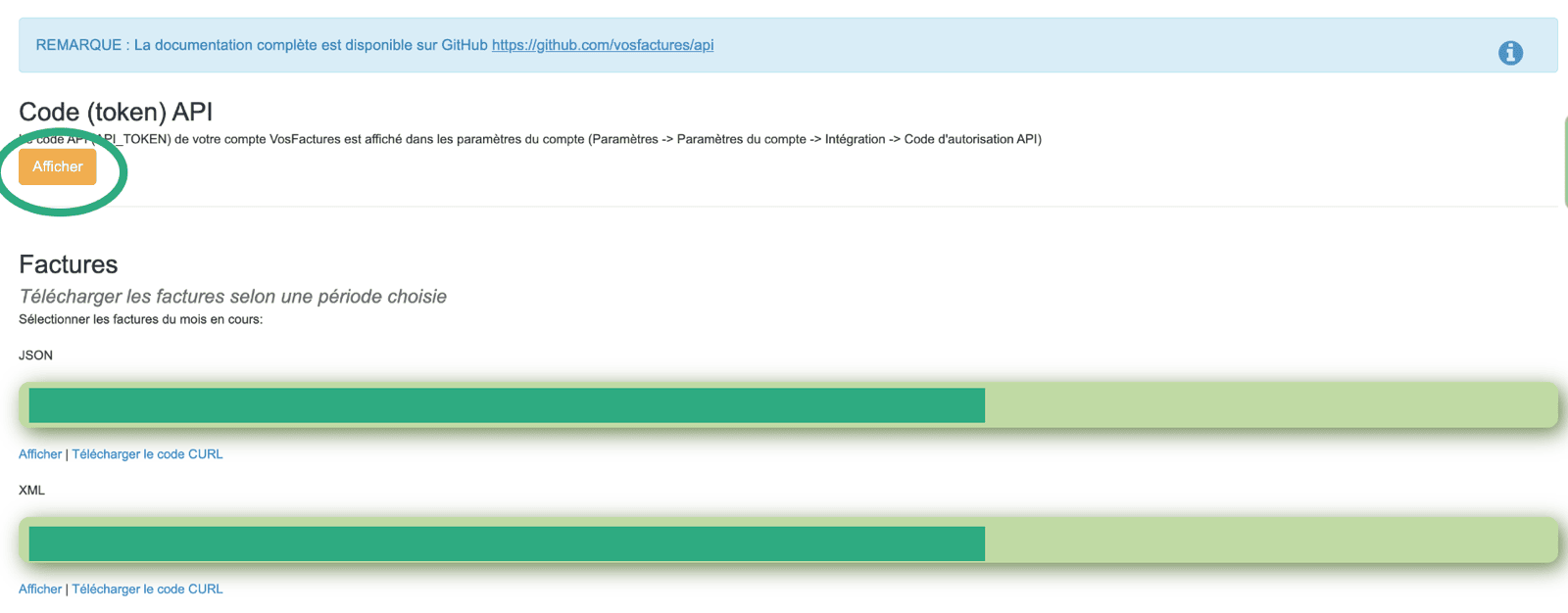
 Una vez que se muestre la clave API, deberás copiarla e insertarla en el campo del Paso 3 de tu página de activación de la integración.
 El token API debe ser generado por un usuario que **tenga acceso a los ajustes de la cuenta**; de lo contrario, la conexión no funcionará.
Para evitar cualquier problema de permisos, recomendamos encarecidamente generar la clave API desde la cuenta propietaria de tu cuenta de Vosfactures.
# CONEXIÓN
**Paso 1:** Elige un nombre para tu conexión.
El token API debe ser generado por un usuario que **tenga acceso a los ajustes de la cuenta**; de lo contrario, la conexión no funcionará.
Para evitar cualquier problema de permisos, recomendamos encarecidamente generar la clave API desde la cuenta propietaria de tu cuenta de Vosfactures.
# CONEXIÓN
**Paso 1:** Elige un nombre para tu conexión.
 **Paso 2:** Introduce la URL de tu cuenta de Vos Factures.
 **Paso 3:** Introduce la clave API generada previamente desde tu cuenta
 **Paso 4:** Haz clic en "Conectar" para finalizar la conexión.