> ## Documentation Index
> Fetch the complete documentation index at: https://docs.chift.eu/llms.txt
> Use this file to discover all available pages before exploring further.
# Configure MCP
The [Model Context Protocol (MCP)](/ai/mcp) lets AI agents and assistants (Claude, Cursor, ChatGPT, custom agents, …) connect to Chift's unified APIs on behalf of your consumers. The [remote MCP server](/ai/mcp/remote) grants that access through OAuth 2.0, so before anyone can connect a client you first need to enable MCP and choose which scopes your end users are allowed to authorize.
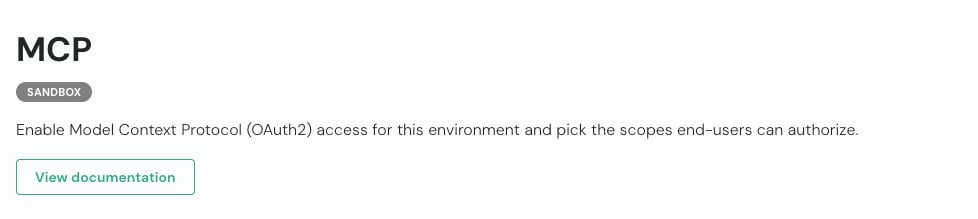
Open the **MCP** page from the left sidebar. These settings are managed **per environment**, so use the environment selector to switch between your sandbox and production environments before configuring them.
 To configure and activate MCP:
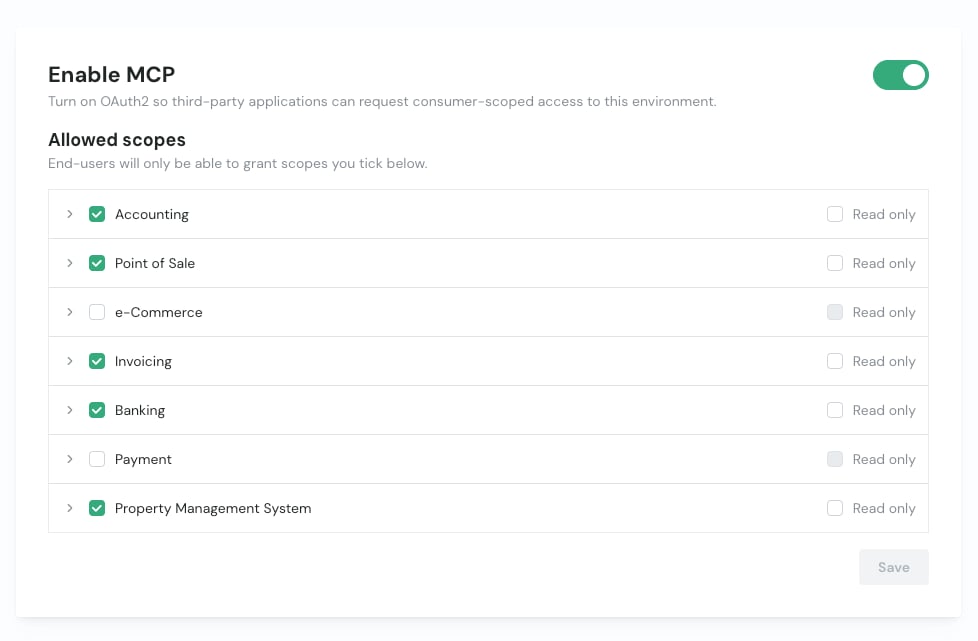
1. **Enable MCP** – toggle the switch on to turn on OAuth 2.0 access for the selected environment. This allows third-party applications to request consumer-scoped access.
2. **Pick the allowed scopes** – under **Allowed scopes**, tick the verticals your end users are allowed to authorize. Expand a vertical to select individual entities, or tick **Read only** to restrict a vertical to read access. End users will only ever be able to grant the scopes you tick here.
3. **Save** – click **Save** to apply your scope selection.
To configure and activate MCP:
1. **Enable MCP** – toggle the switch on to turn on OAuth 2.0 access for the selected environment. This allows third-party applications to request consumer-scoped access.
2. **Pick the allowed scopes** – under **Allowed scopes**, tick the verticals your end users are allowed to authorize. Expand a vertical to select individual entities, or tick **Read only** to restrict a vertical to read access. End users will only ever be able to grant the scopes you tick here.
3. **Save** – click **Save** to apply your scope selection.
 Once MCP is active, your end users authorize access from their MCP client: they log in, pick a consumer, and choose from the scopes you allowed. See the [remote MCP server](/ai/mcp/remote) guide for how developers connect a client, or the [MCP overview](/ai/mcp) to learn how the server works.